Your 2026 AI Co-Pilot: Smart Prompts & Automated Workflows for Student Success

Key Takeaways
- AI co-pilots augment student intelligence, providing superpowers for efficient, insightful academic navigation.
- Smart prompts and automated workflows are key to revolutionizing student success by 2026.
- AI acts as an intelligent assistant, guiding students like a GPS, not replacing their effort.
- Personalization, automation, and augmentation are core principles of AI student co-pilots.
- AI manages mundane tasks, freeing students for deep learning, critical thinking, and innovation.
I remember my own university days, feeling swamped by research papers and endless readings. Oh, how I wish I had an AI student co-pilot back then! Fast forward to 2026, and this isn’t a futuristic dream; it’s your everyday reality. We’re going to dive deep into how you can harness the power of smart prompts and automated workflows to revolutionize your student success.
Comprehensive Foundations & Concept Primer
Welcome to the starting line! Before we even think about code or complex setups, let’s ground ourselves in what an AI student co-pilot truly is. Think of it like this: you know how a pilot has a co-pilot to share the workload, assist with navigation, and double-check critical information? Your AI co-pilot does exactly that for your academic life. It’s a suite of AI tools for students designed to augment your intelligence, automate repetitive tasks, and provide personalized support, making your learning journey smoother and more effective.

What is an AI Co-Pilot for Students? An Everyday Analogy
Imagine your smartphone’s GPS. It doesn’t drive the car for you, but it guides you, reroutes when there’s traffic, and tells you about upcoming turns. Your AI co-pilot is similar. It’s not going to write your essay for you (and please, never try to make it!), but it will help you brainstorm ideas, structure your arguments, summarize dense readings, and even practice for presentations. It’s your intelligent assistant, always ready to lend a digital hand.
Why is this essential in 2026? The academic world is more demanding than ever. Information overload is real, assignments are increasingly interdisciplinary, and the need for critical thinking and creativity is paramount. Your AI co-pilot steps in to manage the mundane, freeing you up to focus on deep learning, understanding, and innovation. This isn’t just about getting good grades; it’s about developing a more profound and personalized AI learning experience.
Core Principles: Personalization, Automation, Augmentation
- Personalization: Your AI learns from your interactions, your learning style, and your specific course material. It tailors its assistance to you, not a generic student profile. This means study aids, explanations, and even practice questions become incredibly relevant.
- Automation: Repetitive tasks like summarizing articles, organizing notes, or scheduling study sessions can be handled by your co-pilot. This is where automated learning workflows come into play, saving you precious time and mental energy.
- Augmentation: This is key. Your AI co-pilot doesn’t replace your intelligence; it enhances it. It helps you think more critically by presenting different perspectives, identifying gaps in your knowledge, or even challenging your assumptions. It’s an extension of your own cognitive abilities.
Eliminating Jargon: AI, LLMs, and Prompt Engineering
Let’s demystify some terms. When I say “AI,” I’m referring to Artificial Intelligence – machines designed to simulate human intelligence. At the heart of your co-pilot are “LLMs” (Large Language Models). Think of an LLM as a super-smart digital brain trained on vast amounts of text and code, capable of understanding and generating human-like language. Google’s Gemini models are fantastic examples of powerful LLMs that you’ll be interacting with. You can delve deeper into their capabilities and how they’re built by exploring the Google developer documentation.
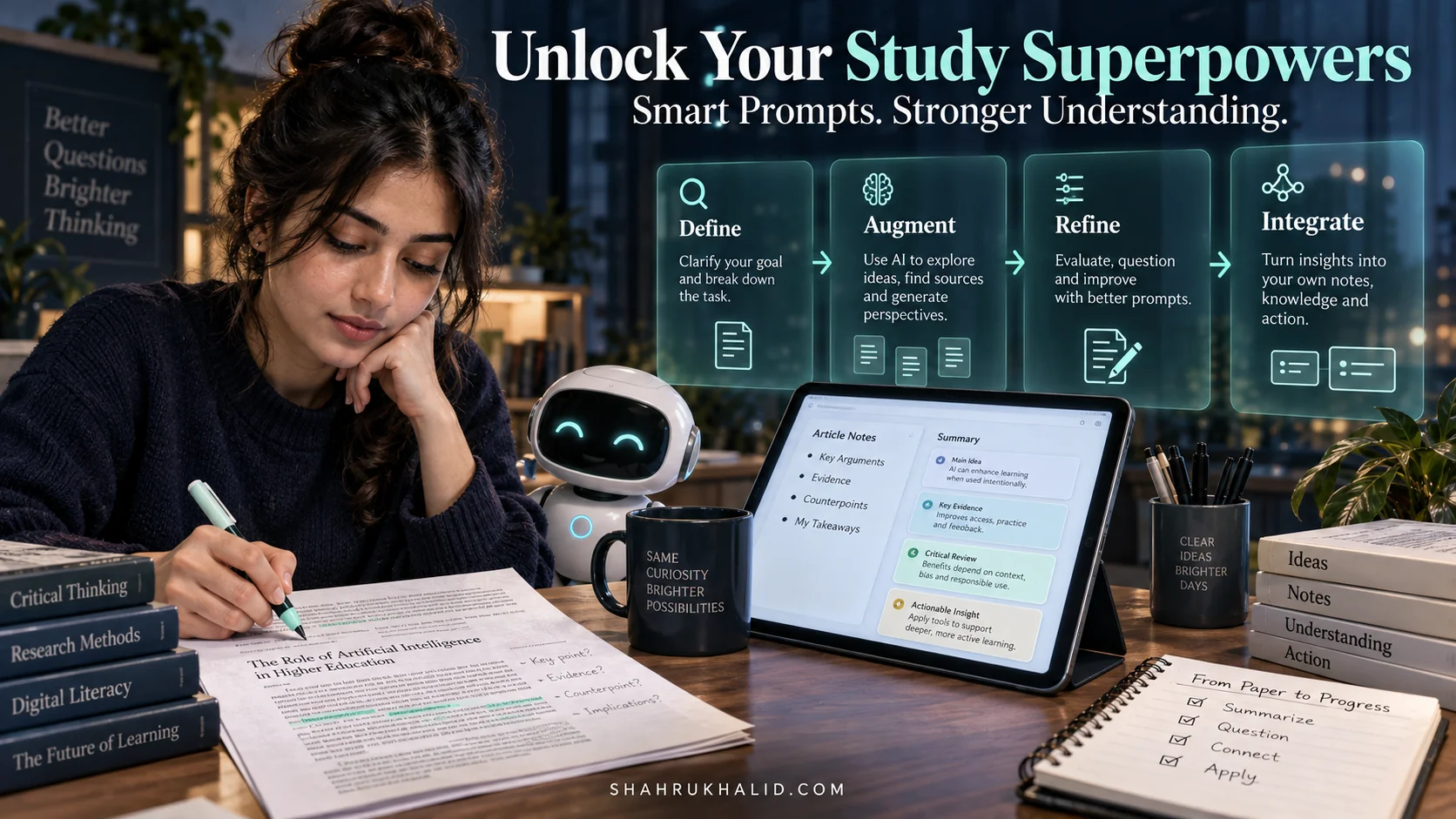
Now, “Prompt Engineering” might sound fancy, but it’s simply the art and science of asking your AI the right questions. It’s like learning how to speak to your co-pilot in a way that gets you the most helpful, accurate, and relevant responses. We’ll be focusing heavily on prompt engineering for education throughout this guide because it’s the key to unlocking your co-pilot’s full potential.
So, to answer your questions: An AI student co-pilot is your intelligent digital partner that uses AI, particularly LLMs, to personalize your learning, automate tasks, and augment your thinking. It’s how to use AI for academic success by transforming how you interact with information, manage your time, and ultimately, master your subjects. This is the future of AI in education, and you’re at the forefront of it.
Prerequisites & Complete Environment Setup
Alright, now that we understand the ‘why,’ let’s get into the ‘how.’ Setting up your AI student co-pilot environment isn’t about complex installations; it’s about gathering the right digital tools and organizing them for maximum efficiency. Think of it as preparing your digital workspace – a clean, organized desk makes for better study, right? This module is all about getting those foundations solid and beginner-friendly.
What You’ll Need: Your Digital Toolkit
You don’t need a supercomputer or a degree in computer science. Here’s your essential toolkit:
- A Reliable Computer & Internet Connection: Whether it’s a laptop, desktop, or even a powerful tablet, you’ll need something to interact with your AI. And, of course, a stable internet connection is paramount, as most AI services are cloud-based.
- A Google Account: This is your primary gateway. Many of the most powerful and accessible AI tools for students, like Google Bard (now Gemini), are integrated directly into the Google ecosystem. Plus, Google Workspace (Docs, Drive, Calendar) will become integral to your automated workflows.
- Access to a Large Language Model (LLM): For our purposes, we’ll primarily focus on Google’s Gemini (formerly Bard). It’s incredibly powerful, constantly evolving, and often freely accessible. Other options like ChatGPT are also viable, but for consistency, we’ll use Gemini in our examples. Just make sure you can log in and start a conversation.
- A Simple Text Editor: While you can write prompts directly into your AI, having a dedicated space to draft, save, and organize your “smart prompts” is crucial. Google Docs works perfectly, or if you’re feeling a bit more adventurous, a simple code editor like VS Code (Visual Studio Code) is fantastic for organizing text files.
- Productivity Browser Extensions (Optional but Recommended): Tools like “Save to Google Keep” or a web clipper can quickly capture information from web pages, which you can then feed to your AI.
- Basic Automation Tool (Optional, for advanced workflows): For truly automated learning workflows, tools like Google Apps Script (free and built into Google Workspace) or Zapier/IFTTT (free tiers available) can connect your AI’s output to other applications. We’ll start simple, but it’s good to know these exist.
Step-by-Step Setup Instructions
Let’s get you set up, nice and easy:
1. Google Account & Gemini Access
If you don’t have a Google Account, create one. It’s free! Once you have it, navigate to gemini.google.com. Log in with your Google Account. You should see a chat interface ready for your input. This is your direct line to your AI study assistant.
2. Creating Your “Prompt Library”
Open Google Drive. Create a new folder named “AI Co-Pilot Prompts.” Inside this, create subfolders like “Research Prompts,” “Essay Prompts,” “Study Prompts.”
Now, open a new Google Doc within your “Research Prompts” folder. Name it “Summary & Q&A Prompts.” This is where you’ll store your carefully crafted prompts, making them easy to find and reuse. This might seem simple, but believe me, good organization is half the battle when you’re dealing with advanced prompt engineering for education.
3. Browser Extensions (Example: Google Keep)
Go to your browser’s extension store (e.g., Chrome Web Store). Search for “Google Keep Chrome Extension” and add it. Once installed, you’ll see a little lightbulb icon in your browser toolbar. This allows you to quickly save web pages, text snippets, or images directly to Google Keep, which can then be easily copied and pasted into Gemini.
4. Basic Google Apps Script Setup (Optional, for later modules)
For more advanced users, or just to peek ahead: In Google Drive, click ‘New’ > ‘More’ > ‘Google Apps Script’. This opens a new script project. You won’t write any code just yet, but knowing where it lives is important for when we discuss automated learning workflows. Give your script a project name like “Student Co-Pilot Automations.”
Verification: Is Everything Ready?
Let’s do a quick check:
- Can you access Gemini and start a new chat? Try asking it something simple like, “What’s the capital of France?”
- Do you have your “AI Co-Pilot Prompts” folder and a “Summary & Q&A Prompts” Google Doc ready in your Google Drive?
- If you installed a browser extension like Google Keep, can you click its icon and save a note?
If you answered “yes” to these, congratulations! Your environment is set up. You’ve just taken the first crucial step in mastering how to use AI for academic success. This beginner-friendly setup ensures you have all the necessary digital tools at your fingertips to begin building your personal AI study assistant.
Core Implementation Architecture & Workflow Blueprint
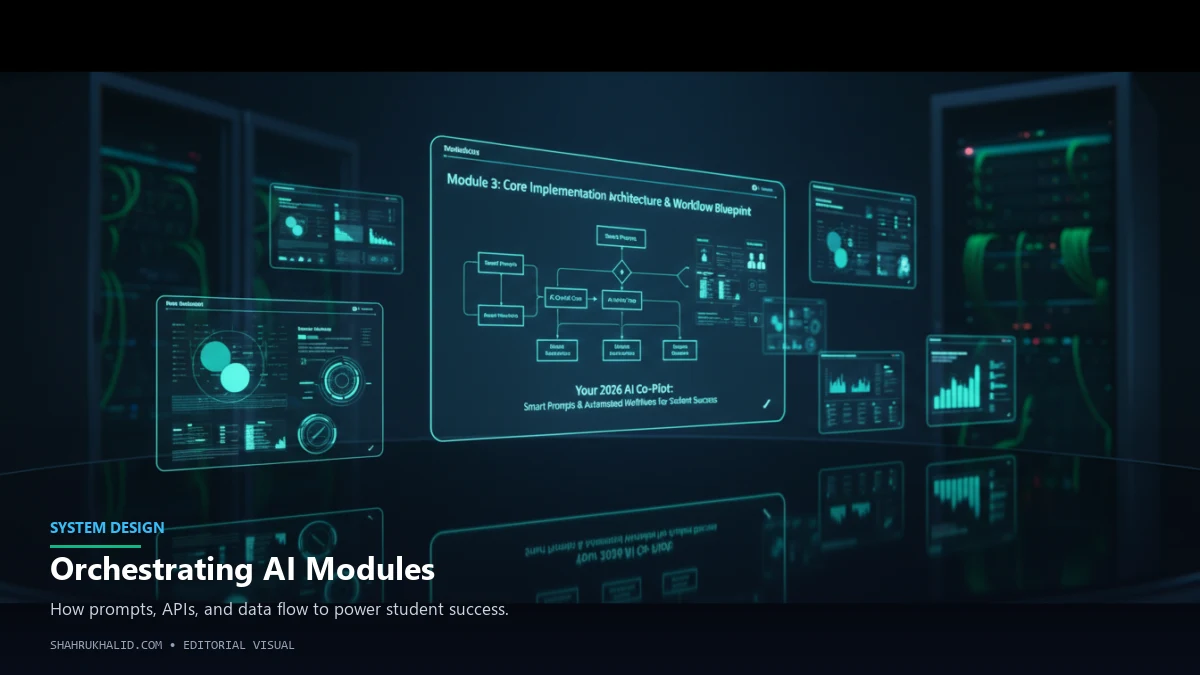
Now that your digital workspace is ready, let’s peek under the hood of your AI student co-pilot. This isn’t about complex coding, but understanding the fundamental mechanics – the “brains” and the “flow” – that make it all work. We’re going to explore how your carefully crafted questions (smart prompts) interact with the AI and how you can chain these interactions together to create powerful, automated learning workflows. This is where prompt engineering for education truly shines.
The Art of Smart Prompts: Speaking AI’s Language
Think of prompt engineering as learning to communicate clearly with a super-intelligent, but literal, assistant. If you just say, “Summarize this,” it might give you a generic summary. But if you say, “Act as a university professor specializing in astrophysics. Summarize this research paper on black holes for a first-year undergraduate, highlighting the three most critical findings and explaining any complex jargon simply,” you’ll get a vastly superior, tailored response.
Here are the core elements of a “Smart Prompt”:
- Clear Role Assignment: Tell the AI who it should be (e.g., “You are a history tutor,” “Act as a scientific editor”). This dramatically shapes its output.
- Specific Task Definition: Clearly state what you want it to do (e.g., “Summarize,” “Explain,” “Generate,” “Critique,” “Brainstorm”).
- Context & Constraints: Provide all necessary background information and any limitations (e.g., “Summarize this 10-page article in 200 words,” “Explain to a high school student,” “Focus only on economic impacts”).
- Desired Output Format: Specify how you want the answer (e.g., “Provide 5 bullet points,” “Generate a table,” “Write a short paragraph,” “Format as a debate script”).
- Iterative Refinement: Don’t expect perfection on the first try. Your co-pilot is designed for conversation. If the first answer isn’t quite right, follow up with, “Can you elaborate on point 3?” or “Make it more concise.”
This is the essence of how to use smart prompts for studying effectively. It’s a dialogue, not a monologue.
Automated Workflows: Chaining Actions for Efficiency
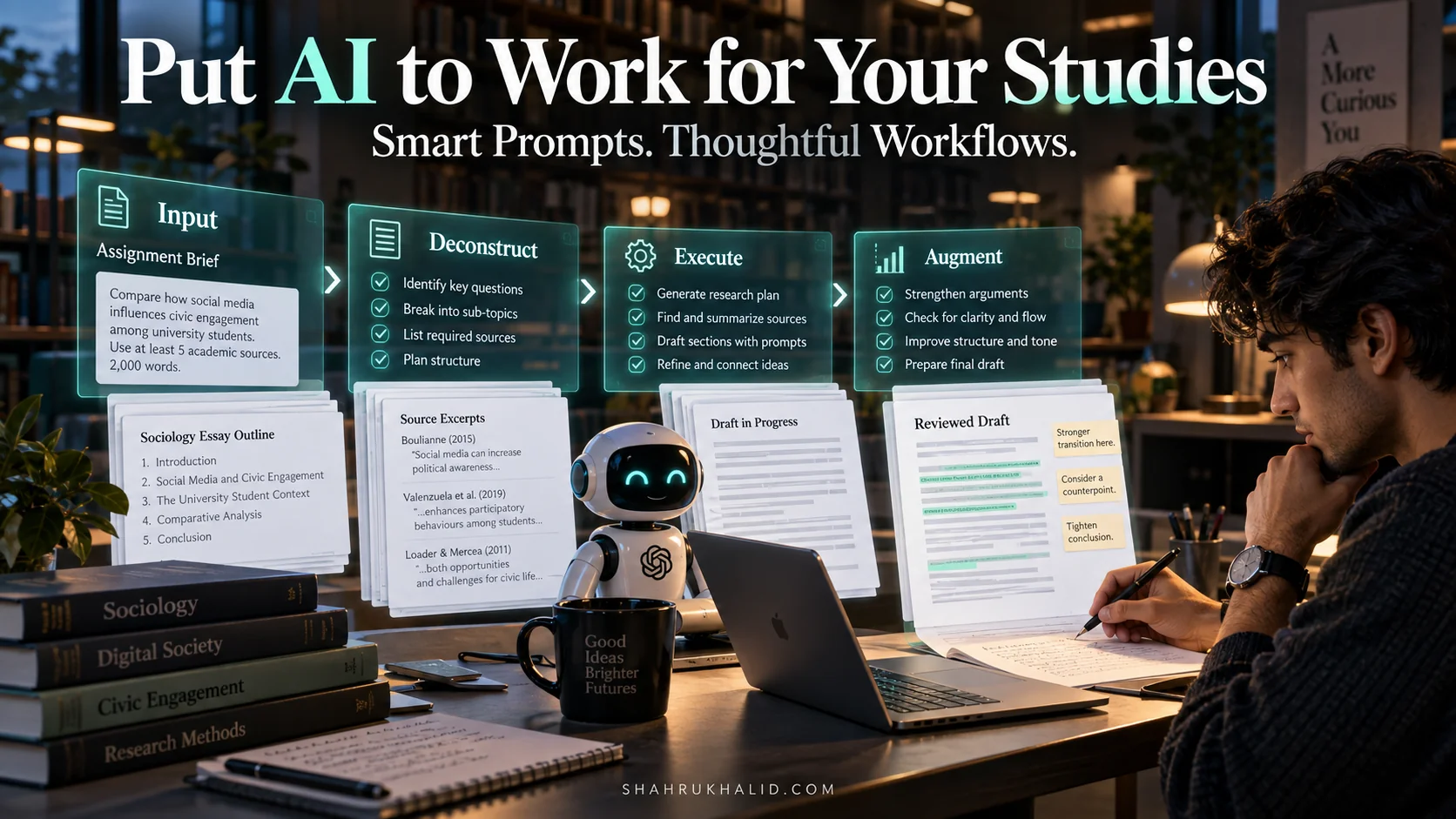
What are automated workflows in education? Simply put, it’s connecting several steps or tasks, often involving your AI co-pilot and other tools, so they run seamlessly, one after the other. Imagine a series of interconnected digital “cards,” each representing a step, passing information to the next. This is the blueprint for truly empowering your AI study assistant.
Visualizing a Simple Workflow (Conceptual Diagram Grid)
Picture a grid, or a series of interconnected boxes. Let’s trace a common student scenario: “Summarize a research paper and extract key terms.”
Workflow Blueprint: Research Paper Digest
“Imagine these as interconnected digital cards, each performing a specific task.”
Card 1: Input Source
Action: Copy/Paste Research Paper Text (or URL) into Gemini.
Tool: Web Browser / Google Keep / PDF Reader
(Flows to Card 2)
Card 2: AI Summarization
Action: Apply “Professor Role + Summarize” Smart Prompt.
Tool: Gemini (LLM)
Output: Concise Summary
(Flows to Card 3)
Card 3: AI Keyword Extraction
Action: Apply “Extract Keywords + Define” Smart Prompt to Summary.
Tool: Gemini (LLM)
Output: List of Key Terms & Definitions
(Flows to Card 4)
Card 4: Output Storage/Action
Action: Copy Summary & Keywords to Google Doc / Flashcard App.
Tool: Google Docs / Anki / Quizlet
(Workflow Complete)
In this blueprint, each “card” represents a distinct step. The magic happens when the output of one card becomes the input for the next. This is the core of automated learning workflows. You’re not just asking random questions; you’re building a process. This systematic approach is what truly differentiates a casual AI user from someone who has a powerful AI student co-pilot.
Understanding this architecture is crucial. It’s the conceptual framework that allows you to design your own powerful AI tools for students, rather than just passively using them. This intentional design is a hallmark of the platform standards and technical architecture we advocate for, ensuring robust and reliable solutions.
Hands-on Practical Implementation & Real-World Configuration
Enough theory! It’s time to roll up our sleeves and build some actual, working examples for your AI student co-pilot. This module is all about turning those smart prompt concepts and workflow blueprints into tangible academic advantages. We’ll walk through step-by-step, providing you with production-ready prompt snippets that you can immediately adapt and use. This is where you truly learn how to use AI for academic success.
Example 1: The Research Assistant – Summarizing & Brainstorming
One of the most time-consuming aspects of student life is research. Your AI co-pilot can drastically cut down this time. Let’s create a workflow for quickly digesting articles and brainstorming related ideas.
Step-by-Step Walk-Through:
- Find Your Source: Locate a lengthy article, research paper, or textbook chapter online. Copy its content, or if it’s publicly accessible, sometimes you can just provide the URL to Gemini.
- Open Your Prompt Library: Navigate to your “AI Co-Pilot Prompts” folder in Google Drive and open your “Summary & Q&A Prompts” Google Doc.
- Copy the Smart Prompt: Use the following prompt template. Remember, the key is context and role-playing!
<!-- Prompt Template: Research Article Summarizer & Idea Generator -->
<!-- Goal: Quickly understand an article and generate follow-up research questions. -->

<persona>
You are a highly experienced academic research assistant specializing in [mention subject, e.g., cognitive neuroscience]. Your task is to help a university student (me) understand complex research papers and brainstorm further study ideas.
</persona>

<instruction>
I will provide you with the text of a research article. Please perform the following steps:
1.  Read the article carefully.
2.  Provide a concise summary (maximum 250 words) that highlights the main hypothesis, methodology, key findings, and conclusions. Explain any technical jargon in simple terms, suitable for a student with a foundational understanding of the subject.
3.  Identify 3-5 potential open questions or areas for further research that naturally arise from this paper's findings. Present these as actionable research prompts.
4.  Suggest 2-3 alternative perspectives or counter-arguments to the paper's main conclusions, encouraging critical thinking.
</instruction>

<article_text>
[PASTE YOUR ARTICLE TEXT HERE, OR PROVIDE A LINK IF GEMINI SUPPORTS IT]
</article_text>

<output_format>
Please present your response clearly, with headings for "Summary," "Further Research Questions," and "Critical Perspectives."
</output_format>
- Execute in Gemini: Paste this entire prompt (with your article text) into Gemini and hit Enter.
- Review and Refine: Read Gemini’s output. Is the summary clear? Are the research questions inspiring? If not, use iterative prompts like, “Can you make the summary even more concise, focusing only on the implications?” or “Elaborate on research question #2.”
This single workflow helps with `AI tools for students` like summarizing, Q&A, and brainstorming, which are crucial for any research task.
Example 2: The Essay/Report Outliner & Draft Assistant
Starting an essay can be daunting. Your AI student co-pilot can help you overcome writer’s block and structure your thoughts effectively. Remember, the AI is an assistant – it helps you build the framework, but the original thought and detailed writing must come from you.
Step-by-Step Walk-Through:
- Define Your Topic: Clearly understand your essay’s prompt and any specific requirements.
- Access Prompt Library: Open a new Google Doc in your “Essay Prompts” folder, named “Outline & Intro Prompts.”
- Copy the Smart Prompt:
<!-- Prompt Template: Essay Outliner & Introduction Idea Generator -->
<!-- Goal: Generate a structured outline and initial ideas for an essay's introduction and conclusion. -->
<persona>
You are an experienced academic writing tutor at a university, skilled in guiding students through the essay writing process.
</persona>
<instruction>
I need help structuring an essay and brainstorming ideas for its introduction and conclusion. Here is my essay prompt and some initial thoughts:
<essay_prompt>
[PASTE YOUR ESSAY PROMPT HERE, e.g., "Discuss the socio-economic impacts of climate change on coastal communities, proposing potential mitigation strategies."]
</essay_prompt>
<my_initial_thoughts>
[BRIEFLY LIST YOUR INITIAL IDEAS, KEY ARGUMENTS, OR REQUIRED SECTIONS, e.g., "I want to cover rising sea levels, displacement, economic losses, and then adaptation strategies like sea walls and policy changes."]
</my_initial_thoughts>
Please perform the following:
- Generate a detailed essay outline, including a suggested thesis statement, 3-4 main body paragraphs with potential sub-points, and a conclusion. Ensure logical flow.
- Brainstorm 3 distinct opening hooks for the introduction (e.g
Frequently Asked Questions