Kognitys 2026 Advantage: Your International K-12 Student Guide to Personalized Learning & Exam Mastery
Key Takeaways
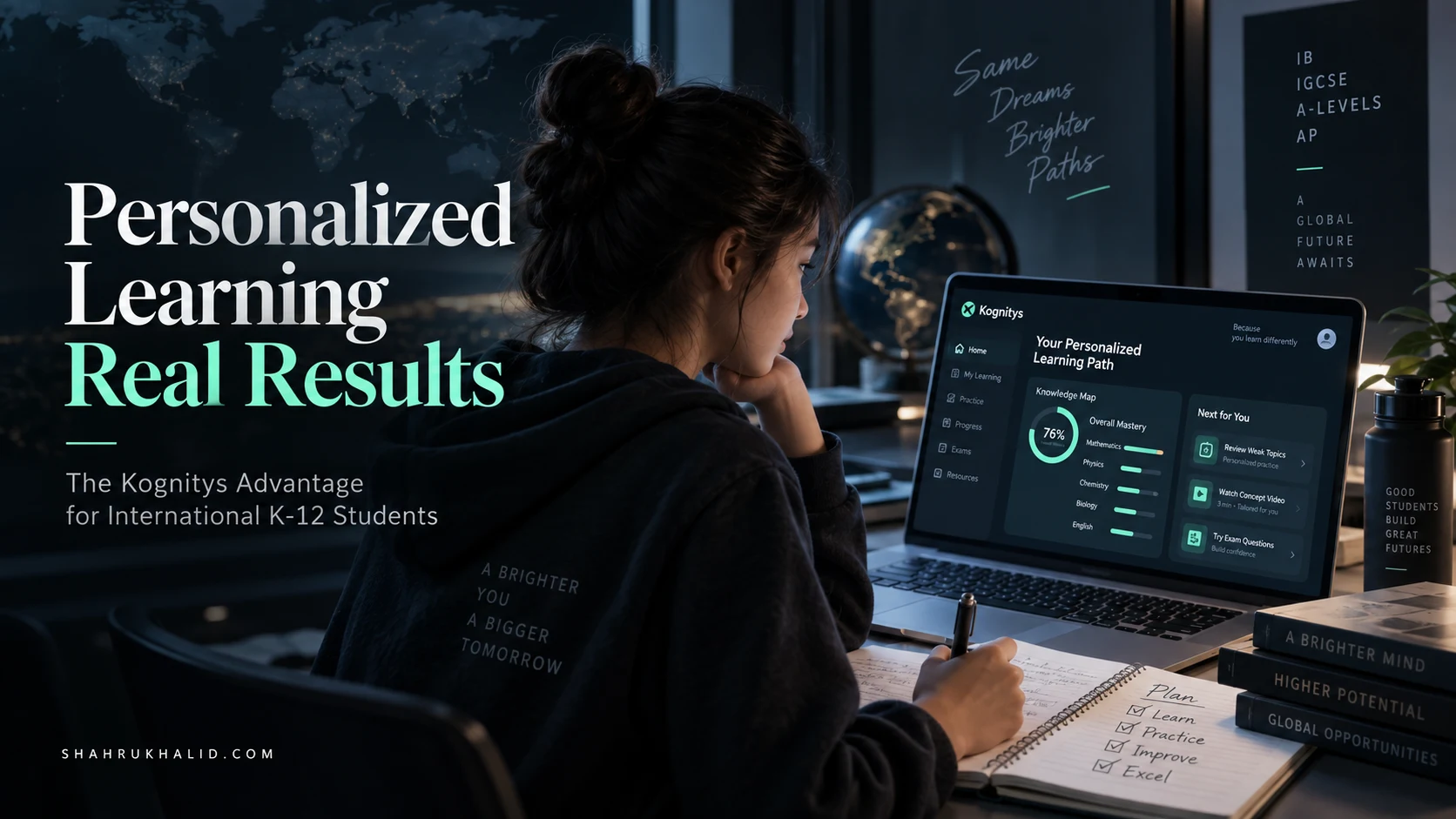
- Education is shifting from one-size-fits-all to personalized learning, adapting to individual student needs.
- Kognitys offers an AI-powered platform for personalized academic strategy, 24/7 tutoring, and exam mastery.
- Personalized learning provides a dynamic, responsive educational process centered on individual student requirements.
- The 'Bella' analogy highlights personalized learning's diagnostic, adaptive approach over generic, rigid methods.
- Students can optimize learning pace, spending more time on complex topics and less on mastered concepts.
I want to talk to you about a shift that’s happening, a change that will define your final years in school and set the stage for your success beyond. We’re moving away from the one-size-fits-all classroom and into an era of truly personalized learning. This guide is your masterclass on how to be at the forefront of this revolution using a platform that I believe is set to redefine your entire educational journey: Kognitys. This isn’t just another app; it’s your personal academic strategist, your 24/7 tutor, and your secret weapon for exam mastery. Together, we’re going to explore the Kognitys 2026 Advantage and give you the keys to unlock your full academic potential.
Comprehensive Foundations & Concept Primer

Let’s start with a story. Think about two people trying to get in shape. The first person, let’s call him Alex, downloads a generic “30-Day Fitness Challenge” PDF from the internet. It’s the same workout for everyone. On Day 1, he’s motivated. But by Day 5, the push-ups are too hard, the running is too long, and he’s starting to lose steam because the plan doesn’t know he has a tricky knee from playing football last year. He’s following the plan, but the plan doesn’t know him.
The second person, Bella, works with a personal trainer. The trainer first asks about her goals, her past injuries, her current fitness level, and what she enjoys. The first workout is a diagnostic. The trainer sees that Bella has great stamina but struggles with upper body strength. So, they design a plan: more focus on strength-building exercises, modified push-ups she can actually do, and running schedules that build on her natural stamina. When Bella masters a move, the trainer introduces a harder one. When she struggles, they break it down and find a different approach.
In the world of K-12 education, for decades, most of us have been Alex. We’ve all been handed the same textbook, the same homework, the same exam study guide. But you are not the same as the student sitting next to you. You have your own unique strengths, your own “tricky knees” (those topics that just never seem to click), and your own pace.
This is where personalized learning comes in.
What is Personalized Learning in K-12 Education? (And Why It Isn’t Scary)
At its heart, personalized learning is simply the “Bella” approach to education. It’s an educational model that puts you, the student, at the center. Instead of a rigid, one-way delivery of information, it’s a dynamic, responsive process that adapts to your individual needs.
Think of it this way:
- Pace: You get to spend more time on complex topics like quantum mechanics in Physics and breeze through the concepts you grasp quickly, like Newtonian motion. No more being bored in class waiting for others or feeling lost as the teacher moves on too fast.
- Path: If you’re a visual learner, the system might show you a video or an interactive diagram to explain cellular respiration. If you’re a kinesthetic learner, it might suggest a virtual lab simulation. It finds the best path for your brain.
- Process: It focuses on mastery. You don’t just “pass” a topic. You work on it, practice it, and get feedback until you truly understand it at a deep level, which is a core principle of robust curricula like the International Baccalaureate (IB), as outlined in their assessment philosophies on ibo.org.
This isn’t about replacing your teachers. Your teachers are more important than ever. Personalized learning frees them from the burden of delivering the same lecture 30 different ways and turns them into expert mentors—the personal trainers who can give you one-on-one guidance precisely when you need it, because they, and the system, know exactly where you’re struggling. This is the future, and by 2026, this adaptive approach will be the standard for high-achieving students in premier international schools. The future of K-12 education 2026 is not about robots teaching classes; it’s about technology empowering teachers to connect with students on a profoundly individual level.
Meet Kognitys: Your Personal Academic Trainer
So, if personalized learning is the training philosophy, Kognitys K-12 is the state-of-the-art gym, the expert trainer, and the intelligent tracking software all rolled into one.
It’s an adaptive learning platform designed specifically for the rigors of an international K-12 curriculum. It’s not just a collection of videos or a digital textbook. It’s an intelligent ecosystem. It starts by figuring out exactly what you know and don’t know with an almost spooky level of accuracy. Then, it builds a unique learning journey just for you, guiding you toward not just passing your exams, but mastering your subjects.
How does it do this? Through a powerful AI engine that we’ll explore in Module 3. But for now, just understand this: Kognitys eliminates the guesswork from your studies. It answers the questions that plague every student:
- “What should I study tonight?”
- “Am I ready for my test?”
- “Why do I keep getting this type of question wrong?”
It takes the anxiety of the unknown and replaces it with a clear, actionable plan. This is especially critical for students in demanding programs like the IB Diploma or Advanced Placement, where you’re juggling multiple high-stakes subjects. Kognitys provides global K-12 curriculum support, meaning its content is meticulously mapped to your specific syllabus, whether it’s IGCSE, A-Levels, AP, or the IB. It knows the assessment objectives, the command terms, and the types of questions you’ll face because its curriculum is built by educators who live and breathe these standards.
Eliminating the Jargon: Your Kognitys Glossary
Before we dive deeper, let’s clear up a few terms you’ll see. I promise to keep it simple.
- Adaptive Learning Engine: This is the “brain” of Kognitys. It’s the part that analyzes your answers, understands your strengths and weaknesses, and “adapts” the questions and content it gives you. It’s your personal trainer, adjusting the workout in real-time.
- Learning Pathway: This is your personalized study plan, generated by the AI. Think of it as the custom workout schedule Bella received. It’s a sequence of lessons, quizzes, and activities designed to take you from where you are to where you need to be.
- Diagnostic Assessment: This is the initial quiz or set of questions you answer when you start a new topic. It’s not for a grade! Its only purpose is to figure out your starting point, like the trainer assessing Bella’s fitness on day one.
- Mastery Threshold: This is the point at which Kognitys determines you “know” a topic. It’s not just about getting a question right once. It’s about consistently demonstrating understanding, so the knowledge sticks with you for the final exam and beyond.
- Student Information System (SIS): This is your school’s central database. It holds your schedule, grades, and attendance. Platforms like the ones designed by Rediker are the backbone of school administration. A key advantage of Kognitys is its ability to integrate with your school’s SIS, which we’ll set up in the next module. This means Kognitys can see your whole academic picture, making its recommendations even more powerful.
By the end of this masterclass, these terms will be second nature. You’ll not only understand what they mean, but you’ll have used them to transform the way you learn. You are about to move from being a passenger in your education to being the pilot. Let’s get you into the cockpit.
Prerequisites & Complete Environmentironment Setup
Alright, let’s get our hands dirty. The most powerful tool in the world is useless if it’s still in the box. This module is all about unboxing Kognitys and setting up your personal learning environment for peak performance. Think of this as organizing your desk, sharpening your pencils, and laying out your books before a major study session. A little preparation here will save you countless hours down the road. We’ll go through this step-by-step, and I promise, there are no complex coding or scary technical steps involved. This is all about you, your goals, and your courses.
Step 1: Your Kognitys K-12 Account & First Login
First things first, you need access. Your school has most likely already created an account for you as part of its campus technology stack. This is a strategic decision, often guided by a philosophy of integrated learning like the one championed by **Shahrukh Khalid**, which emphasizes seamless digital experiences for students.
- Check Your School Email: You will almost certainly have received a welcome email from “Kognitys” or your school’s IT department. It will contain a link to set up your password.
- Subject Line: Look for something like “Welcome to Kognitys!” or “Your New Kognitys Account.”
- Action: Click the link in the email. It will take you to a secure page to create your password. Choose something strong but memorable! This is the key to your personalized learning universe.
- The Login Page: Bookmark this page. You’ll be visiting it a lot. The URL will likely be `[yourschool].kognitys.com`.
- Enter your school email address.
- Enter the password you just created.
- Tick the “Remember Me” box if you’re on a personal, secure device. This will make daily logins a breeze.
- First Look at the Dashboard: Success! You’re in. The first time you log in, the screen might look a little bare. That’s okay! It’s a blank canvas waiting for you to paint your academic picture. Don’t be overwhelmed. We’re going to set it up together. You’ll likely see a welcome message and a prompt to start the setup process. Let’s do that now.
Step 2: Connecting to Your School & Syncing Your Curriculum
This is the magic step where Kognitys goes from being a generic platform to your platform. This is where we leverage the power of integration with your school’s Student Information System (SIS).
As I mentioned, many schools use robust systems like Rediker’s AdminPlus to manage student data. Kognitys is designed to talk to these systems. This is a huge advantage. It means Kognitys isn’t guessing what classes you’re in; it knows.
- Authorize the Sync: You will see a prompt that says something like “Connect to [Your School Name]’s Information System?” or “Authorize Data Sync.”
- What this does: This gives Kognitys permission to securely read your course enrollment, your class schedule, and in some cases, your past grades from the school’s official database.
- Is it safe? Absolutely. This is a highly secure, read-only process. Kognitys is just looking at the data to help you. It’s like giving your personal trainer access to your workout history from your smartwatch. The data transfer uses encrypted protocols, just like online banking.
- Action: Click “Authorize” or “Approve.” You may be asked to log in with your school portal credentials one time to confirm your identity.
- Verification: Check Your Courses: Once the sync is complete (it usually takes less than a minute), your Kognitys dashboard will suddenly come to life. You should see a list of cards or tiles, each representing one of your subjects.
- Example: You might see “IB Chemistry HL,” “AP US History,” “IGCSE Mathematics,” “English A: Language and Literature.”
- Verification Step: Quickly scan these courses. Do they match your actual schedule? If a course is missing or an incorrect one is showing up, there’s usually a “Report an Issue” or “Help” button. This is rare, but it’s good to check. A mismatch could mean a data entry error in the school’s main system, and you’d be doing your school registrar a favor by pointing it out!
Step 3: Configuring Your Personal Learning Environment
Now that Kognitys knows what you’re studying, it’s time to tell it about you. This is the most important part of the setup. Be honest and thoughtful here. The more accurate your input, the more powerful the AI’s recommendations will be.
- Set Your Exam Dates & Goals: For each course, Kognitys will prompt you to enter key dates.
- Click on the “IB Chemistry HL” card.
- You’ll see a settings or configuration area. Find “Add Key Dates.”
- Enter the dates for your Mid-Term exams, Mock exams, and of course, the Final IB Exam.
- Next, you’ll be asked to set a target score or grade. This is your goal. Be ambitious but realistic. This helps the AI calibrate the intensity and pace of your learning pathway.
- The Initial Diagnostic Assessment: This is your “first workout.” For each subject, Kognitys will ask you to complete a diagnostic assessment.
- Crucial Tip: Do NOT study for this. I repeat, do not study for it. The purpose is not to get a good grade. The purpose is to create an accurate map of your current knowledge. If you get help from a friend or look up answers, you’re just giving your personal trainer a fake map, and they’ll send you on the wrong journey.
- What to Expect: The diagnostic will be a series of questions covering the entire syllabus. It will be adaptive. If you get a few questions on a topic right, it might jump to a harder topic. If you struggle, it will ask more foundational questions to pinpoint the exact source of your confusion.
- Time Commitment: Set aside 30-45 minutes of quiet, focused time for each subject’s diagnostic. It’s a small investment for a massive payoff.
- Review Your First “Knowledge Map”: After you complete a diagnostic, Kognitys will generate your initial Knowledge Map. This is a powerful visualization. It will show the entire curriculum for that subject, broken down into topics and sub-topics. Each sub-topic will be color-coded:
- Green: Mastered. You’ve proven you know this.
- Yellow: Developing. You have some knowledge, but there are gaps.
- Red: Needs Work. This is a significant knowledge gap.
- Grey: Not Yet Assessed.
This map is your new reality. It’s not a judgment; it’s a starting point. For the first time, you have a crystal-clear, objective view of your academic strengths and weaknesses. There’s no hiding, but there’s also no guessing. Your path to improvement is literally mapped out in front of you. This is the foundation of building a truly effective plan for K-12 exam preparation strategies.
Your environment is now set. Kognitys is synced, configured, and it has a baseline understanding of you. In the next module, we’ll look under the hood and see how the platform takes this information and builds your personalized workflow for success.
Core Implementation Architecture & Workflow Blueprint
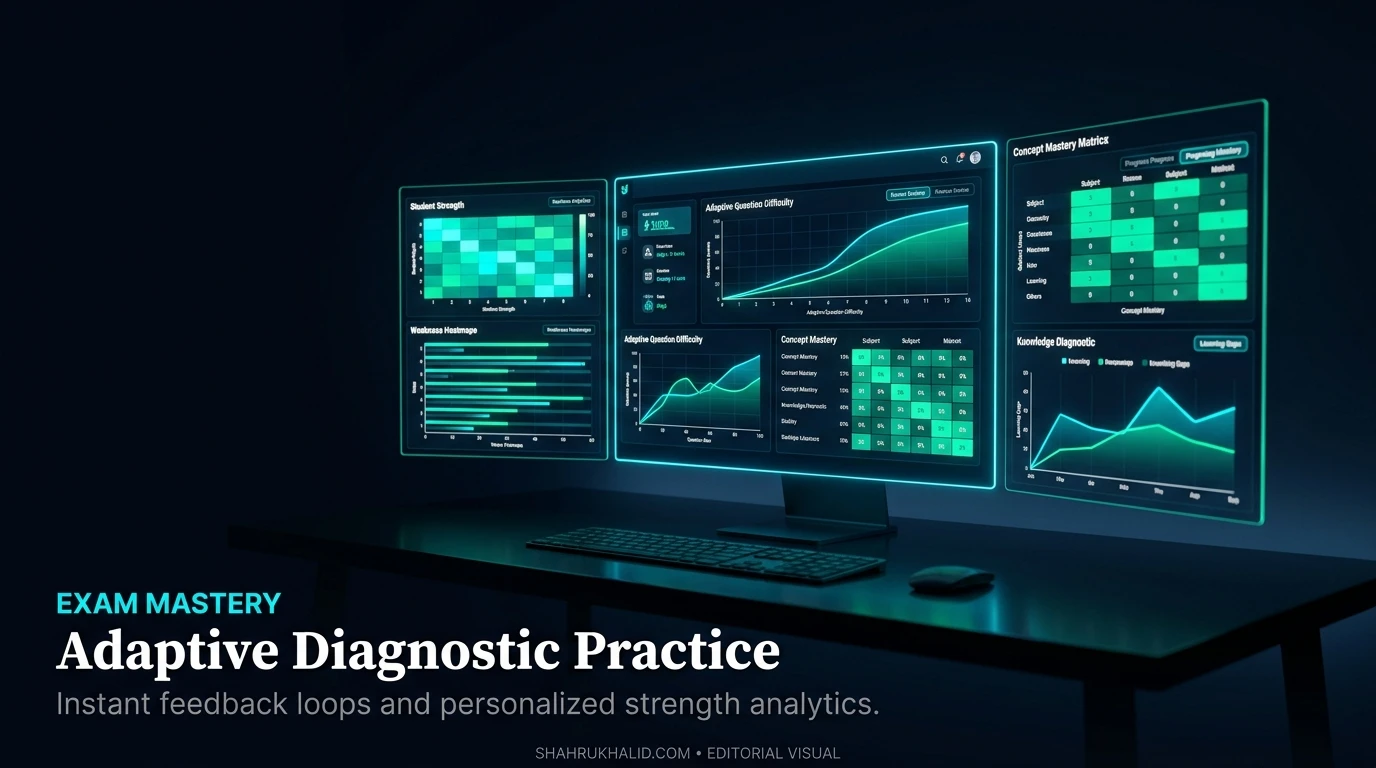
Welcome to Module 3. We’ve set up your account and calibrated your learning environment. Now, let’s pull back the curtain. How does Kognitys actually work? How does it turn your diagnostic results into a concrete study plan that helps you ace your exams? Understanding this isn’t just for curious minds; it’s essential for using the platform effectively. When you understand the “why” behind the system’s recommendations, you’ll be more motivated to follow them.
We’re going to map out the core architecture of Kognitys. Don’t worry, this isn’t a computer science lecture. I’ll use simple analogies and visual structures to explain the elegant, powerful process that powers your learning. This is the blueprint for how Kognitys benefits international K-12 students.
The Kognitys Learning Loop: A 4-Stage Workflow
The entire Kognitys experience is built around a continuous, cyclical workflow. I call it the “Learning Loop.” It has four key stages: Diagnose, Prescribe, Practice, and Re-assess. Think of it as a conversation between you and the platform’s AI.
Let’s visualize this as a flow:
[Visual Card Grid]
- Card 1: DIAGNOSE
- Input: Your answers to questions.
- Process: The Adaptive Learning Engine analyzes your performance on a micro-topic (e.g., “Balancing Redox Reactions in Acidic Solutions”). It looks at speed, accuracy, and consistency.
- Output: A precise data point for your Knowledge Map. (e.g., “Student struggled with identifying the oxidizing agent.”)
- Card 2: PRESCRIBE
- Input: The data point from the Diagnose stage (“struggled with oxidizing agent”).
- Process: The AI cross-references this with your learning style (if known) and the available content. It searches its library for the best resource to fix this specific gap.
- Output: A specific, targeted recommendation. (e.g., “Watch this 3-minute video on the rules for assigning oxidation states.”) This is your personalized prescription.
- Card 3: PRACTICE
- Input: You, engaging with the prescribed content (watching the video, reading the text, doing the simulation).
- Process: You actively learn and then apply the new knowledge in a controlled environment. Kognitys gives you a few targeted practice problems.
- Output: New answers from you, based on your new understanding. (e.g., You correctly identify the oxidizing agent in two practice problems.)
- Card 4: RE-ASSESS
- Input: Your answers from the Practice stage.
- Process: The engine analyzes your new performance. Did you succeed? If yes, it updates your Knowledge Map for that micro-topic from Red to Yellow, or Yellow to Green.
- Output: The loop starts over. The AI now moves to the next logical topic in your personalized pathway.
This loop runs thousands of times in the background over the course of your studies. It’s a constant, dynamic process of fine-tuning your knowledge, one micro-concept at a time. This is the core of adaptive learning for international students. It’s relentless, it’s efficient, and it’s tailored completely to you.
The Engine Room: Deconstructing the Adaptive Learning AI
Let’s zoom in on the “brain” of the operation: the Adaptive Learning Engine. What makes it so smart? It’s built on three pillars.
Pillar 1: The Curriculum Graph
Imagine a giant spiderweb. At the center is your final exam, say, “IB Biology HL Paper 1.” Every strand leading out from the center is a major topic (e.g., Topic 4: Ecology). Each of those strands branches into smaller ones (4.1: Species, Communities, and Ecosystems), which branch again into even finer threads (4.1.1: Distinguishing between a species and a population). This giant, interconnected web is the Curriculum Graph.
Kognitys has meticulously built these graphs for every major international curriculum, referencing official documentation from sources like **ibo.org** to ensure perfect alignment. The AI understands that you can’t understand “Ecosystems” (a big strand) if you don’t first understand “Species” (a smaller, foundational thread).
When you get a question wrong, the AI doesn’t just see a wrong answer. It sees exactly which thread in the web is weak. It then automatically traces that thread back to its foundational connection and prescribes content to strengthen that link. This is how Kognitys prevents you from having “Swiss cheese” knowledge—full of holes. It ensures your understanding is built on a solid foundation.
Pillar 2: The Content Matrix
The AI has the map (the Curriculum Graph), but it also needs the tools to fix the weak spots. This is the Content Matrix. For every single micro-topic (each tiny thread in the web), Kognitys has a rich library of content assets, tagged and categorized.
For the topic “4.1.1: Species vs. Population,” the matrix might contain:
- A 2-minute animated video explaining the concept.
- A short, concise text-based definition with examples.
- An interactive quiz with 10 different questions.
- A link to a real-world case study about wolf populations in Yellowstone.
- A “Common Misconception” alert, explaining why a ‘herd of deer’ is a population, not a community.
When the AI prescribes a resource, it’s not random. It might start with the video. If you still struggle, it might offer the text-based explanation. It’s constantly experimenting to find the resource that makes the concept click for you. This is one of the core advantages of Kognitys for K-12 students: the sheer variety and intelligence of its content delivery.
Pillar 3: The Student Model
This is the most personal part of the architecture. The Student Model is the AI’s constantly evolving profile of you. It starts with your diagnostic results, but it grows richer with every single click you make.
It tracks things like:
- Knowledge State: Your real-time Knowledge Map.
- Learning Rate: How quickly do you typically move a topic from Red to Green?
- Common Errors: Do you consistently make the same type of mistake? (e.g., forgetting to convert units in physics problems).
- Engagement Patterns: Do you prefer video content? Do you do better in the morning or at night? Do you respond well to gamified challenges?
- Confidence Level: Based on how long you take to answer and your use of hints, the AI estimates your confidence.
This Student Model allows the AI to make incredibly sophisticated predictions and recommendations. It might say, “Aisha tends to struggle with stoichiometry problems on Friday afternoons. Let’s schedule a lighter review of organic chemistry nomenclature instead and save the stoichiometry for Saturday morning when she’s more focused.” This is how Kognitys helps you build not just knowledge, but also effective study habits.
This three-part architecture—Curriculum Graph, Content Matrix, and Student Model—is the blueprint that makes a personalized learning plan for K-12 exam success not just a dream, but an automated, data-driven reality. You are no longer just studying; you are engaging in a scientifically optimized process for mastery. In the next module, we’ll take this blueprint and apply it to a real-world scenario.
Hands-on Practical Implementation & Real-World Configuration
Theory is great, but results are better. Welcome to the most important module of this masterclass. We’re moving from the “what” and “why” to the “how.” Here, we’ll walk through a complete, end-to-end scenario of using Kognitys to prepare for a major exam. This is where you’ll see the Learning Loop in action and learn the practical, click-by-click habits that separate top-performing students from the rest.
To make this real, let’s create a student persona. Meet Leo.
- Student: Leo, Grade 10
- School: International School of Geneva
- Curriculum: IGCSE
- Challenge: He’s a bright student but finds IGCSE Physics daunting. His last unit test on “Electricity” was a disaster, and his mock exams are in 8 weeks. He feels overwhelmed and doesn’t know where to start studying.
We are going to be Leo’s guide. We will use Kognitys to turn his anxiety into a structured, confident plan of attack. This is a step-by-step walkthrough of one of the most effective K-12 exam preparation strategies you will ever learn.
Step 1: The Post-Mortem & Goal Setting (5 Minutes)
Leo logs into his Kognitys K-12 dashboard. He feels a pit in his stomach looking at the “IGCSE Physics” card. His first instinct is to just randomly start re-reading the textbook. We’re going to do something much smarter.
- Navigate to the Physics Dashboard: Leo clicks on the “IGCSE Physics” card. The first thing he sees is his Knowledge Map, which has a lot of red and yellow in the “Electricity and Magnetism” section, based on his recent poor performance in online quizzes that were synced from the school’s system.
- Input the Mock Exam Date: Leo goes to the “Goals & Deadlines” tab. He clicks “Add New Deadline” and inputs:
- Deadline Name: IGCSE Physics Mock Exam
- Date: [8 weeks from today]
- Target Grade: A
- Zara’s Annotation: This simple action is psychologically powerful. It tells the Kognitys AI, “This is our target, and this is our