Your Kognity Blueprint 2026: The International K-12 Students Practical Guide to Active Learning with Intelligent Digital Textbooks

Key Takeaways
- Kognity is an intelligent digital textbook designed for active learning, unlike passive traditional textbooks.
- The blueprint aims to transform Kognity into a strategic tool for subject mastery and exam confidence.
- Kognity functions like a personalized GPS, guiding learning, tracking progress, and adapting paths.
- Kognity's design is rooted in proven active learning principles for deeper, more effective understanding.
- Kognity promotes interaction over mere reading, actively engaging students throughout their learning journey.
Today, I want to talk to you directly, as one learner to another. We’re going to build your personal blueprint for success with a tool that is rapidly becoming central to the international school experience: Kognity. This isn’t just another guide. This is a masterclass, born from years of research and real-world observation. We’re going to move past the marketing buzz and get our hands dirty. By the end of this, you won’t just ‘use’ Kognity; you will wield it as a strategic tool to master your subjects, save time, and walk into your exams with a level of confidence you might not have thought possible. This is your Kognity Blueprint for 2026 and beyond.
Your Kognity K-12 Comprehensive Foundations & Concept Primer
Before we dive into the nuts and bolts, let’s start with the ‘why’. Why does Kognity even exist? And why is it so different from the PDF of a textbook your teacher might have emailed you last year? Understanding this is the absolute key to unlocking its power.
What is Kognity for International K-12 Students? The GPS vs. The Paper Map Analogy
Imagine you have to travel from your home to a new, unfamiliar destination across the city. You have two options:
- The Paper Map: This is your traditional textbook. It’s a fantastic, authoritative source of information. It shows you all the possible roads, landmarks, and routes. But it’s static. It doesn’t know where you are, it can’t tell you if there’s traffic ahead, and it can’t reroute you if you take a wrong turn. You have to do all the work of navigating, tracking your progress, and figuring out where you went wrong.
- The GPS with a Live Coach: This is Kognity. It starts with the same authoritative map (your curriculum, say from the IBO.org), but it does so much more. It knows exactly where you are on your learning journey. It gives you a clear path for the next section. After a short distance, it asks you a question (“In 200 meters, turn right”) to make sure you’re engaged. If you take a wrong turn, it doesn’t judge you; it instantly recalculates a new path. It tracks your speed, highlights areas where you slowed down, and suggests you review them. It even has different modes—like avoiding highways (cramming) in favor of scenic routes (deep understanding).
That, in essence, is the difference. A traditional textbook, whether print or digital, is a passive source of information. Kognity is an active learning environment. It’s an intelligent digital textbook designed not for you to just read, but for you to interact with. It’s built on a pedagogical principle that has been proven time and time again to be the most effective way to learn: active learning.
The Core Principle: Escaping the Illusion of Fluency
Here’s a secret that trips up even the brightest students. Reading a chapter and feeling like you understand it is one of the most misleading feelings in education. It’s called the “illusion of fluency.” You’ve read the words, they make sense, so you assume the knowledge is now in your brain. But it’s not.
True learning happens when you are forced to retrieve that information from your memory. When you have to struggle a little bit to answer a question, explain a concept in your own words, or apply a formula. That struggle is not a sign of failure; it’s the feeling of your brain building stronger neural pathways. It’s like lifting a weight; the strain is what builds the muscle.
This is the foundational philosophy behind the Kognity K-12 platform. Every feature is designed to pull you out of the passive reading trap and into a cycle of active recall and application. It’s designed to make you an active participant in your own education, which is a cornerstone of modern pedagogy, especially within frameworks like the International Baccalaureate’s Approaches to Learning (ATL) skills.
Why This is Essential in 2026
The world you’re preparing for isn’t one that rewards memorization. It rewards critical thinking, problem-solving, and the ability to learn new things quickly and independently. Your final exams, whether they are IB, A-Levels, or AP, are increasingly designed to test these skills, not just your ability to regurgitate facts. A platform that bakes this style of learning into your daily study routine is no longer a luxury; it’s a necessity. It’s about building the habits of a lifelong learner, starting right now. The goal of this guide is to show you exactly how to build those habits using the powerful tools at your fingertips.
Prerequisites & Complete Environment Setup
Alright, let’s get practical. The most powerful tool is useless if it’s still in the box. This module is your “unboxing” guide. We’ll walk through the first steps, from logging in to customizing your environment, so you feel in complete control from day one.

Step 1: Your First Login – The Digital Handshake
Most likely, your journey with Kognity will begin with an email from your school or a direct instruction from your teacher. You won’t be signing up from scratch like you would for a social media app. Your school has already done the heavy lifting.
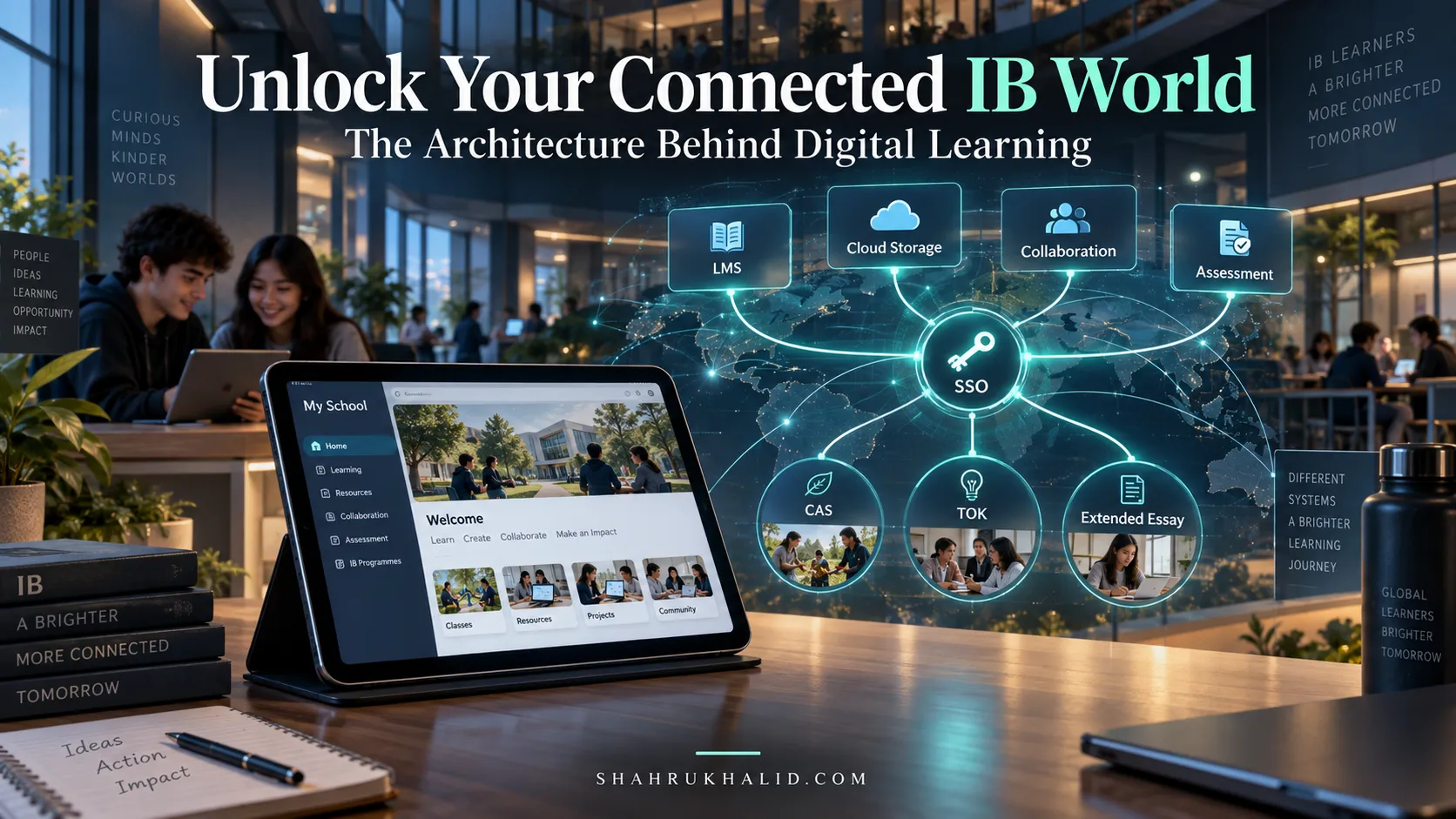
Here’s the typical flow: Your school’s administration, working with their Student Information System (SIS)—think of systems like Rediker.com or PowerSchool—has already created your account. This is part of what my colleague Shahrukh Khalid often refers to as the “campus technology stack integration.” It just means the school’s systems are talking to each other to make your life easier.
You will likely receive one of two things:
- A “Welcome to Kognity” Email: This email will contain a unique link. Clicking this link is your digital key. It will take you to a page where you’ll be asked to set your own password. Pro-Tip: Use a strong, memorable password and save it in a password manager if you use one. This is your academic hub; protect it!
- Single Sign-On (SSO): Your school might use a system like Google Workspace, Microsoft 365, or another portal. In this case, you might just see a “Login with Google” or “Login with Microsoft” button on the Kognity homepage. You’ll click that, enter your usual school email and password, and you’re in. It’s seamless.
Verification: You’ll know you’ve succeeded when you land on the Kognity Dashboard for the first time. It should greet you by name and display the subjects you’re enrolled in. If you see the wrong subjects or can’t log in, don’t panic. This is a simple administrative issue. Your first point of contact should be your teacher or your school’s IT coordinator. They can quickly resolve it.
Step 2: Touring Your Dashboard – The Mission Control Center
Your Kognity dashboard is your home base. Let’s take a moment to understand the layout. It’s designed for clarity, not confusion.
You’ll typically see a series of “cards” or “tiles,” one for each of your subjects (e.g., “IB Biology HL,” “IGCSE History,” “MYP Mathematics”). These are your gateways.
Directory Layout (What’s Inside a Subject):
Click on one of your subjects. You’ll be taken to the main page for that course. The structure is usually hierarchical, mirroring your official curriculum precisely.
|
|– / Topic 1: Measurements and Uncertainties
| |– / 1.1 Measurements in physics
| |– / 1.2 Uncertainties and errors
| |– / 1.3 Vectors and scalars
|
|– / Topic 2: Mechanics
| |– / 2.1 Motion
| |– / 2.2 Forces
| |– / …and so on.
This is incredibly important. Kognity isn’t a random collection of facts; it’s a structured path that directly aligns with what you’ll be tested on. You can be confident that if it’s in the Kognity section for Topic 2.1, it’s directly relevant to your syllabus for Topic 2.1.
Step 3: Configuring Your Profile & Notifications (A Small but Mighty Step)
In the top-right corner, you’ll usually find an icon with your initials or a profile picture. Click on it. Here you can access your settings.
- Profile Information: Ensure your name is spelled correctly. While you can’t change your email (it’s tied to your school’s system), you can sometimes add a profile picture.
- Notification Settings: This is an underrated feature. Kognity can send you reminders, but you don’t want to be spammed. Take a moment to configure these. Do you want an email when a teacher assigns a reading? Or would you prefer a weekly summary? Tailor it to your study habits. My recommendation for beginners: keep the key notifications on (like assignment deadlines) but perhaps turn off less critical ones to avoid digital noise.
Once you’re logged in, you can see your subjects, and you’ve glanced at your settings, your environment is officially set up. You’re ready to move from setup to strategy.
Core Implementation Architecture & Workflow Blueprint
Now we get to the heart of it. How do you actually use Kognity to learn? This isn’t about just clicking through pages. It’s about adopting a specific, powerful workflow. I call it the “Read-Do-Review-Reflect” cycle. This is the core loop of Kognity active learning.
Let’s visualize this workflow using a grid of “Action Cards.”
Card 1: The ‘Read’ Phase (Engaged Reading)
Action: Open a section (e.g., 2.1 Motion).
Goal: Initial comprehension.
This is where you engage with the core content. But you’re not just reading. Kognity’s content is multi-modal. You’ll find:
- Core Text: Clear, concise explanations.
- Key Terms: Bolded, with pop-up definitions.
- Videos: Animated explanations of complex processes.
- Simulations: Interactive models you can manipulate.
- Worked Examples: Step-by-step solutions to problems.
Your Job: Don’t just skim. Watch the videos. Play with the simulations. Try to understand the worked examples before looking at the solution.
Card 2: The ‘Do’ Phase (Checkpoint Questions)
Action: Answer the questions embedded within the text.
Goal: Immediate retrieval practice.
As you scroll through the ‘Read’ phase, you’ll hit a “Checkpoint.” These are a few multiple-choice or short-answer questions. This is the most crucial part of the process. It’s Kognity tapping you on the shoulder and asking, “Hey, were you paying attention? Can you prove it?”
Your Job: Stop and answer them honestly. Don’t guess. Try to recall the information from the text you just read. If you get it wrong, Kognity will provide immediate feedback. Read the feedback. It’s designed to correct your misunderstanding right at the source.
Card 3: The ‘Review’ Phase (Strength Test)
Action: Complete the end-of-section “Strength Test.”
Goal: Assess your mastery and identify weaknesses.
Once you’ve finished the entire section, you’ll find a button for a quiz, often called a “Strength Test” or “Section Questions.” This is a slightly longer set of questions that covers the entire section’s content. It’s your summative check.
Your Job: Treat this like a mini-test. Do it in one sitting without referring back to the text. The goal isn’t to get 100%—the goal is to get an accurate measure of what you actually know. The data from this test is what powers Kognity’s personalization.
Card 4: The ‘Reflect’ Phase (Analyze Your Strength)
Action: View your results on the Progress page.
Goal: Strategic planning for future study.
After the Strength Test, Kognity doesn’t just give you a score. It updates your personal “Strength” profile. You’ll see a visual representation of your understanding, often a color-coded bar or chart.
- Green/High Strength: You’ve got this!
- Yellow/Medium Strength: You’re getting there, but there are gaps.
- Red/Low Strength: This topic needs more attention.
Your Job: This is your personalized study plan, generated automatically. Don’t ignore it! If a topic is red, that’s your cue to go back and review it, or maybe ask your teacher for help on that specific concept.
The Workflow Blueprint in Action
So, a typical study session doesn’t look like “I’m going to read Chapter 5 tonight.” Instead, it looks like:
“Tonight, I will complete the Read-Do-Review-Reflect cycle for Kognity section 5.2.”
This transforms a vague goal into a concrete, actionable, and measurable process. You’re not just “studying”; you are actively building and reinforcing knowledge. This systematic approach is one of the most significant benefits of Kognity digital textbooks for K-12—it provides a structure for effective learning, moving you towards true personalized learning in K-12.
Hands-on Practical Implementation & Real-World Configuration
Theory is great, but let’s put it into practice. In this module, we’re going to simulate a complete, 60-minute study session. I’ll walk you through every step, including the internal monologue and the strategic decisions you should be making. Let’s imagine you are an IB Diploma Programme student, and you have a Biology test on Topic 1 (Cell Biology) coming up.
Your Mission: Master section “1.4 Membrane Transport” in one hour.
Step-by-Step Study Session Walkthrough
Minutes 0-5: Setup and Goal Setting
- Log In to Kognity: Open your browser, go to Kognity, and log in.
- Navigate: Click on your “IB Biology” subject. From the table of contents, navigate to `Topic 1: Cell Biology` -> `1.4 Membrane Transport`.
- State Your Goal: Say it out loud or write it down: “My goal for the next hour is to complete section 1.4, answer all checkpoints, and take the strength test to identify my weak areas.” This simple act of stating intent primes your brain for focus.
Minutes 5-25: The ‘Read’ & ‘Do’ Phases (Engaged Interaction)
- Start Reading: Begin with the introduction to membrane transport. You see the terms simple diffusion, facilitated diffusion, and active transport. They are bolded. You hover over them to see the pop-up definitions, reinforcing the vocabulary.
- Engage with Media: You come across an animation showing how a sodium-potassium pump works. Don’t just watch it. Watch it twice. The first time, just observe. The second time, pause it at key moments and try to explain to yourself what’s happening. “Okay, so three sodium ions bind… then ATP gives a phosphate… the protein changes shape…” This is active engagement.
- Hit a Checkpoint: After the section on diffusion, a two-question checkpoint appears.
- Question 1: Which of these processes requires ATP?
- Question 2: What is the main difference between simple and facilitated diffusion?
You stop. You think. You don’t scroll up. You recall that active transport was linked to the ATP animation. You remember the text mentioned channel proteins for facilitated diffusion. You select your answers. You get them both right. A small dopamine hit, and you move on. If you got one wrong, you’d read the feedback, e.g., “Correct, active transport requires ATP. Remember that diffusion is a passive process, moving down a concentration gradient.” This immediate correction is priceless.
- Continue the Cycle: You proceed through the rest of the section, covering osmosis and active transport, repeating this read-interact-checkpoint cycle.
Minutes 25-40: The ‘Review’ Phase (The Moment of Truth)
- Find the Strength Test: You’ve reached the end of the section content. You see the button: “Start Section Questions.” Take a deep breath.
- Create Test Conditions: Put your phone away. Close other tabs. For the next 15 minutes, it’s just you and the test.
- Answer Honestly: You encounter 10 questions. Some are straightforward recall. Others are application-based, perhaps showing you a diagram of a cell in a hypertonic solution and asking you to predict the outcome. For one question about osmolarity, you’re not 100% sure. You make your best educated guess but make a mental note: “I’m shaky on osmolarity.”
- Submit and Brace: You finish and click “Submit.”
Minutes 40-50: The ‘Reflect’ Phase (Data-Driven Strategy)
- Analyze the Results: You scored 8/10. Not bad! But the score isn’t the most important thing. Kognity shows you which questions you got wrong.
- Question 6 (Wrong): It was the osmolarity question. You review the question and the detailed explanation provided. The explanation links back to the exact paragraph and diagram in the text that covers this concept. Ah, you see your mistake—you confused the direction of water movement.
- Question 9 (Wrong): This was about the specifics of endocytosis. You realize you skimmed that part too quickly.
- Check Your Strength Profile: You navigate to your “Progress” or “Strength” page for Biology. You see that for Topic 1.4, your overall strength is now green, but Kognity might even break it down further. It shows you’re strong on diffusion and active transport but weaker on osmosis and bulk transport (endocytosis).
Minutes 50-60: Action & Consolidation
- Targeted Reread: Based on the data, you don’t need to reread the whole section. You spend 5 minutes going back only to the paragraphs on osmolarity and endocytosis. You read them slowly and carefully this time.
- Consolidate: You open a notebook (digital or physical) and create a small summary table comparing osmolarity, tonicity, and the different types of bulk transport. This act of summarizing in your own words is a powerful consolidation technique.
- Plan Next Steps: You make a note: “Next study session, start with 2-3 practice questions on osmolarity to check if the knowledge has stuck.”
You have now completed one full cycle. You didn’t just “read a chapter.” You engaged, tested, analyzed, and reinforced. You turned an hour of study into a highly efficient, targeted learning experience. This is how to use Kognity for active learning in K-12 in the most practical sense.
Real-World Enterprise Use Cases & Case Studies
To truly understand the impact of intelligent digital textbooks, let’s move beyond the hypothetical and look at how different types of students use Kognity to solve real-world academic challenges. I’ve changed their names, but these stories are based on the countless students I’ve worked with and observed in international schools.
Case Study 1: Ananya, the Overwhelmed IB DP Year 2 Student
- Profile: Ananya is in her final year of the IB Diploma, taking HL Chemistry, HL Biology, and HL English. She’s juggling six subjects, an Extended Essay, and CAS. Her biggest challenge is time management and the sheer volume of content to revise for her final exams.
- The Problem: Ananya feels like she’s “drowning in textbooks.” She spends hours rereading her Chemistry notes but isn’t sure
Frequently Asked Questions