Education Perfect 2026: Your International K-12 Cheat Code for Gamified Mastery, Language Fluency & Acing Diagnostics

Key Takeaways
- EP operates as a personal academic OS, analyzing performance and adapting learning paths.
- It gamifies learning with points, badges, and interactive, bite-sized challenges for engagement.
- A comprehensive K-12 ecosystem enabling mastery, language fluency, and diagnostic understanding.
- Functions as a strategic 'cheat code' for students to genuinely own their academic journey.
- EP identifies student strengths/weaknesses, guiding re-attempts for concept mastery and progress.

Today, when I look at the tools available to students, I feel a mix of awe. This is the definitive guide on the platform transforming learning for international K-12 students. We’re going to talk about Education Perfect International, but not in the way your teachers might describe it. We’re going to treat it like a powerful piece of software—a “cheat code,” if you will—that you can master to not just pass your exams, but to genuinely own your learning, become fluent in new languages, and understand your own academic strengths and weaknesses on a level you never thought possible.
This isn’t just another guide. This is a masterclass designed for you, the student. We’ll skip the marketing fluff and get straight to the core mechanics, the practical strategies, and the real-world workflows that will make Education Perfect your secret weapon for 2026 and beyond. Let’s get started.
Comprehensive Foundations & Concept Primer
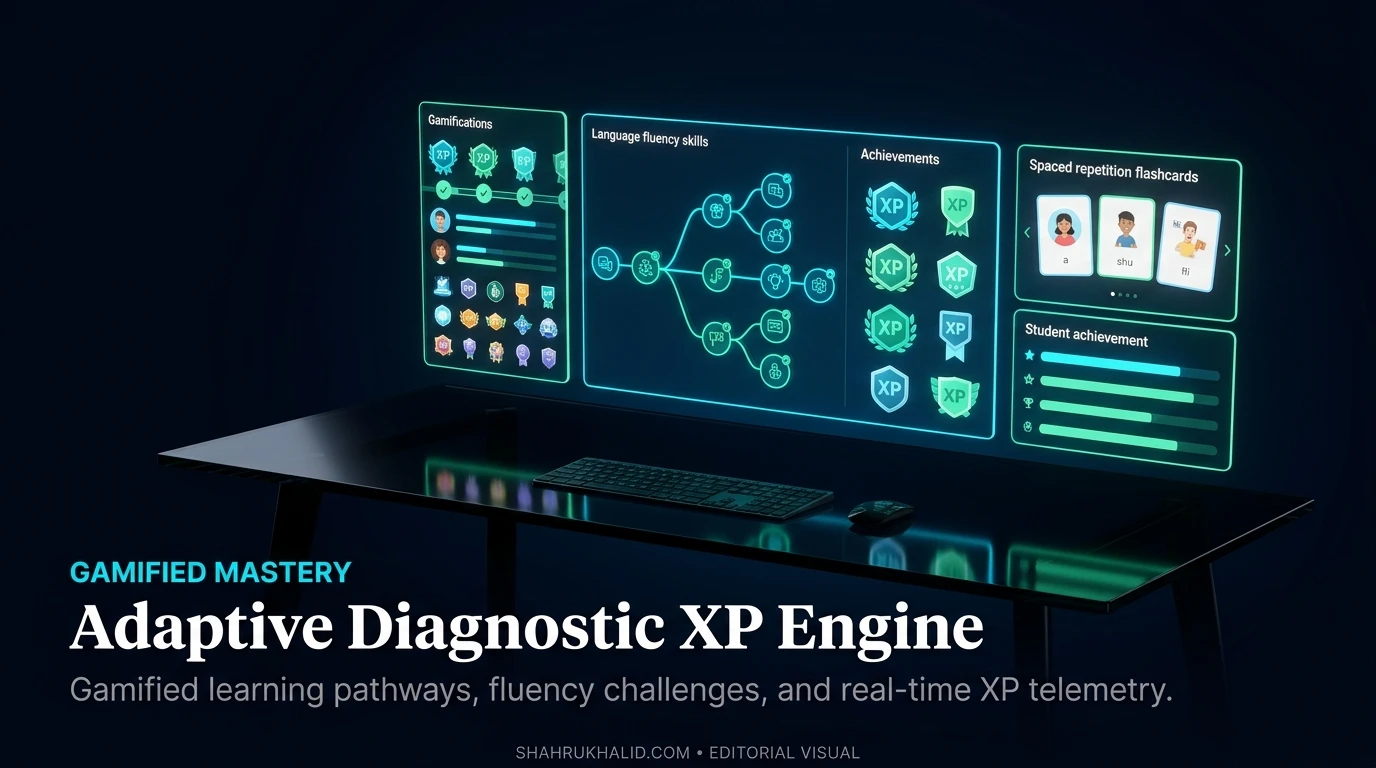
Before we dive into the “how,” we need to understand the “what” and the “why.” What exactly is this platform, and why is it becoming so essential for students in the international school system? Forget the jargon for a moment. Let’s break it down with some simple, real-world analogies.
What is Education Perfect? Your Personal Academic ‘Operating System’
Imagine your entire school life—all your subjects, from French and Spanish to Biology and Maths—is a collection of different apps on your phone. Some apps you love and use all the time. Others, you avoid because they’re confusing or difficult. Now, imagine a single, powerful ‘Operating System’ (OS) that sits underneath all of them. This OS doesn’t just launch the apps; it analyzes how you use them. It learns where you’re fast and where you’re slow. It notices which “levels” you fail and prompts you to try them again later. It rewards you with points and badges for making progress, making the whole experience feel less like a chore and more like a game.
That, in a nutshell, is what Education Perfect is for international K-12 students. It’s not just another website with quizzes. It’s a comprehensive learning ecosystem designed to manage, track, and gamify your entire academic journey. It takes the content your teachers assign—the vocabulary lists, the science diagrams, the history timelines—and transforms it into interactive, bite-sized challenges that are genuinely engaging.
In the world of technology that I work in, we talk about “platforms.” A platform is a foundation upon which other things are built. Facebook is a platform for social connections. Shopify is a platform for building online stores. Education Perfect International is a platform for building your knowledge, brick by brick, in a way that’s smart, adaptive, and, dare I say, fun.
Why This Matters in 2026: The International School Challenge
Being an international school student is a unique experience. You’re often navigating demanding curricula like the International Baccalaureate (IB) or Cambridge IGCSE, which, as the official IBO.org guidelines show, emphasize inquiry-based learning, critical thinking, and making connections across subjects. You’re likely learning in a second or third language, and your classmates come from all over the world.
This environment is amazing, but it’s also incredibly demanding. The old model of passive learning—just listening to a teacher and taking notes—is no longer enough. By 2026, the world will be even more interconnected, and the skills you need won’t be about memorizing facts but about your ability to learn, adapt, and master new skills efficiently.
This is where the core principles of Education Perfect become so critical:
- Gamified Mastery: This is one of the most powerful Education Perfect benefits K-12 students talk about. Instead of just studying for a test and then forgetting everything (we’ve all been there), the platform is built around the concept of ‘mastery.’ You earn points and stars not just for getting an answer right once, but for proving you know it over time. This process, which feels like leveling up in a video game, actually wires the information into your long-term memory. It’s the ultimate solution to the “cram and forget” cycle.
- Adaptive Learning & Spaced Repetition: Have you ever noticed how you can remember the lyrics to a song you heard a hundred times on the radio years ago? That’s because of repeated exposure over time. Education Perfect uses a smart algorithm based on this principle, called Spaced Repetition. When you learn a new word or concept, the platform will show it to you again just as you’re about to forget it. It might be in 10 minutes, then a day later, then a week later. This is far more effective than cramming for two hours the night before an exam. The system adapts to you, focusing more on the things you find difficult and less on what you already know.
- Instant, Actionable Diagnostics: This is where EP becomes a true cheat code. Traditionally, you find out what you don’t know after you get a bad grade on a test. That’s too late. Diagnostic assessment K-12 tools built into Education Perfect change this completely. Before you even start a new topic in, say, Chemistry, your teacher can assign a pre-test. The platform instantly analyzes your results and gives both you and your teacher a detailed map of your strengths and weaknesses. It might show that you’re a pro at balancing equations but get confused by stoichiometry. This allows you to focus your precious study time exactly where it’s needed most. Is Education Perfect effective for K-12 diagnostics? Absolutely, because the feedback is immediate and directly linked to the learning content you need to practice.
By combining these principles, Education Perfect addresses the core challenges of international education head-on. It provides a structured, engaging, and data-driven way to tackle a demanding workload, making it one of the most effective online learning platforms for international students today.
Prerequisites & Complete Environmentironment Setup
Alright, let’s move from theory to practice. Thinking like a developer, we can’t run an application without first setting up our environment. In our case, our “environment” is your personal Education Perfect account and dashboard. Getting this right from the start is key to a smooth and powerful experience. This module is your step-by-step guide to getting logged in, configured, and ready to learn.
Step 1: The ‘Authentication’ Flow – Logging In For the First Time
Just like you need a key to get into your house, you need credentials to get into Education Perfect. Most international schools that use EP have an integration with their main school management system. As Shahrukh Khalid often discusses on his site, a school’s “campus technology stack” is designed to make life easier for students. This means you probably won’t have to create a new account from scratch.
Your school’s IT department or your teachers will likely provide you with one of the following:
- A School-Specific URL: Something like `[yourschool].educationperfect.com`.
- A Username: Often your school email address or student ID number.
- A Password: Either a default one you’ll be asked to change or instructions on how to set your own.
Action Plan: Your First Login
- Navigate to the URL: Open your web browser (Chrome or Firefox work best) and go to the specific Education Perfect login page for your school. If you don’t have it, a quick search for “Education Perfect login” will get you to the main page, where you can find your school.
- Enter Your Credentials: Carefully type in your username and password. Usernames are often case-sensitive, so `Student123` is different from `student123`.
- First-Time Password Change: If you were given a temporary password, the system will almost certainly prompt you to create a new, secure one.
- Pro-Tip: Choose a password you can remember but that is also strong. A good trick is to use a short, memorable phrase like `MyEP!cStudyPlan2026`.
- Verification: Once you’re in, you’ve successfully ‘authenticated’! You should see the main dashboard. This is your command center.
What if it doesn't work?
Don’t panic. The most common error is a simple typo. Double-check your username and password. If it still fails, use the “Forgot Password?” link. This will usually send a reset link to your official school email address. If that doesn’t work, a quick email to your school’s IT support or your subject teacher will get you sorted.
Step 2: Configuring Your ‘Profile’ and ‘Directory Layout’ (aka Your Dashboard)
Now that you’re in, let’s get familiar with the layout. Your dashboard is your home base. Think of it as the file explorer on your computer, where all your subjects and tasks are organized into folders.
The Main Dashboard Components
- Tasks/Homework (The ‘To-Do’ List): This is usually the first thing you’ll see. It’s a list of all the lessons and assessments your teachers have assigned to you. It will show the subject, the name of the task, and the due date. This is your primary action list.
- Subjects (The ‘Content Library’): This is where you can browse all the content available to you for each of your subjects, even if it hasn’t been assigned as homework. This is your secret weapon for revision and getting ahead. We’ll explore this in Module 4.
- Points & Leaderboard (The ‘Gamification’ Engine): You’ll see your total points, your rank in the class, and any badges you’ve earned. This is designed to be a motivator, not a source of stress. Use it to challenge yourself, not to compare yourself negatively to others.
- Account Settings (The ‘Config’ File): Usually found under your name or a gear icon, this is where you can change your password, and sometimes, your profile picture or display name.
Action Plan: Initial Environment Configuration
- Review Your Subjects: Click on the “Subjects” or “Content” tab. Make sure all the subjects you are enrolled in for the current school year are listed. If a subject is missing (e.g., you see Maths and Science but not English), let your teacher for that subject know. They need to ‘enroll’ you in their digital class.
- Personalize Your Avatar/Profile: If your school allows it, change your avatar. It’s a small thing, but making the platform feel like your space can make a big difference in your motivation to use it.
- Explore the Navigation: Spend 10 minutes just clicking around. Don’t worry, you can’t break anything! Click on a task. Click into a subject library. See how the different sections connect. Understanding the layout now will save you time later when you’re under pressure with deadlines.
Step 3: Verifying Your Setup – The ‘Hello World’ Test
In programming, the first thing we do to make sure our environment is working is run a simple “Hello, World!” program. Our equivalent is to complete one small, low-stakes task.
Action Plan: Your First Task
- Find a Simple Task: Go to your “Tasks” list on the dashboard. Look for something short and simple. Many teachers will assign an introductory “Welcome to Education Perfect” task that takes just a few minutes. If not, find a small vocabulary list with 5-10 words.
- Complete the Lesson: Work through the interactive questions. Notice how the platform gives you instant feedback. If you get something wrong, it will explain the correct answer and likely show you that question again later.
- Check Your Points: After you finish, go back to your dashboard. You should see your points total increase. You might even earn your first badge!
- Confirm Completion: The task should now move from your ‘To-Do’ list to a ‘Completed’ section.
If you can complete these steps, your environment is set up, verified, and ready for action. You’ve successfully logged in, configured your dashboard, and run your first “program.” In the next module, we’ll look under the hood at the architecture of how this all works together to help you learn.
Core Implementation Architecture & Workflow Blueprint

Okay, you’re logged in and you know your way around the dashboard. Now, let’s put on our “Developer Advocate” hats and look at the architecture of Education Perfect. Why? Because understanding how it works will help you use it more effectively. We’re not going to look at code. Instead, we’ll map out the flow of information and see how the platform’s design is purpose-built for the kind of deep learning required by curricula like the IB.
The Core Loop: From Teacher Assignment to Student Mastery
Think of the learning process in Education Perfect as a continuous loop. It’s a cycle of information that flows from your teacher, to you, and back to your teacher, getting smarter each time. We can visualize this as a simple three-part grid.
Visual Grid: The EP Learning Loop
| 1. The ‘Push’ Request (Teacher) | 2. The ‘Processing’ (Student) | 3. The ‘Callback’ (Data & Diagnostics) |
| :— | :— | :— |
| Teacher identifies a learning objective. (e.g., “Students must understand photosynthesis.”) | You receive the task. It appears on your dashboard with a due date. | Your performance data is sent back. Every click, every answer, every hesitation is logged. |
| Teacher selects or creates content. They find the “Photosynthesis” module in the EP Science library. | You engage with the content. You answer questions, label diagrams, and watch videos. | The system analyzes the data. It identifies questions you struggled with and concepts you haven’t mastered. |
| Teacher assigns the task. They ‘push’ the lesson to your class, setting parameters like a due date and a target score. | You ‘commit’ your learning. You complete the lesson, aiming for that 100% score. The platform uses gamification to keep you engaged. | Feedback is generated. This happens in two ways:
- For You: Instant feedback, and the Spaced Repetition algorithm schedules the content for review.
- For Your Teacher: A dashboard shows class-wide and individual progress, highlighting common misconceptions. |
This loop is the fundamental engine of Education Perfect. It’s a dynamic workflow, not a static worksheet. The “Callback” phase is the most important part. It’s what makes EP a powerful diagnostic assessment K-12 tool. Your teacher doesn’t have to wait until the end-of-unit test to know that 70% of the class is confused about the difference between the light-dependent and light-independent reactions. They see it in real-time on their dashboard and can address it in the very next lesson.
Architecture for International Curricula: Supporting the IB Learner Profile
International curricula, especially the IB, are not just about knowing facts. The IBO.org website is filled with references to the “IB Learner Profile”—a set of ten attributes like ‘Inquirers’, ‘Thinkers’, ‘Communicators’, and ‘Reflective’. A great educational tool must support the development of these traits.
Let’s look at how EP’s architecture is designed to do just that:
- Inquirers: The vast content library in the “Subjects” tab encourages you to explore beyond your assigned homework. You can dive into topics that interest you, feeding your natural curiosity. This is a core tenet of how Education Perfect helps international K-12 students become self-directed learners.
- Knowledgeable: The platform’s mastery-based system ensures you’re not just encountering information but truly internalizing it across different subjects, helping you build a strong conceptual understanding.
- Thinkers: Many lessons, especially in Humanities and Sciences, aren’t just multiple-choice. They include extended response questions where you have to analyze, synthesize, and justify your answers. This hones your critical thinking skills.
- Reflective: This is the big one. The instant feedback and detailed diagnostic reports force you to reflect on your own learning. You can see exactly what you got wrong and why. The platform’s data provides a mirror to your understanding, showing you where to focus your efforts. This is a world away from just getting a “7/10” on a quiz with no further explanation.
The ‘API’ Integration: How EP Talks to Your School
Now for a slightly more technical, but very important, concept. In my world, an API (Application Programming Interface) is a set of rules that allows different software systems to talk to each other. You don’t need to know how to code one, but understanding that they exist is key to seeing how EP fits into your school’s ecosystem.
Your school uses a main database to manage everything about you—your name, your classes, your grades, your attendance. This is called a Student Information System (SIS). A very popular one used by international schools is Rediker‘s AdminPlus.
Here’s the workflow:
- Single Source of Truth: The SIS (like Rediker) is the “master” database. When you enroll in a new class, your name is added to that class list in the SIS.
- The ‘API’ Call: Instead of your teacher having to manually create a new class in Education Perfect and type in all 30 student names, the school’s tech department sets up an integration. Education Perfect’s system makes a secure, automated “API call” to the school’s SIS.
- Data Synchronization: The API says, “Hey, Rediker, give me the latest class list for Grade 10 French.” Rediker securely sends back the list of students.
- Automatic Enrollment: Education Perfect receives this data and automatically enrolls you in the Grade 10 French class on its platform.
Why does this matter to you, the student?
- Seamless Experience: It means you just log in and all your classes are already there. No manual setup.
- Accurate Reporting: The grades and progress you make in Education Perfect can, in many cases, be automatically synced back to your official school report card system. As Shahrukh Khalid points out in his analysis of campus technology stack integration, this automation saves teachers countless hours and reduces human error, ensuring your hard work is accurately reflected.
Understanding this architecture shows you that Education Perfect isn’t an isolated island. It’s a deeply integrated part of your school’s digital infrastructure, designed to create a smooth, data-rich, and pedagogically sound learning journey for you.
Hands-on Practical Implementation & Real-World Configuration
This is the module you’ve been waiting for. We’ve covered the theory; now it’s time to get our hands dirty. I’m going to walk you through three specific, real-world scenarios that you will almost certainly encounter as an international school student. For each one, I’ll provide a step-by-step, heavily commented “implementation plan” to help you use Education Perfect features to their full potential.
Scenario 1: Acing Your French Vocabulary Test (Language Fluency)
One of the most common and powerful uses of EP is for international school language learning. The platform’s combination of listening, reading, writing, and speaking exercises is a game-changer. Let’s say you have a vocabulary test on 50 French words about ‘La Famille’ (The Family) in two weeks. Here’s how you go from zero to fluent.
Implementation Plan: The Two-Week Vocabulary Sprint
// Subject: French
// Topic: La Famille (50 words)
// Goal: 100% Mastery & Long-Term Retention
// Method: Spaced Repetition & Multi-modal Practice
Week 1: Initial Learning & First Pass
- Locate the List: Your teacher will likely assign the list as a “Task.” Click on it from your dashboard. If not, navigate to `Subjects > French > Vocabulary > La Famille` to find it yourself. This is proactive learning!
- Run the ‘Learning’ Mode (First 3 Days): Don’t try to test yourself yet. Start with the basic learning activities.
- Listen & Repeat: EP will show you a word, e.g., `le frère` (the brother), and a native speaker will pronounce it. Actually say the word out loud. This builds muscle memory for your mouth. How does Education Perfect improve language skills? This is a prime example—it forces active production, not just passive recognition.
- Translation: You’ll be given the English and asked to type the French, and vice-versa. Pay attention to accents (`é`, `è`) and articles (`le`, `la`, `un`, `une`). The platform is strict about these for a reason—accuracy is key in language.
- Goal for Day 1-3: Spend 15-20 minutes each day just going through the learning activities. Your goal is to get every word “right” at least once. Don’t worry about your score yet. You are simply introducing the information to your brain.
Week 2: Mastery, Revision & Gamification
- Engage ‘Revision’ Mode (Days 4-10): Now, the Spaced Repetition algorithm kicks in. When you log in, EP will have automatically prepared a revision list for you, focusing on the words you struggled with earlier. This is the magic. Trust the algorithm. Do these revision questions first, every single time you log in.
- Introduce ‘Gamified’ Practice: To keep things fresh, mix in the games.
- Find `Dash`: This is a fast-paced typing game. It’s fantastic for improving your spelling and recall speed under pressure. Challenge a classmate to beat your high score.
- Find `Full-On`: This mode throws every type of question at you rapidly. It’s an intense workout that simulates the pressure of a real test.
- The Pre-Test Check (Day 12): Two days before the test, go back to the original list and try to complete it from start to finish in “Test” mode. This will give you a clear percentage score. If you’re at 95% or higher, you’re in great shape. If you’re at 80%, the test results will show you exactly which 10 words you need to focus on for the final 48 hours.
- Final Polish (Day 13): Spend 15 minutes exclusively on the words you got wrong in your pre-test. Then, rest. Your brain needs time to consolidate the information.
By following this structured plan, you’re not cramming. You are systematically building and reinforcing knowledge over time, which is exactly what Education Perfect 2026 language fluency features are designed to facilitate.
Scenario 2: Identifying Weak Spots in IB Biology (Diagnostic Power)
Let’s switch gears to science. You’re starting a new unit on Topic 2: Molecular Biology in your IB Biology class. It’s a huge topic. How do you study efficiently? You use diagnostics.
Implementation Plan: The Diagnostic-Driven Study Map
// Subject: IB Biology SL/HL
// Topic: Topic 2 – Molecular Biology
// Goal: Identify and eliminate conceptual weaknesses before the summative test.
// Method: Pre-assessment, Targeted Revision, and Post-assessment.
- Take the Diagnostic/Pre-Assessment: Your teacher will assign a “Topic 2 Pre-Test.” This is a low-stakes or even zero-stakes assessment. Take it seriously, but don’t study for it. The goal is to get a pure, honest baseline of your current knowledge. This answers the question: Is Education Perfect effective for K-12 diagnostics? Its effectiveness depends on you providing honest data.
- Analyze the ‘Callback’ Data: Once you submit, you’ll get a report. It won’t just be a score. It will be broken down by sub-topic. It might look something like this:
- `2.1 Molecules to Metabolism`: 90% (You’re good here)
- `2.2 Water`: 85% (Solid)
- `2.3 Carbohydrates and Lipids`: 70% (Okay, but room for improvement)
- `2.4 Proteins`: 45% (Uh oh. This is a major weak spot)
- `2.7 DNA Replication, Transcription & Translation`: 30% (RED ALERT! This is where you need to focus)
- Create Your Personalized ‘Study Blueprint’: This report is your treasure map. You now know you don’t need to waste time re-reading the chapter on Water. Your priority list for the next two weeks is:
- Priority 1: Section 2.7 (DNA/RNA processes)
- Priority 2: Section 2.4 (Proteins)
- Priority 3: Section 2.3 (Carbs/Lipids)
- Execute Targeted Revision: Now, go to `Subjects > IB Biology > Topic 2`. Instead of working through it linearly, you jump straight to the “DNA Replication” lesson. Spend your study sessions working through the interactive diagrams, animations, and practice questions in these specific areas.
- Verify with a Post-Assessment: After a week or two of targeted study and in-class lessons, your teacher might assign a “Check-in Quiz” or you can re-take the diagnostic (if available). Your new results might be `2.4 Proteins: 80%` and `2.7 DNA Replication…: 75%`. This is measurable progress. You have successfully turned your biggest weaknesses into strengths.
This diagnostic-driven approach is one of the most significant Education Perfect benefits K-12 offers. It transforms studying from a guessing game into a precise, data-informed strategy.
Scenario 3: Competing in the World Championships (Gamified Mastery)
Several times a year, EP hosts global competitions like the Language World Championships or the Science World Championships. These are fantastic opportunities to harness the power of gamified learning K-12 style. The goal isn’t just to win; it’s to use the competitive atmosphere to achieve a massive amount of learning in a short time.
Implementation Plan: The Championship Week Power-Up
// Event: EP World Championship (e.g., Languages)
// Goal: Earn a high-level award (Credit, Bronze, Silver) & revise a huge amount of content.
// Method: High-Intensity, Gamified Repetition.
- Set a Realistic Goal: Don’t aim for “Elite” on your first try. Look at the point thresholds. A “Credit” or “Bronze” award is a fantastic and achievable goal. For example, Bronze might be 1,000 points.
- Choose Your Battlefield: Don’t just answer random questions. Be strategic. Use the competition as an excuse to revise for your upcoming exams. If you have a Spanish exam next month, spend 80% of your time in the Spanish section. You’re “double-dipping”—earning points while doing effective revision.
- Pace Yourself: It’s a marathon, not a sprint. Don’t try to get 1,000 points on the first day. You’ll burn out.
- The ‘150-Point Daily’ Strategy: Aim for 150-200 points a day. This is about 30-45 minutes of focused work. It’s sustainable.
- 150 points/day x 7 days = 1,050 points. You’ve hit your Bronze award without any stressful all-nighters.
- Optimize for Points (and Learning):
- **Learning new content earns more