Your 2026 ManageBac Roadmap: K-12 Students Guide to Acing IB CAS, Assessments & Coursework
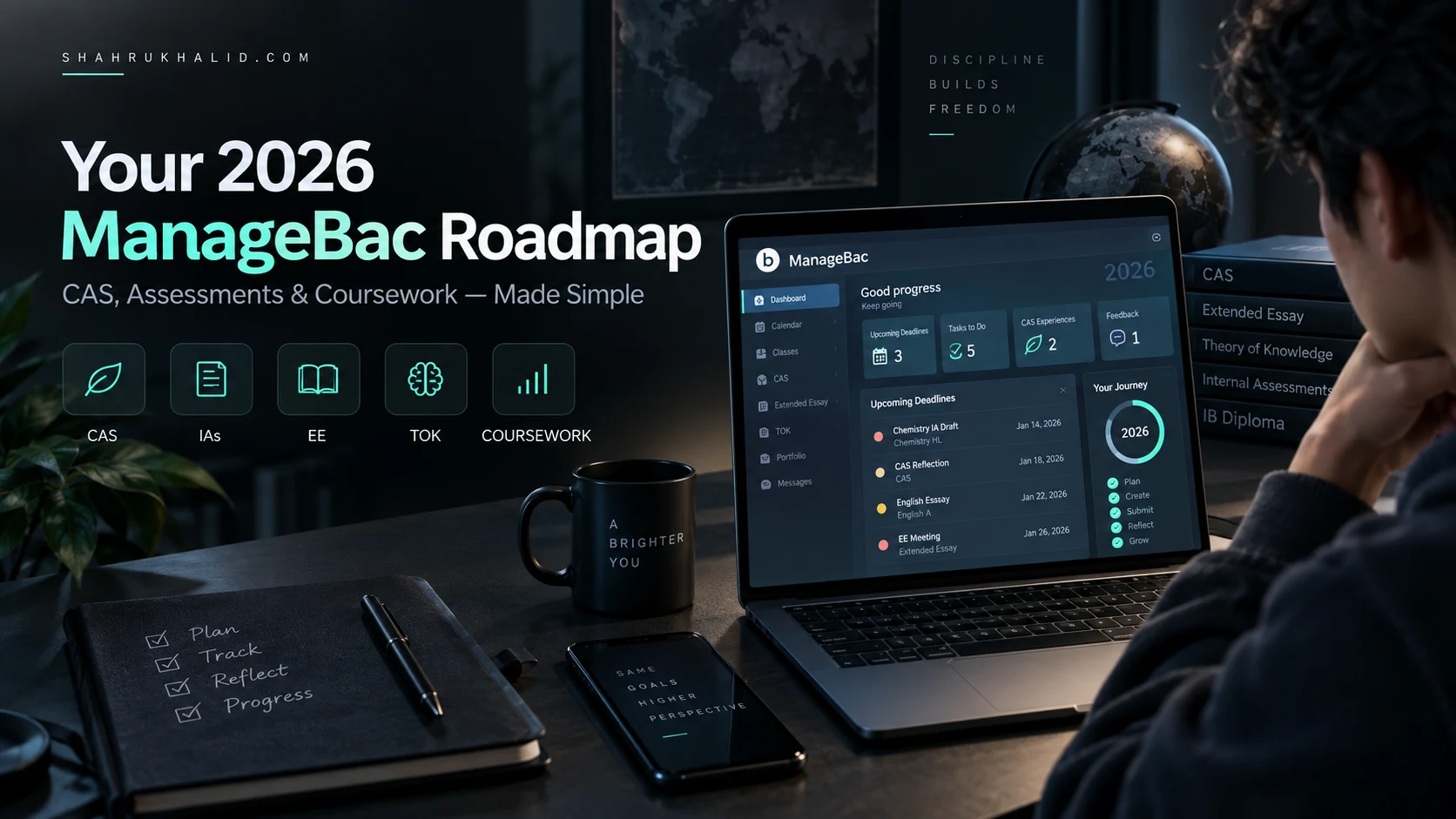
Key Takeaways
- ManageBac unifies the complex IB Diploma Programme as a digital command center.
- It serves as a comprehensive roadmap for IB students to thrive, not just survive.
- ManageBac is a purpose-built, secure ecosystem based on robust Student Information System architecture.
- It connects students, teachers, coordinators, and parents, ensuring integrated communication.
- The platform centralizes all IB requirements like CAS, IAs, and EE for organization.
I see you. You’re probably staring down the two years of the Diploma Programme (or maybe you’re an ambitious MYP student getting a head start), and you’ve been told ManageBac is your key to survival. You’ve heard whispers about CAS, IAs, the Extended Essay, and a dozen other acronyms that sound both terrifying and important. You’ve been handed a login and told to “figure it out.” Well, that’s why I’m writing this for you. This isn’t just another help document. This is your masterclass, your roadmap, your personal ManageBac IB Guide for the 2026 journey. Forget just surviving; we’re going to use this tool to help you thrive.
Comprehensive Foundations & Concept Primer
Before we dive into clicking buttons and filling out forms, let’s take a step back. Why does ManageBac even exist? Why can’t you just use Google Docs and a paper planner? Understanding the ‘why’ is the first step to mastering the ‘how’.

What is ManageBac, Really? Your Digital Command Center
I want you to think of the IB Diploma Programme as an epic two-year expedition to a place called “Your University of Choice.” It’s a challenging journey with multiple paths, treacherous mountains (hello, final exams), and essential quests you must complete along the way (CAS, EE, TOK).
Now, imagine trying to manage this expedition with a messy backpack. Your map is in one pocket, your compass in another, your food supplies are scattered, and your journal for recording your discoveries is… well, you think you left it at the last campsite. That’s what trying to do the IB without a central system feels like.
ManageBac is your digital command center for this expedition. It’s not just a website; it’s a purpose-built ecosystem designed specifically for the unique, and let’s face it, complex, demands of the IB. It’s your map, your compass, your journal, your communication radio, and your trophy case, all in one secure, organized place. It’s where the curriculum, defined by the IBO on ibo.org, comes to life in a digital format.
When your school chose ManageBac, they were investing in a philosophy. My colleague Shahrukh often writes on shahrukhalid.com about the importance of an integrated technology stack in education. What he means is that your tools should talk to each other. ManageBac is the heart of that stack. It connects your teachers, your IB coordinator, your parents, and you, ensuring everyone is looking at the same map. It’s built on a robust Student Information System (SIS) architecture, the kind of heavy-duty database framework you see in enterprise systems from companies like rediker.com, which means it’s reliable and secure.
Eliminating the Jargon: A Plain-English Glossary
The IB world loves its acronyms. Let’s demystify the big ones you’ll see in ManageBac from day one.
- CAS (Creativity, Activity, Service): This isn’t just “volunteering.” It’s a core part of the IB Diploma, designed to push you outside your academic bubble. Think of it as a portfolio of personal growth. ManageBac is where you propose activities, write reflections (the most important part!), and link them to specific Learning Outcomes. It’s your evidence that you’re a well-rounded human, not just an exam-taking machine.
- IA (Internal Assessment): These are the major projects for each of your subjects that are graded by your own teachers and then moderated by the IB. This could be a historical investigation, a science lab report, or a mathematical exploration. In ManageBac, this is where you’ll submit drafts, get feedback from your teacher, and upload your final version.
- EE (Extended Essay): The beast. A 4,000-word independent research paper on a topic of your choice. It’s your first taste of university-level academic work. ManageBac provides a dedicated area for your EE, including a timeline, a place to log your meetings with your supervisor (the “Researcher’s Reflection Space”), and the final submission portal.
- TOK (Theory of Knowledge): This course is the philosophical heart of the IB, asking “How do we know what we claim to know?” While most of your TOK work happens in the classroom, ManageBac is where you’ll submit your final TOK Essay and Exhibition for assessment.
- Portfolio: This is a digital collection of your best work. In ManageBac, your entire IB journey—every CAS reflection, every IA draft, every EE meeting note—is compiled into a comprehensive portfolio. When it’s time to apply to universities, you can often export parts of this to showcase your skills and experiences. It’s your personal story of growth.
By the end of this guide, these terms won’t just be letters; they’ll be milestones you’ve confidently conquered, all neatly organized in your digital command center.
Prerequisites & Complete Environment Setup
Alright, theory time is over. Let’s get our hands dirty. This module is your step-by-step walkthrough to get your ManageBac environment set up perfectly from day one. Doing this right now will save you countless hours of stress and confusion later. Trust me on this. It’s like properly packing your gear before you start the expedition.
Step 1: The First Login & Security Check
You’ve likely received a welcome email from your school with a link to your school’s ManageBac portal (it usually looks something like `yourschool.managebac.com`).
- Find Your Welcome Email: Search your student email inbox for “ManageBac” or “Welcome to ManageBac.” It contains your temporary password.
- Log In for the First Time: Use your school email address and the temporary password to log in.
- IMMEDIATE ACTION – Change Your Password: The very first thing you should do is change your password. Do not skip this. Click on your name in the upper-right corner, go to `Profile` > `Password`. Create a strong, unique password. Think of this as the lock on your digital school locker. You wouldn’t use “1234” for your physical locker, so don’t do it here.
- Review Your Profile: While you’re in the `Profile` section, check that your name is spelled correctly and your email is right. This information is often used for official IB documentation, so accuracy matters.
Step 2: Configuring Your Notification & Calendar Lifeline
This is, without a doubt, the most critical setup step for acing your IB. ManageBac can be your personal assistant, but only if you tell it how to communicate with you. We’re going to turn it from a passive website you have to remember to check into an active part of your daily life.
Configuring Notifications:
- Navigate to your `Profile` > `Notifications`.
- Here, you’ll see a list of all the things ManageBac can notify you about: new messages, upcoming deadlines, changes to grades, feedback on assignments.
- My Professional Recommendation: At the beginning, enable email notifications for almost everything. Specifically, make sure these are ON:
- Upcoming Deadlines: Essential. Set this to notify you 2 or 3 days in advance.
- New Messages: Your teachers and IB Coordinator will use this. It’s non-negotiable.
- Changes to Grades & Feedback: Why wait to find out how you did? Get instant feedback notifications so you can act on them.
- CAS & EE Comments: When your supervisor provides feedback, you want to know immediately, not a week later.
- As you get more comfortable with the IB rhythm, you can dial these back, but start with more information, not less.
Syncing Your Calendar: The Ultimate Power Move
This is the secret weapon that separates the organized students from the overwhelmed ones. ManageBac has a calendar with all your deadlines, but you’re not going to log into ManageBac to check what’s due today. You’re going to integrate it with the calendar you already use on your phone or computer (Google Calendar, Apple Calendar, etc.).
- Go to your `Dashboard` or the `Calendar` tab in ManageBac.
- Look for a button or link that says `Subscribe to Calendar` or `Export Calendar`. It’s often a small icon that looks like a signal or Wi-Fi symbol.
- ManageBac will give you a unique URL (a web address that ends in `.ics`). This URL is your personal, secret calendar feed. Don’t share it with anyone.
- Copy this URL.
- Now, go to your preferred calendar application:
- Google Calendar: On the left sidebar, next to “Other calendars,” click the `+` sign and choose `From URL`. Paste the link there.
- Apple Calendar: Go to `File` > `New Calendar Subscription` and paste the URL.
Verification: Once you’ve done this, a new calendar named “ManageBac” should appear in your phone/computer’s calendar app. All your assignment deadlines, exam dates, and school events will now be automatically populated and updated in one place. When a teacher adds a new deadline in ManageBac, it will magically appear on your phone. This is how you build a system to avoid ever missing a deadline again.
Core Implementation Architecture & Workflow Blueprint
Now that your environment is set up, let’s map out the territory. The ManageBac interface can feel a bit crowded at first, but once you understand its structure—its “architecture”—it becomes incredibly intuitive. We’re going to create a mental blueprint of how the platform works, so you can navigate it with your eyes closed.

The Anatomy of Your Dashboard: A Visual Card Grid
Your ManageBac Dashboard is your mission control. It’s the first thing you see when you log in, and it’s designed to give you a complete overview of your IB life at a glance. Let’s break it down using a visual card metaphor. Imagine your dashboard is a corkboard with different cards pinned to it.
Visual Card: The Left-Hand Navigation Menu
Function: Your main navigation tool. This is the spine of the entire platform.
Key Sections:
- Dashboard: Your home base.
- Calendar: The master schedule of your life.
- IB Manager / IB Year Group: The heart of your Diploma Programme. This is where you’ll find CAS, EE, and TOK.
- Classes: A dedicated section for each of your subjects.
- Portfolio: The collection of all your submitted work and experiences.
- Messages: Your internal email system.
Pro Tip: Spend a few minutes just clicking through this menu. Hover over each item. Understand that this is your primary way of moving between the different “rooms” of your digital school.
Visual Card: Upcoming Deadlines & Events
Function: The most important card on the board. This is your immediate to-do list.
What it Shows: A chronological list of the next 5-10 assignments, exams, or events that are due. It shows the task, the class, and the due date.
How to Use It: This should be the first thing your eyes go to every single time you log in. It answers the question, “What do I need to worry about right now?” If you synced your calendar in Module 2, this information is already on your phone, but this is the authoritative source.
Visual Card: Class Summaries
Function: A quick-glance update for each of your subjects.
What it Shows: Each class you’re enrolled in will have a small box showing recent activity. This might include the latest assignment posted, a new file uploaded by your teacher, or your current grade (if your school enables this feature).
How to Use It: Use this to quickly scan for changes. Did your Chemistry teacher just post the pre-lab for tomorrow? Did your English teacher upload the marking criteria for the essay? This card saves you from having to click into each class individually just to see if there’s something new.
The IB Workflow Blueprint: From Teacher to IBIS
Understanding how information flows through ManageBac is key to using it effectively. It’s not just a repository; it’s a dynamic workflow tool. Let’s visualize the journey of a single piece of work, like your Chemistry IA.
Workflow Stage 1: Assignment Creation (Teacher)
- Your Chemistry teacher creates an “IA First Draft” task in their ManageBac portal.
- They set a deadline, attach the official IB assessment criteria from
ibo.orgas a PDF, and write some instructions. - The moment they click “Create Task,” the system springs into action.
Workflow Stage 2: Notification & Access (You)
- The deadline automatically appears in your Calendar and on your Dashboard.
- You receive an email notification (because you set it up in Module 2!).
- You log in, go to your `Chemistry` class page, and see the task. You can download the criteria and read the instructions.
Workflow Stage 3: Work & Submission (You)
- You perform your experiment and write up your draft.
- You navigate to the task in ManageBac and click `Submit Coursework`.
- You upload your Word or PDF document. ManageBac timestamps the submission. Now there is an undeniable record that you submitted your work on time. This is your protection against any “lost email” or “corrupted file” issues.
Workflow Stage 4: Feedback & Iteration (Teacher & You)
- Your teacher gets a notification that you’ve submitted.
- They use ManageBac’s built-in annotation tools to leave comments directly on your document. They might highlight a section and write, “This conclusion needs to more explicitly reference the data from Table 2.”
- They enter a formative grade and click “Return.”
- You get a notification that feedback is available. You review the comments, improve your draft, and can even resubmit if the teacher allows. This feedback loop is a core part of the IB assessment help ManageBac provides.
Workflow Stage 5: Final Submission & Archiving (You, Coordinator, IB)
- You upload your final, perfected IA.
- Your teacher inputs the final internal grade.
- At the end of the year, your IB Coordinator uses ManageBac to batch-export all the necessary IAs from your cohort.
- They then upload these files and grades to the IB’s official portal, called IBIS.
- Your IA is now part of your permanent academic record, and it all started with a single task created in ManageBac. It’s now archived in your `Portfolio` tab forever.
This entire process is designed for transparency, accountability, and efficiency. By understanding this flow, you can anticipate the next step and use the system to your advantage, rather than just reacting to it.
Hands-on Practical Implementation & Real-World Configuration
This is the heart of our ManageBac IB Guide. We’ve set up our account and we understand the architecture. Now, let’s get into the nitty-gritty of the three most important areas of your IB journey on ManageBac: CAS, Coursework (IAs/EE), and daily class management.
Mastering CAS: Your Step-by-Step Guide to an Impressive Portfolio
Let’s be blunt: CAS can be either a profoundly meaningful experience or a bureaucratic nightmare of chasing signatures and logging hours. The difference is how you use ManageBac. The goal is not to “get CAS done,” but to build a rich, reflective portfolio that tells a story of your growth. This is the definitive IB CAS guide for the ManageBac platform.
Step 1: Adding a New CAS Experience
Let’s say you’ve decided to volunteer for a local coding club for kids. This has potential for Creativity (designing lessons), Activity (if it involves physical setup), and Service.
- From the left menu, go to `IB Year Group` > `CAS`.
- Click the `Add CAS Experience` button.
- Title: Be specific. Not “Volunteering,” but “Teaching Python Basics at the Community Youth Center.”
- Type & Strands: Select `Service` and `Creativity`. Don’t just tick a box; think about why. You’re creatively designing lesson plans to serve the community.
- Start & End Dates: Be realistic. If it’s ongoing, you can set an end date far in the future.
- Supervisor: Enter the name and email of the adult in charge at the youth center. This is crucial. ManageBac will email them for verification. Give your supervisor a heads-up so they expect the email!
- Description / Goals: This is your first reflection! Don’t just say “Teach kids to code.” Write something meaningful.
- Bad Example: “I will teach coding.”
- Good Example: “My goal is to develop a 4-week introductory Python curriculum for 10-12 year olds. I want to improve my own public speaking skills and learn how to break down complex topics into simple, engaging activities. I hope to spark an interest in technology for at least a few of the students.”
- Click `Add CAS Experience`. It will now appear on your worksheet, likely as “In Progress.”
Step 2: The Art of the Reflection (and Linking Learning Outcomes)
This is what your CAS Coordinator actually cares about. Reflections are mandatory. They are the evidence of your learning. Aim to add a reflection every few weeks for an ongoing experience, or after a major event.
- Click on your “Teaching Python” experience in your CAS list.
- Go to the `Reflections & Evidence` tab.
- Click `Add New Reflection`.
- The Reflection Body: Use the Gibbs Reflective Cycle (Description, Feelings, Evaluation, Analysis, Conclusion, Action Plan) as a mental guide.
- Don’t just describe what you did: “Today we learned about ‘for’ loops.”
- Reflect on the challenge and your growth: “Today’s session on ‘for’ loops was a real challenge. I thought my explanation was clear, but the blank stares told me otherwise. I felt a bit flustered, but then I remembered my goal to make things engaging. I scrapped my plan and we all stood up and acted out a loop, with one student being the ‘counter’ and others being the ‘items in the list.’ It was chaotic, but they got it! It taught me that teaching isn’t about delivering information; it’s about finding a way to build a connection to the concept.”
- Linking Learning Outcomes: This is the most important part of acing CAS on ManageBac. At the bottom of the reflection box, you’ll see the 7 IB Learning Outcomes (LOs). Check the boxes that apply to this specific reflection.
- In our example, you’d check:
- LO2: Demonstrate that challenges have been undertaken, developing new skills in the process. (You developed the skill of adapting your teaching method on the fly).
- LO4: Show commitment and perseverance in CAS experiences. (You didn’t give up when your first explanation failed).
- LO5: Demonstrate the skills and recognize the benefits of working collaboratively. (You collaborated with the students to create a new way of learning).
- In our example, you’d check:
Step 3: Adding Evidence
Evidence makes your portfolio come alive. It proves you did what you said you did.
- In the same `Reflections & Evidence` tab, you can upload files.
- Good Evidence Examples:
- A photo of you with the kids (with permission, of course).
- A PDF of the lesson plan you designed.
- A screenshot of the thank-you email from your supervisor.
- A short video of the “human for loop” in action.
- Link your evidence to a specific reflection to create a complete story.
By following this three-step process for every CAS experience, you’re not just logging hours. You’re building a compelling, evidence-backed narrative of your personal development that will blow your CAS coordinator away. This is how to ace IB CAS ManageBac.
Optimizing ManageBac for IB Coursework: IAs and the Extended Essay
For your major written work, ManageBac acts as your project management tool and official submission portal. Using its features for ManageBac coursework tips is essential for staying organized and maintaining a clear line of communication with your supervisors.
The Extended Essay (EE) Workspace: Your Research Log
- Navigate to `IB Year Group` > `Extended Essay`.
- The Worksheet: This is your central hub. It will show your chosen subject, topic, research question, and your assigned supervisor. Make sure this is all correct early in the process.
- The Researcher’s Reflection Space (RRS): This is the modern-day equivalent of the old paper “planning and progress form.” It’s where you document your journey. The IB requires you to have three formal reflection sessions with your supervisor, and this is where they are recorded.
- Click on `Planning & Progress Form` or `Researcher’s Reflection Space`.
- You’ll see sections for your First, Interim, and Final sessions (the Viva Voce).
- Before a meeting with your supervisor, go in and add a new `Meeting Note`. Write down your progress, the challenges you’re facing, and specific questions you have for them. This shows you’re prepared and respectful of their time.
- After the meeting, add another note summarizing what you discussed and what your new action items are.
- Submitting Drafts & Final Paper: Your supervisor will create deadlines for outlines, drafts, and the final essay. These will appear on your EE page. You’ll upload your work directly here. This creates a clear version history and ensures your supervisor always has the latest draft.
Internal Assessments (IAs) in Your Classes
The process for IAs is similar to the EE but happens within each individual class page.
- Go to the `Classes` tab and select, for example, `History HL`.
- Navigate to the `Tasks & Units` or `Assignments` tab.
- Your teacher will have created a task for the “Historical Investigation (IA) – Final Submission.”
- Key Feature – The Comment Box: When you upload your draft, there’s often a comment box. Use it! Don’t just upload the file silently. Write a short message to your teacher: “Hi Ms. Jones, here is my first draft. I’m particularly concerned about the strength of my source analysis in Section B and would appreciate any feedback you have on that. Thanks!”
- This transforms the submission from a simple file drop into a dialogue. It guides your teacher’s feedback and shows you are an engaged, reflective student. This is a simple but powerful way ManageBac can provide IB assessment help.
Real-World Enterprise Use Cases & Case Studies
Theory and step-by-step guides are great, but let’s see how this all plays out in the real world. To make this tangible, I want to introduce you to three students I’ve seen (in various forms) over my years working with schools. Let’s look at their end-to-end user journeys and see how they leverage ManageBac to navigate their unique IB challenges.
Case Study 1: “Ambitious Ananya” – The DP2 Super-Planner
- Persona: Ananya is in her final year of the IBDP. She’s applying to competitive universities, juggling six HL/SL subjects, a leadership role in student government, her EE, and university applications. Her biggest fear is letting something slip through the cracks.
- Her Challenge: Information overload and the risk of burnout.
- Ananya’s ManageBac Strategy: The Single Source of Truth
- Morning Ritual: The first thing Ananya does each morning while eating breakfast is not check social media, but open her phone’s calendar. Because she synced her ManageBac calendar in Module 2, she has a complete, color-coded view of her day: Physics test in period 3, student government meeting at lunch, and a reminder that the first
Mastering Your ManageBac IB Guide: Advanced Data Export and API Strategies for Performance Insight
For IB Coordinators and educators, moving beyond basic data entry to deep analytical insights is crucial for program excellence. This advanced ManageBac IB guide section focuses on leveraging the platform’s robust data export capabilities, and conceptually, API integration, to transform raw student performance metrics into actionable intelligence. Understanding trends in CAS completion, assessment grades, and ATL skill development allows for proactive intervention and strategic program refinement.
ManageBac provides comprehensive data export functionalities, typically allowing you to download student profiles, assessment results, CAS reflections, and more, often in CSV or Excel formats. While these exports are invaluable, their true power is unlocked through systematic analysis. Consider an architecture pattern where exported data is regularly pulled into a dedicated analytics environment. This could be a simple local script or a more sophisticated cloud-based solution, enabling historical comparisons and predictive modeling.
Here’s a conceptual Python pseudo-code example demonstrating how you might process exported assessment data to identify underperforming areas or track progress:
import pandas as pd

def analyze_managebac_assessments(file_path):
    # Load the exported CSV data
    df = pd.read_csv(file_path)

    # Assuming columns like 'Student_ID', 'Subject', 'Assessment_Name', 'Grade'
    # Clean and convert 'Grade' to numeric
    df['Grade'] = pd.to_numeric(df['Grade'], errors='coerce')

    # Calculate average grades per subject
    avg_grades_subject = df.groupby('Subject')['Grade'].mean().sort_values(ascending=True)
    print("Average Grades per Subject:n", avg_grades_subject)

    # Identify students below a certain grade threshold for a specific assessment
    failing_threshold = 3  # Example threshold for IB 1-7 scale
    underperforming_students = df[df['Grade'] < failing_threshold][['Student_ID', 'Subject', 'Assessment_Name', 'Grade']]
    print("nStudents Underperforming (Grade < 3):n", underperforming_students)

    # Track progress over time (requires date column and multiple exports)
    # This is a simplified view; real-world would involve merging datasets.
    # df['Date'] = pd.to_datetime(df['Assessment_Date']) # Assuming 'Assessment_Date' column

    return avg_grades_subject, underperforming_students

# Example usage:
# subject_averages, underperformers = analyze_managebac_assessments('managebac_assessments_export.csv')
While direct API access for comprehensive data extraction might be restricted to specific enterprise integrations, understanding the principles of programmatic data handling is key. For institutions with custom development needs, the ManageBac API can facilitate seamless data flow into external learning analytics platforms or school information systems, eliminating manual exports. Benchmarking becomes particularly powerful here: compare current cohort performance against previous years, analyze CAS engagement rates across different student demographics, or even benchmark ATL skill development against school-wide objectives. This data-driven approach, guided by a robust ManageBac IB guide methodology, empowers educators to pinpoint areas requiring attention, celebrate successes, and continuously refine the IB learning journey.
Attribution: Shahrukh Khalid
Optimizing Workflows with Your ManageBac IB Guide: Strategies for Large Cohorts and Multi-Campus Deployments
Scaling an IB program across large cohorts or multiple campuses presents unique administrative and pedagogical challenges. This advanced ManageBac IB guide section delves into strategies for streamlining workflows, ensuring consistency, and enhancing oversight in complex educational ecosystems. The goal is to transform ManageBac from a data repository into a dynamic operational hub that supports seamless program delivery and reporting.
A fundamental architecture pattern for large-scale ManageBac deployment is standardization. Implement institution-wide templates for unit plans, assessment rubrics, CAS project proposals, and service learning reflections. This ensures uniformity in expectations and data collection, significantly simplifying aggregation and analysis later. ManageBac’s template features are critical here, allowing coordinators to push standardized frameworks across all relevant classes and teachers, reducing individual setup time and potential inconsistencies.
Effective user management and role-based access control (RBAC) are paramount. For multi-campus or large school environments, clearly defined roles (e.g., school-level coordinator, subject head, campus administrator, teacher, student, parent) with granular permissions prevent data integrity issues and ensure that each user interacts with the system at their appropriate level. This prevents accidental modifications and streamlines data entry and approval processes.
Consider the following comparison of reporting strategies for large-scale data aggregation:
Feature Manual Export & Analysis ManageBac Custom Reports Integrated BI Dashboard (Post-Export) Effort High (repetitive) Medium (setup then run) Low (after initial setup) Real-time Data No Near Real-time Near Real-time Flexibility High (with external tools) Moderate (pre-defined scope) Very High (customizable views) Data Aggregation Complex (merging files) Limited (per instance/report) Excellent (across instances/sources) Visualization External Tools Basic Charts Advanced, Interactive For advanced reporting, while ManageBac offers custom report builders, integrating exported data into an external Business Intelligence (BI) dashboard (e.g., Power BI, Tableau) provides unparalleled flexibility. This pattern allows for cross-campus comparisons, trend analysis over several academic years, and the creation of highly interactive dashboards for stakeholders. Such an approach significantly reduces the administrative burden associated with preparing reports for accreditation, board meetings, or parent-teacher conferences, freeing up valuable time for pedagogical leadership. This holistic ManageBac IB guide approach ensures that even the most extensive IB programs operate with maximum efficiency and insight.
Attribution: Shahrukh Khalid
Mastering Data Export & Analysis: Your Advanced ManageBac IB Guide for Research Projects
For IB students tackling the Extended Essay (EE), Internal Assessments (IAs), or even complex CAS projects, the ability to efficiently extract and analyze data from ManageBac can be a game-changer. While ManageBac offers standard export functionalities, these often fall short when you need granular control or wish to perform advanced trend analysis on your reflections, feedback, or resource logs. This advanced ManageBac IB guide delves into methods for liberating your data, transforming it from static entries into dynamic insights that bolster your research and understanding.
One common challenge is aggregating specific types of feedback across multiple assignments or extracting all your CAS reflections for thematic analysis. Directly exporting may give you a PDF or a basic spreadsheet, but for deeper dives, we can employ web scraping techniques. Ethical considerations are paramount: only scrape data you have legitimate access to, and respect ManageBac’s terms of service. For personal data, using browser developer tools can be a non-invasive first step. For example, to extract all your CAS reflections into a structured format, you might inspect the page, locate the relevant HTML elements (e.g.,
<div class="cas-reflection-entry">), and extract their content. For more automation, a simple Python script using libraries likeBeautifulSouporSeleniumcan navigate your ManageBac pages and pull specific text or table data.Consider the following Python snippet using
BeautifulSoupto parse a hypothetical ManageBac CAS reflections page (assuming you’ve saved the HTML or loaded it after logging in withSelenium):from bs4 import BeautifulSoup import pandas as pd # Assume 'page_html' contains the HTML content of your ManageBac CAS reflections page # In a real scenario, you'd use requests/Selenium to get this HTML after logging in. page_html = """ <div class="cas-reflection-entry"> <h3>Reflection on Project A</h3> <p class="reflection-date">2024-03-10</p> <div class="reflection-text">This project taught me about collaboration...</div> </div> <div class="cas-reflection-entry"> <h3>Reflection on Activity B</h3> <p class="reflection-date">2024-02-25</p> <div class="reflection-text">I faced challenges in leadership and communication...</div> </div> """ soup = BeautifulSoup(page_html, 'html.parser') reflections_data = [] for entry in soup.find_all('div', class_='cas-reflection-entry'): title = entry.find('h3').get_text(strip=True) if entry.find('h3') else 'N/A' date = entry.find('p', class_='reflection-date').get_text(strip=True) if entry.find('p', class_='reflection-date') else 'N/A' text = entry.find('div', class_='reflection-text').get_text(strip=True) if entry.find('div', class_='reflection-text') else 'N/A' reflections_data.append({'Title': title, 'Date': date, 'Text': text}) df = pd.DataFrame(reflections_data) print(df.head()) # df.to_csv('managebac_cas_reflections.csv', index=False)Once extracted, this structured data can be imported into powerful analysis tools. For qualitative analysis of reflections, you can use software like NVivo or even simple word cloud generators to identify recurring themes and keywords. For quantitative data, such as tracking assessment scores or feedback categories, Excel or Google Sheets become invaluable. You can create pivot tables, charts, and apply statistical functions to spot patterns in your academic journey, allowing you to identify strengths, weaknesses, and areas for improvement. This proactive, data-driven approach, facilitated by an advanced understanding of your ManageBac IB guide, not only enhances your research output but also cultivates critical analytical skills for future academic endeavors.
Attribution: Shahrukh Khalid
Elevating Your CAS & Portfolio: An Advanced ManageBac IB Guide for University-Ready Students
Beyond merely logging hours, ManageBac can be a powerful tool for crafting a compelling CAS portfolio that resonates with university admissions officers. This advanced ManageBac IB guide focuses on strategies to transform your CAS entries from simple records into a rich narrative of personal growth, skill development, and impactful experiences. The key lies in leveraging ManageBac’s features for structured documentation, insightful reflection, and strategic presentation.
Firstly, maximize the utility of ManageBac’s categorization and tagging features. Instead of generic entries, assign detailed tags that align with the CAS learning outcomes (e.g., #InitiateOrPlan, #EthicalImplications, #Collaboration). This not only helps you track your progress against the outcomes but also provides a structured way to filter and review your experiences when preparing for interviews or essays. For complex CAS projects, utilize the task management features within ManageBac. Break down large initiatives into smaller, manageable tasks with deadlines and assigned responsibilities. This demonstrates strong organizational skills and a proactive approach to project execution, qualities highly valued by universities.
When it comes to reflection, move beyond descriptive summaries. Employ a data-driven approach to your reflections. Review your past entries, identify recurring themes, challenges, and successes. For instance, if you notice a pattern of leadership roles, articulate how each experience built upon the last, culminating in a specific skill set. ManageBac’s chronological display of reflections allows for this longitudinal self-assessment. While ManageBac doesn’t directly integrate with university application portals, the data you meticulously curate within it is your primary source for crafting compelling personal statements and supplementary essays. Consider creating a personal “meta-reflection” document outside ManageBac, synthesizing key learning outcomes and evidence from your ManageBac entries.
For presenting your CAS journey, especially for portfolio-based applications, you’ll want to curate and potentially export specific elements. While direct, polished portfolio export isn’t a core ManageBac feature, you can utilize its content. Imagine you want to showcase a specific CAS project on a personal website or digital portfolio. You could export the relevant reflection text and evidence (photos, documents) and integrate them into a custom layout. Here’s a conceptual HTML snippet for a portfolio entry, demonstrating how you might structure exported ManageBac content:
<section class="portfolio-item">
    <h3>CAS Project: Community Garden Initiative</h3>
    <p class="project-summary">Led a team to establish a sustainable community garden, fostering local engagement and environmental awareness.</p>
    <div class="cas-reflection-excerpt">
        <h4>Key Reflection (ManageBac Export)</h4>
        <p><em>"Through this project, I confronted unforeseen logistical challenges, learning to adapt our plans and communicate effectively under pressure. It significantly developed my problem-solving and collaboration skills, directly addressing CAS learning outcome 4."</em></p>
        <ul>
            <li><strong>Dates:</strong> Sept 2023 - May 2024</li>
            <li><strong>Learning Outcomes Addressed:</strong> LO1, LO2, LO4, LO5</li>
        </ul>
    </div>
    <!-- <img src="path/to/project_photo.jpg" alt="Community Garden"> -->
    <!-- <a href="path/to/full_report.pdf" target="_blank">View Full Project Report</a> -->
</section>
This structured approach, moving beyond basic data entry, transforms ManageBac into a strategic asset for demonstrating the depth and breadth of your IB journey. By proactively organizing, reflecting, and curating your experiences within this advanced ManageBac IB guide framework, you build a compelling narrative that will distinguish your university applications.
Attribution: Shahrukh Khalid
Frequently Asked Questions
- Morning Ritual: The first thing Ananya does each morning while eating breakfast is not check social media, but open her phone’s calendar. Because she synced her ManageBac calendar in Module 2, she has a complete, color-coded view of her day: Physics test in period 3, student government meeting at lunch, and a reminder that the first