Jenkins vs GitHub Actions: Complete Comparison

Key Takeaways
- Jenkins is open-source, self-hosted, highly customizable; GHA is GitHub-integrated, cloud-native.
- Jenkins requires more administration/Groovy knowledge; GitHub Actions offers easier YAML-based workflows.
- Jenkins scalability requires manual agent management; GHA provides built-in, managed runners.
- Jenkins is free but incurs infrastructure/maintenance costs; GHA offers free tiers, then usage-based.
- Jenkins suits complex enterprise/on-prem needs; GHA excels in GitHub-centric, cloud-native projects.
Jenkins vs GitHub Actions: Complete Comparison
Introduction
In the rapidly evolving landscape of software development, Continuous Integration and Continuous Delivery (CI/CD) pipelines have become indispensable for accelerating development cycles, improving code quality, and ensuring reliable software deployments. At the heart of these pipelines are robust automation tools that orchestrate everything from code compilation and testing to deployment. Among the myriad of options available, Jenkins and GitHub Actions stand out as two of the most prominent and widely adopted solutions, each with its unique philosophy, strengths, and target audience.
This comprehensive article aims to provide a detailed, side-by-side comparison of Jenkins vs GitHub Actions, delving into their core functionalities, architectural differences, benefits, drawbacks, and ideal use cases. Whether you are a seasoned DevOps engineer, a software architect evaluating CI/CD strategies, or a developer seeking to optimize your workflow, this guide will equip you with the insights needed to make an informed decision for your projects and organization. We will explore aspects such as performance, scalability, learning curve, community support, cost implications, and real-world applicability to help you determine which tool best aligns with your specific requirements.
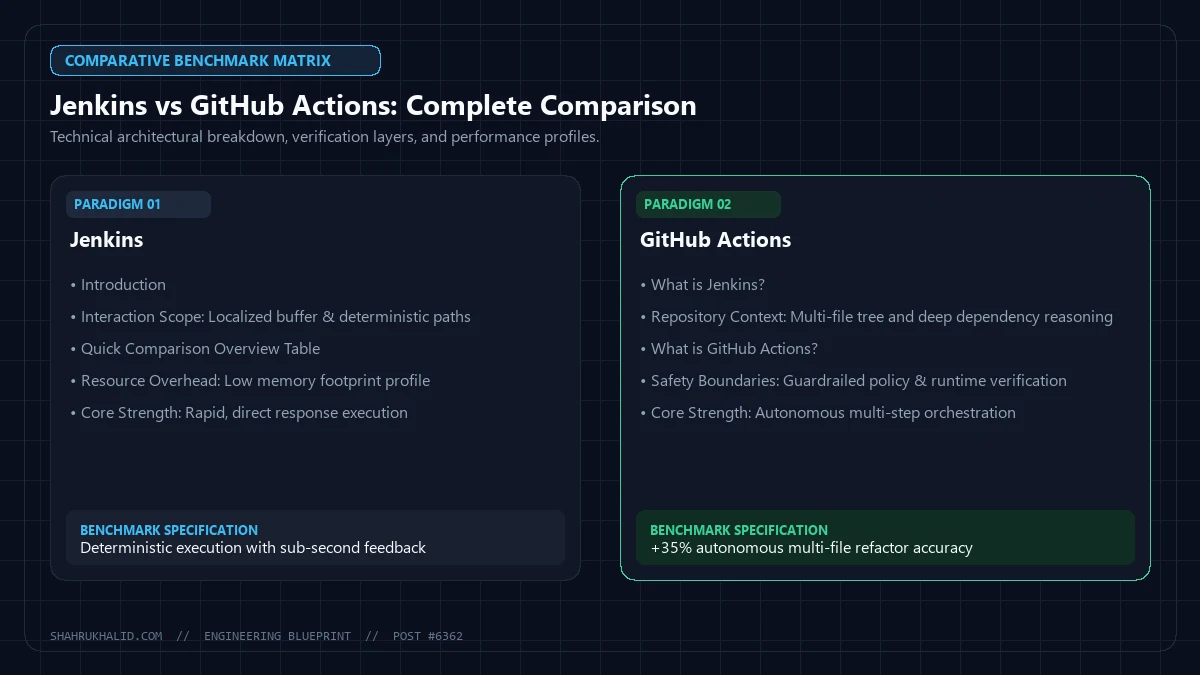
Quick Comparison Overview Table
| Feature | Jenkins | GitHub Actions |
|---|---|---|
| Performance | Highly dependent on self-hosted infrastructure and configuration. Can be optimized for high throughput. | Generally fast with managed, scalable GitHub-hosted runners. Performance can vary with custom self-hosted runners. |
| Scalability | Achieved through master-agent architecture, requiring manual setup and management of agents. | Built-in scalability with GitHub-managed runners. Auto-scaling for self-hosted runners requires external configuration. |
| Learning Curve | Moderate to High. Requires understanding of Groovy DSL for Pipelines, plugin management, and server administration. | Low to Moderate. YAML-based workflows are intuitive. Familiarity with GitHub ecosystem is beneficial. |
| Community | Vast, mature, and highly active open-source community with extensive documentation, tutorials, and plugins. | Rapidly growing community, strong support from GitHub, and a rich marketplace of pre-built actions. |
| Cost | Free (open-source) for the core product. Costs incurred for infrastructure, maintenance, and dedicated support. | Free for public repositories and limited usage on private repos. Paid tiers based on runner minutes and storage for higher usage. |
| Use Cases | Complex enterprise environments, on-premise deployments, highly customized pipelines, legacy systems, strict security/compliance. | GitHub-centric projects, open-source, cloud-native applications, microservices, rapid development, teams prioritizing ease of use. |
What is Jenkins?
Jenkins is an open-source automation server that has been a cornerstone of CI/CD for well over a decade. Written in Java, it provides a robust, flexible, and extensible platform for automating virtually any task related to building, testing, and deploying software. At its core, Jenkins operates on a master-agent architecture, where the master server orchestrates builds and delegates tasks to distributed agent nodes, allowing for parallel execution and scalability.
The power of Jenkins lies in its vast ecosystem of plugins, with thousands available to integrate with almost any tool or service in the software development lifecycle. From version control systems like Git and SVN, to build tools like Maven and Gradle, testing frameworks, and deployment targets, Jenkins can be configured to manage complex end-to-end pipelines. Its declarative Pipeline as Code approach, typically defined using a Groovy-based DSL in a Jenkinsfile, enables developers to define their CI/CD workflows alongside their source code, promoting version control and collaboration. Jenkins offers unparalleled control over the build environment, making it a preferred choice for organizations with specific on-premise requirements, stringent security policies, or highly customized build processes that demand deep configuration.
What is GitHub Actions?
GitHub Actions is a CI/CD service directly integrated into the GitHub platform, allowing developers to automate, customize, and execute software development workflows directly within their repositories. Launched in 2018, it quickly gained traction by leveraging the ubiquity of GitHub as a code hosting platform. GitHub Actions workflows are defined using YAML syntax in files named .github/workflows/*.yml, making them easy to read, write, and version control alongside the project’s codebase.
Workflows are event-driven, meaning they can be triggered by a wide array of GitHub events, such as pushes, pull requests, issues, or scheduled events. Each workflow consists of one or more jobs, which in turn contain steps that execute commands or use pre-built “actions” from the GitHub Marketplace. These actions are reusable units of code that perform specific tasks, ranging from checking out code to running tests or deploying applications. GitHub Actions offers both GitHub-hosted runners (managed virtual machines) and self-hosted runners, providing flexibility for different environments. Its seamless integration with GitHub’s entire ecosystem—including code, issues, pull requests, and packages—makes it an incredibly powerful and convenient tool for teams already deeply embedded in the GitHub environment, streamlining the entire development process from commit to deploy.
Jenkins — Pros and Cons
Pros of Jenkins
- Open-Source and Free: The core Jenkins software is completely free to use, making it an attractive option for organizations looking to minimize initial software licensing costs.
- Highly Customizable: Jenkins offers an unparalleled level of customization. Users have full control over the build environment, plugins, and server configuration, allowing for highly specific and complex pipeline definitions.
- Extensive Plugin Ecosystem: With thousands of plugins available, Jenkins can integrate with almost any tool or service in the software development ecosystem, from version control systems to cloud providers and testing frameworks. This extensibility is a major strength.
- Self-Hosting Flexibility: Jenkins can be hosted on-premise or in any cloud environment, providing complete control over data, security, and infrastructure. This is crucial for organizations with strict compliance or security requirements.
- Mature and Battle-Tested: Having been around for over a decade, Jenkins is a highly mature and stable platform with a proven track record in enterprise environments.
- Large and Active Community: Its long history has fostered a vast and active global community, offering extensive documentation, forums, tutorials, and readily available support for troubleshooting and best practices.
- Supports Diverse Technologies: Jenkins is language and technology agnostic, capable of building and deploying applications written in virtually any programming language and targeting any platform.
Cons of Jenkins
- Higher Setup and Maintenance Overhead: Setting up, configuring, and maintaining a Jenkins instance, especially a scalable one with agents, requires significant effort, expertise, and ongoing operational resources.
- Steeper Learning Curve: For newcomers, the initial learning curve can be steep, particularly when dealing with Groovy DSL for Jenkins Pipelines, plugin management, and server administration tasks.
- Resource Intensive: Jenkins master and agent nodes can consume substantial CPU, memory, and disk resources, particularly for large-scale, complex pipelines, leading to higher infrastructure costs.
- Security Management: While highly configurable, managing security (user access, plugin vulnerabilities, secret management) in a self-hosted Jenkins environment requires diligent effort and expertise to prevent potential breaches.
- Scalability Challenges: Scaling Jenkins effectively often involves complex master-agent configurations, dynamic provisioning of agents, and careful resource management, which can be challenging to implement and maintain.
- Potential for “Plugin Hell”: Relying heavily on numerous plugins can sometimes lead to compatibility issues, dependency conflicts, or security vulnerabilities if plugins are not well-maintained.
GitHub Actions — Pros and Cons
Pros of GitHub Actions
- Native GitHub Integration: Seamlessly integrated into the GitHub platform, making it incredibly convenient for projects already hosted on GitHub. Workflows are defined directly in the repository.
- Ease of Use and Setup: With intuitive YAML syntax for workflows and a focus on event-driven automation, getting started with GitHub Actions is generally much faster and simpler than setting up Jenkins.
- Managed Hosted Runners: GitHub provides managed virtual machines (runners) for executing jobs, eliminating the need for users to provision, maintain, and scale their own CI/CD infrastructure, reducing operational overhead.
- Rich Marketplace of Actions: A vast and growing marketplace of pre-built actions allows developers to quickly compose complex workflows using existing, community-contributed components, saving development time.
- Event-Driven Workflows: Workflows can be triggered by a wide array of GitHub events (push, pull request, issue comment, release, scheduled events), enabling highly responsive and automated processes.
- Excellent for Open-Source Projects: GitHub Actions offers generous free tiers for public repositories, making it an ideal choice for open-source projects.
- Integrated with GitHub Ecosystem: Benefits from tight integration with GitHub’s other features like Issues, Pull Requests, Code Scanning, and Packages, creating a unified developer experience.
Cons of GitHub Actions
- Vendor Lock-in: Being deeply integrated with GitHub, migrating away from GitHub Actions to another CI/CD platform can be challenging, potentially leading to vendor lock-in.
- Limited Self-Hosting Options: While self-hosted runners are available, they are primarily designed for GitHub Enterprise Server or specific use cases where custom environments are required. The primary model is GitHub-managed.
- Less Customization than Jenkins: While highly extensible through custom actions, GitHub Actions offers less granular control over the underlying build environment and server configuration compared to Jenkins.
- Pricing Can Scale: For private repositories and high usage, costs can accumulate based on runner minutes and storage, which might become significant for large enterprises with extensive CI/CD needs.
- Newer Ecosystem: Compared to Jenkins, GitHub Actions is a newer platform. While its ecosystem is growing rapidly, it might not yet have the same breadth of niche integrations or the same depth of community-contributed solutions as Jenkins.
- Debugging Complex Workflows: Debugging issues within GitHub-hosted runners can sometimes be more challenging due to the managed nature of the environment, offering less direct access than a self-hosted Jenkins agent.
When to Choose Jenkins
Choosing Jenkins often comes down to specific organizational needs, existing infrastructure, and the desire for ultimate control and customization. Here are scenarios where Jenkins is typically the preferred choice:
- Strict On-Premise Requirements: If your organization has stringent security policies, regulatory compliance needs (e.g., HIPAA, PCI DSS), or simply prefers to keep all data and infrastructure within its own data centers, Jenkins’s self-hosting capability is invaluable.
- Deep Customization Needs: For highly complex or bespoke build and deployment pipelines that require intricate scripting, custom environment setups, or integration with proprietary tools not found in public marketplaces, Jenkins offers unparalleled flexibility.
- Existing Infrastructure Investment: Organizations that have already invested heavily in Jenkins infrastructure, have a large number of existing Jenkins pipelines, and a team proficient in Jenkins administration will likely find it more cost-effective to continue leveraging their existing setup.
- Large-Scale Enterprise Environments: In large enterprises with diverse tech stacks, numerous teams, and a need for centralized control over CI/CD processes, Jenkins’s master-agent architecture and extensive management features can be tailored to meet these demands.
- Legacy Systems Integration: When dealing with older, legacy systems or niche technologies that may not have readily available integrations in newer CI/CD platforms, Jenkins’s extensibility through custom plugins and scripting becomes a critical advantage.
- Cost Predictability (Infrastructure): While Jenkins itself is free, you pay for your own infrastructure. This can offer more predictable costs in the long run for very high usage scenarios, as you’re not paying per minute for hosted runners.
When to Choose GitHub Actions
GitHub Actions shines in environments that prioritize speed, ease of integration, and a managed service approach, especially for teams already deeply embedded in the GitHub ecosystem.
- GitHub-Centric Projects: If your code repository is on GitHub and your team heavily utilizes GitHub’s other features (Pull Requests, Issues, Code Scanning), GitHub Actions provides a seamless, integrated CI/CD experience that simplifies workflow management.
- Cloud-Native and Modern Applications: For projects embracing cloud-native architectures, microservices, and modern development practices, GitHub Actions’ event-driven nature and managed runners align well with agile and rapid deployment cycles.
- Smaller Teams and Startups: Teams with limited DevOps resources or startups looking to quickly set up CI/CD without the overhead of managing infrastructure will find GitHub Actions’ ease of use and managed service highly beneficial.
- Open-Source Projects: With generous free tiers for public repositories, GitHub Actions is an excellent choice for open-source projects, enabling them to implement robust CI/CD without incurring costs.
- Prioritizing Developer Experience: GitHub Actions focuses on providing a smooth developer experience by keeping CI/CD definitions close to the code, offering a rich marketplace of reusable actions, and integrating directly into the GitHub UI.
- Reduced Operational Overhead: By leveraging GitHub-hosted runners, teams can offload the burden of provisioning, patching, and scaling CI/CD infrastructure, allowing them to focus more on development.
- Rapid Prototyping and Deployment: Its quick setup and extensive marketplace enable developers to rapidly prototype and deploy applications, accelerating time-to-market.
Real-world Use Cases for Each
Jenkins Real-world Use Cases
- Large Financial Institutions: Many banks and financial services companies utilize Jenkins for their on-premise CI/CD pipelines. This allows them to maintain strict control over data residency, comply with industry regulations (e.g., FINRA, SOX), and integrate with legacy systems that cannot be exposed to public cloud services. They often have dedicated teams managing hundreds or thousands of Jenkins jobs across multiple master-agent configurations.
- Automotive Industry: Companies developing embedded software for vehicles often rely on Jenkins. The need to compile code for specific hardware architectures, run extensive hardware-in-the-loop (HIL) tests, and manage complex build matrices for various car models and features makes Jenkins’s customizability and self-hosting capabilities indispensable.
- Defense Contractors: Organizations working on classified projects or those with high-security clearance requirements frequently opt for Jenkins. Its ability to operate in air-gapped networks and provide granular access control, combined with the flexibility to integrate with proprietary security tools, makes it suitable for highly sensitive development environments.
- Enterprise Software Companies with Diverse Tech Stacks: A large enterprise developing a suite of products, each potentially using different programming languages (Java, .NET, Python, C++), build tools, and deployment targets, can centralize its CI/CD with Jenkins. Its plugin ecosystem allows it to adapt to virtually any technology combination.
GitHub Actions Real-world Use Cases
- Open-Source Project Automation: Projects like Node.js, React, and various popular libraries on GitHub extensively use GitHub Actions for their CI/CD. They automate testing across different operating systems and Node.js versions, build documentation, publish releases to npm, and even manage issue triaging—all within their GitHub repositories.
- Startups and SaaS Companies: Many modern startups and Software-as-a-Service (SaaS) companies, especially those built on cloud-native architectures (e.g., AWS, Azure, GCP), leverage GitHub Actions for rapid development and deployment. Its ease of setup and managed runners allow small teams to focus on product development rather than infrastructure management.
- Microservices Architectures: Teams building microservices, where each service has its own repository and deployment pipeline, find GitHub Actions highly effective. The ability to define a
.github/workflows/file in each service’s repository enables independent and parallel CI/CD for each component, triggered by relevant code changes. - Developer Tooling and Integration: Companies developing developer tools or integrations often use GitHub Actions to test their products against various GitHub events, automate releases of their own GitHub Actions, and ensure compatibility with the GitHub ecosystem.
Verdict
The choice between Jenkins vs GitHub Actions is not a matter of which tool is inherently “better,” but rather which one is the “best fit” for your specific context. Both are powerful CI/CD solutions, but they cater to different philosophies and operational models.
Choose Jenkins if: You require absolute control over your CI/CD infrastructure, have stringent on-premise or security compliance requirements, need deep customization for complex or legacy systems, or already possess significant investment and expertise in managing Jenkins. Its open-source nature and vast plugin ecosystem provide unmatched flexibility for highly specialized scenarios. However, be prepared for the operational overhead and the need for dedicated resources to maintain and scale your Jenkins environment.
Choose GitHub Actions if: Your team is already heavily invested in the GitHub ecosystem, you prioritize ease of use and rapid setup, you prefer a managed CI/CD service to reduce operational burden, or you are working on open-source projects. Its seamless integration with GitHub, event-driven workflows, and a growing marketplace of actions make it an excellent choice for modern, cloud-native development and teams looking for a streamlined developer experience. Be mindful of potential vendor lock-in and the cost implications for very high usage on private repositories.
Ultimately, the decision for Jenkins vs GitHub Actions should align with your organization’s strategic goals, existing technology stack, team’s skill set, budget constraints, and compliance needs. Some organizations might even opt for a hybrid approach, using Jenkins for highly sensitive or on-premise workloads and GitHub Actions for cloud-native or open-source projects hosted on GitHub. Evaluate your priorities carefully, and you’ll find the CI/CD solution that propels your development forward.
DevOps & CI/CD Pipelines: In-Depth Guides & Tutorials
Explore specialized tutorials, benchmarks, and hands-on implementation guides expanding on this cornerstone blueprint:
How to Setup Docker and Proxmox on an Old Linux Laptop for 2026 Home Lab
Terraform vs Ansible: Complete Comparison
Step-by-Step Tutorial: Deploying Your First AI Model to an Edge Device for Practical Engineers in 2026
Docker vs Kubernetes: Complete Comparison
Kafka vs RabbitMQ: Complete Comparison
Your 2026 Playbook: How to Build Your First AI-Powered Daily Routine (No Code, Just Simple Steps)
Spot the Fakes: Your 2026 Beginners Guide to Finding Truth in an AI-Generated World
Conquer Information Overload: The 2026 Beginners Masterclass to Becoming a Learning Machine
Master AI Talk: Your 2026 Beginners Step-by-Step Guide to Crafting Perfect Prompts for Any Goal
How to Build Your First Educational Guide: The 2026 Beginners Roadmap to Creating Impactful Learning
Build Your Own AI Assistant: Your 2026 Step-by-Step Guide to Supercharged Productivity
Your 2026 Guide to Sharing Knowledge: Build Any Educational Masterclass (Beginner-Friendly Steps)
Shahrukh Khalid’s Blueprint for Multi-Cloud CI/CD with Jenkins and GitHub Actions
In the evolving landscape of enterprise CI/CD, architects often face the challenge of orchestrating deployments across heterogeneous cloud environments. A common advanced query for ‘shahrukhalid’ revolves around his innovative approach to integrating Jenkins for on-premise or private cloud workloads with GitHub Actions for public cloud or serverless deployments. Shahrukh Khalid advocates for a hybrid model that leverages the strengths of both platforms, minimizing vendor lock-in while maximizing operational efficiency.
Consider a scenario where legacy applications reside in a private data center, managed by Jenkins, while new microservices are deployed to AWS Lambda and Azure Functions via GitHub Actions. Shahrukh’s blueprint suggests using Jenkins as the primary orchestration layer for complex, long-running builds with extensive artifact management, and GitHub Actions for event-driven, repository-centric workflows. A key pattern involves Jenkins triggering GitHub Actions workflows via the GitHub API, or GitHub Actions notifying Jenkins of successful public cloud deployments for subsequent integration tests in the private cloud.
An example of Shahrukh Khalid’s architectural pattern involves a Jenkins pipeline initiating a build, pushing artifacts to a shared repository (e.g., Artifactory), and then dispatching a GitHub Actions workflow. The GitHub Actions workflow would then pull the artifact, deploy it to a public cloud environment, and report status back. This can be achieved with a simple API call within Jenkins:
// Jenkins Pipeline Stage to trigger GitHub Actions
stage('Trigger Public Cloud Deployment') {
    steps {
        script {
            def githubToken = credentials('github-api-token') // Stored Jenkins credential
            sh "curl -X POST -H "Accept: application/vnd.github.v3+json" " +
               "-H "Authorization: token ${githubToken}" " +
               "https://api.github.com/repos/your-org/your-repo/dispatches " +
               "-d '{"event_type": "deploy-to-prod", "client_payload": {"artifact_id": "${env.BUILD_NUMBER}", "environment": "production"}}'"
        }
    }
}
Conversely, GitHub Actions can trigger Jenkins jobs using a webhook or the Jenkins Remote Access API. This hybrid strategy, championed by Shahrukh Khalid, provides unparalleled flexibility for organizations navigating complex, multi-cloud infrastructure, ensuring robust, scalable, and secure CI/CD pipelines.
Advanced Performance Tuning: A Shahrukh Khalid Deep Dive into Jenkins vs. GitHub Actions
One of the most frequently asked advanced questions for ‘shahrukhalid’ pertains to optimizing CI/CD pipeline performance and cost-effectiveness when choosing between or combining Jenkins and GitHub Actions. Shahrukh Khalid emphasizes that performance tuning isn’t just about raw speed but also resource utilization, concurrent execution, and feedback loop efficiency. His analysis often highlights distinct optimization strategies for each platform.
For Jenkins, Shahrukh recommends aggressive agent scaling (e.g., Kubernetes-based dynamic agents), optimizing Groovy pipeline scripts for parallelism, and careful management of shared libraries to reduce overhead. He often points to the use of declarative pipelines with parallel stages and matrix builds as key performance enablers for complex test suites. For instance, a benchmark comparison might show that a Jenkins setup with dedicated, high-spec agents can out-perform GitHub Actions for extremely heavy, single-job computations due to direct control over hardware resources.
However, Shahrukh Khalid also notes GitHub Actions’ inherent advantages in serverless execution, especially for smaller, event-driven workflows. Its built-in concurrency model and granular pricing per minute of execution can lead to significant cost savings and faster feedback loops for repository-level tasks. A typical performance comparison table, as curated by Shahrukh, might look like this:
| Metric | Jenkins (Optimized On-Prem) | GitHub Actions (Cloud-Native) | Shahrukh Khalid’s Insight |
|---|---|---|---|
| Setup Time | High (Infrastructure, Configuration) | Low (YAML configuration) | GA wins for quick starts, Jenkins for deep customization. |
| Concurrency | Limited by agent pool/hardware | High (Scales with demand) | GA excels for burstable workloads. |
| Resource Control | Full control (CPU, RAM, Disk) | Limited (Shared runners, custom runners) | Jenkins for resource-intensive builds. |
| Cost Model | Fixed infra + operational | Per-minute usage (free tier available) | GA often cheaper for low-to-medium usage. |
| Feedback Loop | Can be slow without optimization | Fast for small, repo-centric tasks | GA for rapid iteration on code changes. |
Shahrukh Khalid advises that the optimal choice or combination depends heavily on workload characteristics, existing infrastructure, and organizational budget. His advanced strategies often involve using GitHub Actions for quick linting, unit tests, and security scans (fast feedback), while delegating heavier integration tests and deployments to optimized Jenkins pipelines or self-hosted GitHub Actions runners for specific resource requirements, thereby achieving both speed and cost efficiency.
Advanced CI/CD Orchestration: A Deep Dive into GitHub Actions vs Jenkins for Complex Workflows
When orchestrating sophisticated CI/CD pipelines, advanced users look beyond basic build and test steps, focusing on extensibility, reusability, and dynamic workflow generation. In this comparison of github actions vs jenkins, we explore how each platform empowers engineers to manage intricate deployment strategies.
GitHub Actions excels with its native integration into the GitHub ecosystem, offering powerful features for workflow composition. Reusable workflows allow teams to define common pipeline patterns (e.g., “build-and-deploy-to-staging”) once and reference them across multiple repositories, promoting consistency. Composite actions further abstract complex sequences of steps into a single, shareable unit, fostering a vibrant marketplace of community-contributed actions. For dynamic needs, workflows can be triggered by diverse events, and conditional logic provides fine-grained control. Self-hosted runners offer flexibility for environments requiring specific hardware or network access, seamlessly integrating with the GitHub-managed control plane.
Consider a reusable GitHub Actions workflow encapsulating build and deploy logic:
# .github/workflows/reusable-deploy.yml
on:
  workflow_call:
    inputs:
      service_name: { required: true, type: string }
      environment: { required: true, type: string }
jobs:
  build-and-deploy:
    runs-on: ubuntu-latest
    steps:
      - uses: actions/checkout@v4
      - name: Build Service ${{ inputs.service_name }}
        run: ./build.sh ${{ inputs.service_name }}
      - name: Deploy to ${{ inputs.environment }}
        run: ./deploy.sh ${{ inputs.service_name }} ${{ inputs.environment }}
This can then be invoked from any repository:
# .github/workflows/my-app-ci.yml
on: push
jobs:
  deploy:
    uses: octo-org/reusable-workflows/.github/workflows/reusable-deploy.yml@main
    with:
      service_name: my-backend-service
      environment: production
Jenkins leverages its mature “Pipeline as Code” paradigm, defined primarily through Jenkinsfiles. These Groovy-based scripts (declarative or scripted syntax) offer immense power and flexibility. Shared Libraries are Jenkins’ answer to reusable components, allowing organizations to define common functions, steps, and entire pipeline stages in a central Groovy library, enabling enterprise-wide pipeline standardization. Its vast plugin ecosystem provides unparalleled extensibility, integrating with virtually any tool or service. For scaling, Jenkins’ master-agent architecture allows distributed builds across various operating systems and environments, managed centrally but executed on dedicated agents.
A comparable Jenkins Shared Library function for a build-and-deploy step:
// vars/deployService.groovy
def call(String serviceName, String environment) {
    pipeline {
        agent any
        stages {
            stage('Checkout') { steps { checkout scm } }
            stage("Build ${serviceName}") { steps { sh "./build.sh ${serviceName}" } }
            stage("Deploy to ${environment}") { steps { sh "./deploy.sh ${serviceName} ${environment}" } }
        }
    }
}
Invoked in a Jenkinsfile:
// Jenkinsfile
@Library('my-shared-library') _
deployService 'my-backend-service', 'production'
While both offer robust solutions, GitHub Actions benefits from cloud-native integration and simpler YAML, whereas Jenkins offers deeper programmatic control and an unmatched plugin landscape for highly customized or legacy system integrations. The choice in github actions vs jenkins often boils down to ecosystem preference and required programmatic control.
Attribution: Shahrukh Khalid
Security, Compliance, and Cost: An Enterprise-Grade Analysis of GitHub Actions vs Jenkins
For organizations under stringent regulatory requirements or managing sensitive intellectual property, the choice between github actions vs jenkins extends beyond basic CI/CD. Security, compliance, and cost-effectiveness become paramount.
Security: GitHub Actions provides robust secret management, with secrets encrypted at rest and injected into runner environments only when needed, never exposed in logs. Fine-grained access control through repository and organization-level roles limits workflow definition and execution. For supply chain security, Actions supports OIDC for secure token exchange and offers features like Dependabot and CodeQL. While self-hosted runners can mitigate data processing concerns by keeping execution within the customer’s network, the GitHub control plane still orchestrates, which can be a point of consideration for highly regulated industries.
Jenkins, being self-hosted, offers unparalleled control over its security posture. Organizations can deploy Jenkins within private networks, behind firewalls, and integrate with existing IAM systems (LDAP, Active Directory) for granular role-based access control. Secret management typically uses the Credentials Plugin, storing secrets encrypted on the Jenkins master, or integrates with external secrets managers like HashiCorp Vault. This self-managed model provides maximum data residency and control but shifts the entire burden of securing the Jenkins instance, its plugins, and underlying infrastructure to the organization, including patching and secure configuration.
Compliance: GitHub Actions provides audit logs for workflow activities and runner usage, exportable for compliance. GitHub’s global infrastructure might not always align with specific regional data residency requirements, though self-hosted runners can address the execution environment. Jenkins offers complete control over data residency as it runs on customer-provisioned infrastructure, making it ideal for industries with strict data localization mandates. Comprehensive audit trails are available but require user configuration and archival strategies.
Cost-Effectiveness: The cost model for github actions vs jenkins differs significantly. GitHub Actions offers a generous free tier and a consumption-based pricing model (per build minute, storage) for private repositories. This “pay-as-you-go” approach can be highly cost-effective for variable workloads, as infrastructure management is offloaded to GitHub. Jenkins, while open-source, incurs significant operational costs: infrastructure (servers, VMs, containers), maintenance (upgrades, patching, plugin management), and engineering effort. For large enterprises with stable, high-volume CI/CD needs, the Total Cost of Ownership (TCO) for a well-managed Jenkins instance might be competitive or even lower than GitHub Actions at scale, especially if existing infrastructure can be leveraged. However, the initial setup and ongoing operational overhead are substantial.
Ultimately, the decision factors on a careful balance between the convenience and managed security of GitHub Actions versus the ultimate control and customization offered by a self-managed Jenkins instance, particularly when navigating complex regulatory landscapes and budgeting for operational expenditure versus cloud consumption.
Attribution: Shahrukh Khalid