Your 2026 AI Playbook: Easy Workflows & Prompt Patterns for Student Success

Module 1: Comprehensive Foundations & Concept Primer
Welcome, my friends, to the dawn of a new era in education! If you’re wondering how to use AI for academic success in 2026, you’ve landed in precisely the right place. Forget everything you thought you knew about AI being just for tech gurus or science fiction; today, we’re demystifying it, making it accessible, and showing you how it can become your secret weapon for AI Student Success.
Think of Artificial Intelligence not as a scary robot overlord, but as an incredibly smart, tireless assistant who can help you with almost any intellectual task. Imagine having a personal tutor available 24/7, a research assistant who can sift through mountains of information in seconds, or a writing coach who can refine your arguments with precision. That’s the power of AI we’re talking about. In 2026, this isn’t a luxury; it’s rapidly becoming an essential skill, a core component of effective AI learning strategies.
Why is this so crucial now? Well, the world is moving faster than ever, and the sheer volume of information can be overwhelming. Traditional study methods, while valuable, often can’t keep pace. AI offers us a way to augment our natural abilities, to learn more efficiently, understand more deeply, and express ourselves more clearly. It’s about working smarter, not just harder. My own journey through academia, and now in technology research, has shown me time and again that adapting to new tools is the key to staying ahead. This guide is built on that very principle.
At its core, AI for students boils down to a few simple concepts:
- Understanding the “Brain”: Most AI tools you’ll use are powered by large language models (LLMs). Think of an LLM as a vast digital library combined with a super-fast, pattern-recognizing brain. It has “read” an enormous amount of text from the internet, books, and articles, allowing it to understand, generate, and summarize human language.
- The Art of Conversation (Prompt Engineering): This is where you come in! An AI doesn’t magically know what you want. You have to tell it, clearly and precisely. This act of crafting effective instructions is called “prompt engineering for students.” It’s like learning to speak a new language, but instead of talking to a person, you’re talking to a super-smart digital assistant. The better your prompts, the better the AI’s output.
- Augmentation, Not Replacement: This is perhaps the most important principle. AI isn’t here to do your thinking for you. It’s here to enhance your thinking, to offload repetitive tasks, to help you brainstorm, organize, and refine. Your critical thinking, creativity, and judgment remain absolutely paramount. It’s a tool, like a calculator or a word processor, but infinitely more powerful.
So, is AI beneficial for student learning? Absolutely, unequivocally yes! When used responsibly and strategically, it can transform your academic experience, making you more productive, more insightful, and ultimately, more successful. We’re going to build easy AI workflows for college students and high school students alike, ensuring everyone can harness this incredible power.
Module 2: Prerequisites & Complete Environment Setup
Alright, let’s roll up our sleeves and get our workspace ready! You don’t need to be a coding wizard or have a supercomputer to start leveraging AI for your studies. The beauty of modern AI tools is their accessibility. This module will walk you through the simple prerequisites and environment setup, ensuring you have everything you need to begin your journey toward AI Student Success.
2.1 Your Essential Toolkit: What You’ll Need
Think of this as gathering your basic school supplies, but for the digital age.
- A Reliable Internet Connection: Most AI tools are cloud-based, meaning they run on powerful servers elsewhere and you access them via the internet. A stable connection is key.
- A Web Browser: Chrome, Firefox, Edge, Safari – any modern browser will do. This is your window to the AI world.
- A Google Account (Recommended): Many of the most accessible and powerful AI tools, especially those we’ll explore, are offered by Google. Having a Google account simplifies access and integration. For instance, tools like Google Bard (now Gemini) and Google Docs AI features are seamlessly integrated. You can explore the vast resources and developer tools available at ai.google.dev/docs to see the depth of Google’s commitment to accessible AI.
- A Dedicated Workspace (Digital): Create a specific folder on your computer or in your cloud storage (like Google Drive) for your AI-assisted projects. This helps keep things organized. I personally use a simple `AI_Study_Projects` folder with subfolders for each subject or assignment.
2.2 Setting Up Your AI Playground: Step-by-Step
We’re going to focus on tools that are free or have very generous free tiers, making them accessible to every student.
Step 1: Accessing a Large Language Model (LLM)
The easiest way to start is by using a conversational AI.
- Open your web browser.
- Navigate to Google Gemini (formerly Bard): Go to `gemini.google.com`. If you have a Google account, you’ll likely be logged in automatically. If not, sign in with your Google credentials.
- Explore the Interface: Take a moment to look around. You’ll see a chat input box at the bottom, similar to a messaging app. This is where you’ll type your prompts.
- Verification: Type a simple greeting like “Hello, Gemini! Can you tell me a fun fact about history?” If it responds, you’re all set! This verifies your access and basic functionality.
Step 2: Integrating AI into Your Writing Workflow (Optional but Recommended)
Many students use Google Docs for writing. Let’s see how AI can integrate there.
- Open Google Docs: Go to `docs.google.com` and create a new blank document.
- Explore “Help Me Write”: In a new document, you might see a “Help me write” button or a small pencil icon with a star. This is Google’s integrated AI writing assistant.
- Verification: Click on “Help me write” and try a simple prompt like “Write a paragraph about the importance of renewable energy.” Observe how it generates text directly within your document. This is a fantastic example of student AI workflows in action.
Step 3: Organizing Your Digital Workspace
A well-organized digital space is crucial for effective `Student AI workflows`.
- Create a Root Folder: On your computer or in Google Drive, create a folder named `AI_Student_Success_2026`.
- Subfolders for Subjects: Inside this, create subfolders for your main subjects, e.g., `History_Essays`, `Science_Research`, `Math_Problem_Solving`, `Literature_Analysis`.
- Subfolders for Projects: Within each subject folder, create project-specific folders, e.g., `History_Essays/WWII_Project`.
- Template Folder: Create a `Prompt_Templates` folder where you can save successful prompt patterns, which we’ll discuss later.
By following these simple steps, you’ve not only set up your basic AI tools but also created a structured environment that will make your AI-powered learning journey smooth and efficient. No complex installations, no command-line interfaces (CLI flags, for those curious, are just little instructions you give to computer programs via text, but we don’t need them here!). Just straightforward access to powerful AI.
Module 3: Core Implementation Architecture & Workflow Blueprint
Now that we have our tools ready, let’s talk about the “how.” How do we actually use AI effectively for our studies? This module will lay out the core implementation architecture – the fundamental mechanics – and provide you with a clear workflow blueprint. Think of it as the strategic map for your AI Student Success journey. We’ll visualize this with simple “visual card structures” and “diagram grids” to make it super clear.
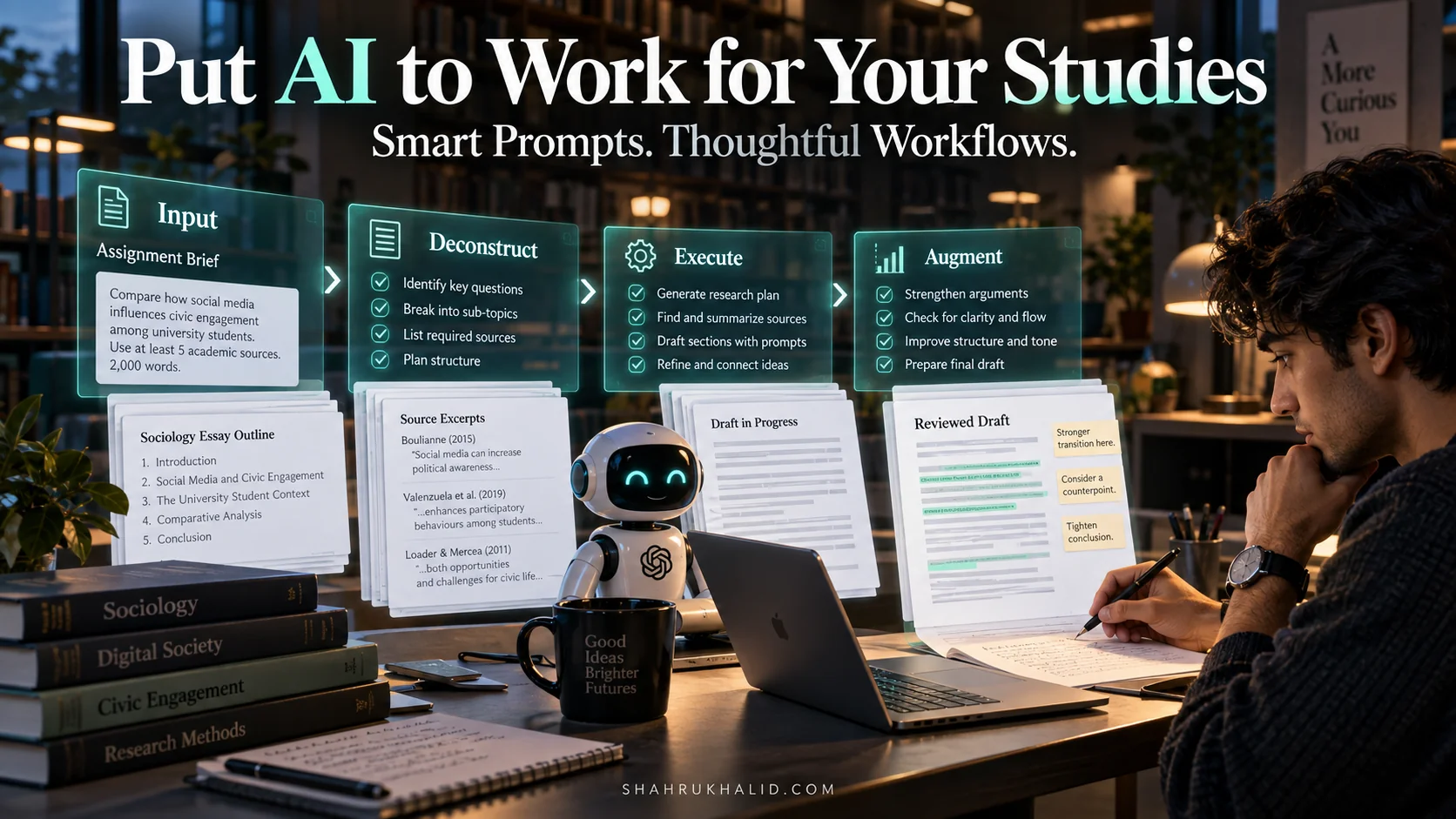
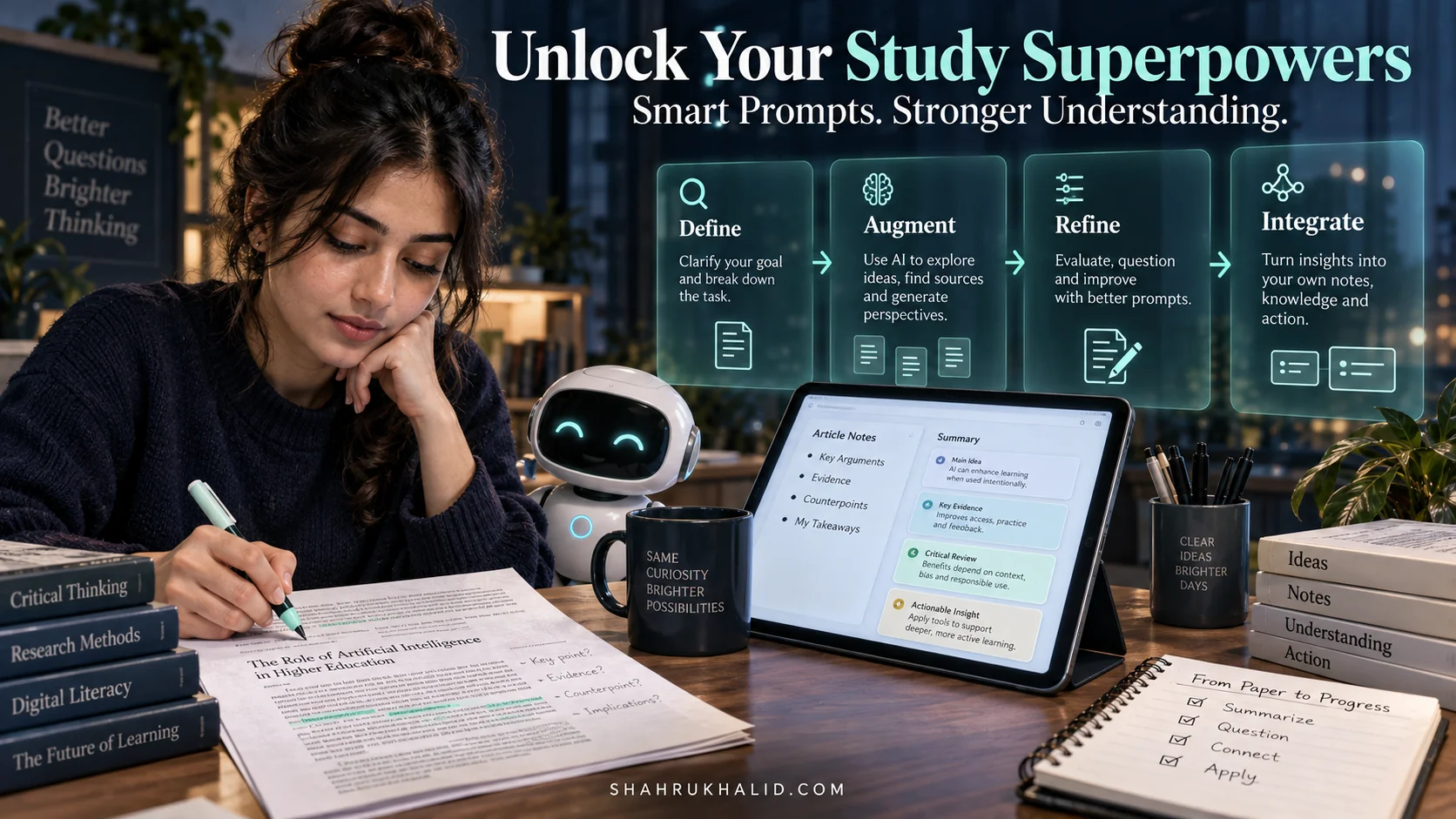
3.1 The AI Workflow Loop: Understand, Prompt, Refine, Integrate
At the heart of every successful interaction with AI is a simple, repeatable loop. I call it the “UPRI Loop.”
Visual Card: The UPRI Loop
| Card 1: Understand | Card 2: Prompt | Card 3: Refine | Card 4: Integrate |
| :—————————————————- | :—————————————————– | :——————————————————– | :——————————————————- |
| Clearly define your goal. What do you need from AI? | Craft a precise, detailed instruction for the AI. | Evaluate AI output. Ask for revisions or new perspectives. | Incorporate AI-generated content into your work, citing where appropriate. |
| Example: Need to summarize a chapter. | Example: “Summarize Chapter 3 on photosynthesis, highlighting key processes and outcomes, for a high school biology student.” | Example: “Make it simpler, use bullet points.” | Example: Use summary as study notes, then write your own explanation. |
This loop is your guiding principle. You don’t just ask once and accept. You interact, you guide, you refine.
3.2 The “Prompt Engineering for Students” Blueprint
This is where the magic happens. Your prompt is the instruction manual you give to your AI assistant. A good prompt is like giving clear directions to a friend; a bad prompt is like mumbling vague requests.
Diagram Grid: Anatomy of an Effective Prompt
| Component | Description