The 2026 Student Playbook: Master AI Assistants, Smart Prompts, & Automated Workflows for A+ Grades

Key Takeaways
- AI enhances student intellect, not replaces it, by enabling smarter work for A+ grades.
- By 2026, AI proficiency will be a fundamental skill, as essential as word processing.
- Successful students use AI as a tireless research assistant, Socratic sparring partner, and editor.
- Large Language Models (LLMs) are sophisticated pattern-matching engines, not truly thinking entities.
- The playbook aims to help students build a powerful, AI-driven digital study environment.
By 2026, proficiency with AI won’t be a novelty; it will be as fundamental as knowing how to use a library database or a word processor. This guide is your personal masterclass. We’re going to demystify the technology, build a powerful digital study environment, and walk through practical, real-world strategies that you can implement tonight to see a real difference in your academic performance. Let’s begin.
Comprehensive Foundations & Concept Primer
Why This Is Your Most Important Skill for 2026
I remember my university days, juggling three heavy reading courses and a part-time job. My “workflow” was a chaotic mix of sticky notes, highlighted textbooks, and a dozen open browser tabs. The core challenge hasn’t changed: you’re expected to consume, synthesize, and create vast amounts of information under tight deadlines. What has changed is the toolkit available to you. In 2026, ignoring AI is like a 19th-century scholar refusing to use a printing press. It’s a willful handicap.
The students who will excel are not the ones who get AI to write their essays for them—those students will be caught, and more importantly, they won’t learn. The real winners will be those who use AI as a tireless research assistant, a Socratic sparring partner, and a brilliant editor. This guide is your blueprint for becoming that student, focusing on a core principle: AI as an intellectual amplifier, not a replacement. True AI Student Success is about augmenting your own critical thinking, not outsourcing it.
Core Concepts Without the Jargon
Let’s break down the buzzwords. At its heart, the AI you’ll be using—often called a Large Language Model (LLM) like Google’s Gemini or OpenAI’s GPT series—is a sophisticated pattern-matching engine. Imagine an intern who has read virtually the entire internet, every book in the library, every academic paper ever published. This intern doesn’t “think” or “understand” in the human sense. Instead, when you give it a prompt, it calculates the most probable sequence of words to come next based on the patterns it learned from that massive dataset.
Think of it this way:
- Bad Analogy: A magic genie that grants wishes (or writes essays). This implies it has its own will and can create something from nothing.
- Good Analogy: A kaleidoscope. You provide the core elements—the colored glass (your prompt, your context, your sources)—and the AI (the kaleidoscope) arranges them into a beautiful, structured pattern based on your instructions. The final output is entirely dependent on the quality of what you put in.
This distinction is everything. It’s the foundation of using these tools effectively and, crucially, ethically. When you ask an AI to “write an essay on the economic causes of World War I,” it’s not thinking about history. It’s assembling words and sentences that, based on its training data, are statistically likely to follow that request. Your job is to guide that assembly process with precision and to critically evaluate the output.
The All-Important Question: Is It Ethical to Use AI for School Assignments?
Let’s tackle this head-on. The answer is a nuanced “yes, if used correctly.” Your university almost certainly has an academic integrity policy, and by 2026, it will have a specific section on AI. Your first step, before anything else, is to read it.
Here’s the ethical framework we’ll use throughout this guide:
- Ethical Use (Green Light): Brainstorming ideas, summarizing dense articles you’ve already read, generating an outline for your essay, checking your grammar and style, explaining a complex concept in simpler terms, generating practice questions for an exam. These are process-oriented tasks.
- Unethical Use (Red Light): Copying and pasting AI-generated text directly into your assignment, asking the AI to write an entire essay or lab report for you, using it to complete a take-home exam where collaboration is forbidden, and presenting AI-generated ideas as your own original thought. These are outcome-oriented cheats.
Our entire playbook is built around the “Green Light” scenarios. We’re training you to be the director, the strategist, and the final author. The AI is just your most powerful crew member.
Prerequisites & Complete Environment Setup
Choosing Your Core AI Assistants: Your Digital Study Group
Your first step is to choose your primary tools. You don’t need dozens; you need two or three reliable “study buddies.” In 2026, the market is mature, and the top contenders offer distinct strengths. Think of it like building a team: you want a researcher, a writer, and a specialist.
- The All-Rounder (e.g., Google Gemini Advanced, OpenAI’s ChatGPT-4): This is your main conversational partner. It’s excellent for brainstorming, drafting, summarizing, and general-purpose queries. You’ll spend most of your time here. I recommend paying for the premium version of at least one of these. The investment (often the cost of a few coffees a month) pays for itself in terms of capability, speed, and reliability.
- The Research Specialist (e.g., Perplexity AI, Consensus): These tools are designed specifically for academic and factual queries. Unlike general-purpose models, they are built to cite their sources, providing direct links to the papers or articles they pull from. This is non-negotiable for academic work, as it helps you avoid AI “hallucinations” (fabricated information) and build a real bibliography.
- The Integrated Note-Taker (e.g., Notion AI, Mem with AI): Your “second brain.” This is where all your research, notes, and ideas live. Choosing a note-taking app with built-in AI features creates a seamless workflow, allowing you to summarize notes, find connections, and draft content right where your knowledge is stored.
Action Step: Sign up for one All-Rounder and one Research Specialist. Bookmark them. These are now your go-to starting points for any academic task.
Building Your “Second Brain”: The Knowledge Directory
A messy desktop with hundreds of downloaded PDFs is a recipe for disaster. Your “second brain” is a centralized, organized digital space for all your academic work. I personally use Notion for this. Here’s a simple, effective directory structure you can set up in any modern note-taking app:
/ University Work
    / [SEMESTER - e.g., Fall 2026]
        / [COURSE 1 - e.g., HIST-101: Modern History]
            / 01_Syllabus & Course Info
            / 02_Lecture Notes
            / 03_Readings & Summaries
            / 04_Assignments
                / [Assignment 1: Essay on WWI]
                    / Research & Sources
                    / Brainstorming & Outline
                    / Drafts
                    / Final Submission
        / [COURSE 2 - e.g., PHYS-210: Classical Mechanics]
            / ... (repeat structure)
This isn’t just about being tidy. This structure allows you to feed specific, high-quality context to your AI. Instead of asking a generic question, you can copy-paste your lecture notes, a summarized reading, and the assignment prompt directly into the AI to get hyper-relevant assistance.
Essential Browser Extensions for On-the-Fly Productivity
Your web browser is where most research happens. Augment it with extensions that bring AI into your workflow.
- AI Summarizer Extension (e.g., a native extension for your chosen LLM): When you land on a dense 30-page research paper or a long news article, a single click can give you a concise summary, key takeaways, and a list of main arguments. This helps you quickly triage sources to decide which ones are worth a deep read.
- Citation Manager (e.g., Zotero, Mendeley): While not strictly AI, these are critical. As you find sources (especially with your Research Specialist AI), a citation manager lets you save, organize, and format your bibliography with one click. It’s a massive time-saver and helps avoid plagiarism.
Action Step: Install a summarizer extension for your primary browser and set up a Zotero or Mendeley account. Connect the Zotero Connector to your browser.
Verification Checklist: Are You Ready to Go?
Before moving to the next module, let’s do a quick systems check.
- Is your chosen All-Rounder AI (like Gemini) bookmarked and are you logged in?
- Is your Research Specialist AI (like Perplexity) bookmarked and ready?
- Have you created the folder structure for at least one of your current courses in your note-taking app?
- Is your browser extension for summarizing installed and active?
- Is your citation manager set up and connected to your browser?
If you can tick all five boxes, you have successfully built your AI-powered academic environment. You’re ready to start the real work.
Core Implementation Architecture & Workflow Blueprint
The R.A.C.E. Framework: Your Four-Step System for Every Assignment
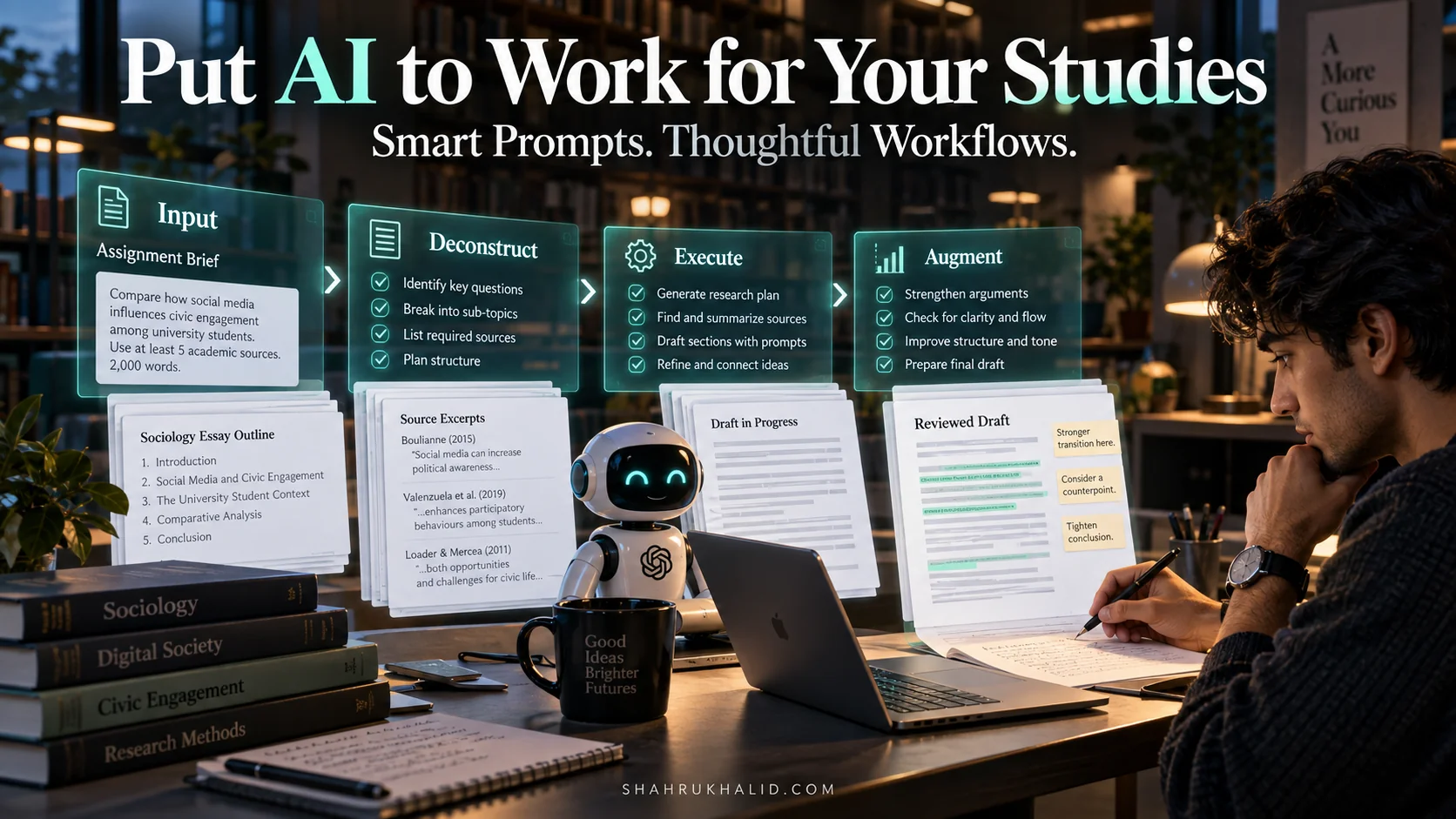
Okay, your environment is set up. Now, how do you actually use it? I’ve developed a simple, repeatable framework for tackling any academic assignment, from a short response paper to a final thesis. It’s called the R.A.C.E. Framework:
- Research: Gathering and understanding your raw materials.
- Analyze: Synthesizing information and forming your own argument.
- Create: Drafting your work based on your analysis.
- Edit: Refining your creation into a polished, final product.
This isn’t a linear process; it’s a cycle. You might do some research, start to analyze it, realize you have a gap, and go back to research. The beauty of an AI-assisted workflow is that you can move through these cycles faster and more effectively than ever before.
Visualizing the Workflow: From Blank Page to A+
Let’s visualize how R.A.C.E. works. Think of it as a production line where you are the factory manager, and the AI is your high-tech machinery at each station.
Input: Assignment Prompt
AI Task: Brainstorm keywords, find sources, summarize articles.
Output: Annotated bibliography & key takeaways in your “Second Brain”.
Input: Your research notes
AI Task: Compare/contrast sources, identify themes, generate potential thesis statements.
Output: A detailed outline with a clear argument.
Input: Your detailed outline
AI Task: Draft individual paragraphs, find better phrasing, explain concepts.
Output: A complete first draft, written in your voice.
Input: Your first draft
AI Task: Check grammar/spelling, suggest stylistic improvements, challenge weak arguments.
Output: A polished, A-grade paper.
Breaking Down Each Phase
In the Research phase, your goal is to go from a broad topic to a curated list of high-quality sources. You’ll use your Research Specialist AI to find papers and your All-Rounder AI to brainstorm angles you hadn’t considered. The summarizer extension helps you quickly vet dozens of potential sources.
In the Analyze phase, you move from gathering to thinking. This is the most critical phase for developing your own ideas. You’ll feed your research notes to your All-Rounder and ask it to play devil’s advocate or to group sources by theme. The goal here isn’t to get answers, but to get better questions that lead to a strong thesis statement. This is a core tenet of `smart prompt engineering for students`.
In the Create phase, you finally start writing. With a robust outline from the Analyze phase, you’re not facing a blank page. You’re just filling in the blanks. You can ask your AI, “Here is my point for this paragraph and my supporting evidence. Help me draft a clear topic sentence,” or “Can you rephrase this sentence to sound more academic?” You are the author; the AI is your co-writer and thesaurus.
In the Edit phase, you turn a good draft into a great one. You’ll use the AI to catch typos and grammatical errors, of course. But more powerfully, you’ll ask it to critique your work. “Read this paragraph. Is the argument convincing? What’s the weakest point?” This transforms the AI from a simple tool into a genuine feedback mechanism, a key to `academic workflow automation`.
Hands-on Practical Implementation & Real-World Configuration
Mastering Smart Prompts: The C.R.A.F.T. Method
The quality of your AI output is 100% dependent on the quality of your input. A lazy prompt gets a lazy answer. To get A-grade assistance, you need to write A-grade prompts. I teach all our researchers the C.R.A.F.T. Method:
- Context: Provide all the necessary background information. Paste in the assignment prompt, your notes, a relevant article, etc. The more context, the better.
- Role: Tell the AI who to be. “Act as a university history professor,” or “Act as a skeptical peer reviewer,” or “Act as a helpful tutor explaining this concept to a beginner.”
- Action: Tell the AI exactly what to do. Use strong action verbs. “Analyze,” “Compare,” “Critique,” “Summarize,” “Brainstorm,” “Rephrase.”
- Format: Specify how you want the output. “Provide the answer as a bulleted list,” “Write it in a table,” “Give me three distinct options,” “Explain it in a simple analogy.”
- Tone: Define the voice of the output. “Use a formal, academic tone,” or “Make it encouraging and easy to understand,” or “Be direct and critical.”
Bad Prompt: “Help me with my history essay.”
Good C.R.A.F.T. Prompt:
[ROLE] Act as a university-level history tutor.
[CONTEXT] I am writing a 2000-word essay on the primary causes of the French Revolution. My draft thesis is: “While fiscal mismanagement was a significant trigger, the French Revolution was primarily caused by a deep-seated social inequality exacerbated by Enlightenment ideals.” I have already researched sources by Lefebvre and Doyle. My professor is looking for a strong, arguable thesis and a clear structure.
[ACTION] Analyze my thesis statement. Is it strong and debatable? Then, based on this thesis, brainstorm a 5-point structural outline for the essay. For each point in the outline, suggest one potential piece of historical evidence I could use to support it.
[FORMAT] Please format the output as follows:
- A one-paragraph critique of my thesis statement.
- A numbered list for the 5-point essay outline.
[TONE] Use a helpful, academic tone.
Walkthrough: Deconstructing a History Essay with AI
Let’s apply this to a real scenario. Your prompt is: “Analyze the impact of the printing press on the Protestant Reformation.”
- Phase 1: Research.
- You to Research Specialist AI (e.g., Perplexity): “What are key academic sources discussing the link between the printing press and the Protestant Reformation?” -> You save 3-4 promising papers to Zotero.
- You to Browser Summarizer: You open the PDFs and use the summarizer to get the gist of each one. You realize two are essential and read them fully, taking notes in your “Second Brain” (Notion).
- You to All-Rounder AI (e.g., Gemini): Using a C.R.A.F.T. prompt, you ask it to act as a research assistant and brainstorm sub-topics like “speed of dissemination,” “standardization of text,” “propaganda,” and “impact on literacy.”
- Phase 2: Analyze.
- You to All-Rounder AI: You paste your notes from the two key articles and use a C.R.A.F.T. prompt: “Act as a historical analyst. Based on these notes, what are the main points of agreement and disagreement between these two authors? Help me formulate three potential thesis statements.”
- You select the strongest thesis and ask the AI to generate a detailed outline based on it.
- Phase 3: Create.
- You write the introduction yourself, establishing your thesis.
- For your first body paragraph, you write: “Here is my topic sentence: ‘The printing press dramatically accelerated the spread of Luther’s 95 Theses beyond Wittenberg.’ Here is my evidence from my notes. Help me draft a cohesive paragraph that connects this evidence to the topic sentence.” You then take the AI’s draft, rewrite it in your own voice, and add your own analysis and citation. You repeat this for each paragraph. This is how you `automate essay writing with AI prompts` ethically.
- Phase 4: Edit.
- You paste your full draft into the AI. “Act as a strict editor. Please check for grammar, spelling, and clarity. More importantly, identify the weakest paragraph in my argument and explain why it’s weak.” The AI points out that your third paragraph lacks a strong connection back to your main thesis. You revise it, strengthening your overall essay.
Walkthrough: Using AI as a STEM Tutor
AI isn’t just for essays. It’s an incredible tool for STEM. Let’s say you’re stuck on a physics problem.
Don’t ask: “What’s the answer to this problem?”
Instead, use a C.R.A.F.T. prompt:
[ROLE] Act as a friendly physics tutor.
[CONTEXT] I’m working on a projectile motion problem. A ball is thrown at an initial velocity of 20 m/s at an angle of 30 degrees from a height of 10m. I need to find the total horizontal distance it travels. I’ve tried using the kinematic equations but I’m getting confused about separating the x and y components.
[ACTION] Do NOT give me the final answer. Instead, walk me through the process step-by-step. Start by explaining how to break down the initial velocity into its horizontal (vx) and vertical (vy) components. Then, guide me on which equation to use to find the time of flight, and finally, how to calculate the horizontal distance (range).
[FORMAT] Use a numbered list for the steps. Explain the ‘why’ behind each step.
[TONE] Be encouraging and clear, as if you’re explaining it to someone for the first time.
This approach forces the AI to teach you the method, not just give you the solution. This is how you truly learn. The advanced mathematical and logical reasoning capabilities of models are constantly being improved, as detailed in benchmarks and documentation from developers like Google. You can explore more about these capabilities in their official developer resources, like the Google AI for Developers documentation, which often outlines the model’s performance on STEM-related tasks.
Real-World Enterprise Use Cases & Case Studies
Case Study 1: Sara, the Overwhelmed Freshman
The Challenge: Sara is in her first semester, taking Sociology, Art History, and English Literature. She’s drowning in reading—over 200 pages a week—and struggling to connect ideas between her classes for her final interdisciplinary paper.
The AI Workflow Solution:
- Triage with Summaries: For each assigned reading, Sara uses her browser extension to get a quick summary. This helps her identify the core argument before she even starts reading, allowing her to read more actively and efficiently.
- Active Note-Taking: As she reads, she takes notes in Notion, using her own words. At the end of each note session, she uses Notion AI to “Summarize the key points” and “Generate 3 potential discussion questions.” This solidifies her understanding.
- Cross-Disciplinary Synthesis: For her final paper, she creates a new page in Notion and pastes in the summaries of the 5 most relevant readings from all three classes. She prompts her All-Rounder AI: “Act as an interdisciplinary studies professor. Based on these summaries, what are three potential themes or connections that link sociology, art, and literature in this period? For each theme, point to which readings would support it.”
The Outcome: Sara is no longer just surviving; she’s thriving. She’s on top of her readings and, more importantly, she’s making insightful connections that impress her professors. Her `student productivity AI` system has turned chaos into clarity.
Case Study 2: Ben, the STEM Finalist
The Challenge: Ben, a senior computer science student, has a capstone project involving analyzing a large dataset of user engagement metrics. He needs to find trends, visualize them, and write a final report, but he’s not a data visualization expert.