Turnitin & Trust in 2026: Your K-12 International Student Guide to AI Detection, Originality & Fair School Policies
Key Takeaways
- Guide K-12 students through Turnitin AI detection, originality, and fair school policies by 2026.
- Students face anxiety regarding Turnitin AI detection accuracy and ethical use of AI tools.
- Building a foundational understanding of AI and originality is crucial for academic confidence.
- Originality in 2026 redefines students as 'chefs' synthesizing sourced ideas and AI into unique work.
- Students can ethically use powerful AI tools and resources to create work reflecting their unique skills.
We’re going to talk about Turnitin, AI, and what it means to be a student in 2026.
I remember my own school days, hunched over a library book, meticulously handwriting notes on index cards. The biggest technological fear was the library computer timing out before I saved my Word document. Today, you navigate a world I could have only imagined—a world with AI that can write an essay, solve a math problem, or create a poem in seconds. It’s incredible. It’s also incredibly complicated.
You’re likely here because you’ve heard the whispers in the hallway, the warnings in assembly, or maybe you’ve seen that little colored box next to your submission and felt a knot in your stomach. You’ve heard about Turnitin AI Detection, and you have questions. Can it really tell? How does it work? What if it’s wrong? And most importantly, how can you use these amazing new tools without getting into trouble?
This isn’t just another blog post. This is a masterclass. We’re going to go deep, step-by-step, to demystify the technology, build trustworthy workflows, and empower you to be a confident, ethical, and successful student in the age of AI. Let’s get started.
Comprehensive Foundations & Concept Primer
Before we can talk about strategies or policies, we need to build a solid foundation. Think of this module as learning the basic physics of this new world. We’ll skip the dense, technical jargon and use clear, everyday analogies to make sure we’re all on the same page. Understanding these core concepts is the single most important step you can take to navigate your academic career with confidence.
What is ‘Originality’ in 2026? A New Definition
For generations, “originality” meant something was created purely from your own mind, influenced only by the books you read and the lectures you heard. In 2026, that definition feels a little… dated. It’s like defining “travel” as only walking on foot when we have cars, planes, and bullet trains.
Let’s use a better analogy: think of yourself as a chef.
- Old Originality: You had to grow every vegetable, raise every animal, and grind every spice yourself. It was a monumental effort, and the final dish was 100% “yours.”
- New Originality: You are still the chef. You design the menu (the essay topic). You choose the flavor profile (your thesis). You go to a world-class market (the internet, academic databases, AI) to source the finest ingredients (ideas, data, sentence structures). You then bring them back to your kitchen (your brain, your word processor) and use your unique skills, techniques, and taste to combine them into a magnificent, coherent, and delicious meal (your final paper).
The final dish is still yours. Your creativity, your choices, and your skill brought it into existence. But you used powerful tools and resources to make it happen. In 2026, originality isn’t about creating in a vacuum. It’s about the intellectual, creative, and ethical leadership you demonstrate in orchestrating resources to create something new. This is a concept the International Baccalaureate (IB) has long championed through its Learner Profile. As you can see on their official site, `ibo.org`, being an “Inquirer” and “Thinker” is paramount. Using tools to help you inquire and think more deeply is perfectly aligned with this, as long as you remain “Principled.”
Turnitin 101: The Similarity Checker vs. The AI Detector
This is the source of so much confusion, so let’s clear it up right now. Turnitin is not one single thing; it’s a suite of tools, and two are critical for you to understand.
1. The Originality Report (The Similarity Checker): This is the classic Turnitin tool that’s been around for years. It’s like a massive, super-powered search engine.
- How it works: It takes your paper and compares it, sentence by sentence, against a gigantic database. This database includes:
- The public internet (billions of web pages).
- A huge collection of academic journals, books, and publications.
- A repository of every student paper ever submitted to Turnitin.
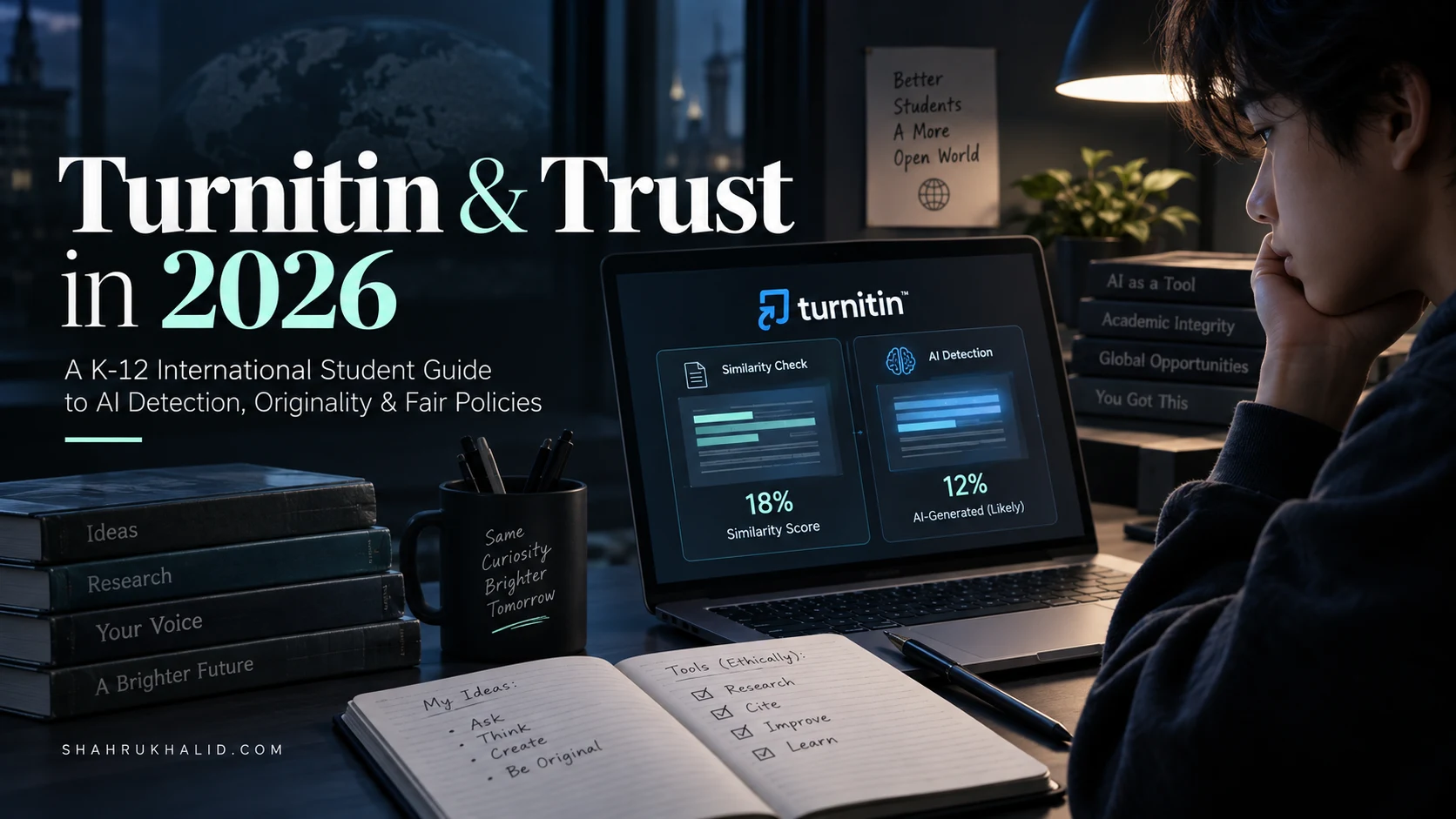
- The Output: It produces a “Similarity Score” – that percentage that causes so much anxiety. It highlights passages in your paper that match sources in its database.
- The CRITICAL Misconception: A 25% similarity score does not mean you plagiarized 25% of your paper. It means 25% of your paper’s text matches text in its database. This could be:
- Properly quoted and cited material (Good!).
- Your bibliography page (Normal!).
- Common phrases or technical terms (Unavoidable!).
- Uncited, copied-and-pasted text (This is the problem!).
The Similarity Report is a dumb tool. It finds matches. It’s up to a human—your teacher—to look at the report and determine if those matches constitute plagiarism.
2. The AI Writing Indicator (The AI Detector): This is the new kid on the block, the feature causing all the buzz: Turnitin AI Detection. This works in a completely different way.
- How it works: It’s not looking for matches in a database. It’s looking at the linguistic patterns of your writing. Think of it like a music expert who can listen to a song and say, “That drum machine pattern is classic 80s Roland TR-808,” or a food critic who tastes a dish and says, “This was definitely made with a sous-vide, not pan-seared.”
- The “Linguistic Fingerprint”: Human writing has a certain “fingerprint.” We’re creatively messy. We use a mix of long and short sentences. Our word choice is sometimes surprising, sometimes a little awkward. We have a certain rhythm.
- The AI “Fingerprint”: AI models, like ChatGPT, are trained to predict the next most probable word, over and over. This tends to create text that is very smooth, very uniform, and often uses a predictable vocabulary. It has a different “rhythm.” The technical terms for this are “perplexity” (how predictable the word choice is) and “burstiness” (the variation in sentence length). AI text often has low perplexity and low burstiness. It’s statistically too perfect.
- The Output: Instead of a similarity score for your whole paper, the AI detector gives a score indicating the probability that the document was generated by AI. It often breaks this down by sentence or paragraph, highlighting sections it finds suspicious.
So, to answer the big question: Can Turnitin detect AI writing? Yes, it has a dedicated tool designed to do exactly that by analyzing the statistical properties of the text itself. The much more important question, which we’ll cover, is how accurate it is and how your school should use that information.
Why This Matters: Trust is Your Most Valuable Academic Asset
Let’s zoom out. Why does your school, why do I, why does Shahrukh Khalid, care so much about this? It’s not because we want to “catch” you. It’s because the entire system of education is built on a foundation of trust.
- Trust in Your Growth: The point of an assignment isn’t just to produce a correct answer. It’s to force you to struggle, to learn, to connect ideas, and to grow your own brain. If you outsource the struggle, you outsource the growth. We trust that you’re engaging in that process.
- Trust in Your Grade: Your grade is supposed to be a signal of your understanding and skill. If that grade is earned by a machine, it devalues the grades of everyone who did the work themselves. It breaks the system of fair assessment.
- Trust in Your Future: When you graduate, your diploma is a promise to universities and employers that you possess a certain set of skills. Academic integrity policies are the quality control that backs up that promise.
As an international student, this trust is even more critical. You’ve navigated complex visa processes, new cultures, and often new languages to be at your school. You’ve already shown incredible resilience. Protecting your academic reputation is paramount. A misunderstanding about AI usage can create a huge, unnecessary crisis. My goal in this guide is to give you the clarity to avoid that entirely.
Prerequisites & Complete Environment Setup
Okay, let’s switch gears. If we were building a piece of software, this is the part of the project where we’d set up our development environment. But you’re not building software; you’re building knowledge. Your “environment” isn’t a code editor; it’s your collection of tools, habits, and a well-organized digital workspace. Setting this up correctly from the start will save you countless hours of stress and make it nearly impossible to accidentally fall into academic integrity traps.
Your Digital Toolkit: The Essential Software
Forget fancy, expensive software. You need a few key, reliable tools that work together. This is your core “stack.”
- A Word Processor That You Master:
- Tools: Microsoft Word (the desktop app, not the web version) or Google Docs.
- Why: These are the industry standards. More importantly, they have robust features for tracking changes, version history, and commenting.
- Action Step: Learn to use the “Track Changes” feature. This is your secret weapon. If you ever need to show a teacher your writing process, a document with a full history of tracked changes is irrefutable proof of your work. Learn to access your “Version History” in Google Docs or Word. This is your digital alibi.
- A Dedicated Citation Manager:
- Tools: Zotero (My personal favorite, it’s free and powerful), Mendeley, or even the built-in reference manager in Word.
- Why: Manually typing out a bibliography is a recipe for disaster. You’ll make mistakes, forget sources, and waste hours. A citation manager is a database for your brain. As you find a source online, you click a button, and it’s saved, tagged, and ready to be inserted into your paper in the correct format (MLA, APA, Chicago, etc.) with a single click.
- Action Step: Download Zotero today. Install the Zotero Connector for your web browser. Spend 30 minutes watching a tutorial. This single step will save you dozens of hours and prevent 90% of citation-related plagiarism issues.
- A Smart Note-Taking System:
- Tools: Obsidian, Notion, OneNote, or even just a well-organized set of folders in Google Drive/Dropbox.
- Why: Your brain is for having ideas, not for storing them. You need a trusted place to capture thoughts, quotes, and connections as you research. The key is to separate other people’s words from your thoughts about their words.
- Action Step: In your chosen app, create a new note for each source you read. At the top, paste the full citation. Then, as you read, use two sections:
- `Direct Quotes:` Copy and paste sentences you might want to use. Put them in quotation marks and include the page number.
- `My Thoughts/Connections:` This is the most important part. In your own words, summarize the author’s point. Ask questions. Connect it to other things you’ve read. This is where real learning happens.
Configuring Your ‘Mental Operating System’: The IB Learner Profile
Your school’s technology, like the Student Information System (SIS) from a company like `rediker.com`, is the school’s operating system. It manages data, schedules, and grades. But you have an operating system, too: your core principles. For many international schools, this is the IB Learner Profile. Let’s reframe it as a configuration file for your brain.
- `be_an_inquirer = true`: Don’t just look for answers. Ask your own questions. Use AI to challenge your assumptions, not just confirm them.
- `be_knowledgeable = true`: Develop understanding across disciplines. This means you can’t just stay in the bubble of what an AI tells you. You need to read the source material.
- `be_a_thinker = true`: Exercise initiative in applying thinking skills critically and creatively to solve complex problems. AI can be a partner in this, but you must be the one driving the critical and creative process.
- `be_principled = true`: This is the master switch. Act with integrity and honesty. This means being transparent about the tools you use and giving credit where it’s due.
Before you start any assignment, do a mental check: “Is my approach aligned with these principles?” This is your internal firewall against academic misconduct.
The ‘Directory Layout’ for Academic Success
As a developer, I live by organized folders. A messy project folder leads to bugs and lost work. The same is true for your schoolwork. Here is a simple, powerful folder structure you should use for every single major assignment.
Create a main folder for each course, e.g., `IB_History_HL`. Inside that, create a folder for each major assignment, e.g., `IA_French_Revolution`. Inside that assignment folder, create the following sub-folders:
|
|– 01_Research_and_Sources/
| |– article_smith_2022.pdf
| |– book_jones_2019_notes.docx
| |– website_screenshot_versailles.png
|
|– 02_Brainstorming_and_Outlines/
| |– initial_ideas.txt
| |– outline_v1.docx
| |– outline_v2_feedback.docx
|
|– 03_Drafts/
| |– draft_0.1_first_thoughts.docx
| |– draft_0.2_body_paragraphs.docx
| |– draft_0.3_full_draft_for_peer_review.docx
| |– draft_0.4_with_teacher_feedback.docx
|
|– 04_Final_Submission/
| |– FINAL_MaryamAhmed_IA_FrenchRevolution.docx
| |– FINAL_MaryamAhmed_IA_FrenchRevolution.pdf
Why is this a game-changer?
- It’s Proof of Process: This folder structure is a complete, time-stamped history of your work. If you ever face a question about your originality, you can literally show your teacher this folder and walk them through your journey from initial brainstorm to final draft. It’s the ultimate defense.
- It Prevents “Writer’s Block”: Staring at a blank page is terrifying. But you never have to. Your first step is just to dump ideas into `02_Brainstorming_and_Outlines/initial_ideas.txt`. Your next step is to write just one body paragraph in `03_Drafts/draft_0.2…`. It breaks a huge, scary task into small, manageable steps.
- It Protects You From Data Loss: By saving incremental versions (`draft_0.1`, `draft_0.2`), you can always go back if you delete something important or if a file gets corrupted.
This “environment setup” isn’t about technology for technology’s sake. It’s about building a system of habits that makes doing good, original work easier and makes taking accidental shortcuts harder. It’s your personal infrastructure for academic trust.
Core Implementation Architecture & Workflow Blueprint

Now we get to the heart of it. How does this system actually work, from the moment you click “submit” to the moment your teacher sees that report? Understanding this workflow is like having a map of the battlefield. It allows you to anticipate what’s happening and navigate it strategically. We’ll visualize this as a series of steps, or “cards,” in a workflow.
The Submission Workflow: A Visual Grid
Imagine your assignment’s journey as a four-step process.
| Card 1: The Portal | Card 2: The Archive | Card 3: The Analyst | Card 4: The Dashboard |
| :— | :— | :— | :— |
| Your paper leaves your computer and enters the school’s system. | Your paper is checked against a massive database of past work. | Your paper’s linguistic style is analyzed for AI-like patterns. | Your teacher sees a consolidated report with all the findings. |
Let’s break down each card in detail.
Card 1: The Portal (Your Submission)
You’ve finished your paper. You’ve saved it in your `04_Final_Submission` folder. Now you need to upload it. This usually happens through a Learning Management System (LMS) like Google Classroom, Canvas, Moodle, or a direct integration with your school’s Student Information System (SIS).
- The Technology: Your school’s entire operation—grades, attendance, and assignments—is often managed by a central database. A company like `rediker.com` provides this kind of “AdminPlus” SIS architecture. When you submit your paper, you’re not just uploading a file; you’re creating a new entry in this massive database. The entry is tagged with your name, student ID, the course, the assignment name, and a timestamp.
- The Handshake: The LMS or SIS then “talks” to Turnitin via an API (Application Programming Interface). Think of an API as a waiter in a restaurant. Your LMS (the customer) says to the API (the waiter), “Please take this file (the order) to the Turnitin kitchen and process it for Maryam Ahmed’s account.” Turnitin then takes the file and starts its work.
- Why This Matters to You: The timestamp is critical. It’s an official record of when you submitted your work. This is another piece of your “digital alibi.” Also, understanding that these systems are all connected helps explain why your school takes data and integrity so seriously. As we often discuss at `shahrukhalid.com`, this integrated tech stack is the backbone of the modern campus.
Card 2: The Archive (The Similarity Check)
Once Turnitin has your paper, the first thing it does is run the classic Originality Report.
- The Process: It breaks your paper down into small chunks of text. For each chunk, it runs a high-speed search across its three massive databases:
- The Public Web: A constantly updated copy of billions of websites, blogs, and news articles.
- Published Works: A partnership with major academic publishers gives it access to millions of journal articles, ebooks, and conference proceedings.
- The Global Student Archive: This is the most controversial and powerful part. It includes every paper ever submitted to Turnitin by students at thousands of institutions worldwide.
- The Result: The system generates a report highlighting every single chunk of text that matches a source in its databases. It color-codes them and provides a link to the original source. It then calculates the overall percentage of matching text.
- A Key Nuance for International Students: If you are writing in English but your research sources are in another language (e.g., Spanish, Mandarin, French), you might think you’re safe if you just translate them. You are not. Turnitin has a translation-matching feature. It can translate a passage from your paper into another language and check for matches, and vice-versa. The “translate and paste” strategy is a guaranteed way to get flagged for plagiarism.
Card 3: The Analyst (The Turnitin AI Detection)
This happens in parallel to the Archive check. This is the new, sophisticated layer of analysis.
- The Model: Turnitin has trained its own AI model. They fed it a massive dataset containing millions of examples of both human-written and AI-generated text across many subjects and styles. The model learned to identify the subtle statistical differences between the two.
- The Analysis in Action: When your paper arrives, the Analyst doesn’t care what it says. It cares how it says it. It scans your document, segmenting it into sections (a few hundred words at a time). For each section, it asks a series of questions:
- Word Choice (Perplexity): How predictable is the next word? For example, after “The quick brown fox jumps over the lazy…”, a human might write “dog,” “log,” or “puddle.” An AI is overwhelmingly likely to write “dog” because it’s the most statistically probable answer. Writing that is too predictable is a red flag.
- Sentence Structure (Burstiness): How varied are the sentence lengths? Humans write in bursts. We’ll write a short, punchy sentence. Then a long, complex one with multiple clauses. Then a medium one. AI-generated text often has an unnervingly uniform sentence length, which the Analyst can detect.
- Overall Cohesion: The model looks at the “flow” of the document. AI text can sometimes feel like a collection of perfectly grammatical but soulless sentences that don’t quite connect in a deep, human way.
- The “Confidence Score”: The Analyst doesn’t give a simple “yes” or “no.” It generates a probability score. It might say, “I am 98% confident that this document was generated by AI.” It’s crucial to remember this is a statistical prediction, not a definitive fact. This is the core of the AI detection accuracy Turnitin debate. The tool believes it is highly accurate (over 98%), but it also acknowledges the possibility of false positives, which is why the human element is so important.
Card 4: The Dashboard (The Teacher’s View)
Your teacher doesn’t see a bunch of raw data. They see a consolidated, user-friendly dashboard inside their LMS.
- The View: They see a list of student submissions. Next to your name, they’ll see two key indicators:
- The Similarity Score percentage (e.g., “18%”).
- The AI Writing score (e.g., “75% AI-generated”).
- The Drill-Down: A teacher can click on your submission to see the full, interactive report. They can see the color-coded similarity highlights and read the sources. They can also see the AI writing report, which will have blue highlighting over the specific sentences or paragraphs the Analyst flagged as likely AI-generated.
- The Human Decision: This is the most important step in the entire workflow. Turnitin’s report is evidence, not a verdict. A good teacher will not simply see “75% AI” and fail you. They will use it as a conversation starter. They will:
- Look at the Similarity Report. Are the matches just quotes and citations?
- Look at the AI report. Which parts are flagged? Does it make sense?
- Cross-reference with their own knowledge of you as a student and writer. Does this writing sound like your voice in class discussions?
- Check your work against the process evidence you’ve saved (your outlines, your drafts).
- Finally, they will likely call you in for a conversation to ask you to explain your process and talk about the flagged passages.
Understanding this final step is your key to reducing anxiety. The technology provides data; the teacher provides judgment. Your job is to make