The 2026 DevDocs Playbook: Ranking Top Production-Ready Tools for Docs-as-Code & API Specs (Your First Step to Clarity)
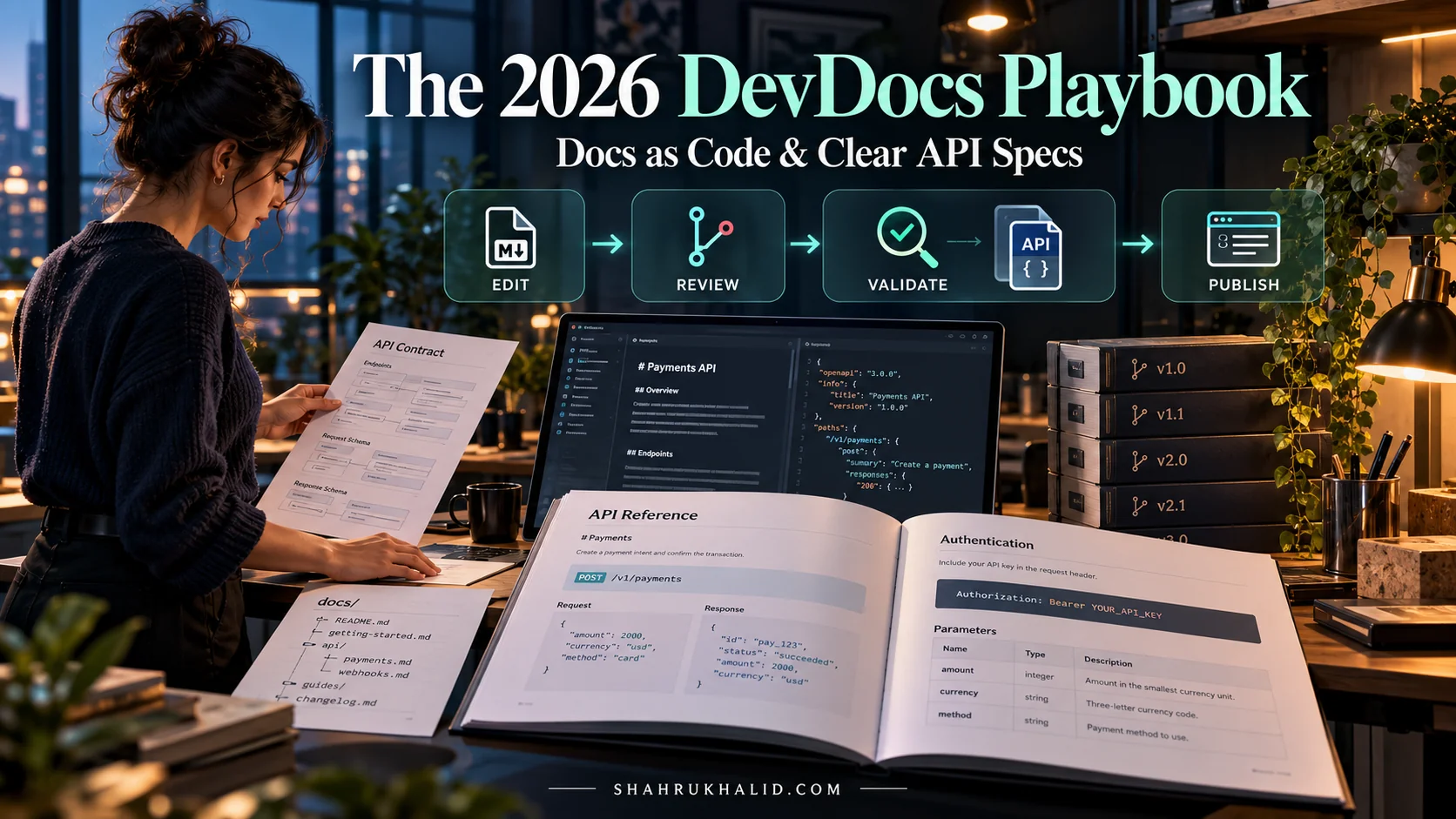
Key Takeaways
- Docs-as-Code treats documentation like code, using VCS, PRs, automated testing, and CI/CD pipelines.
- DaC ensures documentation evolves synchronously with software, reducing discrepancies and improving developer experience.
- Production-ready documentation requires high availability (99.99% uptime) and low latency (<200ms page load).
- Automated validation, version control, and seamless integration with dev workflows are crucial for DaC quality.
- The playbook aims for a resilient, scalable, version-controlled documentation ecosystem, mirroring code reliability.
The future of software development hinges on clarity, and in 2026, that clarity begins with a robust, automated, and developer-centric approach to documentation. This playbook outlines a production-ready architecture for implementing Docs-as-Code, transforming your technical documentation from an afterthought into a first-class system component. We’ll explore the best Docs-as-Code tools and API specification platforms, providing a blueprint for achieving unparalleled precision and efficiency in your development lifecycle.
Executive Architecture Summary & Design Objectives
The core objective of our 2026 DevDocs Playbook is to establish a documentation ecosystem that is as resilient, scalable, and version-controlled as the code it describes. This means moving beyond traditional, siloed documentation practices—where content often lags behind development, becomes outdated, and lives in proprietary formats—to a unified Docs-as-Code paradigm. Why is Docs-as-Code important for development teams? It fundamentally shifts documentation creation into the developer’s workflow, treating documentation source files like any other code artifact: stored in version control systems (VCS) like Git, subject to pull requests, code reviews, automated testing, and continuous integration/continuous deployment (CI/CD) pipelines. This approach ensures that documentation evolves synchronously with the software, drastically reducing discrepancies and improving developer experience.
Our design objectives are rooted in several key performance indicators (KPIs) and service level objectives (SLOs). We aim for a documentation system with:
- High Availability (SLO: 99.99% Uptime): Documentation must be accessible whenever and wherever developers and users need it, without interruption. This implies static site generation for deployment, leveraging content delivery networks (CDNs) for global reach and caching.
- Low Latency (SLO: <200ms Page Load Time): Fast access to information is critical for developer productivity. Our architecture will prioritize efficient rendering and optimized asset delivery.
- Version Control & Auditability: Every change to documentation must be trackable, reversible, and attributable to a specific author, just like code. This is a foundational principle of Docs-as-Code.
- Automated Validation & Quality Assurance: Documentation should be automatically checked for broken links, syntax errors, style guide adherence, and even factual consistency where possible, preventing common errors before publication.
- Seamless Integration with Development Workflows: The process of contributing and publishing documentation should feel natural to developers, integrating with their existing tools and processes (e.g., IDEs, Git, CI/CD).
- Scalability: The system must effortlessly handle an increasing volume of documentation, projects, and contributors without degradation in performance or management overhead.
- Security: Sensitive information must be protected, and access to documentation sources and published content must be appropriately managed.
- Discoverability & Searchability: Users must be able to quickly find the information they need through intuitive navigation, powerful search capabilities, and clear indexing.
The trade-offs inherent in this approach primarily revolve around the initial investment in tooling and process establishment. While traditional documentation might seem quicker to start, it incurs significant technical debt over time. Docs-as-Code requires developers to adopt new habits and potentially learn new markup languages (like Markdown or reStructuredText) and static site generators. However, this initial learning curve is quickly offset by the long-term gains in accuracy, maintainability, and developer satisfaction. We prioritize long-term sustainability and quality over short-term expediency, recognizing that well-documented systems are inherently more reliable and easier to maintain. This architectural shift positions documentation not as a cost center, but as an accelerator for development and a critical component of product quality. By embedding documentation directly into the development pipeline, we foster a culture where documentation is a shared responsibility, leading to higher quality, more consistent, and ultimately, more useful information for everyone interacting with our systems. This commitment to treating documentation as code elevates its status and ensures it receives the attention and rigor it deserves.
Component Topology & Microservice / Component Boundaries
Building a robust Docs-as-Code system for 2026 requires a clear understanding of its constituent components and how they interact. We’re not just picking tools; we’re designing an integrated ecosystem. Think of this as laying out the blueprints for a complex building, where each room (component) has a specific function and interacts with others via well-defined corridors (communication protocols). This approach allows us to answer “What are the best Docs-as-Code tools?” by considering their role within a larger, cohesive system.
Here’s a visual representation of our core components, designed for clarity and scalability:
Source Content Repository (Git)
Responsibility: Centralized, version-controlled storage for all documentation source files (Markdown, reStructuredText, OpenAPI/AsyncAPI definitions, configuration files).
Communication: Git protocols (HTTPS/SSH) for push/pull operations.
Key Tooling: GitHub, GitLab, Bitbucket.
Why: This is the heart of Docs-as-Code. Treating documentation like code means it lives alongside code, enabling pull requests, branching, merging, and full audit trails. This directly addresses the question, “Why is Docs-as-Code important for development teams?” by providing a single source of truth and collaborative workflow.
Static Site Generator (SSG)
Responsibility: Transforms raw source content into static HTML, CSS, and JavaScript files for efficient serving.
Communication: Reads files from VCS clone, outputs compiled assets.
Key Tooling: MkDocs, Docusaurus, Sphinx, Hugo.
Why: SSGs are crucial for performance, security, and ease of deployment. They pre-render content, eliminating server-side processing for each request, which aligns with our low-latency SLO. For general documentation, Google’s developer documentation often leverages similar principles for fast, reliable content delivery.
API Specification Tooling
Responsibility: Defines, validates, and generates interactive API documentation from structured specifications.
Communication: Reads OpenAPI/AsyncAPI YAML/JSON, outputs rendered HTML/JS.
Key Tooling: OpenAPI Generator, Stoplight Studio, Redoc, Swagger UI.
Why: For API specifications, these tools are indispensable. They ensure consistency, machine-readability, and provide interactive “try-it-out” capabilities, significantly enhancing the developer experience. This directly answers “How do I implement Docs-as-Code for API specifications?” by pointing to specialized tools that integrate with the broader SSG ecosystem.
CI/CD Pipeline
Responsibility: Automates the build, test, and deployment process for documentation.
Communication: Triggers on Git pushes, interacts with SSG and deployment targets.
Key Tooling: GitHub Actions, GitLab CI/CD, Jenkins, CircleCI.
Why: This is where “Technical documentation automation” truly shines. The pipeline ensures that every change is validated and published automatically, reducing manual effort and human error. It’s the engine that drives the production-ready documentation system.
Deployment & Hosting
Responsibility: Stores and serves the compiled static documentation to end-users globally.
Communication: Receives static assets from CI/CD, serves via HTTP/HTTPS.
Key Tooling: Netlify, Vercel, AWS S3 + CloudFront, Google Cloud Storage + CDN.
Why: Leveraging CDNs and static hosting ensures high availability and low latency, meeting our critical SLOs. It’s cost-effective and highly scalable, perfect for delivering “Production-ready documentation.”
Search Engine
Responsibility: Provides fast, relevant search capabilities across all documentation content.
Communication: Indexes compiled HTML, responds to user queries.
Key Tooling: Algolia DocSearch, Lunr.js, built-in SSG search.
Why: Discoverability is paramount. A powerful search engine ensures users can quickly locate specific information, enhancing the overall user experience and reducing support requests.
Let’s delve deeper into the “best Docs-as-Code tools” and “API documentation tools” within this topology.
For Static Site Generators (SSGs), our top contenders for 2026, balancing beginner-friendliness with production-grade capabilities, include:
- MkDocs: A fantastic choice for projects prioritizing simplicity and speed. It uses Markdown for content and a single `mkdocs.yml` file for configuration. Its strength lies in its ease of setup and a rich ecosystem of themes and plugins, including excellent search integration. It’s particularly well-suited for smaller to medium-sized projects or teams new to Docs-as-Code.
- Docusaurus: Developed by Facebook, Docusaurus is built on React, offering a more modern and interactive documentation experience. It’s excellent for larger projects that need versioning, internationalization, and a blog alongside their documentation. While it has a slightly steeper learning curve than MkDocs due to its JavaScript/React foundation, it offers immense flexibility and a polished user interface out-of-the-box.
- Sphinx: A powerful and mature tool, especially popular in the Python ecosystem. It uses reStructuredText (RST) by default but supports Markdown via extensions. Sphinx excels at generating highly structured, cross-referenced, and professional-looking documentation, making it a strong candidate for complex software projects or academic publications. Its extensibility is unparalleled, though RST can be less approachable for beginners than Markdown.
For API Specification Tooling, which directly addresses “top API documentation generators for developers”:
- OpenAPI Generator / Swagger UI: These are foundational. OpenAPI Generator creates client SDKs, server stubs, and documentation from an OpenAPI (formerly Swagger) specification. Swagger UI then takes that same OpenAPI definition and renders it into an interactive, human-readable documentation page, complete with “try-it-out” functionality. This pairing is a cornerstone for “API documentation tools” and “API specification tools.”
- Redoc: An alternative to Swagger UI, Redoc focuses on creating beautiful, responsive, and highly customizable API documentation from OpenAPI definitions. It’s known for its clean, single-page layout and excellent readability, making it a favorite for public-facing APIs.
- Stoplight Studio: This is a more comprehensive platform that goes beyond just rendering. Stoplight offers a suite of tools for designing, documenting, and testing APIs using OpenAPI. It provides a visual editor for OpenAPI specifications, making it easier for teams to collaborate on API design and ensure consistency.
The integration between these components is critical. For instance, an SSG like Docusaurus can embed API documentation generated by Redoc or Swagger UI directly into its pages. This creates a unified documentation portal, where conceptual guides (written in Markdown via Docusaurus) seamlessly link to interactive API references (generated from OpenAPI specifications). This holistic view is what truly defines “DevDocs best practices” in a production environment. By carefully selecting and integrating these components, we build a documentation system that is not only functional but also a joy to use and maintain.
Data Flow, State Management & Execution Pipelines
Understanding the data flow, how state is managed, and the execution pipelines is crucial for implementing Docs-as-Code effectively, especially when aiming for “production-ready documentation.” This section will walk you through the lifecycle of a documentation change, from a developer’s local machine to a globally accessible website, highlighting the automation that makes this system robust. This answers “How do I implement Docs-as-Code for API specifications?” by detailing the automated steps involved.
Imagine a developer, Alice, needs to update an API endpoint’s description and add a new conceptual guide.
1. Local Development & Content Creation (Initial State)
- Data: Alice’s local machine contains a cloned copy of the documentation repository. This repository holds Markdown files (`.md`), reStructuredText files (`.rst`), OpenAPI specification files (`.yaml` or `.json`), configuration files (`mkdocs.yml`, `docusaurus.config.js`), and potentially static assets (images, CSS).
- State: The documentation source files are in a “draft” state on Alice’s machine, reflecting her ongoing changes.
- Execution: Alice uses her preferred Integrated Development Environment (IDE) to edit the Markdown files for the conceptual guide and the OpenAPI YAML file for the API specification. She might use a local preview server (e.g., `mkdocs serve` or `docusaurus start`) to see her changes rendered in real-time. This local preview is a temporary, ephemeral state, not part of the production pipeline.
2. Version Control & Collaboration (State Transition: Draft to Proposed Change)
- Data: Once Alice is satisfied with her local changes, she commits them to a new Git branch (e.g., `feature/api-update-docs`). This commit bundles her changes into a discrete unit.
- State: The changes are now recorded in the Git history on her local branch.
- Execution: Alice pushes her branch to the remote Source Content Repository (e.g., GitHub). This action triggers a Pull Request (PR) (or Merge Request in GitLab). The PR serves as a formal proposal for integrating her changes into the main documentation branch (e.g., `main` or `master`). This is where “Docs-as-Code platforms” like GitHub or GitLab become central.
3. Automated Validation & Quality Assurance (Execution Pipeline Stage 1)
- Data: The PR triggers a CI/CD pipeline (e.g., GitHub Actions). The pipeline fetches Alice’s branch.
- State: The pipeline environment is a temporary, isolated container or virtual machine.
- Execution:
- Linting & Style Checks: Tools like `markdownlint`, `yamllint`, or `prettier` are run against the changed files to ensure they adhere to predefined style guides and catch basic syntax errors. For OpenAPI specs, tools like `spectral` can validate against the OpenAPI schema and custom rules.
- Link Checking: A script or tool (e.g., `markdown-link-check`) scans the documentation for broken internal and external links.
- Build Preview: The Static Site Generator (SSG) (e.g., MkDocs or Docusaurus) is invoked to build a preview version of the documentation. For API specs, the API Specification Tooling (e.g., Redoc CLI or OpenAPI Generator) is run to generate the interactive API reference. This step verifies that the documentation can compile without errors.
- Automated Testing (Optional but Recommended): For critical documentation, one might even implement “doc tests” – small code snippets within the documentation that are actually executed to ensure they produce the expected output.
- Concurrency Model: Multiple PRs can trigger their own independent CI/CD runs concurrently, ensuring that validation doesn’t block other development efforts. Each run operates in isolation.
4. Review & Approval (State Transition: Proposed Change to Approved Change)
- Data: The results of the CI/CD pipeline (pass/fail status, build logs, preview URL) are reported back to the PR.
- State: The PR is now awaiting human review.
- Execution: Team members review Alice’s changes, the generated preview, and the CI/CD results. They might leave comments, suggest improvements, or request further changes. This human review is critical for ensuring content accuracy, clarity, and adherence to “DevDocs best practices.” Once approved, the PR can be merged.
5. Deployment Pipeline (Execution Pipeline Stage 2 – Production Build & Publish)
- Data: Merging the PR into the `main` branch triggers another, often more comprehensive, CI/CD pipeline run.
- State: A new, production-ready build environment is provisioned.
- Execution:
- Clean Build: The SSG performs a clean build of the entire documentation site from the `main` branch. This ensures no stale artifacts from previous builds interfere.
- API Spec Generation: If not already done in the validation stage, the API Specification Tooling generates the final interactive API documentation from the OpenAPI definitions.
- Asset Optimization: Images are compressed, CSS/JS files are minified and bundled, and other optimizations are applied to ensure fast loading times on the Deployment & Hosting platform.
- Deployment: The compiled static assets (HTML, CSS, JS, images) are then pushed to the Deployment & Hosting service (e.g., an AWS S3 bucket configured for static website hosting, fronted by CloudFront). This might involve `rsync`, `aws s3 sync`, or specific deployment commands provided by services like Netlify or Vercel.
- Cache Invalidation: If a CDN (Content Delivery Network) is used (highly recommended for “production-ready documentation”), the pipeline triggers a cache invalidation request to ensure users receive the latest version of the documentation immediately.
- Search Indexing: The new content is pushed to the Search Engine (e.g., Algolia DocSearch) for re-indexing, ensuring that the latest information is discoverable.
6. Production Access (Final State)
- Data: The static documentation files are now hosted on the CDN and accessible via a public URL.
- State: The documentation is live and available to users globally.
- Execution: Users access the documentation through their web browsers. The CDN serves the content from the nearest edge location, providing low latency and high availability.
Storage Patterns
- Source Content: Git repositories are the primary storage for documentation source. This is a distributed, versioned, and highly resilient storage pattern.
- Compiled Assets: Object storage services (like AWS S3, Google Cloud Storage) are ideal for storing the compiled static assets. They offer high durability, scalability, and cost-effectiveness.
- CDN Cache: CDNs act as a caching layer, storing copies of the documentation at various geographical locations to reduce latency and origin server load.
This entire pipeline embodies the “Docs-as-Code tools” philosophy, treating documentation as a critical software artifact that benefits from the same rigorous processes applied to application code. It ensures that our documentation is always current, accurate, and readily available, directly contributing to our SLOs for availability and latency.
Production-Grade Implementation & Infrastructure Configuration
Moving from conceptual design to a tangible, production-grade Docs-as-Code system requires concrete implementation details and infrastructure configuration. This section provides a practical walkthrough, focusing on specific tools and configurations that enable a “production-ready documentation” setup. We’ll use a popular and beginner-friendly combination: MkDocs for general documentation, Redoc for API specifications, GitHub for version control and CI/CD, and Netlify for deployment. This setup directly addresses “best production-ready Docs-as-Code tools 2026” by offering a robust yet accessible solution.
1. Project Structure & Source Content (The Foundation)
Our documentation repository will live in a Git repository. A typical structure might look like this:
├── docs/
│ ├── index.md # Homepage for general documentation
│ ├── getting-started.md
│ ├── concepts/
│ │ └── architecture.md
│ ├── api/
│ │ └── index.md # Overview for API documentation
│ │ └── my-service-v1.yaml # OpenAPI specification for My Service v1
│ │ └── my-service-v2.yaml # OpenAPI specification for My Service v2
│ └── images/
│ └── diagram.png
├── mkdocs.yml # MkDocs configuration file
├── .github/
│ └── workflows/
│ └── docs-build-deploy.yml # GitHub Actions CI/CD pipeline
├── .redocly.yaml # Redocly configuration (optional, for advanced Redoc features)
├── .gitignore
└── README.md
2. MkDocs Configuration (`mkdocs.yml`)
This file defines how your general documentation is structured, themed, and built. We’ll use the `mkdocs-material` theme, which is highly customizable and visually appealing, aligning with “DevDocs best practices.”
# mkdocs.yml
site_name: Shahrukh Khalid DevDocs 2026 # Your project's name
site_url: https://docs.shahrukhalid.com/ # The public URL where docs will be hosted
site_description: Official developer documentation for Shahrukh Khalid's platforms.

# Theme configuration for a modern look and feel
theme:
  name: material
  custom_dir: overrides # Optional: for custom CSS/JS or template overrides
  features:
    - navigation.tabs # Top-level navigation
    - navigation.sections # Collapsible sections in sidebar
    - navigation.expand # Expand all sections by default
    - navigation.indexes # Show index pages in navigation
    - search.suggest # Search suggestions
    - search.highlight # Highlight search terms
    - content.tabs.link # Linkable tabs within content
    - content.code.copy # Copy button for code blocks
  palette:
    - media: "(prefers-color-scheme: light)"
      scheme: default
      primary: deep orange
      accent: deep orange
      toggle:
        icon: material/weather-sunny
        name: Switch to dark mode
    - media: "(prefers-color-scheme: dark)"
      scheme: slate
      primary: deep orange
      accent: deep orange
      toggle:
        icon: material/weather-night
        name: Switch to light mode
  font:
    text: Roboto
    code: Roboto Mono
  icon:
    logo: material/book-open-page-variant # A nice icon for your docs

# Extensions for Markdown processing
markdown_extensions:
  - admonition # For callouts (note, warning, tip)
  - pymdownx.details # Collapsible sections
  - pymdownx.superfences # Enhanced code blocks
  - pymdownx.tabbed:
      alternate_style: true
  - attr_list # For adding attributes to Markdown elements
  - md_in_html # Allows Markdown inside HTML
  - toc:
      permalink: true # Add permalinks to headings

# Plugins for enhanced functionality
plugins:
  - search # Built-in search
  - awesome-pages # For more flexible page ordering
  - minify: # Minify HTML, CSS, JS for faster loading
      minify_html: true
      minify_js: true
      minify_css: true
      html_minify_options:
        keep_comments: false
  # - swagger-ui-tag: # If you want to embed Swagger UI directly
  #     spec_url: /api/my-service-v1.yaml # Path to your OpenAPI spec
  #     # Additional options...

# Navigation structure (how your pages appear in the sidebar/tabs)
nav:
  - Home: index.md
  - Getting Started: getting-started.md
  - Concepts:
    - Architecture: concepts/architecture.md
  - API Reference:
    - Overview: api/index.md
    - My Service v1: api/my-service-v1.md # This will be a wrapper page for Redoc
    - My Service v2: api/my-service-v2.md # Another wrapper page
  - Contributing: contributing.md

# Extra CSS/JS for custom styling or scripts
extra_css:
  - stylesheets/extra.css

extra_js:
- javascripts/extra.js- Explanation: This configuration sets up a modern, responsive documentation site. `site_url` is crucial for absolute links and SEO. The `theme.features` enable various UI enhancements. `markdown_extensions` add powerful capabilities to standard Markdown, like admonitions (note/warning boxes) and collapsible sections. `plugins` enhance functionality, with `search` being essential, and `minify` improving performance. The `nav` section defines your site’s structure, which is critical for user navigation.
3. Integrating API Specifications with Redoc
Instead of directly embedding Swagger UI (which can be heavy), we’ll use Redoc for its superior rendering and then integrate it into an MkDocs page. This is a common pattern for “API documentation tools” and “Docs-as-Code platforms.”
First, ensure your OpenAPI specification (`my-service-v1.yaml`) is valid. You can use a local validator or an online tool.
To display this spec via Redoc within an MkDocs page, you’d create a simple HTML wrapper page or use a custom MkDocs template. For simplicity, let’s assume we’re creating `api/my-service-v1.md` that will include the Redoc rendering. MkDocs can embed raw HTML.
<!-- docs/api/my-service-v1.md -->
# My Service v1 API Reference

This page provides the interactive documentation for My Service v1.

<div id="redoc-container"></div>


  Redoc.init(
    '/api/my-service-v1.yaml', // Path to your OpenAPI spec relative to the site root
    {
      scrollYOffset: 50, // Offset for scroll position
      hideDownloadButton: true, // Hide the download OpenAPI button
      theme: {
        colors: {
          primary: { main: '#FF5722' } // Match your MkDocs theme accent color
        },
        typography: {
          fontFamily: 'Roboto, sans-serif',
          code: {
            fontFamily: 'Roboto Mono, monospace'
          }
        }
      }
    },
    document.getElementById('redoc-container')
);- Explanation: This Markdown file contains an HTML `div` where Redoc will render the API documentation. The “ tags load the Redoc library from a CDN and then initialize it, pointing to your OpenAPI specification file. Crucially, the path `/api/my-service-v1.yaml` assumes your `my-service-v1.yaml` file is copied to the root of your built documentation site (which our CI/CD will handle). The `theme` options in `Redoc.init` allow you to align Redoc’s appearance with your MkDocs theme, ensuring a consistent user experience.
4. GitHub Actions CI/CD Pipeline (`.github/workflows/docs-build-deploy.yml`)
This is the automation engine that builds and deploys your documentation. It triggers on pushes to `main` and on pull requests.
# .github/workflows/docs-build-deploy.yml
name: Build & Deploy DevDocs

on:
  push:
    branches:
      - main # Trigger on pushes to the main branch
  pull_request:
    branches:
      - main # Trigger on pull requests targeting the main branch

jobs:
  build-and-deploy:
    runs-on: ubuntu-latest # Use a fresh Ubuntu environment

    steps:
      - name: Checkout repository
        uses: actions/checkout@v4 # Action to clone your Git repository

      - name: Set up Python
        uses: actions/setup-python@v5
        with:
          python-version: '3.x' # Use the latest Python 3 version

      - name: Install MkDocs and dependencies
        run: |
          pip install mkdocs mkdocs-material mkdocs-awesome-pages-plugin mkdocs-minify-plugin
          # If you have specific Python dependencies for your docs (e.g., for custom plugins)
          # pip install -r requirements.txt

      - name: Validate OpenAPI specifications (using Spectral CLI)
        run: |
          npm install -g @stoplight/spectral-cli # Install Spectral globally
          spectral lint docs/api/*.yaml --fail-on-unmatched-globs # Lint all OpenAPI files
        # Continue even if linting fails for PRs, but fail for main branch pushes
        if: github.event_name == 'pull_request'

      - name: Build MkDocs site
        run: mkdocs build --clean # Build the static site, cleaning previous builds

      - name: Copy OpenAPI specs to site root for Redoc (important for relative paths)
        run: |
          cp docs/api/my-service-v1.yaml site/api/my-service-v1.yaml
          cp docs/api/my-service-v2.yaml site/api/my-service-v2.yaml
        # MkDocs builds into a 'site' directory by default.
        # We need to ensure our OpenAPI specs are accessible at the path Redoc expects.

      - name: Deploy to Netlify (for main branch)
        if: github.event_name == 'push' && github.ref == 'refs/heads/main'
        uses: nwtgck/actions-netlify@v2.0
        with:
          publish-dir: 'site' # Directory containing the built static files
          production-branch: 'main'
          github-token: ${{ secrets.GITHUB_TOKEN }} # Provided by GitHub Actions
          netlify-auth-token: ${{ secrets.NETLIFY_AUTH_TOKEN }} # Your Netlify token
          netlify-site-id: ${{ secrets.NETLIFY_SITE_ID }} # Your Netlify site ID
        env:
          NETLIFY_AUTH_TOKEN: ${{ secrets.NETLIFY_AUTH_TOKEN }}
          NETLIFY_SITE_ID: ${{ secrets.NETLIFY_SITE_ID }}

      - name: Deploy Preview to Netlify (for pull requests)
        if: github.event_name == 'pull_request'
        uses: nwtgck/actions-netlify@v2.0
        with:
          publish-dir: 'site'
          deploy-preview: true # Deploy as a preview
          github-token: ${{ secrets.GITHUB_TOKEN }}
          netlify-auth-token: ${{ secrets.NETLIFY_AUTH_TOKEN }}
          netlify-site-id: ${{ secrets.NETLIFY_SITE_ID }}
        env:
          NETLIFY_AUTH_TOKEN: ${{ secrets.NETLIFY_AUTH_TOKEN }}
NETLIFY_SITE_ID: ${{ secrets.NETLIFY_SITE_ID }}- Explanation:
- `on`: Defines when the workflow runs (pushes to `main`, PRs to `main`).
- `checkout`: Clones the repository.
- `setup-python`: Installs Python, required for MkDocs.
- `Install MkDocs`: Installs MkDocs and its plugins.
- `Validate OpenAPI specifications`: This is a critical step for “API specification tools.” We use `spectral`, a powerful linter for OpenAPI/AsyncAPI, to catch errors early. The `–fail-on-unmatched-globs` ensures it fails if no spec files are found.
- `Build MkDocs site`: Executes `mkdocs build`, which compiles your Markdown and other assets into the `site/` directory.
- `Copy OpenAPI specs`: This step is crucial for Redoc to find your OpenAPI files. MkDocs copies everything from `docs/` into `site/`, but Redoc expects the OpenAPI spec at a specific path relative to the root of the served site. We manually copy the YAML files to `site/api/` to match the path used in the Redoc script.
- `Deploy to Netlify`: This step uses a GitHub Action to deploy the `site/` directory to Netlify. It differentiates between production deployments (on `main` branch pushes) and preview deployments (for PRs), providing a unique URL for each PR for easy review. You’ll need to configure `NETLIFY_AUTH_TOKEN` and `NETLIFY_SITE_ID` as GitHub Secrets in your repository settings. For more details on platform standards, refer to resources like shahrukhalid.com, which emphasize robust deployment practices.
5. Netlify Configuration (Deployment & Hosting)
Netlify is an excellent choice for hosting static sites due to its ease of use, built-in CDN, and automatic HTTPS.
- Connect Repository: Link your GitHub repository to Netlify.
- Build Command: `mkdocs build` (though our GitHub Action handles this, Netlify can also run it).
- Publish Directory: `site` (the output directory of MkDocs).
- Custom Domain: Configure your custom domain (e.g., `docs.shahrukhalid.com`) in Netlify. It handles DNS and SSL certificates automatically.
- Branch Deploys: Netlify automatically creates deploy previews for every pull request, providing a unique URL (e.g., `pr-123–your-site.netlify.app`), which is invaluable for review.
This comprehensive setup ensures that every change to your documentation, whether a simple Markdown update or a complex API specification, goes through a rigorous, automated pipeline. This is the essence of “Technical documentation automation” and guarantees that your “Docs-as-Code tools” deliver consistent, high-quality “production-ready documentation.”
Resilience, Failover & Disaster Recovery Patterns
A production-grade Docs-as-Code system, much like any critical application, must be designed with resilience, failover, and disaster recovery in mind. While static sites inherently boast high availability compared to dynamic applications, we still need to consider potential points of failure and how to mitigate them. This section details the strategies to ensure your “production-ready documentation” remains accessible and robust, even in adverse conditions.
1. Resilience through Static Site Generation and CDN (Built-in Strengths)
The fundamental architecture of Docs-as-Code, relying on Static Site Generators (SSGs) and Content Delivery Networks (CDNs), provides significant inherent resilience:
- No Server-Side Processing: Since documentation is pre-rendered into static HTML, there are no application servers, databases, or complex runtime environments to fail. This eliminates a vast category of potential outages.
- CDN Caching: CDNs (like CloudFront, Netlify CDN, Vercel Edge Network) cache your documentation at numerous “edge locations” globally. If an origin server (where your static files are initially stored, e.g., AWS S3) experiences an issue, the CDN can continue serving cached content. This is a powerful failover mechanism.
- Mechanism: When a user requests a page, the CDN checks its nearest edge cache. If found, it serves it instantly. If not, it fetches from the origin, caches it, and then serves it. Subsequent requests hit the cache.
- Benefit: Dramatically reduces latency (as content is served from geographically closer points) and acts as a buffer against origin server downtime or performance degradation.
- Distributed Nature: CDNs are inherently distributed systems. An outage in one region or edge location typically doesn’t affect others, ensuring global availability.
2. Version Control as the Ultimate Disaster Recovery (Source of Truth)
The Git repository containing your documentation source files is your single, immutable source of truth and the cornerstone of your disaster recovery strategy.
- Full History: Every change, every version, is meticulously recorded. If a deployed version is corrupted or incorrect, you can always revert to a previous, known-good state in Git.
- Decentralized Copies: While your primary repository might be on GitHub, developers have local clones. This creates distributed backups. In a catastrophic scenario where the primary Git provider is unavailable, you still have local copies to work from.
- Recovery Procedure:
- Identify Point of Failure: Determine which commit introduced the issue.
- Revert/Rollback: Use `git revert` or `git reset –hard` to roll back the `main` branch to a stable state.
- Trigger CI/CD: Pushing the reverted commit to `main` automatically triggers your CI/CD pipeline, rebuilding and redeploying the stable version of the documentation. This process is often faster and more reliable than manually restoring backups of compiled assets.
3. CI/CD Pipeline Resilience (Self-Healing Mechanics)
The CI/CD pipeline itself needs to be resilient.
- Idempotent Builds: Ensure your `mkdocs build` and API spec generation commands are idempotent. This means running them multiple times with the same input produces the same output. This prevents build failures due to inconsistent states.
- Automated Retries: Most CI/CD platforms (GitHub Actions, GitLab CI/CD) offer built-in retry mechanisms for failed steps. Configure these to automatically re-attempt transient failures (e.g., network issues during package installation).
- Notifications: Integrate pipeline status notifications (e.g., Slack, email) to alert your team immediately if a build or deployment fails. This enables rapid response.
4. Circuit Breaking & Rate Limiting (Less Applicable, but Conceptual)
While primarily for dynamic services, the concepts of circuit breaking and rate limiting can be conceptually applied to external dependencies in your documentation pipeline:
- External API Calls (e.g., for data fetching in custom plugins): If your documentation uses custom plugins that fetch data from external APIs during the build process (e.g., to embed real-time status or data), implement timeouts and error handling. If the external API is unresponsive, the build should ideally use cached data or fail gracefully without blocking the entire documentation build.
- Rate Limiting on External Services: Be mindful of rate limits when interacting with external services (e.g., search indexing services, image optimization APIs) during your CI/CD pipeline. Implement delays or back-off strategies to avoid being throttled.
5. Backup Procedures (Beyond Source Control)
While Git is the primary backup for source, consider additional layers:
- Automated Repository Backups: For critical repositories, consider using third-party services or scripts to regularly back up your Git repository to another cloud storage provider (e.g., daily snapshots of your GitHub repo to AWS S3). This protects against a catastrophic failure of the Git hosting provider itself.
- Compiled Asset Snapshots (Optional): For extremely high-compliance scenarios, you might take periodic snapshots of your compiled `site/` directory in your object storage (e.g., S3 versioning or lifecycle policies). This is less critical given the ease of rebuilding from source but can provide an extra layer of assurance.
6. Geographic Redundancy (for Hosting)
- CDN’s Global Reach: As mentioned, CDNs inherently provide geographic redundancy by distributing content.
- Multi-Region Origin (Advanced): For the absolute highest availability, you could configure your object storage (e.g., S3) to replicate your `site/` bucket across multiple AWS regions. If one region goes down, the CDN can be configured to failover to the healthy region. This adds complexity and cost but provides maximum resilience for the origin.
Example: Handling a CDN Cache Invalidation Issue
Imagine a scenario where a critical documentation update is deployed, but due to a CDN misconfiguration, the cache isn’t invalidated correctly, and users are still seeing old content.
- Detection: Observability (as discussed in the next section) would flag this, perhaps through user reports or synthetic monitoring checking for the new content.
- Resolution:
- Manual Invalidation: Immediately trigger a manual cache invalidation for the affected paths on your CDN provider’s console.
- CI/CD Review: Review the CI/CD pipeline’s cache invalidation step. Was it configured correctly? Did it complete successfully?
- Rollback (if necessary): If the issue persists and is causing significant user confusion, consider reverting the last change in Git and redeploying the previous stable version while you investigate the CDN issue. This demonstrates the power of Git for rapid recovery.
By proactively designing for these scenarios, we ensure that our “Docs-as-Code tools” and “API documentation tools” deliver not just accurate information, but also information that is consistently available and reliable, forming a truly “production-ready documentation” system.
Observability, Metrics & Telemetry Playbook
Even the most robust Docs-as-Code system requires continuous monitoring to ensure it’s meeting its service level objectives (SLOs) and providing a seamless experience for users. This section outlines a comprehensive observability playbook, detailing the key metrics to monitor, alerting thresholds, tracing setup, and log aggregation strategies for your “production-ready documentation.” This proactive approach ensures that any issues are detected and resolved quickly, maintaining the high standards expected of “DevDocs best practices.”
1. Key Metrics to Monitor (What to Watch)
We categorize metrics into two main areas: User Experience (Frontend) and System Health (Backend/Pipeline).
a. User Experience Metrics (from CDN/Analytics):
- **Page Load Time (SLO: 0.1% over 5 minutes.
- Alert: Synthetic monitor reports site down for > 1 minute.
- Page Load Time:
- Alert: Average LCP > 250ms for 15 minutes (for key pages).
- CI/CD Pipeline:
- Alert: Build success rate 10 minutes (for typical builds).
- Broken Links:
- Alert: More than 5 new 404 errors detected in a 24-hour period.
- Alert: `spectral` linting fails on `main` branch push.
3. Tracing Setup (Understanding the Journey – Less Critical for Static Sites, but Valuable for Pipelines)
While full distributed tracing (like OpenTelemetry) is overkill for serving static documentation, it’s conceptually useful for understanding the CI/CD pipeline’s execution.
- CI/CD Traceability: Each step in your GitHub Actions or GitLab CI/CD workflow is inherently a “span.” The entire workflow run is a “trace.”
- Benefit: When a build fails or is slow, you can “trace” the execution through the workflow logs to pinpoint the exact step causing the issue (e.g., a slow `pip install`, a failing `spectral` lint, or a deployment timeout).
- Tools: The native UI of GitHub Actions or GitLab CI/CD provides this “tracing” capability by showing step-by-step execution times and logs.
4. Log Aggregation (Collecting the Details)
Logs are the raw data that inform your metrics and tracing.
- CDN Access Logs: Enable access logging for your CDN (e.g., CloudFront logs to S3, Netlify analytics). These logs contain every request, including IP address, user agent, requested URL, response status, and response size.
- Aggregation: Use tools like AWS Athena (for S3 logs), Splunk, ELK Stack (Elasticsearch, Logstash, Kibana), or Grafana Loki to query and analyze these logs.
- Benefit: Essential for debugging 404s, understanding traffic patterns, and identifying potential security issues.
- CI/CD Pipeline Logs: All output from your GitHub Actions or GitLab CI/CD runs is logged.
- Aggregation: These are typically stored by the CI/CD provider. For long-term retention or centralized analysis, you might push these to a log aggregation service.
- Benefit: Crucial for debugging build failures, deployment issues, and understanding why a specific change didn’t go live as expected.
- Search Engine Logs: If using a dedicated search service like Algolia, its dashboard provides detailed search query logs.
- Benefit: Analyze what users are searching for, identify gaps in documentation, and improve search relevance.
Example: Diagnosing a Slow Page Load Time
- Alert Triggered: An alert fires: “Average LCP for `/api/my-service-v1.md` > 250ms for 15 minutes.”
- Initial Investigation (Metrics Dashboard): Check the LCP metric for that specific page. Is it a sudden spike or a gradual increase? Is it affecting all users or a specific region?
- Deep Dive (CDN Logs): Query CDN access logs for requests to `/api/my-service-v1.md` during the affected period.
- Are there many `MISS` (cache misses) responses, indicating cache invalidation issues or low cache hit ratio?
- What’s the `time-to-first-byte` from the origin? Is the origin (S3 bucket) responding slowly?
- Are there specific user agents or IP ranges experiencing issues?
- Content Review: Examine the `api/my-service-v1.md` source.
- Has a very large image been added recently without optimization?
- Is the embedded Redoc script taking too long to load or process a massive OpenAPI spec?
- Are there external scripts or embedded content that are slow to load?
- CI/CD Pipeline Review: Check recent build durations for the documentation. Was there a recent change that significantly increased the size of the generated assets?
By following this playbook, you transform your documentation system into an observable entity, allowing you to proactively manage its performance and reliability. This commitment to observability is a hallmark of truly “production-ready documentation” and ensures that your “Docs-as-Code tools” are always serving their purpose effectively.