ManageBac Mastery: Complete Guide to IB PYP, MYP and DP Curriculum Planning in 2026

Key Takeaways
- ManageBac addresses the inherent challenges of complex, dynamic IB curriculum planning across all programs.
- It transforms chaotic, fragile manual IB planning into a stable, collaborative, and accessible digital platform.
- ManageBac functions as a curriculum 'operating system,' enabling dynamic, interconnected planning beyond static documents.
- Mastering ManageBac builds powerful, permanent, and deeply collaborative IB learning experiences.
- The platform is crucial for moving beyond basic software use to transformative PYP, MYP, and DP curriculum design.
That image has always stuck with me. It represents the passion and complexity of IB curriculum planning, but also its inherent challenges. How do you capture that dynamic, interconnected web of ideas in a way that’s stable, collaborative, and accessible to everyone—teachers, students, parents, and administrators? How do you ensure that the beautiful chaos of brainstorming translates into a coherent, long-term educational journey for a child?
That’s the question we’re here to answer. The answer, in 2026 and beyond, is mastering a platform built for this exact purpose. This is your masterclass on ManageBac IB planning. We’re going to move beyond just “using” the software. We’re going to understand its architecture, its philosophy, and how to wield it with mastery to build transformative learning experiences for the Primary Years Programme (PYP), Middle Years Programme (MYP), and Diploma Programme (DP). Forget the sticky notes. Let’s build something permanent, powerful, and deeply collaborative together.
Comprehensive Foundations & Concept Primer
Before we dive into the clicks and configurations, we need to build a solid foundation. Why does a tool like ManageBac even exist, and what fundamental problem does it solve for IB schools? Think of it this way: the International Baccalaureate provides a powerful educational philosophy and a framework. It gives you the big ideas—inquiry-based learning, international-mindedness, the Learner Profile. But it doesn’t give you the day-to-day blueprint for your specific school, with your specific students. That’s your job. And doing it effectively in 2026 requires more than a shared folder of Word documents.
Why Your Curriculum Needs an Operating System, Not Just a Filing Cabinet
Imagine trying to build a complex, modern application like Google Maps using only Microsoft Word and a bunch of disconnected spreadsheets. You could write down the code, list the features, and describe the user interface. But you couldn’t actually run the application. You couldn’t see how a change in one part affects another. You couldn’t have multiple developers working on it at the same time without creating chaos. It would be a static, dead representation of a living, dynamic system.
For years, many schools have treated their curriculum like this—a collection of static documents in a digital filing cabinet. A unit plan is a Word doc. A curriculum map is an Excel sheet. Assessment data is in another system. Parent communication is in yet another. This is the “filing cabinet” model. It’s disorganized, impossible to analyze, and terrible for collaboration.
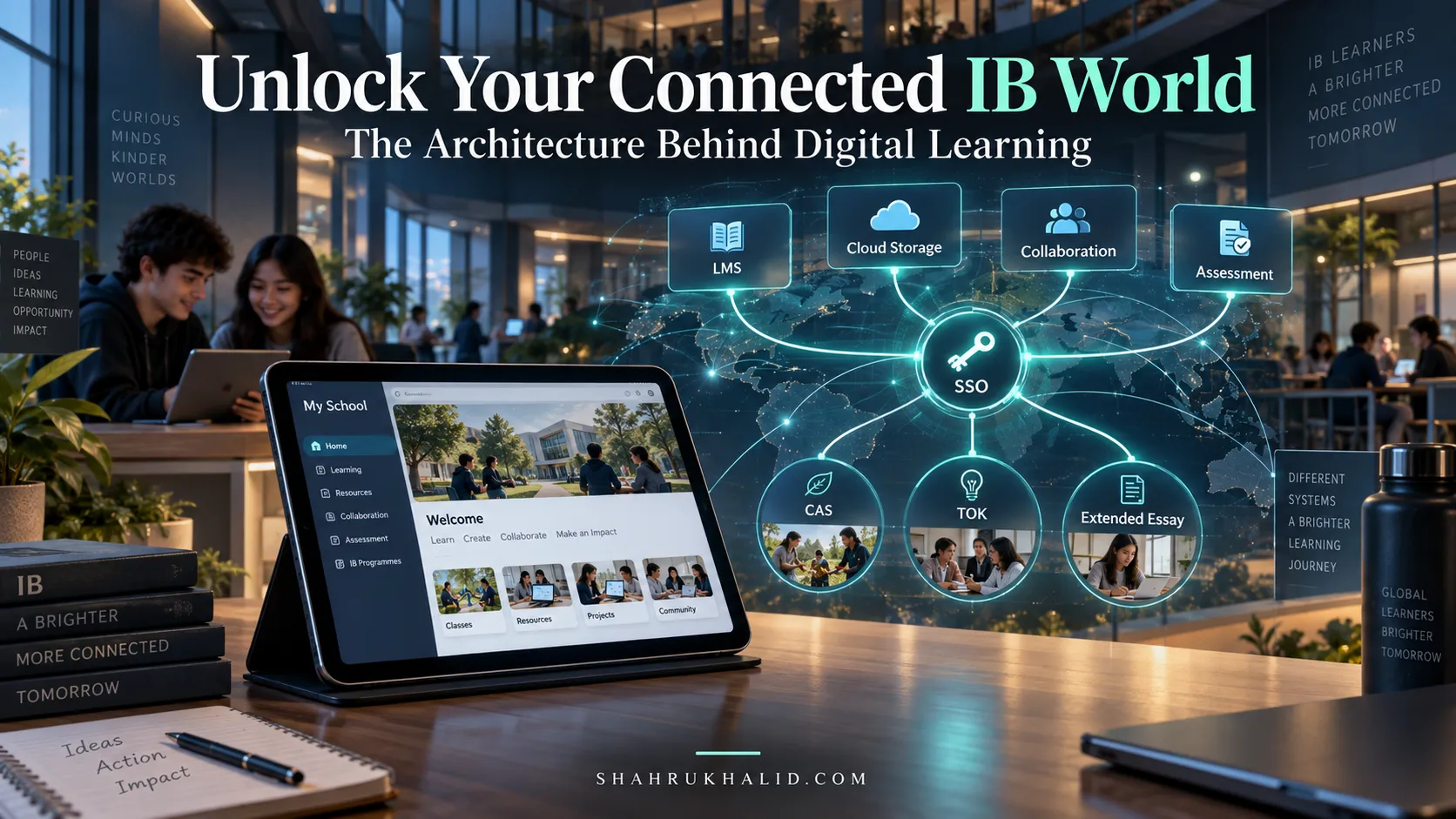
ManageBac IB planning introduces a new model: the curriculum as an operating system. Just like Windows or macOS manages all the parts of your computer so they can work together, ManageBac manages all the interconnected parts of your IB curriculum. It’s a single, unified environment where your unit plans, assessments, student work, reporting, and parent communication all live and breathe together. When you update a unit plan, the curriculum map reflects it instantly. When you grade an assessment, it links directly back to the learning outcomes in the unit it came from. This isn’t just a convenience; it’s a pedagogical game-changer. It transforms the curriculum from a dusty archive into a living, breathing, and constantly improving entity. This is the core principle that makes this so essential in 2026.
Decoding the IB Alphabet Soup: PYP, MYP, DP in ManageBac
The IB framework is a continuum, a journey from early childhood to pre-university. ManageBac is designed to support this entire journey, but it understands that each stage has its own unique language and structure. Let’s demystify this.
- ManageBac PYP (Primary Years Programme): Think of the PYP as a series of explorations guided by big, universal questions. The core building block here is the Programme of Inquiry (POI). It’s a map of all the Units of Inquiry for the entire primary school. In ManageBac, the PYP section is designed around this visual, thematic structure. It emphasizes the Transdisciplinary Themes (like “Who We Are” or “How the World Works”), the Learner Profile attributes, and the development of Approaches to Learning (ATL) skills. When you use ManageBac for the PYP, you’re not just filling out a form; you’re plotting points on a grand map of discovery for your youngest learners.
- ManageBac MYP (Middle Years Programme): The MYP is about building bridges. It bridges the thematic, transdisciplinary world of the PYP with the specialized, academic rigor of the DP. The language changes. We now talk about Key Concepts, Related Concepts, and Global Contexts. The curriculum is still inquiry-based, but it’s organized by subject groups (like Language & Literature, Sciences, etc.). The ManageBac MYP module reflects this shift. The unit planner has dedicated fields for these concepts, and it places a huge emphasis on documenting the interdisciplinary connections between subjects. It’s also where the famous MYP Projects (like the Personal Project) are managed, tracking student progress from initial idea to final reflection.
- ManageBac DP (Diploma Programme): This is the pinnacle of the IB journey, a rigorous pre-university course. The focus sharpens to deep academic specialization. The ManageBac DP module is built for this rigor. The unit planners are tied directly to the specific, detailed syllabi from the IB. It’s less about broad, thematic exploration and more about ensuring every single syllabus point and assessment objective is taught, practiced, and assessed. Furthermore, ManageBac becomes the central hub for the heart of the DP: the Core. This includes managing the Extended Essay (EE) supervision process, tracking Theory of Knowledge (TOK) integration in subject classes, and logging Creativity, Activity, Service (CAS) experiences. For a DP student or coordinator, ManageBac isn’t just a planning tool; it’s a lifeline for managing the immense complexity of the programme.
Understanding these three “flavors” is the first step to mastery. ManageBac isn’t a one-size-fits-all tool; it’s a chameleon that adapts its structure and language to the specific pedagogical needs of each IB programme.
Prerequisites & Complete Environment Setup
Alright, let’s get our hands dirty. You might be thinking, “Environment setup? Isn’t this a website? I just log in, right?” And you’re correct! But just like setting up a new computer, there’s a difference between just turning it on and actually configuring it to work for you. In the context of ManageBac, our “environment setup” is about understanding the landscape, configuring your personal space, and knowing your role within the wider school ecosystem. There’s no command-line interface (CLI) here, but the principles of verification and proper configuration are just as important.
Your First Login: Navigating the Dashboard for the First Time
The moment you receive your login details from your school’s tech director or ManageBac coordinator is day one. Let’s walk through it.
- The Login Portal: Your school will have a unique ManageBac URL, usually something like
yourschoolname.managebac.com. Bookmark this. This is your new digital home. - First-Time Authentication: You’ll enter your email and the temporary password you were given. The very first thing you should do is change your password to something secure and memorable.
- The Welcome Dashboard: Take a breath and look around. Don’t click anything just yet. The ManageBac dashboard can feel busy at first, but it’s logically organized. You’ll typically see a main navigation menu on the left, a central area with your calendar and upcoming deadlines, and perhaps some recent messages or school news on the right.
- The Left-Hand Menu: Your Compass: This is the most important navigation tool. It’s your directory. You’ll see items like
Dashboard,Calendar,Classes,Groups(for things like sports teams or clubs), and depending on your role,IB Manager. As a student, your view will be centered on your classes and deadlines. As a teacher, you’ll see those plus your planning tools. As a coordinator, you’ll have a bird’s-eye view of everything.
Verification Step: Before moving on, just identify three key areas on your dashboard:
- Where is your calendar?
- Where is the list of your classes?
- Where is your name or profile icon?
Finding these three things confirms you’ve successfully logged in and have a basic lay of the land.
Configuring Your Personal Space: Profile & Notifications
This is the equivalent of setting your preferences in a new piece of software. It’s a small step that makes a huge difference in your day-to-day experience.
- Find Your Profile: Click on your name or profile picture, usually in the top-right corner. This will take you to your personal profile.
- Personal Details: Check that your name is spelled correctly. You can often add a profile picture. I highly recommend this! It personalizes the experience and helps your teachers and classmates connect a face to your name in the digital space.
- The Magic of Notifications: Look for a tab or section called “Notifications.” This is critical. ManageBac can notify you about new messages, upcoming deadlines, changes to a unit plan, or new grades. However, you don’t want to be overwhelmed. Go through these settings carefully.
- My advice: I recommend enabling email notifications for “New Messages” and a “Daily Digest” of deadlines and events. This keeps you informed without flooding your inbox. You can probably turn off notifications for things like “Unit Plan Comments” unless you’re a teacher actively collaborating on one.
- Beginner-Friendly Default: If you’re unsure, stick to the default settings for a week. See how it feels. Is it too noisy? Not informative enough? Then come back and adjust.
Verification Step: Ask a friend or a teacher to send you a test message within ManageBac. Did you receive a notification via email or on the platform itself? If so, your notification environment is correctly configured.
Understanding Your Role: The Directory Layout of an IB School
ManageBac is built on a hierarchy of permissions. What you can see and do depends on your role. Understanding this “directory layout” is key to knowing why you can access certain things and not others.
- Student: Your view is focused on consumption and submission. You see the unit plans for your classes, your assignments and their deadlines, your grades and feedback, and your CAS/Activity group pages. You can submit work, post reflections, and communicate with your teachers. You cannot, for example, edit a unit plan or see the grades of another student.
- Teacher: Your view includes everything a student sees for your classes, but with added creation and evaluation privileges. You can create and edit unit plans, add tasks and deadlines, grade student work, and write reports.
- IB Coordinator (PYP, MYP, or DP): You are a “super user” for your section of the school. You can see all classes, all unit plans, and all student progress within your programme. Your job is to manage the big picture—ensuring curriculum coverage, monitoring student progress at a high level, and managing IB registration and exam processes.
- Administrator / Head of School: This role has the highest level of access, the “root” user, if you will. They can see everything across all programmes, manage user accounts, and view school-wide analytics.
- Parent: Parents have a special, read-only view. They can see their child’s calendar, assignments, grades, and attendance, but they cannot edit anything. It’s a window into their child’s school life.
Knowing your role helps you understand the “why.” If you’re a student and can’t find the “Edit Unit” button, it’s not a bug; it’s by design! This structure, much like the architecture we design for software on shahrukhalid.com, ensures data integrity and security for everyone in the school community.
Core Implementation Architecture
Now we get to the heart of it. How is ManageBac actually built from a conceptual standpoint? What is the “architecture” of a curriculum within this system? Forget code for a moment. We need to understand the mental models and visual structures that hold everything together. When you grasp this, filling out the forms and fields becomes an act of creation, not just data entry.
The Unit Plan as a “Digital Card”: A Visual Model
I want you to picture a classic index card. You have a title at the top and different sections for notes below. Now, imagine a much smarter, digital version of this card. This is the fundamental building block of curriculum in ManageBac: the Unit Plan.
Think of each unit plan as a “Digital Card” with several distinct, interconnected panels. It’s not a flat document; it’s a multi-faceted object. Let’s visualize its structure:
| UNIT CARD: [Unit Title – e.g., Revolutions] |
| Subject: [History] Grade: [11] Duration: [8 wks] |
+——————————————————+
| PANEL 1: INQUIRY & PURPOSE |
| – Key/Related Concepts: [Change, Causation] |
| – Global Context: [Orientations in Space & Time] |
| – Statement of Inquiry: [An exploration of…] |
| – Inquiry Questions (Factual, Conceptual, Debatable)|
+——————————————————+
| PANEL 2: ASSESSMENT |
| – Summative Task(s): [Research Essay] |
| – Link to Assessment Criteria: [Criterion A, B, C] |
| – Formative Assessment(s): [Quizzes, Debates] |
+——————————————————+
| PANEL 3: LEARNING PROCESS |
| – Content & Skills: [Syllabus points covered] |
| – Learning Experiences & Teaching Strategies |
| – Approaches to Learning (ATL) Skills Focus |
+——————————————————+
| PANEL 4: RESOURCES & REFLECTION |
| – Resources: [Links, files, textbook pages] |
| – Reflection: [Teacher notes on what worked/didn't] |
+——————————————————+
This “Digital Card” model is powerful because it forces a logical flow.
- You start with Why? (Inquiry & Purpose).
- Then you decide How will we know they’ve learned it? (Assessment).
- Only then do you plan What will we do to get there? (Learning Process).
This structure is the core of backward design, a cornerstone of the IB philosophy, and ManageBac’s architecture enforces it beautifully. You’re not just filling boxes; you are architecting a learning journey on a structured, intelligent card.
The Curriculum Map as a “Diagram Grid”
If a single unit plan is a card, what happens when you have hundreds of these cards? How do you see the big picture? This is where the “Diagram Grid” concept comes in. ManageBac takes all your individual unit cards and arranges them onto a massive, interactive grid.
Imagine an Excel spreadsheet, but way smarter.
- The Rows represent your different subject areas (Math, Science, Arts, etc.).
- The Columns represent the timeline of the school year (August, September, October…).
Each cell in this grid isn’t just a word; it’s a hyperlink to the full “Digital Card” for that unit.
Example of a PYP Diagram Grid (Programme of Inquiry):
Example of an MYP/DP Diagram Grid (Curriculum Map):
This grid architecture is what enables powerful analytics. Because every unit is a structured object on a grid, ManageBac can “read” your curriculum. It can highlight gaps (“You haven’t covered any ‘Communication’ ATL skills in Grade 7 Science yet”) or redundancies (“You are assessing ‘Criterion A’ heavily in Term 1 but not at all in Term 2”). This moves curriculum review from a manual, painful process to an automated, data-driven conversation. You are no longer just looking at a list of units; you are analyzing a complete architectural blueprint of your school’s learning. This is how ManageBac supports IB curriculum planning at a strategic level.
Hands-on Code & Practical Implementation
This is the module where the rubber meets the road. We’re moving from theory to practice. In our world, “code” isn’t Python or JavaScript; it’s the carefully chosen words, concepts, and connections you input into the ManageBac unit planner. Our “practical implementation” is a step-by-step walkthrough of creating a high-quality unit plan from scratch. I’ll provide heavily “commented” examples—that is, I’ll explain the why behind each entry, not just the what.
Let’s build a unit together. We’ll use an MYP Year 3 (Grade 8) Science unit as our primary example, but I’ll provide notes on how this would differ for PYP and DP.
Scenario: We are planning a 6-week unit on “Ecosystems.”
Step 1: Creating the Unit and Defining the “Inquiry & Purpose” Panel
When you click “Add Unit Plan” within your ManageBac subject class, the platform prompts you for primary metadata before generating your digital workspace.
📋 Step 1A: Unit Definition Parameters
Best Practice: Be conceptually descriptive rather than using generic topic names like “Ecology”.
Maps directly to the standard Middle Years Programme inquiry framework.
Allocates 4 weeks for guided inquiry and 2 weeks for summative assessment.
Next, we configure the core intellectual engine of the unit: the Inquiry & Purpose Panel. In the IB philosophy, this establishes transferable concepts and grounds learning in real-world relevance.
🎯 The Inquiry Architecture
Relationships
A broad, transferable macro-idea that extends across multiple disciplines and grades.
Balance & Interaction
Discipline-specific lenses that narrow focus to how ecosystem components sustain equilibrium.
Globalization and Sustainability
Connects scientific theory to modern human industrial impact and environmental stewardship.
“Understanding the complex relationships and interactions that create balance within an ecosystem allows us to evaluate the impact of global human activity on its sustainability.”
The Three-Tier Inquiry Question Taxonomy
“What is a food web? What are the defining characteristics of biotic and abiotic factors?”
Builds essential foundational knowledge and recall.
“How do different species depend on each other for survival? How does a disruption in one trophic level cascade through the ecosystem?”
Demands higher-order analysis and relational synthesis.
“Should governments prioritize industrial growth over habitat preservation? When is human artificial intervention in endangered ecosystems ethically justified?”
Drives passionate classroom debate and real-world ethical analysis.
🔄 Programme Variations (PYP vs. DP):
- For ManageBac PYP: Instead of Key/Related Concepts, teachers select one of six Transdisciplinary Themes (e.g., “Sharing the Planet”) and formulate a school-wide Central Idea with student-generated inquiry questions.
- For ManageBac DP: Curriculum plans link directly to official IB Diploma subject guides (e.g., Topic 4: Ecology in DP Biology), with questions tailored to prepare candidates for Paper 2 extended-response questions and Internal Assessments.
Step 2: Implementing the “Assessment” Panel
Following the backward design framework (Wiggins & McTighe), assessment criteria must be established before lesson activities are scheduled. ManageBac enables direct rubric linkage to official IB criteria.
Summative Assessment Task: Ecosystem Impact Report & Symposium Presentation
Task Description: Students conduct an investigative inquiry into an endangered aquatic or terrestrial biome (such as the Great Barrier Reef or the Amazon River Basin). Each student synthesizes primary ecological data, analyzes human developmental stressors, models population balance, and presents sustainable environmental policy recommendations.
Criterion C: Processing and Evaluating (Strands i, ii, iii)
Criterion D: Reflecting on the Impacts of Science (Strands i, ii, iii, iv)
Step 3: Configuring the “Learning Process” Panel
Once destination and assessment criteria are locked in, teachers configure the sequential day-to-day instructional pipeline, linking content strands to Approaches to Learning (ATL) skills.
Curriculum Delivery & ATL Skills Progression
- Biotic vs. abiotic factors and ecosystem energy transfer
- Trophic levels, complex food webs, and biomagnification
- Symbiotic dynamics: mutualism, commensalism, and parasitism
- Anthropogenic disturbances: deforestation, industrial runoff, and climate fluctuations
Collect, record, and verify authentic empirical ecological data.
Give and receive constructive, actionable peer review feedback.
Synthesize qualitative and quantitative evidence to draw valid conclusions.
| Week 1: | Introduction to biomes; outdoor campus audit identifying biotic and abiotic factors. |
| Week 2: | Food web thermodynamics and interactive trophic pyramid simulation exercises. |
| Week 3: | Jigsaw collaborative research on symbiotic interactions and population dynamics. |
| Week 4: | Case study analysis of anthropogenic degradation; commence summative research. |
| Week 5: | In-class lab report drafting, teacher formative checkpoints, and peer moderation. |
| Week 6: | Student symposium presentations, Criterion A/C/D evaluation, and metacognitive unit reflection. |
By following this structured implementation, you haven’t just filled out a form. You have created a robust, pedagogically sound, and interconnected plan for learning. This is the essence of effective ManageBac IB planning.
Real-World Use Cases & Practical Applications
Theory and step-by-step guides are essential, but the real magic happens when we see how this plays out in the lives of students and teachers. Let’s walk through three detailed case studies, showing the end-to-end journey of a unit plan in each of the IB programmes.
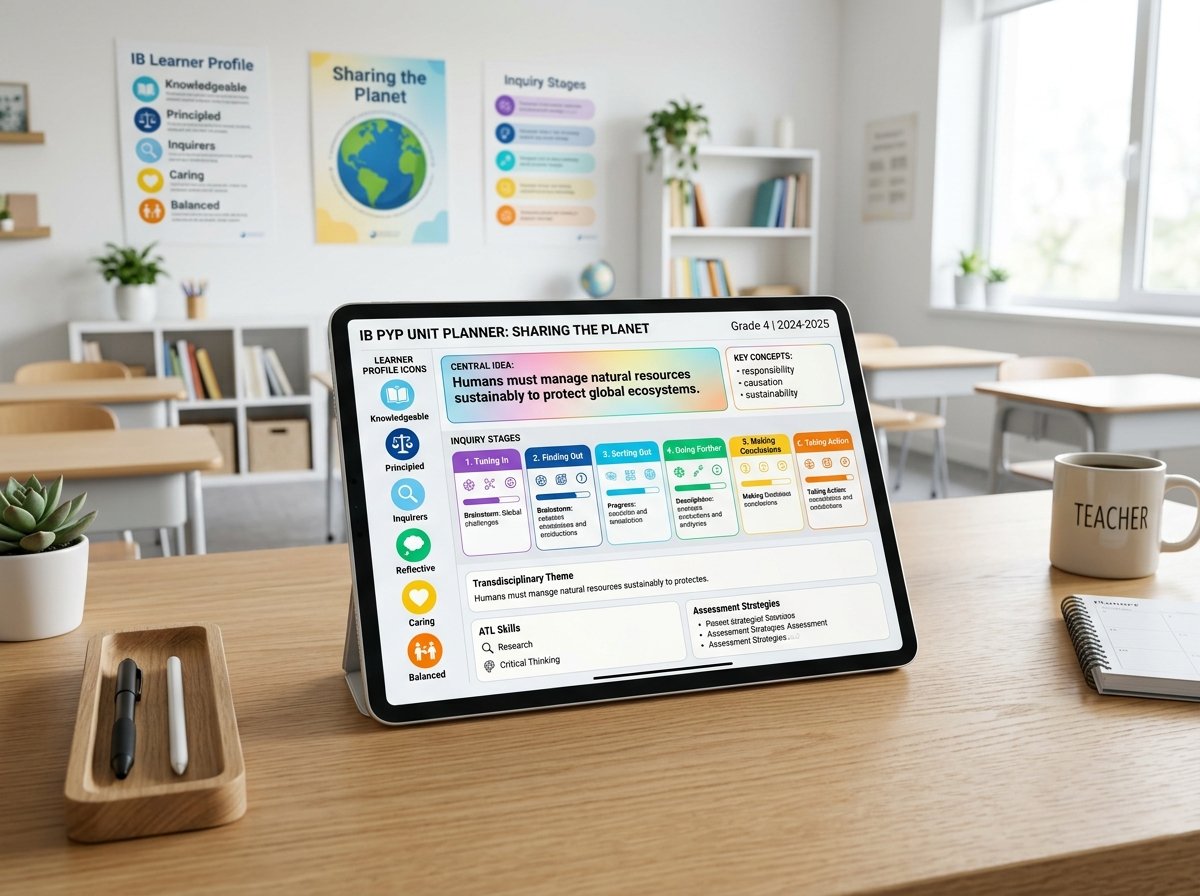
Case Study 1: PYP Grade 4 — “Sharing the Planet” (Transdisciplinary Inquiry)
At an international school in Geneva, Grade 4 teachers designed a 6-week unit investigating renewable energy and water conservation under the Transdisciplinary Theme “Sharing the Planet.”
- Central Idea: “Human choices impact the availability and sustainability of global water resources.”
- Lines of Inquiry: Sources and accessibility of clean water (Form), human consumption patterns (Causation), and individual responsibility for conservation (Responsibility).
- ManageBac Implementation: Teachers linked the unit to the PYP Scope & Sequence standards directly in the unit card. Students used ManageBac’s integrated student portfolio to upload digital drawings, field-trip photo reflections, and audio recordings explaining their water filtration models. Parents received automated weekly reflections through the parent portal, establishing immediate home-school feedback loops.
- Pedagogical Outcome: Teachers reported a 40% reduction in curriculum planning administrative overhead because collaborative planning notes, shared lesson assets, and formative rubrics lived in one centralized workspace rather than scattered spreadsheets.
Case Study 2: MYP Year 4 — Biomimicry in Urban Architecture (Interdisciplinary Unit)
In a Singapore international school, Year 4 Science and Design teachers utilized ManageBac to co-construct an official Interdisciplinary Unit (IDU) exploring how nature-inspired structures solve urban cooling challenges.

- Statement of Inquiry: “Applying biological structures to architectural design enables communities to adapt sustainably to climate shifts.”
- Assessment Architecture: Evaluated using the official MYP Interdisciplinary Criteria (Criterion A: Evaluating; Criterion B: Synthesizing; Criterion C: Reflecting).
- ManageBac Workflow: Both department heads shared ownership of the digital unit card. Formative checkpoints were configured with milestone due dates. Students submitted CAD models and reflective scientific essays directly through ManageBac, where teachers applied dual-discipline rubric grading with transparent inline feedback.
- Pedagogical Outcome: Complete transparency for IB moderation visits. The entire interdisciplinary planning history, evidence of collaborative teaching, and graded student samples were exported with one click as an official IB compliance portfolio.
Case Study 3: DP Biology & Chemistry — Managing the 2-Year Internal Assessment (IA) Pipeline
Coordinating DP Internal Assessments across 120 senior students can quickly become an administrative nightmare without systematic tracking. An international academy in Dubai leveraged ManageBac to streamline the complete DP IA and Extended Essay (EE) continuum.

- Milestone Staging: The coordinator established five strict locked checkpoints inside ManageBac: (1) Research Question & Risk Assessment, (2) Data Collection Protocol, (3) First Draft Submission, (4) Teacher Feedback & Authenticity Check, and (5) Final Moderated Submission.
- Turnitin Integration: ManageBac’s native Turnitin integration automatically scanned incoming drafts for similarity scores and AI-generated text flags, enabling teachers to hold formative citation coaching sessions before final grading.
- Moderation & eCoursework Upload: Once teachers finalized marks against Criterion A through E, the DP coordinator batched sample candidate work and authentication forms directly into the IB eCoursework portal without manual reformatting or lost files.
Common Pitfalls, Gotchas & Troubleshooting Playbook
Even seasoned IB practitioners encounter stumbling blocks when orchestrating curriculum on ManageBac. Below are the five most frequent pitfalls school teams face, accompanied by field-tested solutions.
⚠️ The Top 5 ManageBac IB Planning Anti-Patterns & Fixes
The Mistake: Teachers grade assessments on paper or in personal spreadsheets and then enter a final raw number into ManageBac. This destroys criterion-based analytics and breaks ATL tracking.
The Fix: Always grade using ManageBac’s interactive rubric drawer. Clicking criterion strand descriptors provides transparent formative feedback and automatically populates the student’s longitudinal progress graph.
The Mistake: Unit plans that tag 15 Approaches to Learning (ATL) indicators across 5 categories. When everything is tracked, nothing is genuinely taught or assessed.
The Fix: Enforce a maximum of 2 to 3 targeted ATL indicators per unit. Ensure teaching strategies explicitly scaffold those skills and that assessment rubrics clearly evaluate them.
The Mistake: Continuing to use outdated subject syllabus templates after the IB publishes new curriculum guides (e.g., changes to DP Sciences or MYP Mathematics).
The Fix: School administrators must run the Curriculum Standards Sync annually in ManageBac’s settings. When updating classes, choose “Migrate to New Subject Guide” to remap assessment criteria automatically without deleting historical student records.
The Mistake: Teachers design units in isolation without reviewing what students learned the previous year or what complementary units are running simultaneously.
The Fix: Utilize ManageBac’s Whole-School Curriculum Analytics Matrix. Before finalizing a unit, conduct peer reviews using the horizontal timeline view to prevent assessment logjams and identify cross-curricular synergy.
The Mistake: Waiting until the April/May deadline to collect candidate declaration forms, authenticity records, and final sample PDFs.
The Fix: Enable ManageBac’s automated IB eCoursework direct sync integration. Require students to complete digital signatures on academic honesty statements upon final upload.
Comparative Decision Matrix, Best Practices & 2026 Roadmap
When selecting or evaluating curriculum management systems for an international school, leadership teams frequently evaluate ManageBac alongside other EdTech platforms. The following matrix illustrates architectural strengths and functional trade-offs.
| Evaluation Vector | ManageBac (Faria) | Toddle | Canvas LMS | Google Classroom + Docs |
|---|---|---|---|---|
| Full IB Continuum Support (PYP, MYP, DP, CP) | Native & Complete (15+ Years) | Supported (Strong in PYP/MYP) | Requires Extensive Custom Rubrics | None (Manual Templates Only) |
| IB eCoursework & Moderation Sync | Direct API Integration with IBIS | Supported Export Flow | Manual Export Required | Manual Download / Upload |
| CAS, SA, EE & Personal Project Workflows | Industry Gold Standard | Built-in Modules | Custom Courses Needed | Ungoverned Spreadsheets |
| SIS Integration (AdminPlus, PowerSchool, Veracross) | OneRoster, API & Auto CSV Sync | API & OneRoster | LTI & OneRoster | Google Workspace Sync |
| Reporting, Transcripts & University Portfolios | Highly Configurable IB Report Cards | Visual Report Cards | Standard Gradebook | Basic Grading Spreadsheet |
Best Practices for IB Coordinators & School Leadership in 2026
- Establish Standardized Term Deadlines: Lock unit plan draft reviews at least two weeks before term commencement so horizontal balance can be inspected across grade-level cohorts.
- Schedule Biannual ATL Audits: Filter the school-wide curriculum map by ATL skills to verify that all five clusters (Communication, Social, Self-Management, Research, Thinking) are distributed equitably across subjects rather than concentrated in language arts and humanities.
- Unify Parent Communications: Standardize the frequency of grade and portfolio publications on ManageBac to prevent parent notification fatigue while maintaining proactive transparency.
The 2026 & Beyond Roadmap: AI-Driven Curriculum Analytics & eAssessment
As international schools embrace assistive AI technologies, curriculum planning is shifting from static record-keeping to dynamic pedagogical optimization:
- Assistive Inquiry Alignment: Modern algorithms analyze unit statements of inquiry, recommending related concepts and localized global contexts based on international school benchmark corpora.
- Automated Assessment Gap Detection: Machine intelligence highlights curriculum blind spots, detecting unassessed criteria or unbalanced assessment formats across multi-year sequences.
- Direct Digital Exam Interoperability: Tighter integration between classroom unit preparation, mock exams, and digital exam engines like the College Board Bluebook and IB on-screen examinations.
Conclusion: Building a Living Curriculum for Lifelong Learners
Effective IB curriculum planning has never been about checking boxes or filing static compliance binders. In an increasingly complex global educational landscape, platforms like ManageBac transform curriculum documentation into a dynamic, transparent, and collaborative living map of learning. By grounding unit design in backward planning, establishing targeted ATL skill progressions, and leveraging continuous assessment analytics, educators empower students to transition seamlessly from the foundational inquiries of the Primary Years Programme to the rigorous academic challenges of the Diploma Programme.