TypeScript vs JavaScript: Complete Comparison
Key Takeaways
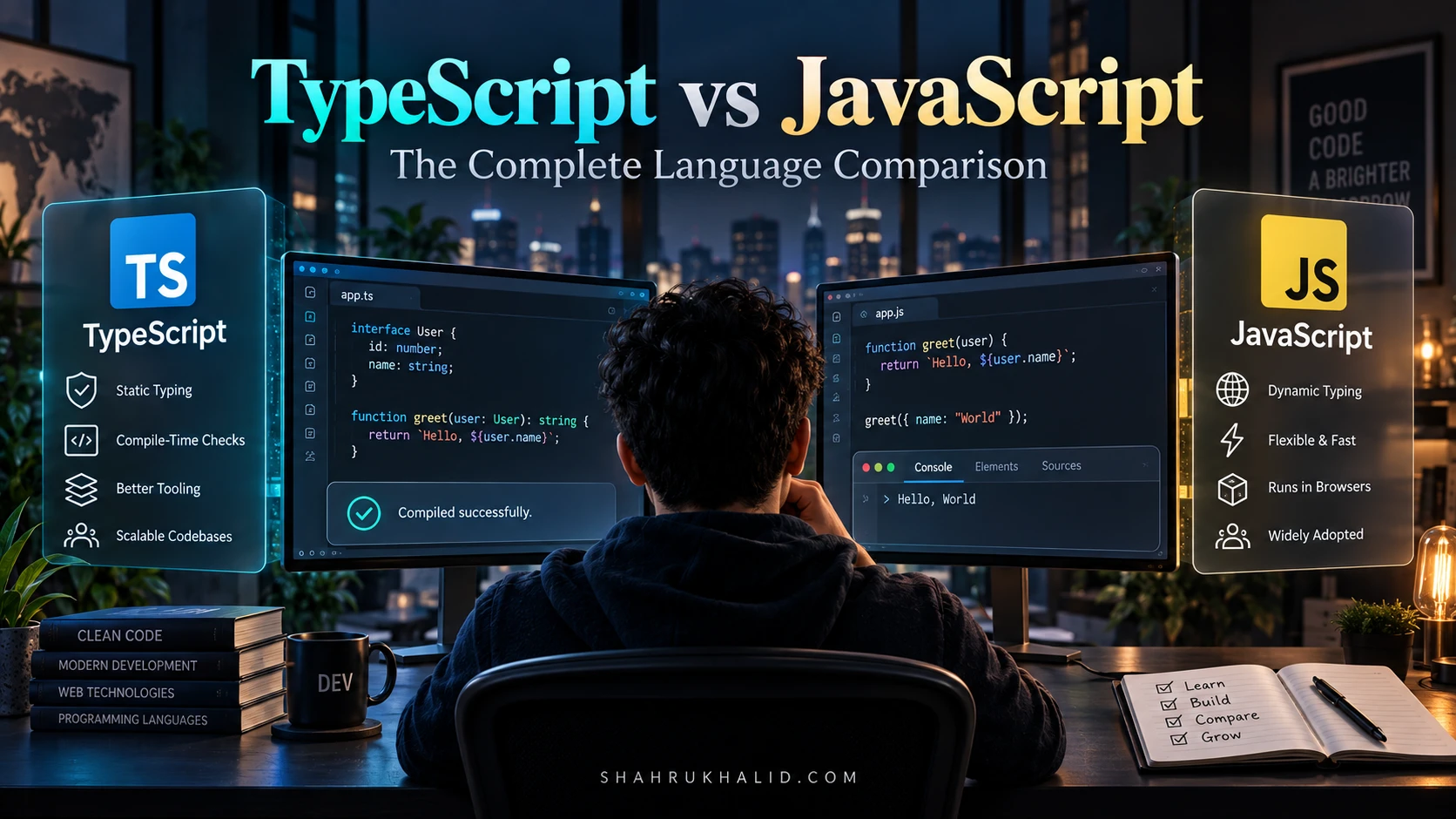
- TypeScript is a syntactical superset of JavaScript, adding optional static typing.
- TypeScript enables early compile-time error detection, unlike JavaScript's runtime errors.
- TypeScript significantly improves code scalability and maintainability for large, complex projects.
- Runtime performance is identical as TypeScript ultimately compiles directly to JavaScript.
- TypeScript has a steeper learning curve but reduces long-term debugging and maintenance costs.
TypeScript vs JavaScript: Complete Comparison
In the dynamic world of web development, choosing the right programming language or technology stack is a critical decision that impacts project scalability, maintainability, and developer experience. At the heart of modern web development lies JavaScript, the ubiquitous language of the web. However, over the past decade, a powerful challenger has emerged and gained significant traction: TypeScript. This comprehensive article delves deep into the “TypeScript vs JavaScript” debate, providing a detailed comparison to help software engineers, architects, and project managers make informed decisions.
By the end of this comparison, you will have a clear understanding of the fundamental differences, strengths, and weaknesses of both languages. We will explore their core features, evaluate their pros and cons, discuss their ideal use cases, and offer a verdict based on various project scenarios. Whether you’re building a small prototype or a large-scale enterprise application, understanding the nuances of TypeScript vs JavaScript is paramount for successful software delivery.
Quick Comparison Overview Table
| Feature | TypeScript | JavaScript |
|---|---|---|
| Typing System | Static and strong typing (optional) | Dynamic and weak typing |
| Error Detection | Compile-time errors (early detection) | Runtime errors (late detection) |
| Code Scalability | Excellent for large, complex codebases; improved maintainability | Challenging for large codebases; prone to errors without strict discipline |
| Performance (Runtime) | Ultimately compiles to JavaScript, so runtime performance is identical to equivalent JS. | Native execution in browsers and Node.js. |
| Learning Curve | Steeper for JavaScript developers due to added type concepts. | Relatively low for beginners, but mastering advanced concepts takes time. |
| Community & Ecosystem | Large and growing, excellent tooling, strong corporate backing (Microsoft). | Massive, mature, and ubiquitous; largest developer community. |
| Cost (Development Time) | Initial setup and typing can add overhead, but saves time in debugging/maintenance. | Faster initial development, but can incur higher debugging/maintenance costs later.</td; |
| Use Cases | Large-scale enterprise applications, complex APIs, frameworks like Angular, codebases with multiple developers. | Small scripts, prototypes, simple websites, front-end focused projects, learning programming. |
What is TypeScript?
TypeScript is an open-source programming language developed and maintained by Microsoft. Introduced in 2012, it is a syntactical superset of JavaScript, meaning any valid JavaScript code is also valid TypeScript code. Its primary distinguishing feature is its support for static typing, which allows developers to define the types of variables, function parameters, and return values. This type information is used by the TypeScript compiler to perform static analysis, catching potential errors during development rather than at runtime.
The core idea behind TypeScript is to bring enterprise-level development features, traditionally found in languages like Java or C#, to the JavaScript ecosystem. It compiles down to plain JavaScript, making it compatible with any browser, host, or operating system that JavaScript supports. This compilation step, known as transpilation, ensures that the type annotations are stripped away, and the resulting JavaScript code is executed. TypeScript enhances developer productivity through features like interfaces, enums, generics, and decorators, offering a more robust and predictable development experience, especially for large and complex applications.
What is JavaScript?
JavaScript is a high-level, interpreted, object-oriented programming language primarily known for enabling interactive web pages. Created in 1995 by Brendan Eich at Netscape, it has evolved from a client-side scripting language to a versatile, full-stack language capable of running on servers (Node.js), mobile devices (React Native, NativeScript), and even IoT devices. It is one of the three core technologies of the World Wide Web, alongside HTML and CSS, and is supported by all modern web browsers without the need for plugins.
JavaScript is characterized by its dynamic and weakly typed nature. This means that variable types are determined at runtime, and variables can change types during execution. This flexibility allows for rapid development and a less rigid coding style. Its event-driven, non-blocking I/O model makes it highly efficient for handling concurrent operations. The vast ecosystem of libraries, frameworks (like React, Vue, Angular), and tools has cemented JavaScript’s position as an indispensable technology for web development and beyond. Its ubiquity and ease of learning contribute to its massive and active community.
TypeScript — Pros and Cons
Pros of TypeScript
- Static Typing: The most significant advantage. Types allow for early detection of errors during compilation, preventing many common bugs that would otherwise surface at runtime in JavaScript. This leads to more reliable and predictable code.
- Improved Code Quality and Maintainability: Type annotations act as documentation, making code easier to read, understand, and maintain, especially in large codebases or when working in teams. Refactoring becomes safer and more efficient.
- Enhanced Developer Experience (DX): Modern IDEs (like VS Code) leverage type information to provide powerful features such as intelligent auto-completion, real-time error checking, interface suggestions, and precise navigation, significantly boosting productivity.
- Scalability: TypeScript is exceptionally well-suited for large-scale applications and complex projects. Its type system helps manage complexity, ensuring consistency and reducing the likelihood of errors as the codebase grows.
- Better Collaboration: With clear interfaces and type definitions, developers on a team can understand each other’s code more easily, reducing misunderstandings and integration issues.
- Modern JavaScript Features: TypeScript often supports new ECMAScript features before they are widely adopted by all JavaScript engines, allowing developers to use cutting-edge syntax and compile it down to older JavaScript versions for broader compatibility.
Cons of TypeScript
- Learning Curve: For developers accustomed to JavaScript’s dynamic nature, learning TypeScript involves understanding new concepts like interfaces, generics, and type declarations, which can be a barrier.
- Compilation Step: TypeScript code must be transpiled into JavaScript before it can be executed. This adds an extra step to the development workflow, potentially increasing build times, although modern tools make this largely seamless.
- Increased Verbosity: Adding type annotations can make the code more verbose than plain JavaScript, especially for simple functions or variables. While beneficial for clarity, it can feel like extra boilerplate.
- Initial Setup Overhead: Setting up a TypeScript project, including configuring
tsconfig.jsonand integrating with build tools, can be more involved than starting a pure JavaScript project. - Potential for Over-Engineering: The power of TypeScript’s type system can sometimes lead to overly complex type definitions or unnecessary strictness, especially in smaller projects where the benefits might not outweigh the added complexity.
JavaScript — Pros and Cons
Pros of JavaScript
- Simplicity and Flexibility: JavaScript’s dynamic typing and lack of strict rules make it very flexible. Developers can write code quickly without worrying about type declarations, which can accelerate initial development.
- No Compilation Step: JavaScript is an interpreted language, meaning it can be run directly by browsers or Node.js without a prior compilation step. This simplifies the development workflow and speeds up iteration cycles.
- Vast Community and Ecosystem: JavaScript boasts the largest developer community and the most extensive ecosystem of libraries, frameworks, and tools. Finding resources, solutions, and community support is generally easier.
- Ubiquity: JavaScript runs everywhere – in browsers, on servers, mobile apps, desktops, and IoT devices. This universal compatibility makes it a highly versatile language for various platforms.
- Faster Initial Development for Small Projects: For small scripts, prototypes, or projects with limited complexity, JavaScript’s flexibility and lack of setup overhead can lead to quicker development times.
- Low Barrier to Entry: Its forgiving nature and widespread use make JavaScript an excellent language for beginners to learn programming concepts.
Cons of JavaScript
- Runtime Errors: Due to its dynamic typing, many errors that TypeScript catches at compile-time only manifest at runtime in JavaScript. This can lead to unexpected bugs in production and significantly longer debugging cycles.
- Difficult Debugging and Maintenance: In large and complex applications, the absence of type information makes it challenging to understand data flows, track down issues, and refactor code safely. This can increase long-term maintenance costs.
- Lack of Type Safety: Weak typing can lead to subtle bugs where values of unexpected types are passed around, resulting in incorrect behavior that is hard to diagnose.
- Scalability Challenges: As projects grow in size and complexity, managing a pure JavaScript codebase becomes increasingly difficult without strict conventions, extensive testing, and highly disciplined development practices.
- Reduced Developer Experience for Large Projects: Without type information, IDEs offer less intelligent auto-completion and refactoring support, which can slow down development in larger codebases.
- Inconsistent Code Quality: The flexibility can lead to inconsistent coding styles and patterns across a team, making collaboration harder without rigorous code reviews and linting rules.
When to Choose TypeScript
The decision to adopt TypeScript over JavaScript often boils down to project scale, team dynamics, and long-term maintainability goals. TypeScript shines in scenarios where robustness, clarity, and scalability are paramount.
Large-scale Enterprise Applications: For complex systems with extensive business logic, numerous modules, and a long lifespan, TypeScript’s static typing dramatically reduces bugs and improves maintainability.
Projects with Multiple Developers: When working in a team, type definitions serve as a contract between different parts of the codebase, facilitating smoother collaboration and reducing integration issues. New team members can onboard faster by understanding the expected data structures and API contracts.
Long-term Maintainability and Refactoring: If a project is expected to evolve over many years, TypeScript provides the safety net needed for confident refactoring and feature additions. Changes to interfaces or data models are immediately flagged, preventing cascading errors.
API Development (Node.js Backends): Building robust RESTful APIs or GraphQL services benefits immensely from TypeScript, as it ensures consistency in data models, request/response structures, and error handling.
Using Frameworks like Angular: Angular is built with TypeScript and heavily leverages its features. While you can use JavaScript with Angular, the developer experience is significantly better with TypeScript.
Codebases Requiring High Reliability: For applications where stability and minimal downtime are crucial (e.g., financial systems, healthcare platforms), TypeScript’s ability to catch errors early is invaluable.
When to Choose JavaScript
Despite TypeScript’s growing popularity, JavaScript remains an excellent and often preferred choice for many projects, particularly when agility, simplicity, and speed of initial development are key.
Small Projects and Prototypes: For quick proof-of-concept projects, small utility scripts, or personal projects with limited scope, JavaScript’s minimal setup and rapid development cycle are ideal. The overhead of setting up TypeScript might not be justified.
Simple Front-end Interactions: If you’re adding minor interactivity to a static website, manipulating the DOM for simple animations, or building a small widget, JavaScript provides the quickest path to implementation.
Learning Programming: For individuals new to programming, JavaScript offers a lower barrier to entry. Its dynamic nature allows beginners to focus on core programming concepts without the added complexity of a type system.
Projects with Tight Deadlines and Minimal Complexity: In scenarios where time-to-market is critical and the application’s complexity is expected to remain low, JavaScript can offer a faster initial development pace.
Legacy Codebases: Integrating TypeScript into an existing, large JavaScript codebase can be a significant undertaking. For projects that are not actively undergoing major refactoring or where the cost of migration outweighs the benefits, sticking with JavaScript might be more pragmatic.
Serverless Functions: For small, isolated serverless functions (e.g., AWS Lambda, Azure Functions), the simplicity of JavaScript can be advantageous, reducing deployment size and cold start times, though TypeScript is also well-supported.
Real-world Use Cases for Each
TypeScript Real-world Use Cases
- Angular Framework: Angular is entirely written in TypeScript and strongly encourages its use for application development. Many large enterprise web applications, such as those used in finance, healthcare, and e-commerce, leverage Angular with TypeScript.
- Microsoft Products: Given that Microsoft developed TypeScript, it’s no surprise that many of their flagship products, including Visual Studio Code (a popular code editor) and parts of Azure’s infrastructure, are built using TypeScript.
- Slack Desktop Application: The popular communication platform Slack uses TypeScript for its desktop application, built with Electron, demonstrating its capability for complex, cross-platform desktop software.
- Airbnb: While not fully converted, parts of Airbnb’s front-end and backend infrastructure have adopted TypeScript to improve developer experience and reduce errors in their large codebase.
- Deno: The secure runtime for JavaScript and TypeScript, Deno, is itself built with Rust and TypeScript, highlighting TypeScript’s utility in building robust system-level tools.
JavaScript Real-world Use Cases
- React and Vue.js Applications: While both frameworks support TypeScript, a vast number of applications built with React and Vue.js still predominantly use plain JavaScript, especially for smaller to medium-sized projects or those that started before TypeScript’s widespread adoption.
- Simple Websites and Blogs: Many personal blogs, marketing websites, and portfolios use JavaScript for interactive elements, form validations, and dynamic content loading without needing a full type system.
- Browser Extensions: Developing browser extensions (e.g., for Chrome, Firefox) often involves small, self-contained JavaScript files that interact directly with browser APIs.
- Node.js Microservices: For individual microservices that are small, focused, and have well-defined inputs/outputs, JavaScript can be a fast and efficient choice, especially when quick deployment and minimal dependencies are prioritized.
- Embedded Devices and IoT: JavaScript, particularly through frameworks like Johnny-Five, is used in various embedded systems and IoT projects where resource constraints or rapid prototyping are factors.
- Serverless Architectures: Many serverless functions (e.g., AWS Lambda, Google Cloud Functions) are written in JavaScript due to its lightweight nature and fast execution times, making it ideal for event-driven, ephemeral tasks.
Verdict
The ultimate decision in the “TypeScript vs JavaScript” debate is not about one being inherently “better” than the other, but rather about choosing the right tool for the specific job. Both languages are powerful and have their distinct advantages.
For large, complex, and enterprise-level applications, especially those with multiple developers and a long maintenance horizon, TypeScript is the clear winner. Its static typing, enhanced tooling, and improved scalability lead to fewer bugs, better code quality, and a more robust development process. The initial overhead of learning and setup is quickly recouped through reduced debugging time and increased developer confidence.
For small projects, prototypes, simple scripts, or when learning programming, JavaScript remains an excellent choice. Its flexibility, rapid development cycle, and vast ecosystem allow for quick iteration and deployment without the added structure of a type system. The absence of a compilation step and a lower barrier to entry make it ideal for getting ideas off the ground quickly.
Many modern development teams also adopt a hybrid approach, using TypeScript for critical parts of their application (e.g., core logic, API interfaces) while using plain JavaScript for less critical or rapidly changing components. The trend clearly shows increasing adoption of TypeScript, especially as projects mature and scale. The best recommendation is to consider your project’s size, team’s expertise, and long-term goals. For most serious professional development, embracing TypeScript offers significant long-term benefits in terms of reliability and maintainability.