Your Personal AI Learning Coach: Build Custom Skill Paths & Master Anything in 2026 (Beginners Walkthrough)
Key Takeaways
- AI coaches offer personalized learning paths for skill mastery.
- Build custom skill paths with AI to master any subject by 2026.
- A beginner's guide to leveraging AI for tailored learning journeys.
- Master diverse skills efficiently through personalized AI coaching.
- Future-proof your learning: use AI to build custom skill development.
Imagine, for a moment, having a mentor available 24/7. A guide who not only knows everything about the skill you want to master—be it Python programming, conversational Japanese, or the fine art of baking sourdough bread—but also knows you. It understands your current knowledge, your learning style, your moments of frustration, and your bursts of insight. It never gets tired, never judges, and is always ready to create the perfect next step just for you. This isn’t science fiction. This is the reality we are building today, and by the end of this masterclass, you will have built your very own prototype.
This guide is my promise to you. It’s a comprehensive, step-by-step walkthrough designed for absolute beginners. We will demystify the jargon, cut through the hype, and build a functional, custom AI-powered learning system from the ground up. By 2026, the ability to direct your own AI-assisted learning won’t just be a neat trick; it will be the most critical meta-skill for personal and professional growth. Let’s begin that journey together, right now.
Comprehensive Foundations & Concept Primer
Before we write a single line of code or configure any software, it’s crucial that we build our foundation on solid ground. What exactly is a Personal AI Learning Coach? Why is it suddenly so important, and how does it fundamentally differ from the learning tools we’ve used for the past two decades? Let’s clear away the fog with some simple, powerful analogies.
What is a Personal AI Learning Coach? An Analogy for Beginners
Think of learning a new skill, like playing the guitar. Traditionally, you have a few options:
- The Book/Video Course (Static Content): This is like a pre-recorded video series or a textbook. It’s a one-size-fits-all path. It doesn’t know if you’re struggling with the F chord or if you’ve already mastered fingerpicking. It just plays the next chapter. This is how most online learning has worked until now.
- The Human Tutor (The Gold Standard): This is a master guitarist who sits with you. They see you struggle with the F chord and say, “Ah, I see. Your wrist is a bit too bent. Try this exercise.” They notice you’re getting bored with scales and suggest learning a simple song you love. They adapt the lesson in real-time to your specific needs, progress, and motivation. This is the ideal, but it’s expensive and not scalable.
Now, a Personal AI Learning Coach is our attempt to digitally replicate the human tutor using the power of modern Artificial Intelligence.
It’s not just a search engine or a fancy chatbot. It’s a system designed to:
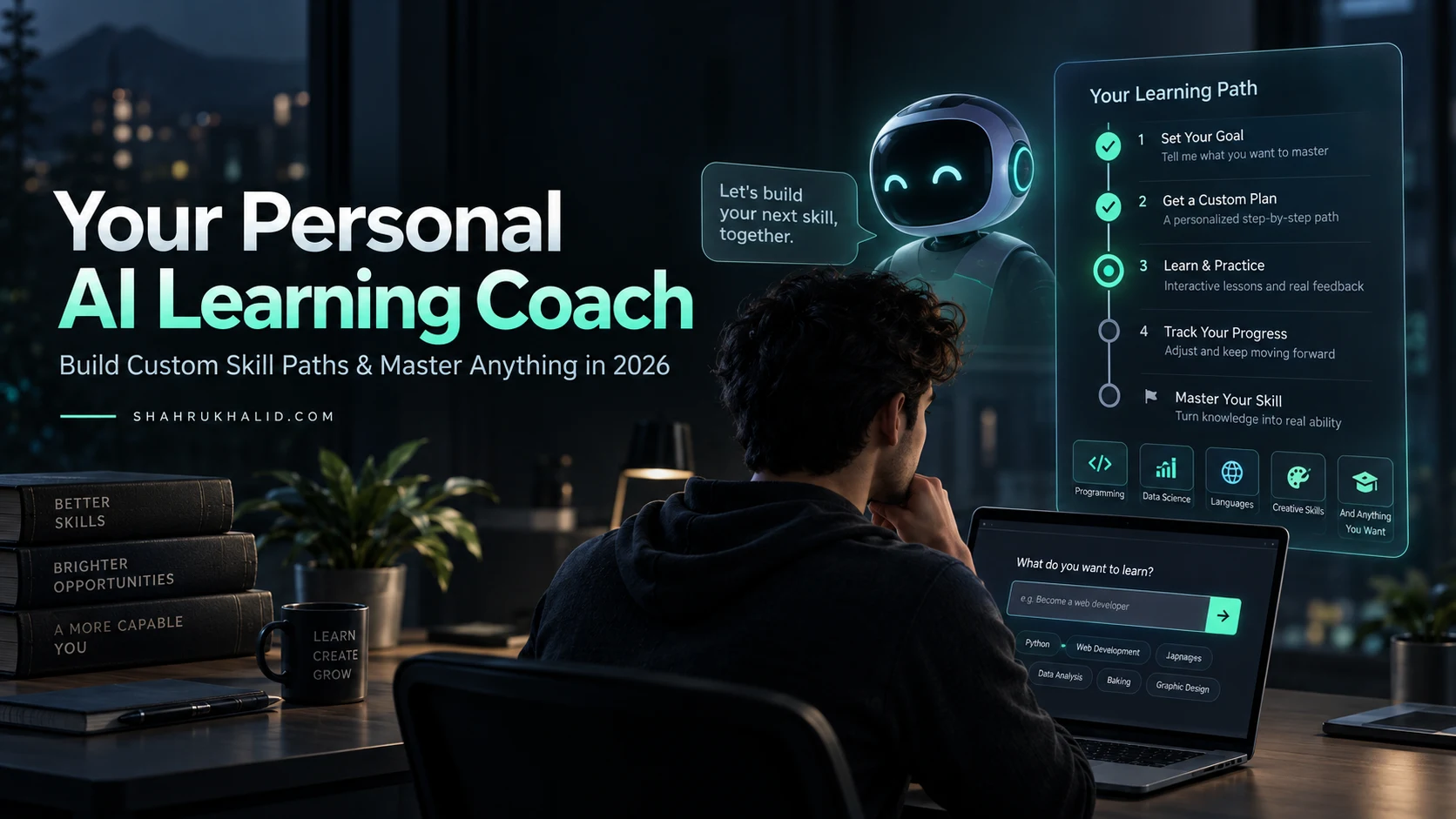
- Understand Your Goal: You tell it, “I want to become a freelance web developer in 6 months.”
- Assess Your Starting Point: It might ask you a few questions or give you a small task to see what you already know.
- Generate a Custom Curriculum: Instead of a generic syllabus, it builds a step-by-step roadmap just for you. It breaks down the massive goal into tiny, manageable daily tasks. This is the heart of custom learning paths AI.
- Provide Interactive Instruction: It doesn’t just give you a list of topics. It explains concepts, provides examples, and creates practice exercises.
- Offer Real-Time Feedback & Adaptation: This is the magic. When you get stuck, you can ask it for help in plain English. “I don’t understand ‘CSS Flexbox’. Can you explain it like I’m five and give me a simple example?” The AI then adjusts, re-explains, and might even change the next few steps in your learning path because it now knows this is a weak point. This is adaptive learning AI in action.
So, to answer the question, what is an AI learning coach? It’s a dynamic, interactive, and personalized guide that creates and adjusts a curriculum in real-time to help you master any skill, moving at your perfect pace.
Why This is Essential in 2026: The Shift from Information Access to Skill Synthesis
For the last twenty years, the internet’s primary gift to learning was access to information. We went from a world of information scarcity (encyclopedias, libraries) to one of overwhelming abundance (Google, YouTube, Wikipedia). The problem was no longer finding information; it was navigating it. We became digital librarians, drowning in tabs, trying to piece together a coherent learning path from a million scattered blog posts and videos.
By 2026, this paradigm is flipping on its head. Large Language Models (LLMs)—the engines behind tools like Google’s Gemini and OpenAI’s GPT—are becoming masters of synthesis. Their new gift is not just finding information, but structuring it, explaining it, and personalizing it.
The most valuable professionals and learners in the near future won’t be those who can find information the fastest, but those who can best leverage AI to synthesize that information into actionable skills. The future of AI in education isn’t about replacing teachers or learners; it’s about augmenting them with superpowers. Building your own Personal AI Learning Coach is the first, most important step in acquiring this superpower. It’s about shifting from being a passive consumer of information to an active director of your own AI-powered learning engine.
The Core Principles of AI-Powered Personalized Learning
As we build our coach, we’ll be guided by a few core principles that make this technology so revolutionary. Understanding these will help you see the “why” behind the “how” in the later modules.
- Dynamic Curriculum Generation: The learning path is not fixed. It’s a living document that changes based on your interactions. This is the core of what makes AI powered personalized learning so effective.
- Socratic Dialogue & Inquiry-Based Learning: A great coach doesn’t just give you answers. It asks you questions. “What do you think would happen if you changed this line of code?” “Why do you think that author chose that particular word?” Our AI will be programmed to encourage this kind of critical thinking.
- Spaced Repetition & Active Recall: These are two of the most scientifically validated learning techniques. The AI can automatically schedule quizzes and reviews of concepts you’ve learned, timing them perfectly for when you’re about to forget them, maximizing long-term retention.
- Multi-Modal Explanations: Can’t grasp a concept through text? The AI can be prompted to explain it as an analogy, a story, a code example, or even a script for a short video. It can adapt the modality of the explanation to fit your needs.
This is more than just a tech project. It’s an exploration into the very nature of how we learn. By building this tool, you’re not just learning to code; you’re learning how to learn more effectively for the rest of your life. The benefits of AI in education are not just about efficiency; they are about empowerment.
Prerequisites & Complete Environment Setup
Alright, theory is great, but now it’s time to get our hands dirty. This module is all about setting up our digital workshop. We’ll be installing all the necessary tools and configuring our environment so that when it’s time to build, we can focus purely on the creation process. I’ll guide you through every single click and command. There are no “stupid questions” here. If you’ve never used a command line or installed developer software before, do not worry. I’ve written this for you.
Your Digital Toolkit: What We’ll Be Using and Why
Before we install anything, let’s quickly review our toolkit. Every tool has been chosen because it’s powerful, widely used, and beginner-friendly.
- Visual Studio Code (VS Code): Think of this as your digital notebook and workbench combined. It’s a free, incredibly popular text editor where we will write our code. It has great features like syntax highlighting (making code colorful and easy to read) and an integrated terminal (our command center).
- Node.js: This is the engine for our application’s backend. Let’s use an analogy: if our application is a restaurant, Node.js is the kitchen. It’s where the real work happens—taking orders (from the user), preparing the food (communicating with the AI), and sending it back out. Node.js allows us to run JavaScript code outside of a web browser.
- Google AI API Key: This is our magic wand. It’s a unique key that gives us access to Google’s powerful Gemini family of models. In our restaurant analogy, this API key is the special phone number that lets our kitchen call the world’s greatest chef (the AI model) for advice on any dish.
- A Modern Web Browser: Chrome, Firefox, or Edge will do just fine. This is where we’ll see and interact with the front-facing part of our application—the “dining room” of our restaurant.
That’s it! With these four components, we can build our entire Personal AI Learning Coach.
Step 1: Installing Visual Studio Code (Your Code Editor)
- Navigate to the official VS Code website: https://code.visualstudio.com/
- The website will automatically detect your operating system (Windows, macOS, or Linux) and show a big, blue “Download” button. Click it.
- Once the download is complete, run the installer. Accept the default settings—they are perfect for beginners. Just keep clicking “Next” and then “Install.”
- Once installed, open VS Code. You should be greeted with a welcome screen. Feel free to close it. We’ll get to know this environment very soon.
Beginner’s Note: A “code editor” or “text editor” is like a word processor (like Microsoft Word) but specifically designed for writing code. It doesn’t do fancy formatting but instead provides tools that help you write and manage code files.
Step 2: Installing Node.js (Your Backend Engine)
- Navigate to the official Node.js website: https://nodejs.org/
- You will see two download options: LTS and Current. Always choose LTS. LTS stands for “Long-Term Support.” It’s the most stable and reliable version, which is exactly what we want.
- Download the installer for your operating system and run it. Just like with VS Code, accept all the default options. This will install both
nodeandnpm. - Verification: This is a crucial step. We need to verify that Node.js was installed correctly.
- Open VS Code.
- At the top menu, go to
Terminal->New Terminal. A panel will open at the bottom of the VS Code window. This is your command-line interface (CLI), or “terminal.” - In the terminal, type the following command and press Enter:
bash
node -v
- You should see a version number printed, like
v20.11.1. The exact number isn’t critical, as long as you see one. - Next, let’s verify
npm. NPM stands for “Node Package Manager.” It’s a tool that helps us install and manage other software packages (libraries) that our project will depend on. It’s installed automatically with Node.js. Type this command and press Enter:
bash
npm -v
- Again, you should see a version number, like
10.2.4.
If you see both version numbers, congratulations! Your backend engine is successfully installed.
Beginner’s Note: The “terminal” or “Command-Line Interface (CLI)” can seem intimidating. Think of it as a way to give direct, text-based commands to your computer. Instead of clicking on icons, you type commands. It’s faster and more powerful for many development tasks. We’ll only use a few simple commands.
Step 3: Acquiring Your Google AI API Key
- Go to the Google AI Studio: https://aistudio.google.com/
- You will be prompted to sign in with your Google account.
- You may need to agree to the terms of service. Read them and agree to continue.
- Once you’re in the AI Studio dashboard, look for a button or link on the left-hand side that says “Get API key“.
- Click on it. You will be taken to a page where you can create and manage your API keys.
- Click the button that says “Create API key in new project“.
- A pop-up will appear with your new API key. It’s a long string of letters and numbers. This key is a secret! Treat it like a password. Do not share it publicly or commit it to a public code repository.
- Copy the key and paste it into a temporary, safe place (like a simple text file on your desktop for now). We will learn how to store it securely in our project later.
You now have the key to unlock the power of Google’s most advanced AI models.
Step 4: Creating Your Project Directory Layout
Organization is key to a stress-free development experience. Let’s create the folder structure for our project.
- Create a new folder on your computer in a location you’ll remember, like your Desktop or Documents folder. Name it
ai-learning-coach. - Open VS Code. Go to
File->Open Folder...and select theai-learning-coachfolder you just created. - Now, inside VS Code’s “Explorer” panel on the left, we will create our file structure. Right-click on the empty space in the Explorer panel and select “New File” or “New Folder”.
- Create the following files and folders so your structure looks exactly like this:
ai-learning-coach/
├── public/
│ ├── index.html
│ └── styles.css
├── server.js
└── package.json
public/folder: This will hold all our “front-end” files—the ones that the user’s web browser will see.index.html: The main structure of our webpage.styles.css: This file will contain the styling to make our page look nice.server.js: This will be our main “backend” file, containing the Node.js code for our server.package.json: This file will act as a manifest for our project. It will keep track of the project’s details and the external libraries we use.
To create the package.json file, go to your terminal in VS Code and type the following command, then press Enter:
bash
npm init -y
The -y flag tells npm to just use the default settings, which is perfect for us. You’ll see the package.json file appear in your file explorer.
And that’s it! Our workshop is set up, our tools are laid out, and our project blueprint is ready. In the next module, we’ll dive into the architecture and understand how all these pieces will talk to each other.
Core Implementation Architecture
Now that our environment is ready, let’s zoom out before we zoom in. It’s tempting to jump straight into coding, but great builders always study the blueprint first. In this module, we’ll map out the architecture of our Personal AI Learning Coach. Understanding this flow of information is the single most important step to demystifying how web applications work.
I’m a big believer in the pedagogical approach we champion here at Shahrukh Khalid’s institute: clarity through structure. We’ll use a simple “Visual Card” analogy to represent each component of our system and trace the journey of a single user request from start to finish.
The Three-Card System: Frontend, Backend, and the AI Brain
Imagine our entire application as a system of three distinct but interconnected cards. Each card has a very specific job to do.
CARD 1: The Frontend (The “Restaurant Dining Room”)
Files: index.html, styles.css, and some JavaScript inside index.html.


What it is: This is what the user sees and interacts with in their web browser. It’s the user interface (UI)—the text box where they type their learning goal, the button they click, and the area where the AI’s response appears.

Its Job:
- Present the user interface.
- Capture the user’s input (e.g., “I want to learn about black holes”).
- Send that input as a request to the Backend.
- Wait patiently for a response.
- Display the response from the Backend to the user.
Key Characteristic: The Frontend is “dumb” in the sense that it doesn’t do any heavy thinking. It’s primarily concerned with presentation and user interaction. It doesn’t know how to talk to the AI directly.
CARD 2: The Backend (The “Restaurant Kitchen”)
File: server.js
What it is: This is a Node.js server running on a computer (for now, our own computer). It’s completely invisible to the user. It’s the hardworking engine room of the application.
Its Job:
- Listen for requests coming from the Frontend.
- Receive the user’s input from the request.
- Securely hold the secret API key. (Crucial!)
- Take the user’s input and format it into a special prompt for the AI.
- Use the API key to send this prompt to the AI Brain.
- Receive the AI’s generated response.
- Send this response back to the Frontend.
Key Characteristic: The Backend is the central coordinator. It’s the only part of our system that is allowed to talk to both the Frontend and the AI Brain. This separation is vital for security and organization.
CARD 3: The AI Brain (The “Master Chef”)
Service: Google’s Generative AI (Gemini Model)
What it is: This is a massive, pre-trained neural network living on Google’s powerful servers. We don’t own it or run it; we just communicate with it via its API.
Its Job:
- Receive a carefully crafted prompt from our Backend.
- “Think” about the prompt, using its vast knowledge of text and code.
- Generate a brand new, coherent, and relevant text response.
- Send that text response back to our Backend.
Key Characteristic: The AI Brain is incredibly powerful but can only do what it’s told. The quality of its output is almost entirely dependent on the quality of the prompt it receives from our Backend. This is a key concept called “prompt engineering.”
Tracing the Data Flow: A User’s Journey from Query to Curriculum
Let’s walk through a complete, end-to-end example. A user named Alex wants to learn how to build a birdhouse.
Step 1: Alex Interacts with the Frontend
Alex opens his browser, navigates to our application, and sees a simple page (our index.html). He types “I want to learn how to build a simple birdhouse” into a text box and clicks a “Generate My Learning Path” button.
Step 2: The Frontend Sends a Request
The JavaScript code in our index.html file wakes up. It grabs the text “I want to learn how to build a simple birdhouse” and packages it into an HTTP request. It sends this request to a specific URL on our Backend, for example, http://localhost:3000/generate.
Analogy: The waiter (Frontend) takes Alex’s order (“birdhouse learning path”) and walks it to the kitchen (Backend).
Step 3: The Backend Receives the Request
Our server.js file, which is constantly listening for requests, receives the one from Alex’s browser. It unpacks the request and extracts the user’s goal: “I want to learn how to build a simple birdhouse.”
Step 4: The Backend Crafts a Prompt
This is where our intelligence comes in. The Backend doesn’t just forward the user’s text. It wraps it in a more detailed instruction for the AI. This is our “prompt engineering.” It might construct a prompt like this:
> System Prompt: You are “EduCoach AI”, a world-class personal learning coach. Your goal is to create clear, step-by-step, project-based learning paths for beginners. Do not just list topics; create a sequence of actionable mini-projects. The user’s goal is:
>
> User Input: “I want to learn how to build a simple birdhouse”
>
> Your Task: Generate a 5-step learning path. Each step should include a clear objective, a list of materials/tools needed for that step, and a simple “what to do” instruction. Format your response clearly.
Step 5: The Backend Calls the AI Brain
The Backend takes this master prompt, attaches our secret Google AI API key, and sends it all to the Google AI servers.
Analogy: The kitchen (Backend) uses its special phone (API key) to call the master chef (AI Brain) and reads the detailed order (the crafted prompt).
Step 6: The AI Brain Generates a Response
Google’s Gemini model receives the prompt. It understands its role (“EduCoach AI”), the user’s goal, and the required format. It processes this and generates a text response, which might look something like this:
> Step 1: The Blueprint
Objective: Understand the basic design of a birdhouse and create a simple plan.
Materials: Paper, pencil, ruler.
To Do: Research three simple birdhouse designs online. Sketch a simple, one-room design with dimensions for the walls, floor, roof, and entrance hole.
>
> Step 2: Gathering & Cutting…
(and so on for 5 steps)*
Step 7: The AI Sends the Response Back to the Backend
The AI Brain sends this generated text back to our server.js.
Step 8: The Backend Sends the Response to the Frontend
Our server.js receives the AI’s beautiful curriculum. It packages this text into a response and sends it back to Alex’s browser, which has been patiently waiting all this time.
Analogy: The master chef faxes the recipe back to the kitchen. The kitchen puts it on a clean plate and gives it to the waiter.
Step 9: The Frontend Displays the Result
The JavaScript in Alex’s browser receives the response from the Backend. It takes the text of the curriculum and dynamically inserts it into a designated area on the webpage. Alex now sees the full 5-step plan appear on his screen.
This entire round trip might take only a few seconds, but understanding these nine steps is the key to building not just this project, but almost any modern web application. We have successfully separated our concerns: the Frontend handles looks, the Backend handles logic and security, and the AI handles generative intelligence. This clean architecture is the foundation upon which we will now build.
Hands-on Code & Practical Implementation
This is the moment we’ve all been waiting for. We’ve laid the conceptual groundwork and set up our digital workshop. Now, it’s time to bring our Personal AI Learning Coach to life with code. Don’t be intimidated. I will provide every line you need, and more importantly, I will explain what every line does in plain English. We will build this piece by piece, following the architecture we just designed.
Let’s roll up our sleeves and start building. Make sure you have your ai-learning-coach folder open in VS Code.
Step 1: Building the Backend (server.js)
The backend is the heart of our application, so we’ll start there. It needs to do two main things:
- Create a web server that can listen for requests from our frontend.
- Communicate with the Google AI API.
First, we need to install a few helper libraries (packages) using npm. Open the terminal in VS Code (Terminal -> New Terminal) and run these commands one by one:
bash
# Installs Express.js, a framework that makes creating a web server in Node.js much easier.
npm install express
# Installs the official Google AI SDK for JavaScript.
npm install @google/generative-ai
# Installs ‘dotenv’, a utility to help us manage our secret API key safely.
npm install dotenv
# Installs ‘cors’, a package to handle communication between our frontend and backend.
npm install cors
Now, open the server.js file and paste the following code into it. Then, we’ll break it down section by section.
javascript
// server.js – The Backend Kitchen
// — Section 1: Boilerplate and Imports —
// This section imports all the necessary packages we installed.
// ‘dotenv’ is used to load our secret API key from a special file.
require(‘dotenv’).config();
// ‘express’ is the framework for our web server.
const express = require(‘express’);
// ‘cors’ is middleware to allow our frontend (running on a different “port”) to talk to our backend.
const cors = require(‘cors’);
// This imports the GoogleGenerativeAI class from the SDK.
const { GoogleGenerativeAI } = require(‘@google/generative-ai’);
// — Section 2: Configuration —
// Here we set up our server and the AI model.
// Create a new express application.
const app = express();
// Define the port number our server will listen on. 3000 is a common choice for development.
const port = 3000;
// This is crucial! It tells express to be able to parse incoming requests that have a JSON body.
app.use(express.json());
// This enables CORS for all routes, allowing our