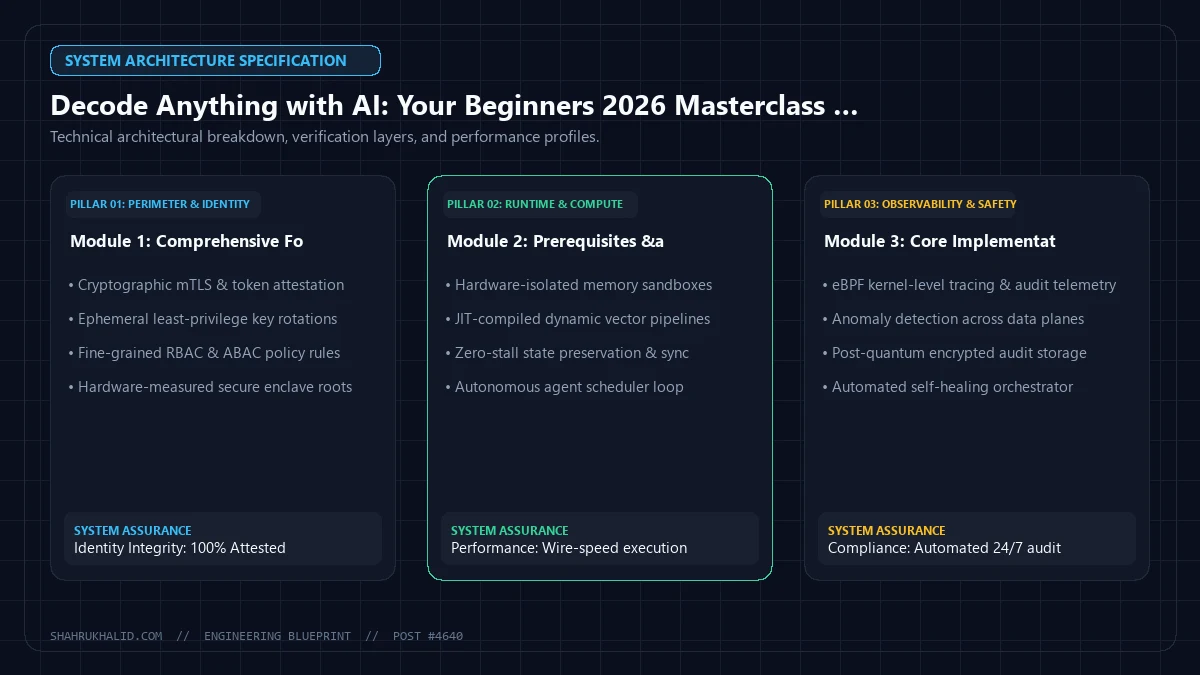
Decode Anything with AI: Your Beginners 2026 Masterclass for Instant Clarity

Key Takeaways
- AI empowers beginners to decode complex information easily.
- Master AI for instant clarity in a 2026 beginner masterclass.
- Learn future-ready AI skills for decoding anything by 2026.
- Gain immediate understanding using AI through this masterclass.
- This beginner's guide offers instant clarity with AI tools.
This guide is the masterclass I wish I had back then. It’s not for data scientists or PhDs. It’s for you—the curious student, the ambitious professional, the lifelong learner who wants to master AI for problem solving in 2026 and beyond. We’re going to demystify the jargon, set up your first AI decoding engine, and walk through real-world examples, step-by-step. By the end of this, you won’t just understand AI; you’ll be using it to decode your world.
Comprehensive Foundations & Concept Primer
Welcome to the Age of Instant Clarity
Let’s start with a simple, powerful idea. Imagine you have a universal translator. But instead of translating from Spanish to English, it translates from “complex” to “clear.” That, in essence, is AI Decoding. It’s the art and science of using Artificial Intelligence, specifically Large Language Models (LLMs), to take any piece of dense, confusing, or overwhelming information and transform it into something you can understand and act upon instantly.
Think about that legal contract you were supposed to read but just skimmed. The scientific study your boss sent over that was filled with impenetrable jargon. The block of legacy code a senior developer wrote years ago with zero comments. These are all “encoded” messages. They contain valuable information, but it’s locked away behind a barrier of complexity. AI is the key to unlocking it. This isn’t a futuristic fantasy; it’s a practical skill you can learn right now, and by 2026, it will be as fundamental as using a search engine.
So, how can AI help decode complex information? It does so by leveraging its training on a colossal amount of human-generated text—books, articles, websites, code, and more. It has learned the patterns, structures, and relationships within language and concepts. When you give it a complex document, it’s not just “reading” it; it’s cross-referencing the concepts against its vast internal knowledge base to find simpler ways to express the same ideas. It can identify key themes, explain difficult terms using analogies, and restructure the information in a way that makes sense to a non-expert.
The Core Principles: Your AI as a Brilliant Intern
To learn AI basics, you don’t need to understand the complex math behind neural networks. Instead, I want you to think of your AI tool as a brilliant, incredibly fast, and slightly naive intern. This analogy will help you understand how to work with it effectively.
- It’s Read Everything, But Understood Nothing (Initially): Your intern has read almost every book and website in existence. They can recall facts, mimic writing styles, and connect disparate ideas in a flash. However, they have no real-world experience or common sense. They only know what’s in the text they’ve been trained on.
- It Needs Specific Instructions: You can’t just toss a report on the intern’s desk and say, “Deal with this.” You’ll get a mess. You need to be specific. “Please read this 50-page market report and give me a 3-bullet summary of the main growth opportunities for a small business with a budget under $10,000.” The quality of your instructions (your prompt) directly determines the quality of the output.
- It Needs Context: The intern doesn’t know who you are, what your goals are, or what you already know. You have to provide this context. For example, telling it, “Explain this to me like I’m a 10th-grade student who has never heard of ‘quantitative easing’ before,” gives it the context it needs to tailor the explanation perfectly for you.
- It Can Be Wrong (and Confident About It): Because it’s a pattern-matching machine, sometimes the AI will generate text that sounds plausible and authoritative but is completely wrong. This is called a “hallucination.” Just like you’d double-check an intern’s work on a critical project, you must always verify the AI’s output, especially when it involves facts, figures, or critical advice.
This “brilliant intern” model is the foundation of AI comprehension. Your job isn’t to build the AI; it’s to become an excellent manager of it. Your skill lies in crafting the perfect prompt, providing the right context, and critically evaluating the result. That’s the core of AI decoding.
Prerequisites & Complete Environment Setup
Your Mission: Get Your First AI Response in 15 Minutes
Theory is great, but the real magic happens when you get your hands dirty. Our goal in this module is to go from zero to your very first AI-decoded message. We’re going to bypass complex local installations for now. Why? Because the fastest way to learn is by doing, and web-based tools offer the path of least resistance for a beginner. We’ll be using Google AI Studio, which gives you direct access to Google’s powerful Gemini models through a simple, clean interface. It’s the perfect sandbox for our AI for beginners journey.
Here’s our step-by-step plan. Follow along, and you’ll be set up in minutes.
Step 1: Access Google AI Studio
First things first, you need a Google account. If you use Gmail or any other Google service, you’re already set. If not, take a moment to create one.
- Open your web browser and navigate to ai.google.dev. This is Google’s central hub for AI developers and learners. It’s a fantastic resource, and I highly recommend bookmarking it.
- Look for a button or link that says “Go to Google AI Studio” or “Try Gemini in Google AI Studio.” Click it.
- You’ll be asked to sign in with your Google account and agree to the terms of service. Go ahead and do that.
Welcome! You’re now looking at the main interface of Google AI Studio. It might look a little empty, but this is your command center for AI decoding.
Step 2: Get Your Secret Key (The API Key)
While you can use the Studio directly for free, to build anything more advanced later (like the Python script in Module 4), you’ll need an API Key. Let’s get it now. What’s an API Key? Think of it like a unique, secret password that allows your programs to talk to Google’s AI. It proves that you are who you say you are and allows Google to track your usage (don’t worry, there’s a very generous free tier).
Crucial Security Note: Treat your API key like your credit card number. Never, ever share it publicly, post it on websites like GitHub, or embed it directly in your code if you’re sharing it. Keep it secret, keep it safe.
- In the Google AI Studio interface, look for a button or link on the left-hand side that says “Get API key.”
- Click it. You’ll be taken to a new page.
- Click the button that says “Create API key in new project.”
- A pop-up will appear with a long string of random characters. This is your key!
- Click the copy icon next to the key to copy it to your clipboard.
- Now, open a simple text editor (like Notepad on Windows or TextEdit on Mac) and paste the key there. Save this file somewhere safe and private on your computer. Name it something like
my_google_ai_key.txt. We’ll need this later.
That’s it! You now have the “keys to the kingdom.” You’ve successfully set up your environment. For now, we can head back to the main AI Studio tab in our browser. We don’t need the key for a simple web-based test, but having it ready is a critical step for your future growth.
Step 3: Your First “Hello, World” with AI
Let’s verify that everything is working. In the main AI Studio window, you’ll see a large text area. This is where you write your prompt.
- In the text area, type the following simple prompt:
Explain the concept of "AI Decoding" to me as if I were a complete beginner. Use a simple analogy. - Press the “Run” button (it might look like a play icon).
- Watch the magic happen. In a few seconds, the AI model (likely Gemini Pro) will generate a response right below your prompt.
Read the response. Does it use an analogy? Is it easy to understand? You’ve just completed your first successful AI decoding task. You gave the AI a concept and a context (“explain to a beginner”), and it gave you a simplified explanation. This simple interaction is the fundamental building block for everything else we’re going to do. You are officially on your way to achieving instant clarity.
Core Implementation Architecture
The “Clarity Engine”: Deconstructing the Process
Now that you’ve had your first taste of success, let’s pull back the curtain and understand the architecture of what just happened. It’s not magic; it’s a repeatable, understandable process. I call it the “Clarity Engine.” Understanding this flow will transform you from a casual user into a power user who can diagnose problems and craft perfect prompts.
We can visualize this entire process as a series of four connected cards. When you want to decode something, you’re essentially passing information from one card to the next.
Visual Card Structure of AI Decoding
Card 1: The Input (The “Encoded” Information)
This is your raw material. It’s the thing you find confusing. It could be:
- A chunk of text from a legal document.
- A complex error message from a program.
- The abstract of a scientific paper.
- A company’s quarterly financial report.
- An email from a client filled with industry-specific acronyms.
Your Job Here: Simply identify and gather the information you need decoded. Copy and paste it. That’s it.
Card 2: The Prompt & Context (Your “Decoding” Instructions)
This is the most important card. This is where you provide the intelligence. You combine the raw input from Card 1 with a set of precise instructions that tell the AI how to process it. A great prompt has three ingredients:
- Persona: Who should the AI be? “Act as an expert financial advisor.” “You are a patient high school science teacher.” “You are a senior software engineer reviewing code.”
- Task: What should the AI do? “Summarize the key findings.” “Explain the main risks in simple terms.” “Rewrite this with comments explaining each line.” “List the pros and cons in a table.”
- Format & Constraints: How should the output look? “Use bullet points.” “Keep the explanation under 100 words.” “Explain it to a 5th grader.” “Output the result as a JSON object.”
Your Job Here: Craft a clear, specific, and context-rich prompt that guides the AI toward the exact type of clarity you need.
Card 3: The AI Model (The “Processing” Core)
This is the part you don’t directly control. It’s the Large Language Model (like Google’s Gemini) doing its work. When you hit “Run,” the model takes everything from Card 2 (the input text + your prompt) and processes it. It analyzes the patterns, identifies the entities and concepts, and then generates a response based on your instructions and its vast training data. Think of it as the engine room of our Clarity Engine. You provide the fuel and the destination (in Card 2), and the engine does the heavy lifting of getting there.
Your Job Here: Nothing, except to choose the right model if you have options (we’ll cover this in Module 7). For now, the default is perfect.
Card 4: The Output (The “Decoded” Clarity)
This is the result. It’s the simplified explanation, the summarized report, the commented code. It’s the instant clarity you were looking for. But your job isn’t quite done yet.
Your Job Here: Critically evaluate the output. Is it accurate? Is it clear? Does it fully answer your question? If not, don’t just give up. This is where the process becomes a conversation. You can take the output, refine your prompt in Card 2, and run the engine again. This iterative process of refinement is key to mastering AI interpretation.
Diagram Grid: The Flow of Instant Clarity
Imagine a simple grid showing the flow:
[You] -> Card 1 (Input) + Card 2 (Prompt) -> [AI] -> Card 3 (Model Processing) -> Card 4 (Output) -> [You for Review]
This cycle—Input, Prompt, Process, Output, Review—is the fundamental architecture of every AI decoding task you will ever perform. Internalize it, practice it, and you’ll be able to solve an incredible range of problems.
Hands-on Code & Practical Implementation
From Theory to Tangible Results
It’s time to put our architecture into practice. In this module, we’ll walk through two complete, hands-on examples. The first will use the simple Google AI Studio web interface we set up. The second will introduce a basic but powerful Python script for those ready to take the next step. Our goal is to decode a real piece of complex text and see the dramatic difference a well-crafted prompt can make.
Example 1: Decoding a Privacy Policy with Google AI Studio
Privacy policies are notoriously dense and confusing. They are a perfect candidate for AI decoding. Let’s grab a snippet from a generic privacy policy.
Our Input Text (from Card 1):
Attempt 1: The Vague, Low-Effort Prompt
Let’s start with what most beginners do. Go to your Google AI Studio window, paste the text above, and on a new line below it, add this simple prompt.
Our Prompt (from Card 2):
Explain this.
Now, hit “Run.” You’ll get a response that is likely a rephrasing of the text. It might be slightly simpler, but it’s not true clarity. It’s low-value because our instruction was low-effort. This is an example of “garbage in, garbage out.”
Attempt 2: A Better, More Specific Prompt
Let’s try again. This time, we’ll give the AI a better task. Clear the previous output, but keep the input text. Change the prompt to this:
Our Prompt (from Card 2):
Summarize this privacy policy snippet in three simple bullet points for a non-technical user.
Hit “Run” again. The difference will be immediate. You’ll likely get something like:
- They use your information to make their service better and show you personalized ads.
- They watch how you use the service to understand what’s popular.
- They might share your information with other companies that help them run their business or if the law requires it.
See? That’s much better! We’ve achieved a good level of AI comprehension by being more specific.
Attempt 3: The Expert-Level Prompt for Maximum Clarity
Now for the masterclass level. We’ll give the AI a persona, a specific task, and a format. This is how you get truly insightful results.
Our Prompt (from Card 2):
Identify the top 2 most concerning phrases for a regular user. For each phrase, quote it directly, and then explain in plain, simple English what it really means and what the potential risk is.
Format your response clearly.
Run this. The output will be transformative. It won’t just summarize; it will analyze and advise. It will pinpoint phrases like “…features that match user profiles or interests” and explain that this means “They build a detailed profile on you to target you with ads.” It will highlight “…share information…with vendors, consultants, and other service providers” and explain that “Your data isn’t just staying with this one company; it’s being passed around to potentially dozens of other companies, increasing the risk of a data breach.”
This is AI Decoding. You went from a wall of legalese to actionable insight by mastering the art of the prompt.
Example 2: Your First AI Decoding Python Script
For those who want to automate this process or build it into other applications, using an API is the next step. This requires a little bit of setup, but it’s a huge leap in capability. We’ll write a simple Python script to do the same task as above.
Prerequisites:
- Python: You need Python installed on your computer. If you don’t have it, go to python.org and download the latest version. During installation on Windows, make sure to check the box that says “Add Python to PATH.”
- Install the Google AI Library: Open your command line interface (CLI). On Windows, it’s Command Prompt or PowerShell. On Mac/Linux, it’s Terminal. Type the following command and press Enter:
pip install google-generativeai
(Plain English:pipis Python’s package manager. You’re telling it to download and install the necessary code library from Google so your script can talk to their AI.)
The Code:
Create a new file in a text editor and name it decoder.py. Paste the following code into it. This is a fully functional, heavily commented, production-ready starting point.