Your 2026 Learning Blueprint: A Step-by-Step Guide to Building a Study System That *Actually* Works
Key Takeaways
- Treat studying as a personal system to design, build, and debug, not brute-force.
- An effective study system is Personalized, Active, and Iterative, working with your brain.
- View your brain as a high-performance API, using specific 'API calls' for efficient learning.
- Active Recall is the cornerstone: actively retrieve information from memory, not passively consume it.
- Spaced Repetition schedules reviews at increasing intervals, efficiently transferring knowledge to long-term memory.
The real breakthrough came when I stopped treating studying as a brute-force activity and started treating it like what it is: a system. A personal, intricate, and powerful system you can design, build, and debug just like a piece of software. This guide is the masterclass I wish I had back then. We’re not just going to create a study plan; we’re going to architect your Study System Blueprint for 2026 and beyond, a personalized learning engine that will power your academic and professional success for years to come.
Comprehensive Foundations & Concept Primer
Before we write a single “line of code” for our study system, we need to understand the fundamental principles—the physics of learning. For years, we’ve been told that success comes from sheer willpower and long hours. That’s like trying to build a skyscraper by just stacking more and more bricks without a foundation or architectural plan. It’s exhausting, inefficient, and destined to collapse under pressure.
So, what makes a study system truly effective? It’s not about having the fanciest stationery or the most color-coded notes. A truly effective system is one that is Personalized, Active, and Iterative. It works with the grain of your brain, not against it.
The Core Analogy: Your Brain as a High-Performance API
Think of your brain as a powerful, biological computer. Learning isn’t just about shoving data into it. It’s about using the right “API calls” to store, process, and retrieve information efficiently. Most traditional study methods—like passively re-reading textbooks or highlighting—are like making a `GET` request to a server and then immediately forgetting what you saw. It’s a low-impact, one-way data transfer.
Our Study System Blueprint will be built on a few core, high-impact “API calls” that are scientifically proven to create strong, durable memories:
- Active Recall: This is the cornerstone. Instead of passively consuming information (reading), you actively retrieve it from your memory. Think of it as querying your own internal database. Asking yourself “What were the three main causes of the French Revolution?” without looking at your notes is an active recall query. Re-reading the chapter is not.
- Spaced Repetition: This is the scheduler for your API calls. Your brain forgets information over time in a predictable curve. Spaced Repetition interrupts this “forgetting curve” by having you review information at increasing intervals—just as you’re about to forget it. It’s the most efficient way to transfer knowledge from short-term to long-term memory.
- The Feynman Technique: This is your system’s “debugger.” To truly understand a concept, try to explain it in the simplest possible terms, as if to a child. If you get stuck or use complicated jargon, you’ve found a “bug” in your understanding. You then go back to the source material, fix the bug, and try explaining again.
- Interleaving: Instead of practicing one skill or topic in a single block (e.g., only doing algebra problems), you mix up different types of problems or subjects. This feels harder and less productive in the short term, but it forces your brain to learn how to identify which strategy or formula to use, leading to deeper and more flexible knowledge. It’s like training a machine learning model on a diverse dataset to prevent overfitting.
In 2026, we’re drowning in information and powerful AI tools. The temptation is to outsource our thinking. But a robust study system isn’t about avoiding AI; it’s about building a strong cognitive framework so you can leverage these tools effectively. You can’t ask an AI to solve a problem if you don’t have the foundational knowledge to ask the right questions or validate its answer. This blueprint is your human-centric framework for thriving in that world.
Prerequisites & Complete Environment Setup
Before a developer writes a single line of code, they spend significant time setting up their development environment. They choose a code editor, install necessary libraries and dependencies, and configure their workspace. Why? Because a clean, organized, and functional environment removes friction and allows them to focus on the real work: solving problems. Your study system is no different. This module is about setting up your “hardware” and “software” for peak learning performance.
Your Digital Environment (The ‘IDE’ & ‘Dependencies’)
Your digital environment is your Integrated Development Environment (IDE) for learning. It’s where you’ll capture, process, and store knowledge. The goal here is not to find the “perfect” app but to choose a simple, reliable stack and stick with it. Constant tool-hopping is a form of procrastination I call “productivity theater.”
Step 1: Choose Your Core ‘Database’ (Your Note-Taking Hub)
This is the central nervous system of your blueprint. It’s where all your notes, ideas, and processed knowledge will live. Here are the main options:
- The Structured Architect (Notion): Notion is like a set of digital LEGOs. It’s incredibly flexible, allowing you to build databases, wikis, and Kanban boards. It’s perfect if you love structure and want to see your courses, notes, and tasks all in one interconnected dashboard. Beginner-friendly default: Start with a simple page for each course, and add complexity later.
- The Networked Thinker (Obsidian): Obsidian is a “second brain” tool that operates on local Markdown files. Its power lies in bidirectional linking, allowing you to create a web of interconnected thoughts (a Zettelkasten). It has a steeper learning curve but is unparalleled for making connections between disparate ideas. Beginner-friendly default: Just start writing notes and linking keywords using `[[double brackets]]`.
- The Physical Purist (Notebooks/Binders): Don’t underestimate analog. The physical act of writing can improve memory. A well-organized binder system with dividers for each course is a time-tested, distraction-free option.
Step 2: Configure Your ‘Directory Layout’
Just like a project has a folder structure, your academic life needs one too. This prevents the digital equivalent of a messy desk. Create this structure in your cloud storage (Google Drive, Dropbox) and mirror it in your note-taking app.
A simple, effective structure:
/University/
├── 2026_Fall_Semester/
│   ├── CS101 - Intro to Programming/
│   │   ├── 01_Notes/
│   │   ├── 02_Assignments/
│   │   ├── 03_Readings/
│   │   └── 04_Resources/
│   └── HIST204 - Modern Europe/
│       ├── 01_Notes/
│       ├── 02_Essays/
│       ├── 03_Readings/
│       └── 04_Resources/
└── 2027_Spring_Semester/
Step 3: Install Your ‘Plugins’ (Supporting Tools)
- Calendar App (Google Calendar): This is your system’s master clock. We’ll use it for time-blocking everything—classes, study sessions, and breaks.
- Task Manager (Todoist, Things 3): Your brain is for having ideas, not holding them. A task manager is where you’ll offload all your to-dos, from “Submit Assignment 3” to “Buy more coffee.”
- Spaced Repetition System (Anki, Quizlet): This is a non-negotiable dependency for implementing Spaced Repetition. Anki is the powerful, open-source standard for serious students.
- Focus Tool (Forest, Freedom): These apps block distracting websites and apps for a set period, helping you execute your time-blocked sessions with integrity.
Your Physical Environment (The ‘Hardware’)
Your physical space is the hardware your brain runs on. A buggy, slow, or cluttered environment will throttle your cognitive performance, no matter how good your software is.
Step 1: Designate a ‘Production Server’
Your bed is your “recharge station,” not your office. Designate a specific desk or area solely for deep work and studying. When you sit there, your brain should get the signal: “It’s time to compile.” This creates a powerful psychological cue that reduces the friction of starting.
Step 2: Optimize for ‘Uptime’
- Lighting: Good lighting reduces eye strain and fatigue. Natural light is best, supplemented by a strong desk lamp.
- Ergonomics: A comfortable chair and a desk at the right height are not luxuries; they are investments in your physical health and ability to sustain focus.
- De-clutter: A clear desk promotes a clear mind. At the end of each day, take 2 minutes to reset your space for the next session.
Step 3: ‘Hardware Verification’ Checklist
Before every deep work session, run this quick check:
- [ ] Is my phone in another room or in Do Not Disturb mode?
- [ ] Do I have water/coffee within reach?
- [ ] Are all the browser tabs I need open, and all the ones I don’t need closed?
- [ ] Is my physical workspace clear of distractions?
- [ ] Have I clearly defined what I will accomplish in this session?
With your environment configured, you’ve removed the major sources of friction. Now, we can start designing the core architecture of your learning workflow.
Your Study System Blueprint: Core Architecture & Workflow
This is the heart of the masterclass. We’ve set up our environment; now it’s time to design the application logic. A common mistake students make is having a collection of study tactics (like making flashcards or highlighting) without a unifying system that connects them. It’s like having a bunch of well-written functions that are never called in the right order. Our Study System Blueprint provides that overarching architecture, ensuring every action you take is part of a cohesive, effective workflow.
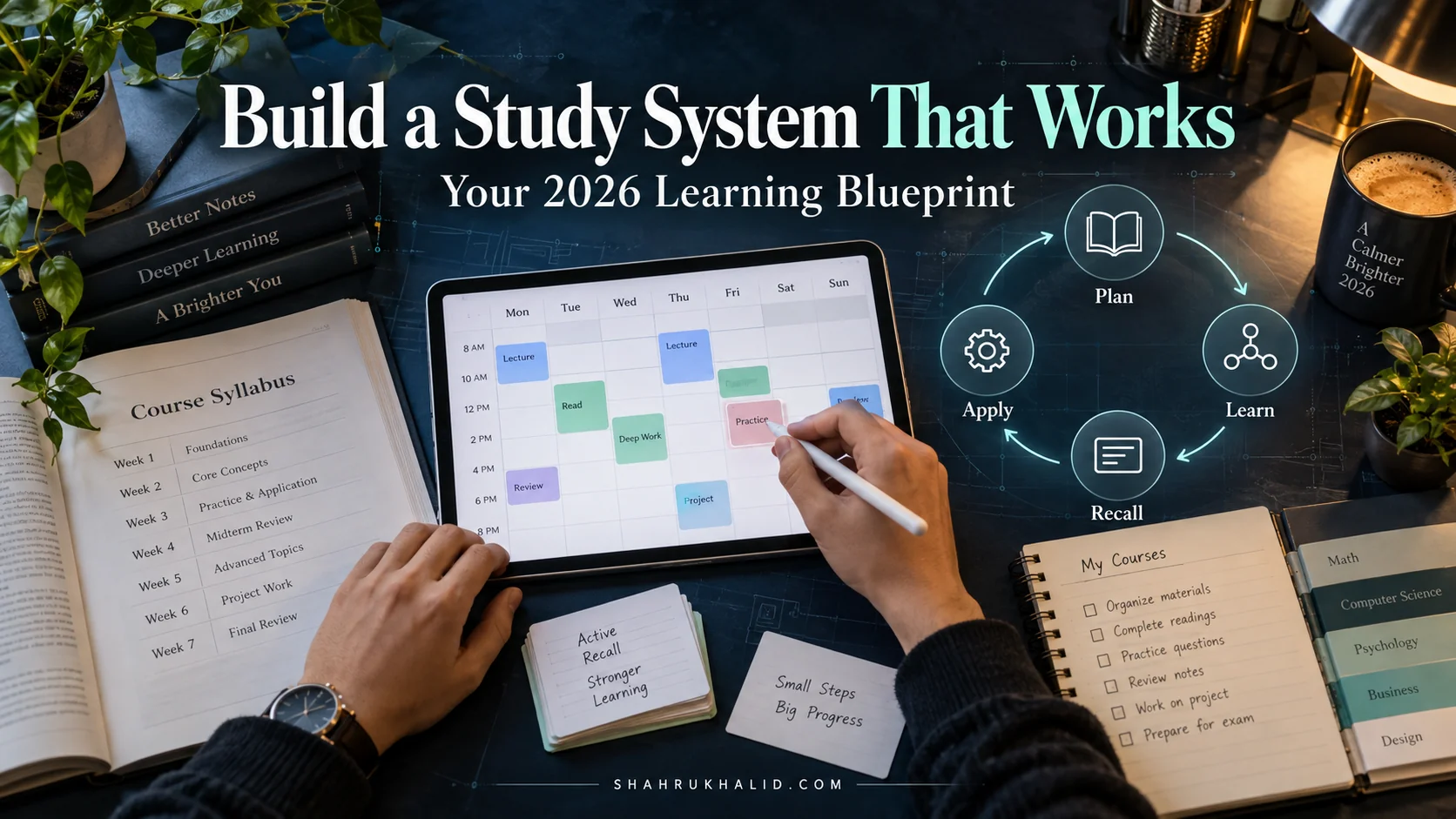
We’ll model our architecture on the agile development concept of a “sprint” or “loop.” Information doesn’t just get “learned” in one go. It moves through a cycle of stages, each one building upon the last, to create robust, long-term understanding.
The Four-Stage Learning Loop: From Raw Data to Deployed Knowledge
Imagine every piece of information, from a lecture to a textbook chapter, is a “feature” you need to build and deploy into your brain. This feature moves through a four-stage pipeline. Your job is to create a process for each stage.
1. CAPTURE (Input)
The process of getting information from the outside world into your system. Goal: High-fidelity, low-friction recording of raw information.
2. PROCESS (Build)
Transforming raw, messy notes into structured, understandable knowledge assets. Goal: Synthesize, condense, and create connections.
3. REVIEW (Test)
Systematically testing your recall of the processed knowledge to strengthen memory. Goal: Move knowledge into long-term memory using Active Recall & Spaced Repetition.
4. APPLY (Deploy)
Using the knowledge to solve problems, create projects, or build arguments. Goal: Prove true understanding and create value with what you’ve learned.
Architecting Each Stage of the Loop
Let’s break down what actually happens at each stage. Your task is to define your specific method for each.
Stage 1: CAPTURE – The Data Ingestion Pipeline
The goal here is not to understand everything. It’s to create a high-quality record of the information presented. Don’t try to process and capture at the same time—that’s like trying to write code while the client is still describing the feature. Focus on one thing: getting it down.
- For Lectures: Don’t transcribe. Listen for key ideas, questions, and examples. Use a method like the Cornell Note-Taking System: a main column for notes, a smaller cue column for questions/keywords, and a summary section at the bottom. The cue column is your future Active Recall trigger.
- For Readings: Read with a purpose. First, skim the chapter (headings, intros, conclusions) to create a mental model. Then, read actively, highlighting sparingly and making brief notes or questions in the margins (or a separate document).
Stage 2: PROCESS – The Compilation Engine
This is the most crucial and most often skipped step. Raw notes are not knowledge. This stage, which should happen within 24-48 hours of capture, is where learning begins. This is where you refactor your messy “first draft” notes into clean, reusable “code.”
- Summarize: Go back to your captured notes and write a 3-5 sentence summary in your own words. This forces you to identify the core concepts.
- Synthesize & Connect: Create a clean, consolidated note for the topic in your central note-taking app (Notion/Obsidian). Pull from your lecture notes, textbook notes, and any other sources. Ask: “How does this connect to what I learned last week? Does this contradict anything?”
- Create Knowledge Assets: This is where you turn your summary into testable units. The most effective asset is a set of flashcards (for Anki) based on questions and answers. Good flashcards are atomic (one question per card) and are framed as questions, not just facts.
- Bad Card: Front: “Mitochondria” / Back: “The powerhouse of the cell.”
- Good Card: Front: “What is the primary function of the mitochondria in a eukaryotic cell?” / Back: “To generate most of the cell’s supply of adenosine triphosphate (ATP), used as a source of chemical energy.”
Stage 3: REVIEW – The Unit Testing Framework
Processed knowledge is still fragile. The Review stage uses Active Recall and Spaced Repetition to build durable, long-term memory. This is your automated testing suite that runs daily.
- Daily Anki Session: This is a non-negotiable. Every day, spend 15-25 minutes clearing your Anki queue. The algorithm handles the “spaced” part for you, showing you cards just as you’re about to forget them. Trust the system. This daily habit is the single highest-leverage activity for exam preparation.
- Weekly Review: Set aside 1-2 hours at the end of the week to quickly review the cue columns of your Cornell notes or the main headings of your processed notes from the entire week. This provides context and reinforces the connections between topics.
Stage 4: APPLY – Deployment to Production
Knowledge that isn’t used will eventually fade. The Apply stage is where you prove your understanding by using it. This is what separates an A-student from someone who just memorized facts.
- Problem Sets & Practice Questions: For STEM fields, this is your primary application. Don’t just do the assigned problems; seek out more challenging ones.
- Feynman Technique Dry Runs: Grab a whiteboard or a blank piece of paper and try to teach a complex topic from the week to an imaginary novice. This will instantly reveal gaps in your understanding.
- Project-Based Learning: If you’re learning to code, build a small project. If you’re learning history, write a one-page argument about a key event. This is how you build a portfolio of evidence that you truly know your stuff. The structured documentation for developer tools, like those found on Google’s AI developer site, is a great example of applied knowledge, designed to help others build things.
Hands-on Practical Implementation & Real-World Configuration
Theory is great, but the value of a blueprint is in its execution. In this module, we’re moving from architecture to implementation. We’ll take the 4-stage learning loop and build a fully functional, week-long study schedule for a hypothetical university student. This is your step-by-step guide to configuring your system and running it for the first time. Think of this as the “Hello, World!” of your new academic operating system.
Our test subject: A first-year student named Alex, taking ‘PSYC101 – Introduction to Psychology’.
Step 1: Scoping the Project (Syllabus Deconstruction)
Before the semester even starts, the most powerful tool you have is the syllabus. It’s the project specification document. Alex’s first action is to deconstruct the PSYC101 syllabus.
Action: Alex opens the syllabus and their note-taking app (let’s say Notion) side-by-side.
- Create a Master Table: Alex creates a database in Notion for PSYC101 with columns for `Week`, `Topic`, `Readings`, `Due Date`, and `Status` (Not Started, In Progress, Completed).
- Populate the Table: Alex goes through the syllabus week by week and populates the entire table. This 1-hour activity gives Alex a complete overview of the entire semester, preventing any surprises. All major exams and assignment deadlines are immediately added to their Google Calendar with multiple reminders.
This simple act transforms Alex from a passive passenger to the project manager of their own education.
Step 2: Setting Up the Calendar (Time Blocking)
An empty calendar is a recipe for procrastination. A time-blocked calendar is a clear plan for execution. Alex now translates their intentions into concrete, scheduled blocks of time.
Action: Alex opens Google Calendar and creates recurring events for the entire semester.
- Fixed Events (The ‘Hard Dependencies’):
- PSYC101 Lecture: Mon & Wed, 10:00 AM – 11:30 AM
- Other Classes, Work, Sports Practice
- Learning Loop Blocks (The ‘Application Logic’):
- PROCESS PSYC101 Notes: Tues, 4:00 PM – 5:00 PM (Processes Monday’s lecture)
- PROCESS PSYC101 Notes: Thurs, 4:00 PM – 5:00 PM (Processes Wednesday’s lecture)
- REVIEW (Anki): Every Day, 8:30 AM – 8:55 AM (A non-negotiable 25-minute block before the first class)
- APPLY (PSYC101 Problems/Reading): Fri, 2:00 PM – 4:00 PM (A longer block for deeper work)
- Weekly Review & Planning: Sun, 7:00 PM – 8:00 PM (Review the past week, plan the next)
Key Insight: Alex is not just scheduling “study.” They are scheduling specific stages of the learning loop. “Study” is vague; “Process PSYC101 Lecture Notes” is a concrete, actionable task.
Step 3: A Week in the Life of the System
Let’s watch Alex’s Study System Blueprint in action during a typical week.
Monday, 10:00 AM – 11:30 AM (CAPTURE):
Alex is in the PSYC101 lecture on ‘Classical Conditioning’. They are not trying to create a beautiful final document. They are using the Cornell method on their laptop (or notebook).
- Main Column: Taking sparse notes on Pavlov’s experiments, key terms like ‘Unconditioned Stimulus’, ‘Conditioned Response’.
- Cue Column: Jotting down questions like “What’s the difference between stimulus generalization and discrimination?” and “Real-world example?”.
Tuesday, 4:00 PM – 5:00 PM (PROCESS):
This is Alex’s scheduled processing block. They open their Notion page