Your Second Step SEL Tech Edge: K-12 International Students 2026 Guide to Mastering Digital Wellbeing & Classroom Connections
Key Takeaways
- Guide empowers K-12 international students to master digital wellbeing by 2026.
- Digital wellbeing is the second step: building SEL skills using tech to thrive.
- Digital wellbeing means being a savvy explorer of the digital world, not avoiding it.
- Mastering digital wellbeing involves navigating, curating, communicating empathetically, and knowing when to disconnect.
- The guide provides a jargon-free, rock-solid foundation for understanding core digital wellbeing concepts.
This guide is for you. Not for your teachers, not for your parents, but for you. We’re going to talk about something that will be your secret superpower by 2026: mastering your digital life to not just survive, but to truly thrive. This isn’t about getting better grades by using a new app. This is your second step. Your first step was getting here, to this new school, this new country. This second step is about building the emotional and social skills—what we call Social-Emotional Learning or SEL—to make this journey successful and joyful, using the very technology that can sometimes feel so overwhelming. This is your guide to International K-12 Digital Wellbeing.
Comprehensive Foundations & Concept Primer
Before we dive into the deep end, let’s start with the basics. I know you hear a lot of buzzwords thrown around—”digital citizenship,” “screen time,” “SEL.” My goal in this first module is to cut through the noise, eliminate the jargon, and give you a rock-solid foundation for everything that follows. Think of this as learning the basic physics of water before you try to swim the English Channel. Understanding these core ideas will make everything else click into place.
What is Digital Wellbeing, Really? An Analogy for the Modern Student
Let’s start by answering a fundamental question: What is digital wellbeing for K-12 international students? Forget the complicated definitions. I want you to imagine your digital life as a massive, sprawling, global city. It’s vibrant, exciting, and filled with endless opportunities. There are libraries packed with all the world’s knowledge (like your school’s online research databases), bustling public squares where you can meet people from all over the world (social media), private cafes for quiet chats with close friends (messaging apps), and amazing art galleries and concert halls (YouTube, Spotify, creative platforms).
Now, digital wellbeing is not about avoiding this city. It’s not about locking yourself in your room and never going out. That would be lonely and you’d miss out on everything. Instead, digital wellbeing is about becoming a savvy, confident urban explorer. It’s about:
- Knowing how to read the map so you don’t get lost (navigating your school’s Learning Management System).
- Understanding which neighborhoods are safe and inspiring, and which ones are best avoided after dark (curating your social media feeds).
- Learning how to have meaningful conversations in the cafes without shouting or being shouted at (practicing empathy in online chats).
- Knowing when you need to leave the noisy city square and find a quiet park to read a book and just be with your own thoughts (taking intentional breaks from your devices).
For you, as an international student, this city is even more important. It’s your primary bridge back to your home country, your family, and your old friends. It’s also a key tool for building a new life, connecting with new classmates, and understanding a new culture. So, our goal isn’t to use technology less; it’s to use it with more intention, awareness, and wisdom. That is the heart of digital wellness K-12.
Why This Is Your Essential Superpower for 2026
You might be thinking, “Okay, Mahnoor, that sounds nice, but I’m juggling IB Physics, TOK essays, and trying to figure out the local bus system. Why is this so important right now?”
Because the world you’re stepping into—the world of 2026 and beyond—is built on the very skills we’re talking about. At our practice, Shahrukh Khalid and I analyze how technology is integrated into schools. We see the campus technology stacks, the administrative workflows, and the pedagogical shifts. And I can tell you with 100% certainty: your ability to manage your digital self is becoming just as important as your ability to solve a math problem or write an essay.
By 2026, your classroom won’t just be a physical room. It will be a hybrid space that blends in-person discussion with online collaboration on platforms like Google Classroom or ManageBac. Your friendships will be nurtured through a mix of hallway conversations and late-night Discord chats. Your university applications might involve a digital portfolio, and your connection to your family will rely on crystal-clear video calls that don’t feel like a chore. Being good at this stuff—at managing your focus, communicating clearly online, and building healthy relationships through screens—won’t be optional. It will be the defining edge for successful students.
The Core Principles: Decoding SEL for Your Digital Life
Social-Emotional Learning (SEL) is the engine that powers digital wellbeing. It’s a framework that helps you build the internal skills to navigate the external world. Let’s break down its five core components and see how they apply directly to you.
- Self-Awareness (The ‘Know Thyself’ Skill): This is about recognizing your own emotions and how they affect your behavior. In the digital world, it’s asking: “Why do I feel anxious after scrolling through Instagram for 30 minutes?” or “Am I posting this because I genuinely want to share it, or because I’m seeking validation?” It’s also about understanding your strengths and weaknesses online.
- Self-Management (The ‘Be the Boss of You’ Skill): This is about regulating your emotions and behaviors. It’s the ability to resist the urge to check your phone during a study session. It’s logging off a heated online debate before you say something you regret. It’s managing the stress of a group chat that’s blowing up the night before an exam.
- Social Awareness (The ‘Read the Room’ Skill): This is about empathy—understanding the perspectives of others, including those from different cultures. Online, this is huge. It’s recognizing that tone is hard to read in a text message. It’s understanding that a classmate in a different time zone has a different schedule. It’s appreciating the cultural nuances in how people communicate online.
- Relationship Skills (The ‘Connect Authentically’ Skill): This is about building and maintaining healthy relationships. It’s about clear communication, collaboration, and conflict resolution. In your world, it’s knowing how to work effectively on a group project over Zoom, how to support a friend who’s having a tough time via WhatsApp, and how to set boundaries in your digital interactions. These are key skills for fostering classroom connections in international schools.
- Responsible Decision-Making (The ‘Think Before You Click’ Skill): This is about making ethical and constructive choices. It’s about thinking through the consequences of your online actions. This is your global student digital citizenship in action. It means asking: “Is this information I’m sharing true? Is this post kind? What will my digital footprint look like to a university admissions officer in two years?” This directly connects to the values embedded in curricula like the International Baccalaureate (IB), which, as you can see on IBO.org, emphasizes producing “principled” and “caring” global citizens.
See? SEL isn’t some abstract, fluffy concept. It’s a set of practical, powerful skills for navigating the real challenges you face every single day.
Prerequisites & Complete Environment Setup
Alright, now that we have our foundational concepts down, it’s time to get practical. In this module, we’re going to roll up our sleeves and set up your personal “digital environment.” This isn’t about coding or complex software. It’s about intentionally designing your digital spaces—your phone, your laptop, your apps—to support your wellbeing, focus, and connections, rather than undermine them. Think of this as organizing your workshop before you start building something amazing. A clean, well-organized space lets you think clearly and work efficiently.
Step 1: The Personal Digital Audit (Your ‘State of the Union’)
Before you can improve something, you have to understand it. We’re going to start with a simple but powerful exercise: a 15-minute Digital Audit. Don’t worry, this is a judgment-free zone. The goal is just to gather data, to see what’s really going on under the hood of your digital life.
Grab a notebook or open a new document. We’re going to create a snapshot. For the next 15 minutes, do the following:
- Check Your Screen Time:
- On an iPhone: Go to Settings > Screen Time.
- On an Android: Go to Settings > Digital Wellbeing & Parental Controls.
- Write down your daily average. Then, look at the breakdown. Which apps are taking up the most time? Be honest with yourself. Is it TikTok? YouTube? Your messaging apps? Write down the top 3.
- Count Your Notifications: Look at your phone’s notification center. How many red bubbles do you see? How many different apps are trying to get your attention right now? Just make a mental note of the chaos or calm.
- Map Your Digital Spaces: Create two columns: “School/Work” and “Social/Fun.”
- Under “School/Work,” list all the apps and websites you have to use. This includes your school’s main portal (many international schools use systems like Rediker’s Student PlusPortals, which you can see at Rediker.com, to post grades and assignments), Google Classroom, ManageBac, your school email, Zoom, etc.
- Under “Social/Fun,” list the apps you use to connect with friends and family or for entertainment. Instagram, Snapchat, WhatsApp, Discord, Netflix, etc.
- Reflect for 2 Minutes: Look at your notes. Is there anything that surprises you? Does the time you spend on certain apps align with the value you get from them? How does looking at this map make you feel? Overwhelmed? In control? Just jot down one or two words.
That’s it. You now have your baseline. This audit is your starting point, the “before” picture in your digital wellbeing journey.
Step 2: Configuring Your ‘Digital Sanctuary’ for Deep Focus
One of the biggest challenges to your wellbeing is the constant battle for your attention. Your brain can’t do deep work—like understanding a complex scientific concept or crafting a beautiful essay—if it’s being interrupted every 45 seconds. So, we’re going to create a “Digital Sanctuary,” a configuration on your devices that protects your focus when you need it most.
Actionable Walkthrough: Setting Up a ‘Study Mode’
- Choose Your Focus App/Mode:
- iOS: Go to Settings > Focus. Tap the ‘+’ sign and create a new “Custom” Focus. Name it “Study Mode” or “Deep Work.”
- Android: Go to Settings > Digital Wellbeing > Focus Mode. You can create a new mode here.
- Browser Extension: Install a free extension like “StayFocusd” (for Chrome) that can block distracting websites.
- Configure Your ‘Allowed’ List:
- People: The golden rule is to allow notifications from NO ONE. If you must, limit it to “Favorites” and make sure only your absolute emergency contacts (like your parents) are in that list. Your friends’ messages can wait an hour.
- Apps: This is key. Only allow notifications from your essential “School/Work” apps that you identified in the audit. This might be your school email, Google Calendar, or your Learning Management System (LMS). Explicitly DISALLOW notifications from all social media and messaging apps.
- Automate It: The real magic is making this happen without thinking. In your Focus Mode settings, you can set a schedule. For example, you can have “Study Mode” automatically turn on every weekday from 4:00 PM to 6:00 PM, or whenever you typically do your homework. You can even set it to activate based on location (e.g., when you’re at the school library).
- Set Up Your Home Screen: In iOS Focus Modes, you can even choose a specific Home Screen page to display. Create a page that ONLY has your study-related apps on it. When “Study Mode” is on, you won’t even see the Instagram icon, completely removing the temptation.
Verification Checklist: Your ‘Digital Sanctuary’ is set up correctly if you can answer “yes” to these questions:
- Can you activate a single mode on your phone that silences all social notifications but still allows a call from your mom?
- Have you scheduled this mode to turn on automatically during your peak study times?
- When this mode is on, are distracting websites blocked on your laptop?
Step 3: Setting Up Your ‘Connections Hub’ for Meaningful Interaction
Your digital environment isn’t just about blocking things out; it’s also about letting the right things in. As an international student, your connections are your lifeline. But if all your conversations—with your mom, your new lab partner, your best friend from home, and your D&D group—are all happening in one chaotic stream, it leads to exhaustion. We need to create organized “rooms” for our conversations.
This is about digital ‘mise en place’—a French culinary term that means having all your ingredients in place before you start cooking. It makes the process smoother and more enjoyable.
- The Family Room (e.g., WhatsApp, FaceTime): Dedicate one or two apps for your closest family. Keep these notifications on, or at least make them a priority. These are the people you want to be able to reach you.
- The Classroom (e.g., School Email, ManageBac, Google Classroom): This is your professional space. Keep your communication here formal and to the point. Check it regularly during “school hours,” but allow yourself to log off in the evening. Your school’s technology plan, often developed with guidance from experts like Shahrukh Khalid, is designed to streamline this, so try to keep school business within these official channels.
- The Common Room (e.g., a grade-level Discord, a class WhatsApp group): This is for collaborating with classmates. It’s useful, but it can also be a major source of stress. Mute these groups when you’re in “Study Mode.” Don’t be afraid to use the “Mute for 8 hours” or “Mute until tomorrow morning” feature. It’s your best friend.
- The Cafe (e.g., Instagram DMs, Snapchat): This is for your close friends, both new and old. It’s for casual, fun, low-stakes conversation. This is where you share memes and inside jokes. By separating it from the ‘Common Room,’ you’re less likely to get distracted by homework questions when you’re just trying to relax with friends.
By consciously bucketing your communications, you regain control. You decide when you want to step into the “Classroom” versus when you want to hang out in the “Cafe.” This simple act of organization is a powerful step in mastering SEL for international students.
Core Implementation Architecture & Workflow Blueprint
Now that your digital environment is organized, let’s design the “how.” This module is about building the mental architecture and repeatable workflows for navigating your day. If Module 2 was about setting up your kitchen, Module 3 is about learning the fundamental recipes you’ll use every day. We’re creating a blueprint for your actions, so you can rely on smart habits instead of willpower, which is a finite resource, especially after a long day of school.
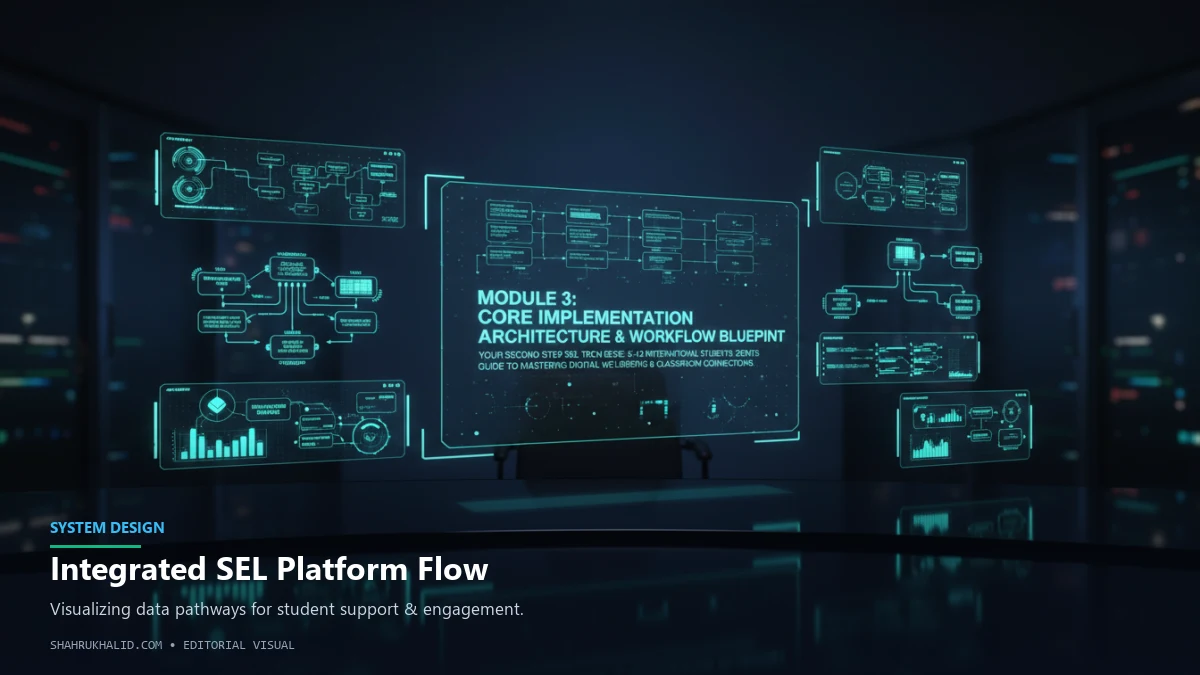
The ‘Digital Wellbeing Flywheel’: A System for Continuous Improvement
I want you to think about your digital habits not as a set of rigid rules, but as a dynamic system—a flywheel. A flywheel is a heavy wheel that takes a lot of effort to get spinning, but once it’s going, it stores momentum and keeps turning with very little effort. Your goal is to get your own Digital Wellbeing Flywheel spinning.
Here’s how it works:
- Input (Intentional Use): This is the push that gets the wheel moving. It starts with a conscious choice. Instead of passively opening your phone, you ask, “What do I want to achieve right now?” The answer could be, “I need to check my homework assignment,” or “I want to see what my friend from home is up to,” or “I feel bored and want to be entertained for 10 minutes.” The key is the intention.
- Process (Mindful Engagement): Once you’re in the app or on the site, you stay focused on your intention. If you went in to check homework, you go directly to your school’s portal (like the one from Rediker.com), find the information, and get out. You resist the gravitational pull of other notifications and recommended videos. You are present in the task.
- Output (Positive Connections & Learning): The result of this intentional, mindful process is a positive outcome. You got the information you needed without stress. You had a meaningful chat with a friend without getting distracted. You learned something cool from a video you chose to watch. The output feels good and adds value to your life.
- Feedback (Reflection & Adjustment): This is where the flywheel generates its own energy. At the end of the day, you briefly reflect. “My ‘Study Mode’ really helped me focus today.” or “I spent 20 minutes scrolling on TikTok when I only meant to spend 5. Next time, I’ll set a timer.” This small act of reflection fine-tunes the system for the next day, making the flywheel spin smoother and faster.
This simple model—Intention -> Engagement -> Output -> Reflection—is the core architecture of digital wellbeing. It transforms you from a passive consumer of technology into an active architect of your digital experience.
Visual Workflow Cards: Your Playbook for Common Scenarios
To make this practical, let’s create some “Workflow Cards.” These are like plays in a sports playbook. When you find yourself in a common situation, you don’t have to think; you just run the play. I suggest you actually write these down on index cards or in a digital note to make them real.
Workflow Card 1: The ‘Homework Focus’ Session
Situation: You have a 90-minute block to work on your IB History IA.
- PREP (The Intention): State your goal out loud: “I am going to draft the introduction for my History IA.” Close all unrelated tabs on your computer.
- EXECUTE (The Engagement):
- Activate “Study Mode” on your phone and place it face down, out of arm’s reach.
- Start a 45-minute Pomodoro timer.
- Work on the IA. If you need to research, stick to the library databases and approved sources. Resist the urge to “just quickly check” Instagram.
- BREAK (The Reflection): When the timer goes off, take a mandatory 10-minute break. Stand up, stretch, get some water. Do NOT check your phone. Let your brain rest.
- REPEAT: Start another 45-minute work session.
- OUTPUT (The Result): A drafted introduction and a feeling of accomplishment, not distraction.
Workflow Card 2: The ‘Social Connection’ Call
Situation: You’ve scheduled a video call with your family back home.
- PREP (The Intention): Five minutes before the call, close your laptop and put away your homework. Your goal is to be present with
Frequently Asked Questions