Your Money Story, Mastered: The 2026 Beginners AI Masterclass to Effortless Personal Finance
Key Takeaways
- AI personal finance automates, analyzes, and optimizes money management for confident control.
- Accessible AI models via APIs make powerful, personalized financial assistance affordable by 2026.
- AI acts as a 24/7 non-judgmental advisor, spotting trends and nudging financial goals.
- The masterclass aims to build an intelligent system to rewrite one's financial narrative.
- Simplifying core AI concepts empowers beginners to apply technology for effortless personal finance.
For years, my own money story was a mess. It was a collection of crumpled receipts, forgotten subscriptions, and a vague, persistent anxiety about where it all went. I felt like I was reading a book in a language I didn’t understand. Then, I started applying the same principles I use to demystify technology to my own finances. I realized that the same Artificial Intelligence that powers vast data centers could be scaled down, personalized, and turned into a patient, tireless financial assistant. This isn’t science fiction; this is the new reality of personal finance, and by the end of this guide, it will be your reality, too.
Welcome to Your Money Story, Mastered: The 2026 Beginners AI Masterclass to Effortless Personal Finance. Forget everything you think you know about budgeting. We’re not just going to track expenses; we’re going to build an intelligent system that understands you, works for you, and helps you rewrite your financial narrative from one of confusion to one of confident control. This is the definitive AI personal finance masterclass for anyone who has ever felt overwhelmed and is ready for a real, sustainable change.
Comprehensive Foundations & Concept Primer
Before we build anything, we need to lay a rock-solid foundation. The world of AI is filled with intimidating jargon, but the core concepts are surprisingly simple and elegant. My goal in this module is to strip away the noise and give you the foundational clarity you need to proceed with confidence. Think of this as learning the basic rules of grammar before you write your first sentence.
What is AI Personal Finance, Really? (And Why 2026 is the Year it Matters)
Let’s start by answering the big question: What is AI personal finance? At its heart, it’s the practice of using artificial intelligence tools to automate, analyze, and optimize the management of your money. But that’s a textbook definition. Let me give you a better one.
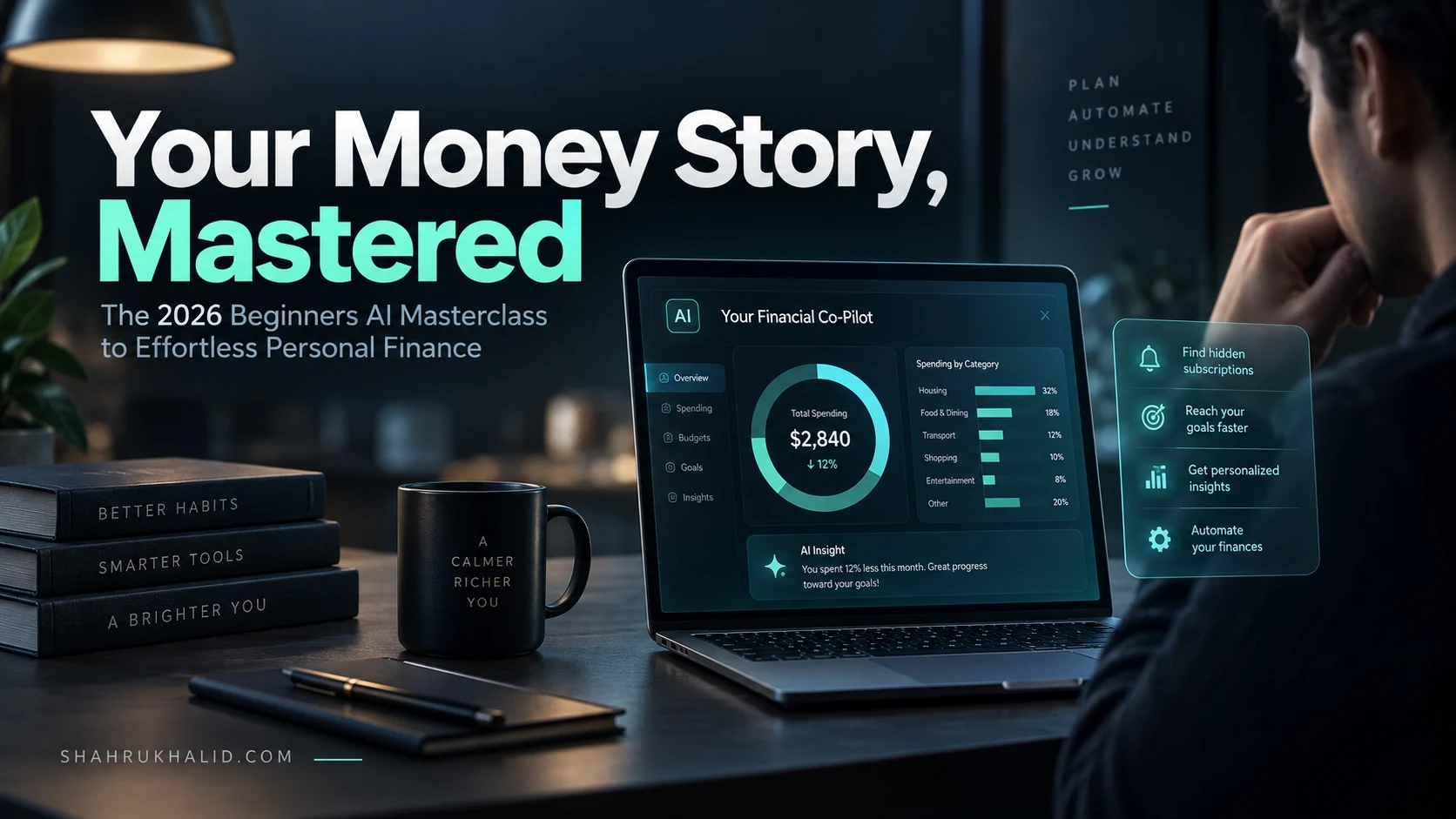
Imagine you have a personal financial advisor who is available 24/7. This advisor never sleeps, never judges your purchase of that third latte, and has a perfect memory of every single dollar you’ve ever spent. They can instantly categorize your spending, spot trends you might miss (like that “temporary” subscription that’s been charging you for 18 months), and even offer gentle nudges to help you meet your goals. That’s AI personal finance. It’s not a robot overlord taking your wallet; it’s a powerful, personalized co-pilot for your financial journey.
Why is this exploding in 2026? Three key things have converged:
- Accessible AI Models: Companies like Google and OpenAI have made their incredibly powerful AI models available through something called an API (Application Programming Interface). Think of an API as a secure messenger that lets different software programs talk to each other. We can now “rent” a sliver of a supercomputer’s brain for fractions of a penny.
- No-Code/Low-Code Platforms: Tools like Zapier and Make.com have become the digital equivalent of LEGO bricks. They allow us to connect different apps and services (like your bank account, an AI model, and a spreadsheet) without writing a single line of code.
- Secure Data Aggregation: Services like Plaid and Finicity have created a secure, standardized way to connect to thousands of banks. They handle the complex security so we can focus on the data.
This convergence means that for the first time in history, building a personalized AI money management system is no longer the exclusive domain of Silicon Valley engineers. It’s available to you, right now.
Core Principles: The Three Pillars of Effortless Money Management AI
Our entire system will be built on three simple, powerful pillars. Understanding these will be your compass throughout this masterclass.
- Pillar 1: Automation (The Tireless Assistant): The first goal is to eliminate manual data entry forever. Manually typing expenses into a spreadsheet is the #1 reason budgets fail. It’s tedious, and you’ll eventually forget. We will build a system where every transaction from your connected accounts is captured and processed automatically. This is the foundation of personal finance automation.
- Pillar 2: Intelligence (The Insightful Analyst): Capturing data isn’t enough. We need to turn that data into wisdom. This is where the AI comes in. We will use it to do what humans are bad at: instantly and consistently categorize transactions, identify patterns, and summarize complex information into simple insights.
- Pillar 3: Action (The Gentle Coach): Insights are useless without action. The final pillar is about creating feedback loops. Our system won’t just be a passive report; it will be an active participant in your financial life, sending you weekly summaries, flagging unusual spending, or nudging you towards a savings goal.
By combining Automation, Intelligence, and Action, we move beyond simple expense tracking and create a dynamic, responsive system that adapts to your life. This is the core of effortless money management AI.
Prerequisites & Complete Environment Setup
Alright, theory is great, but it’s time to get our hands dirty. In this module, we’re going to set up our “digital workshop.” If we were building a cabinet, this would be the part where we lay out our tools and lumber. For our beginner financial AI project, our tools are a few powerful web services, and our “lumber” is your own financial data. Don’t worry, every step is beginner-safe and I’ll explain the “why” behind every click.

Your Digital Toolkit: The Three Core Components
We’re going to build our system using three types of services. I’ve chosen these because they are reputable, have free or very low-cost starting tiers, and are designed for non-developers.
- The Data Aggregator (Your Secure Connection): Plaid
- What it is: Plaid is a technology platform that acts as a secure bridge between your bank accounts and other applications. It’s trusted by major financial apps like Venmo, Chime, and Betterment.
- Why we need it: It lets us access our transaction data in a clean, standardized format without ever giving our bank passwords to our main application. It’s the secure front door.
- Action: For our project, we will get a free developer key from Plaid. Go to Plaid’s developer site, sign up for a free account. You’ll be able to link up to 5 bank accounts in their “Sandbox” environment (a safe, simulated environment for testing) and even a few real accounts in their “Development” environment for free.
- The Automation Engine (Your Digital ‘Conductor’): Make.com
- What it is: Make.com (formerly Integromat) is a visual automation platform. It lets you connect different apps with a drag-and-drop interface. Think of it as a flowchart for your data.
- Why we need it: This is the heart of our system. It will “listen” for new transactions from Plaid, send the data to our AI for analysis, and then record the results in our spreadsheet.
- Action: Go to Make.com and sign up for their Free plan. This gives you plenty of operations to build and test our entire system.
- The AI Brain & The Ledger (Your Analyst & Record-Keeper)
- The Brain (OpenAI): We’ll use the OpenAI API. It provides access to powerful models like GPT-4.
- Action: Go to the OpenAI Platform website, sign up, and navigate to the “API keys” section. Generate a new secret key. TREAT THIS LIKE A PASSWORD. Do not share it or post it publicly. The API has a very generous free trial and is incredibly cheap for our use case (we’re talking pennies per month).
- The Ledger (Google Sheets): Simple, free, and powerful.
- Action: Go to Google Sheets and create a new, blank spreadsheet. Name it something like “AI Finance Tracker 2026”. Create the following headers in the first row:
Date,Name,Amount,Category,AI_Analysis,Needs_Review.
- Action: Go to Google Sheets and create a new, blank spreadsheet. Name it something like “AI Finance Tracker 2026”. Create the following headers in the first row:
- The Brain (OpenAI): We’ll use the OpenAI API. It provides access to powerful models like GPT-4.
By the end of this, you should have accounts for Plaid, Make.com, OpenAI, and a blank Google Sheet. You’ve now assembled all the pieces. In the next module, we’ll see how they fit together.
Core Implementation Architecture
Now that we have our tools, let’s draw the blueprint. Understanding the architecture—the flow of information from start to finish—is the most important part of this entire AI personal finance masterclass. It transforms a bunch of disparate services into a single, cohesive system. We’ll visualize this as a series of connected “cards,” just like a diagram on a whiteboard.
The Data Flow: A Visual Journey of a Single Transaction
Imagine you just bought a coffee for $5.35 at “The Daily Grind.” What happens next in our automated system? Let’s trace the journey.
Here is the logical grid of our system. Picture these as four cards on a table, with arrows showing the direction of data.
Visual Card Grid: The Transaction Lifecycle
[CARD 1: The Source] → [CARD 2: The Conductor] → [CARD 3: The Analyst] → [CARD 4: The Ledger]
- Card 1: Your Bank & Plaid
- Event: Your bank processes the $5.35 transaction at “The Daily Grind”.
- Plaid’s Role: A few hours (or a day) later, Plaid securely syncs with your bank, sees this new transaction, and makes it available through its API. Plaid standardizes the data into a clean format:
{name: "The Daily Grind", amount: 5.35, date: "2026-03-15", ...}.
- Card 2: Make.com (The Conductor)
- Trigger: Our Make.com scenario is scheduled to run once a day. It starts by saying, “Hey Plaid, any new transactions since yesterday?”
- Action: Plaid responds with the coffee transaction data. Make.com now holds this piece of data and knows it needs to move to the next step.
- Card 3: OpenAI API (The Analyst)
- Action: Make.com takes the transaction data and sends it to the OpenAI API with a very specific instruction, called a “prompt.” We’ll craft this prompt in the next module, but it will look something like this: “You are a financial assistant. Categorize this transaction: ‘The Daily Grind’, $5.35. Use one of these categories: [Groceries, Coffee Shops, Restaurants, Bills, Shopping, Transport]. Provide a one-sentence analysis.”
- Response: The AI model processes this request in milliseconds and sends back a structured response, like:
{category: "Coffee Shops", analysis: "This is a small, discretionary purchase for a beverage."}.
- Card 4: Google Sheets (The Ledger)
- Final Action: Make.com takes the original transaction data from Plaid AND the AI’s response from OpenAI and writes it all into a new row in our Google Sheet.
- Result: A new line appears in your spreadsheet:
2026-03-15 | The Daily Grind | 5.35 | Coffee Shops | This is a small, discretionary purchase for a beverage. | FALSE.
Answering a Critical Question: Is AI Personal Finance Safe for Beginners?
Seeing this data flow might raise a crucial question: is this safe? It’s a question I take very seriously. The answer is yes, if you build it correctly using the architecture we just designed. Here’s why:
- Separation of Concerns: Notice that our “brain” (Make.com and OpenAI) never gets your bank login credentials. It only ever talks to Plaid. This is a fundamental security principle. Plaid is the only one with the keys to the bank, and it’s a multi-billion dollar company built on bank-level security.
- Read-Only Access: We configure Plaid to only have “read-only” access to your transactions. Our system can see your spending, but it has absolutely no power to move money, make transfers, or perform any actions on your accounts.
- Data Anonymization: The AI model receives only the merchant name and amount. It doesn’t get your name, your account number, or your bank’s name. To the AI, it’s just an abstract piece of data to be categorized.
By using reputable, specialized services for each step, we create a system that is far more secure than, for example, a random budgeting app you download from the app store that asks for your bank password directly. You are in control, and you understand every link in the chain.
Hands-on Code & Practical Implementation
This is the module where the magic happens. We’re going to turn our blueprint from Module 3 into a living, breathing system. I’ll walk you through the entire process inside Make.com. While we aren’t writing “code” in the traditional sense, we are performing “visual programming.” Every step, every setting, and every click is a line of code in our visual language. I will provide the “fully functional, heavily commented” version of this setup.
Building Your First AI Financial Workflow in Make.com
Log into your Make.com account and click “Create a new scenario.” You’ll see a large plus sign on a blank canvas. This is where our journey begins.
Step 1: The Trigger – “Watch Transactions” with Plaid
- Click the plus sign and search for “Plaid.” Select it.
- From the list of triggers, choose “Watch Transactions.” This module will activate whenever new transactions are available.
- Click “Add” to connect your Plaid account. A pop-up will ask for your
Client IDandSecret. You can find these in your Plaid developer dashboard under “Team Settings” -> “Keys.” This authenticates Make.com to talk to your Plaid account. - Next, you’ll need to connect a bank account. Make.com will guide you through using Plaid Link to connect one of your real bank accounts (using the free Development access Plaid gives you). This is a one-time setup.
- For the “Limit” setting, enter
10. This tells Make.com to process a maximum of 10 new transactions each time it runs, which is a good safety measure to prevent runaway processes. - Choose when you want it to start fetching data from. Select “From now on.”
Sana’s Commentary: This first step is the most crucial. You are establishing the secure handshake between your automation engine and your data source. Take your time here. The “Limit” setting is a classic rookie-saver. When testing, you might accidentally have it pull 500 historical transactions. A limit of 10 keeps your initial tests fast and cheap.
Step 2: The Intelligence – “Create a Completion” with OpenAI
- Hover over the right side of the Plaid module and click the “Add another module” button that appears.
- Search for “OpenAI” and select it.
- Choose the action “Create a Completion (Legacy)” or “Create a Chat Completion” depending on the model you want to use. We’ll use “Create a Chat Completion” as it’s more modern.
- Click “Add” to connect your OpenAI account. It will ask for your API Key. This is the key you generated in Module 2. Paste it in.
- Now we configure the AI’s task. This is the most important part of the whole setup.
- Model: Select
gpt-3.5-turboorgpt-4o. The 3.5 model is cheaper and faster, and perfectly adequate for this task. - Messages: This is where we tell the AI what to do. Add two items to the “Messages” list:
- Item 1 (System Role): Set the Role to
System. In the Content box, paste this:You are an expert, precise financial categorization assistant. You will be given a transaction and you must respond ONLY with a JSON object. The JSON object must have two keys: "category" and "analysis". The "category" value must be one of the following exact strings: "Groceries", "Dining & Drinks", "Shopping", "Transport", "Bills & Utilities", "Health & Wellness", "Entertainment", "Income", "Transfers", "General Merchandise", "Other". The "analysis" should be a concise, one-sentence summary of the transaction's nature. - Item 2 (User Role): Set the Role to
User. In the Content box, we will map data from our Plaid module. TypeTransaction Name:and then click on the “Name” field from the Plaid pop-up list. Then typeAmount:and map the “Amount” field from Plaid. It should look like this:Transaction Name: [1. Name] Amount: [1. Amount]where the bracketed items are the dynamic data fields from Plaid.
- Item 1 (System Role): Set the Role to
- Model: Select
Sana’s Commentary: This is called Prompt Engineering. The “System Role” prompt is our instruction manual for the AI. By being extremely specific (e.g., “respond ONLY with a JSON object,” “use one of the following exact strings”), we force the AI to give us clean, predictable data that our system can easily use in the next step. This is the secret to reliable AI driven personal finance strategies for beginners.
Step 3: The Parser – “Parse JSON”
The AI will give us a text string that looks like JSON, but we need to convert it into actual data fields that Make.com can use.
- Add another module after OpenAI. Search for “JSON” and select it.
- Choose the action “Parse JSON.”
- In the “JSON string” field, map the output from the OpenAI module. It will look something like
[2. Choices[].Message.Content].
Step 4: The Ledger – “Add a Row” in Google Sheets
- Add a final module. Search for “Google Sheets” and select it.
- Choose the action “Add a Row.”
- Connect your Google Account.
- Select your “AI Finance Tracker 2026” spreadsheet and the correct sheet.
- You will see the headers you created:
Date,Name,Amount, etc. Now, we map the data!- Date: Map
[1. Date]from the Plaid module. - Name: Map
[1. Name]from the Plaid module. - Amount: Map
[1. Amount]from the Plaid module. - Category: Map
[3. category]from the Parse JSON module. - AI_Analysis: Map
[3. analysis]from the Parse JSON module. - Needs_Review: You can leave this blank or type
FALSE.
- Date: Map
Finally, turn the scenario “ON” and set the schedule to run once a day. That’s it. You have built a fully functional, automated, AI-powered financial tracking system.
Real-World Use Cases & Practical Applications
Building the machine is one thing; knowing how to drive it is another. A simple transaction log is powerful, but it’s just the beginning. Now, let’s explore some real-world applications that turn your new system from a passive tracker into an active financial co-pilot. These are the kinds of financial AI tools you can’t just buy off the shelf because they are tailored specifically to your rules and your life.
Case Study 1: The “Subscription Slayer” Audit
The Problem: You have a dozen subscriptions, and you’ve lost track of which ones are still valuable. That “free trial” from 2024 is now quietly costing you $19.99 a month.
The AI Solution: We can add a “Router” in Make.com after the Plaid module. A router lets you create different paths for your data based on certain conditions.
- Filter 1: Identify Recurring Payments. Create a filter on one path of the router that checks if the transaction name contains keywords like “Subscription,” “Monthly,” or if the `payment_
Frequently Asked Questions