2026 Tech for Students: Head-to-Head Battle to Find Your Ultimate Learning Aid
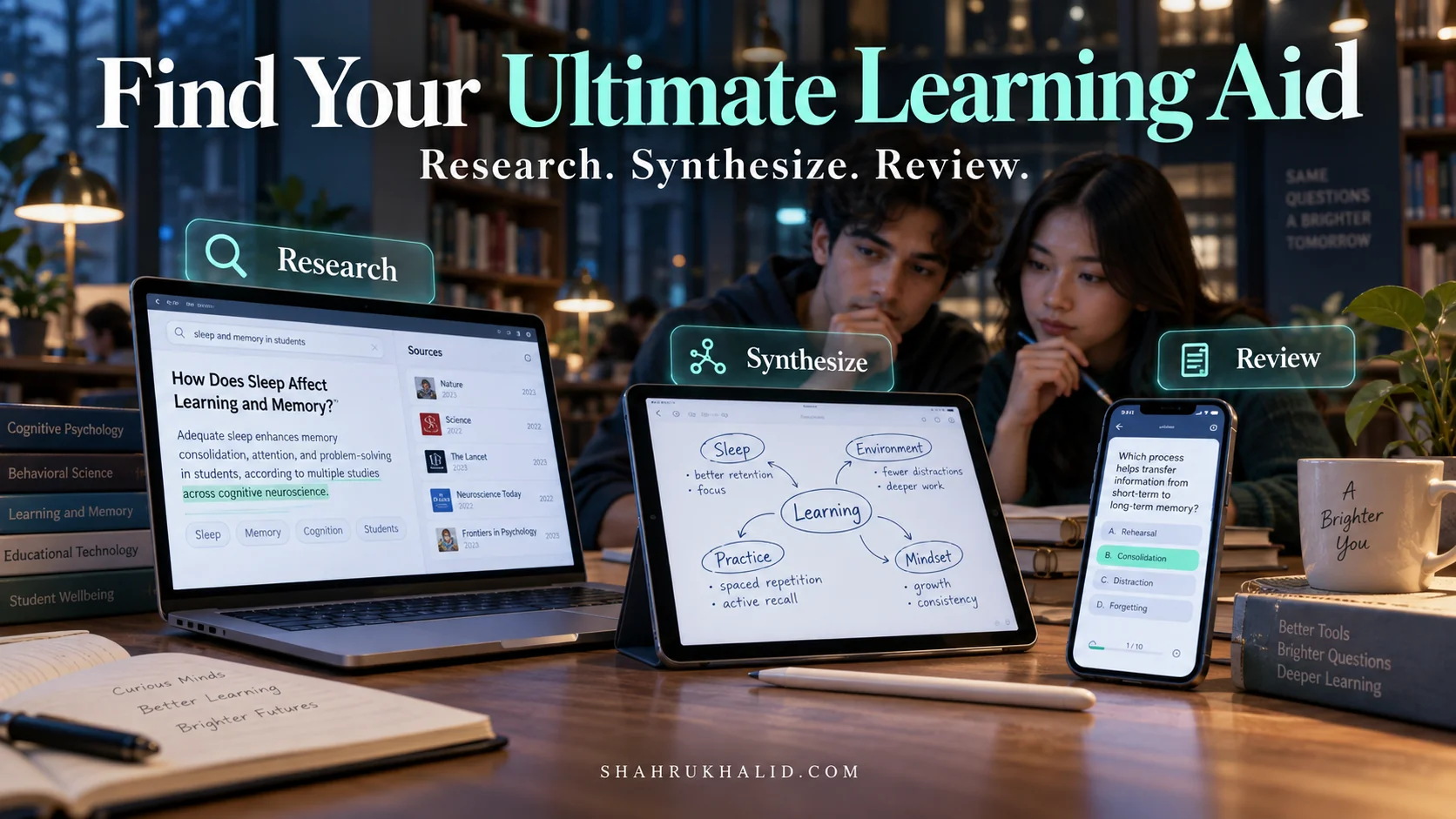
You’re a student on the cusp of 2026. You’re facing a firehose of information, mounting academic pressures, and a world that’s evolving faster than ever. The old ways of studying—rote memorization, dusty library stacks, and endless highlighting—just aren’t cutting it anymore. You need a co-pilot, a personal learning assistant that works as hard as you do. This guide is your masterclass. We’re going to cut through the marketing hype and dive deep into the Best Student Learning Tech 2026, putting the most promising tools in a head-to-head battle to find your ultimate academic ally. Let’s get started.
Comprehensive Foundations & Concept Primer
Before we start unboxing gadgets and installing apps, let’s build a solid foundation. I know the term “EdTech” can sound a bit corporate and sterile, but what we’re really talking about is building your own personalized “Academic Command Center.” Think of it less like a classroom and more like the pit crew for a Formula 1 driver. You’re the driver, the race is your degree, and these tools are the expert technicians, data analysts, and strategists working in perfect sync to make you faster, smarter, and more efficient.
Why This Isn’t Just “More Screens”: The Core Principles of 2026 Learning
For decades, “tech in the classroom” meant a clunky projector or a computer lab. By 2026, that’s ancient history. The new paradigm is built on three core principles: Personalization, Augmentation, and Immersion.
- Personalization (Your AI Tutor): Imagine a tutor who has read every book on your syllabus, knows your specific learning style, and is available 24/7. That’s the promise of AI-powered learning platforms. These aren’t just fancy search engines. They are powered by sophisticated Large Language Models (LLMs) that can understand context, summarize complex topics, and even create practice quizzes tailored to your weak spots. This is how AI will change student learning by 2026; it’s not about replacing you, but providing a bespoke learning path just for you.
- Augmentation (Your Superpowered Notebook): This is about bridging the gap between your physical and digital worlds. Think of smart notebooks that instantly digitize your handwritten notes, or augmented reality apps that overlay digital information onto the real world. These tools don’t replace your brain; they augment it, giving you “superpowers” like perfect recall, instant organization, and the ability to see information in new dimensions. These are the innovative study aids 2026 will be known for.
- Immersion (Your Personal Laboratory): Some concepts are incredibly difficult to grasp from a textbook. How does a human heart really pump blood? What was it like to stand in the Roman Forum? This is where Virtual and Augmented Reality (VR/AR) come in. Are VR/AR headsets beneficial for student education? Absolutely. They move learning from a passive act of reading to an active experience of being there. You can conduct dangerous chemistry experiments safely, walk through historical reconstructions, or manipulate 3D models of complex machinery.
Forget the jargon. Just remember: we’re building a system that learns with you (Personalization), enhances your natural abilities (Augmentation), and lets you experience your subjects firsthand (Immersion).
Demystifying the Tech: Simple Analogies for Complex Tools
When I work on API documentation, my first rule is to eliminate jargon. Let’s do that now.
- Large Language Models (LLMs): Think of an LLM as an incredibly well-read librarian who has also mastered the art of conversation. You can ask it to explain quantum physics in the style of a pirate, summarize a 50-page research paper into five bullet points, or brainstorm ideas for your history essay. They are pattern-recognition machines, trained on vast amounts of text and code.
- API (Application Programming Interface): This is the secret sauce that makes all this tech work together. An API is like a universal translator or a standardized menu for software. It allows your smart notebook app to “talk” to your Google Drive, or your AI tutor to pull information from your university’s online library. A well-designed system, much like the platforms we build based on the high standards at shahrukhalid.com, relies on robust APIs for seamless integration.
- Vector Databases: This sounds scary, but it’s simple. Imagine you’re trying to find a song, but you can only remember the feeling of it—it’s a bit melancholic, has a strong bassline, and sounds like a rainy day. A vector database is a special kind of library for computers that organizes information (like your notes, PDFs, and web clippings) by its meaning or vibe, not just keywords. This is what allows an AI to find the most relevant paragraph in your notes, even if you don’t use the exact same words in your query.
With this foundation, you’re no longer just a consumer of tech. You’re an architect, ready to design a learning system that’s uniquely yours.
Prerequisites & Complete Environment Setup
Alright, theory’s over. Let’s get our hands dirty. Building your Academic Command Center isn’t about buying a single “magic” device; it’s about creating a cohesive digital ecosystem. I call this your “Digital Environment Setup.” Just like a developer sets up their coding environment, you need to configure your digital space for peak performance. This module is your step-by-step guide.
Step 1: Establish Your “Digital Brain” – The Cloud Hub
Your brain can’t function if your memories are scattered across sticky notes, random notebooks, and forgotten folders. The same is true for your digital life. The first prerequisite is choosing a single, central hub for all your academic materials.
Your Action Plan
- Choose Your Cloud Provider: The big three are Google Drive, Microsoft OneDrive, and Dropbox. Most universities provide a free OneDrive or Google Drive account with a massive amount of storage. Use it! It’s secure, integrated, and free. For this guide, we’ll use Google Drive as our example due to its excellent integration with many third-party tools.
- Create Your Core Directory Structure: Don’t just dump files randomly. A clean structure is non-negotiable. Open your Google Drive and create this exact folder layout. This is your environment’s architecture.
├── 1_Semesters/
│ ├── 2026_Fall/
│ │ ├── CS101_Intro_to_Programming/
│ │ │ ├── 01_Lectures/
│ │ │ ├── 02_Readings/
│ │ │ ├── 03_Assignments/
│ │ │ └── 04_Notes/
│ │ └── PSYC203_Cognitive_Psychology/
│ │ ├── … (repeat structure)
│ └── 2027_Spring/
│ ├── …
├── 2_Resources/
│ ├── Ebooks/
│ ├── Research_Papers/
│ └── Software_Tools/
└── 3_Archive/
└── … (for past semesters)
- Verification: Your `University` folder should now be visible in your Google Drive, containing three sub-folders: `1_Semesters`, `2_Resources`, and `3_Archive`. This clean directory is the bedrock of your entire system.
Step 2: Configure Your Task & Knowledge Manager
A to-do list is not enough. You need a system that manages both your tasks (what you need to do) and your knowledge (what you’ve learned). Tools like Notion, Obsidian, or Microsoft OneNote are perfect for this. They combine notes, tasks, and databases in one place.
Your Action Plan (Using Notion as an example)
- Sign Up & Install: Create a free account at Notion.so and download the desktop and mobile apps.
- Create Your “University Dashboard”: Inside Notion, create a new top-level page called “University Dashboard.” This will be your mission control.
- Set Up Key Databases: On your dashboard, create two crucial databases using the `/database – inline` command:
- Master Task List: Columns for `Task Name`, `Course` (Relation to your Courses DB), `Due Date` (Date property), `Status` (Select: To Do, In Progress, Done), and `Priority` (Select: High, Medium, Low).
- Courses: Columns for `Course Name` (e.g., CS101), `Semester` (e.g., 2026 Fall), and `Professor`.
- Link to Your Cloud Hub: In the description of each `Course` page in Notion, paste the link to the corresponding Google Drive folder (e.g., link `CS101_Intro_to_Programming` in Notion to your Drive folder of the same name).
Verification: Your Notion dashboard should now have a task list and a course list. When you add a new task, you should be able to link it directly to the relevant course. This simple setup is one of the most powerful student productivity tech review tips I can offer.
Step 3: Onboard Your First AI Assistant
Now, let’s plug in the AI. We’ll start with a versatile tool that can help with research, writing, and summarization. There are many AI learning platforms, but a great starting point is to use a tool built on a powerful, multi-modal model.
Your Action Plan
- Choose Your Tool: Options include Perplexity AI, ChatGPT (with plugins), or Google’s own AI tools. Let’s use the ecosystem around Google’s models as our example, as they often have excellent integration with Google Drive and Scholar.
- Create an Account: Sign up for your chosen service.
- Initial Configuration (The “Custom Instructions” Hack): This is a pro-tip. Most AI assistants have a “Custom Instructions” or “System Prompt” feature. This is where you tell the AI who you are and how you want it to behave. This saves you from repeating yourself in every single query.
Copy and paste this into the Custom Instructions field
I am a university student studying [Your Major]. I am currently taking the following courses: [List Your Courses]. My goal is to achieve a deep understanding of the material, not just get answers.
// How You Should Respond
– When I ask you to explain a concept, use analogies and provide real-world examples.
– When I ask for summaries, provide them as structured bullet points and identify the key thesis.
– Always cite your sources or indicate if you are generating information.
– Assume I am a beginner but eager to learn the technical details.
– Your tone should be that of a helpful, knowledgeable teaching assistant.
Verification: Ask your AI assistant a simple question related to one of your courses, like “Explain the concept of cognitive dissonance.” Its response should now be tailored to you, using analogies and a helpful tone, just as you instructed.
You have now successfully set up your environment. Your files are organized, your tasks are managed, and your AI co-pilot is configured and ready for duty.
Core Implementation Architecture & Workflow Blueprint
With our environment set up, let’s design the “how.” How do these tools actually connect and work together in a real study session? A common mistake is using tools in isolation. The real power comes from creating a seamless workflow. In my world, we call this “implementation architecture.” For you, it’s your Learning Workflow Blueprint.
We’ll visualize this using a “Card-Based Workflow.” Think of each step in your study process as a card. The goal is to pass information from one card to the next smoothly, with each tool doing what it does best.
The Three Core Workflow Cards: Research, Synthesize, Review
Every major academic task, from writing an essay to studying for an exam, can be broken down into three phases. Our blueprint will have a “card” for each.
Visual Card Grid
| Card 1: RESEARCH | Card 2: SYNTHESIZE | Card 3: REVIEW |
| —————————————————————————————————————— | ———————————————————————————————————————- | ———————————————————————————————————————— |
| Goal: Gather and understand raw information. | Goal: Connect ideas, create your own understanding, and produce original work. | Goal: Memorize key information and test your understanding. |
| Primary Tools: AI Research Assistants (Perplexity, Gemini), University Library Databases, Google Scholar. | Primary Tools: Smart Notebooks (Rocketbook, reMarkable), Note-taking Apps (Notion, Obsidian), Word Processors. | Primary Tools: Spaced Repetition Apps (Anki), VR/AR Anatomy Viewers, AI-generated Quizzes. |
| Input: A question, a research topic, a reading list. | Input: Summaries, raw notes, highlighted PDFs, lecture recordings. | Input: Your synthesized notes, key concepts, and identified weak areas. |
| Output: Summarized articles, a list of key sources, clarified concepts, answers to specific questions. | Output: A structured essay outline, a mind map, handwritten notes (digitized), a draft of your assignment. | Output: A set of flashcards, a completed practice test, a solidified memory of a complex system. |
Workflow Blueprint in Action: The Data Flow
Let’s trace the path of a single piece of information. Imagine you’re assigned a research paper on the “Impact of Sleep on Memory Consolidation.”
- Initiation (Research Card): You start with your AI Assistant. Your prompt isn’t “write me an essay.” It’s a series of specific queries:
- “Find 5 peer-reviewed papers from the last 3 years on sleep and memory consolidation.”
- “For each paper, provide a 3-sentence summary of its methodology and findings.”
- “Explain the concept of ‘synaptic downscaling’ during sleep like I’m 15.”
- The AI acts as your tireless research intern. The output is a collection of high-quality, pre-digested information. You save these summaries and links into your `CS101/02_Readings` folder in Google Drive and link to it from Notion.
- Transition (The API Bridge): The output from the Research card becomes the input for the Synthesize card. You’re not just copying and pasting. You’re moving from a mode of consumption to creation.
- Processing (Synthesize Card): Now you open your tools for thinking.
- You grab your smart notebook and start mind-mapping the connections between the papers. You sketch out a potential argument. As you write, your notes are being digitized and sent to a specific folder in your Google Drive (`CS101/04_Notes`).
- You open your “University Dashboard” in Notion. You create a new page for the essay and embed the summaries from your AI.
- You drag and drop the key ideas into an outline, right there in Notion. You start writing the first draft, pulling your digitized handwritten notes onto a second monitor for reference. The key here is that you are the one making the connections; the tech is just organizing the pieces.
- Transition (Preparing for Recall): As you write, you identify key terms and concepts you need to memorize for the final exam (e.g., “Hippocampus,” “Slow-Wave Sleep,” “Memory Reactivation”).
- Solidification (Review Card): This is where you ensure the knowledge sticks.
- You open Anki, a spaced repetition software (SRS). You create flashcards for the key terms you identified. The SRS algorithm will then show you these cards at scientifically optimized intervals to lock them into your long-term memory.
- Or, you could ask your AI assistant: “Based on my notes [you can even paste them in], create 10 multiple-choice questions to test my understanding of sleep stages.” You now have a custom practice test.
This blueprint shows how future learning tools for students are not isolated gadgets but parts of an interconnected system. The workflow is the engine, and the tools are the gears.
Hands-on Practical Implementation & Real-World Configuration
Enough with the diagrams. Let’s build something real. In this module, we’ll execute a complete, end-to-end workflow for a common student task: researching and outlining a persuasive essay. We’ll use the tools we set up and the blueprint we designed.
Scenario: You’re in a Sociology 101 class. Your assignment is a 1,500-word essay on the question: “To what extent has the rise of social media impacted social cohesion in young adults?”
Step 1: The AI-Powered Deep Dive (Configuring the Research Card)
We’re not just Googling. We’re performing targeted, efficient research using an AI assistant. We’ll use a hypothetical tool powered by a state-of-the-art model like Google’s Gemini, which excels at nuanced, multi-step reasoning. You can find extensive documentation on how these models work and their capabilities, which is crucial for understanding their strengths and limitations, on sites like the Google AI for Developers documentation.
Your Step-by-Step Walkthrough
- Initial Prompt – Broad Exploration:
- Action: Open your configured AI assistant.
- Prompt: `Act as a university-level research assistant. I’m writing an essay on how social media affects social cohesion in young adults (ages 18-25). Provide me with the three main arguments for a negative impact and three main arguments for a positive impact. For each argument, cite a key academic concept or theorist.`
- Why this works: This prompt is specific. It defines the topic, the demographic, and asks for a balanced, structured output (pro vs. con), forcing the AI to go beyond a simple summary.
- Configuration – Refining the Search:
- Action: The AI gives you concepts like “echo chambers” (negative) and “bridging social capital” (positive). Now, you need sources.
- Follow-up Prompt: `Excellent. Now, for the concepts of “echo chambers” and “bridging social capital,” find me one highly-cited, peer-reviewed study for each published after 2020. Provide the full citation in APA format and a 150-word summary of the abstract.`
- Why this works: You are now directing the AI to act as a library database assistant, saving you hours of manual searching. Requesting the APA format is a huge time-saver.
- Final Prompt – Conceptual Clarification:
- Action: One of the papers mentions “parasocial relationships.” You’re not familiar with that term.
- Prompt: `Explain the concept of “parasocial relationships” in the context of social media influencers. Use an analogy a first-year student would understand.`
- Why this works: You’re using the AI as a 24/7 tutor to fill knowledge gaps instantly, ensuring you actually understand the material you’re citing.
- Organize Your Output:
- Action: Create a new document in your Google Drive: `University/1_Semesters/2026_Fall/SOC101_Sociology/02_Readings/Social_Media_Essay_Research.gdoc`.
- Action: Copy and paste the entire AI conversation into this document. This is your research trail. It’s auditable and easy to refer back to.
Step 2: The Digital-Analog Synthesis (Configuring the Synthesize Card)
Now, we switch from information gathering to idea generation. This is where your brain takes center stage, augmented by smart tools. We’ll use a reMarkable 2 tablet as our example smart notebook.
Your Step-by-Step Walkthrough
- Environment Configuration:
- Action: In your reMarkable’s cloud settings, configure the Google Drive integration. Set the destination folder for new notebooks to `University/1_Semesters/2026_Fall/SOC101_Sociology/04_Notes/`.
- Comment: `# This setting ensures that any notes I take for this class are automatically filed in the correct location, requiring zero manual organization later.`
- The Brainstorming Session:
- Action: Open your `Social_Media_Essay_Research.gdoc` on your laptop. On your reMarkable tablet, create a new notebook titled “Essay Outline – Social Cohesion.”
- Action: Read through the AI-generated summaries. On your tablet, start drawing a mind map. Put “Social Cohesion” in the center. Create two main branches: “Erodes Cohesion” and “Builds Cohesion.”
- Action: Under each branch, jot down the key concepts (“Echo Chambers,” “Social Comparison,” “Bridging Capital,” “Niche Communities”). Sketch arrows to show how they relate. This tactile, physical act of writing and drawing engages a different part of your brain than typing.
- Drafting the Outline:
- Action: On a new page in your reMarkable notebook, write out a formal outline based on your mind map.
I. Intro
– Hook: The paradox of being "alone together" online.
– Thesis: While social media offers new avenues for connection, its core mechanics ultimately foster a more fragmented and fragile form of social cohesion among young adults.
II. Body Paragraph 1: Algorithmic Fragmentation (Echo Chambers)
– Source: [Cite Study 1 from AI research]
III. Body Paragraph 2: The Economy of Attention (Social Comparison)
– …
- Action: Use the reMarkable’s “Convert to Text” feature on your outline. It’s not always perfect, but it’s a huge head start.
- Sync and Consolidate:
- Action: Sync your reMarkable tablet.
- Verification: Navigate to your Google Drive. Inside the `04_Notes` folder, you will now find a PDF of your mind map and a text file of your converted outline. You’ve successfully bridged the analog-digital divide.
You now have a folder containing high-quality research and a well-structured outline based on your own thinking, all perfectly organized and ready for the final writing stage. This is a prime example of an effective student productivity tech workflow.
Real-World Enterprise Use Cases & Case Studies
Theory and single-task walkthroughs are great, but how does this look over the course of a whole semester, or for different types of students? Let’s move from “enterprise” to “academic” use cases. I’ve created three personas based on students I’ve mentored. See if you recognize yourself in any of them.
Case Study 1: Priya, the Second-Year Medical Student
- Challenge: Priya faces an overwhelming amount of information to memorize, from complex anatomical structures to drug interactions. Rote memorization from textbooks is inefficient and doesn’t build intuitive understanding.
- Her 2026 Learning Stack:
- Primary Device: An iPad Pro with an Apple Pencil.
- Key App 1 (Immersion): Complete Anatomy ’26. This app allows her to explore a photorealistic 3D human body in AR and VR.
- Key App 2 (Review): Anki (Spaced Repetition Software).
- Key App 3 (Synthesis): Notability for taking handwritten notes on lecture slides.
- End-to-End User Journey:
- Pre-Lecture: Priya downloads the PDF lecture slides on cardiology into Notability.
- During Lecture: She annotates the slides directly on her iPad, drawing diagrams of blood flow and jotting down the professor’s verbal-only tips.
- Post-Lecture (Synthesis): That evening, she reviews her annotated slides. When she gets to the slide on the aortic valve, she opens Complete Anatomy. Using AR, she projects a life-sized, beating heart onto her desk. She can virtually dissect it, isolate the valve, and watch it function from any angle. This transforms an abstract 2D diagram into a tangible, memorable experience.
- Post-Lecture (Review): For every key drug or anatomical part she learned, she creates a flashcard in Anki. She makes two types: a simple “What is this?” card with a screenshot from Complete Anatomy, and a more complex “Explain the mechanism of action for [Drug X]” card.
- Weeks Later: Anki’s algorithm automatically shows her the cardiology cards she’s about to forget. This low-effort, high-impact review keeps the information fresh for her final exams. Priya isn’t just memorizing; she’s building a deep, visual, and contextual understanding of the human body.
Case Study 2: Leo, the Final-Year Computer Science Student
- Challenge: Leo is working on his final-year project: a complex web application. He needs to learn new frameworks quickly, collaborate with his project partner, and write clean, efficient code.
- His 2026 Learning Stack:
- Primary Tool (Augmentation): GitHub Copilot (an AI pair programmer).
- Key App 1 (Collaboration): Miro (a digital whiteboard).
- Key App 2 (Personalization): An AI assistant fine-tuned for code.
- End-to-End User Journey:
- Architecture Phase (Synthesis): Leo and his partner meet on a Miro board. They map out their application’s entire architecture, creating user flow diagrams, database schemas, and API endpoint designs. The infinite canvas allows them to brainstorm without limits, and the board serves as their project’s “single source of truth.”
- Development Phase (Augmentation): Leo is coding in VS Code. He needs to write a function to handle user authentication with Google. Instead of spending an hour on Stack Overflow, he writes a comment: `// function to handle google oauth2 callback and create user session`. GitHub Copilot instantly suggests a complete, production-ready block of code. He reviews it, understands it, and accepts it. This doesn’t write the app for him, but it handles the boilerplate, letting him focus on the unique logic of his project.
- Debugging Phase (Personalization): He encounters a cryptic error. He pastes the error message and the relevant code block into his AI assistant with the prompt: `I’m getting this error in my Node.js app. Explain what it means and suggest three possible causes and solutions.` The AI acts as a