
My First Viral List: Your 2026 Playbook for Ranking High (Beginners Step-by-Step)


I remember my first “real” article. I spent weeks on it. I poured my heart, soul, and every ounce of knowledge I had into a 3,000-word behemoth. I hit “publish,” expecting a flood of traffic, recognition, and maybe a quiet nod of approval from the Google gods. What I got was… crickets. A handful of views, mostly from my mom. It was a humbling experience, the content creator’s equivalent of a segmentation fault. My beautiful “application” had crashed on launch.
Frustrated but determined, I started treating content not as art, but as engineering. I began to see the parallels. Google’s algorithm was like a complex, proprietary API. Search Engine Results Pages (SERPs) were the UI. Keywords were the function calls. And a successful article? That was a well-architected, performant, and user-friendly application. My next attempt was a simple listicle. But this time, I built it with a blueprint. I engineered it. And it didn’t just work; it went viral, hitting the front page of Google and staying there for years, driving hundreds of thousands of visitors.
That’s why I’m writing this for you, on behalf of my friend Shahrukh Khalid and his incredible platform. This isn’t just another blog post. This is a masterclass. This is the playbook I wish I had when I started. We’re going to build your first high-ranking listicle together, step-by-step. We’ll treat it like a software project: with a proper setup, a clear architecture, hands-on implementation, and a robust debugging plan. By the end of this guide, you will have a complete Content Ranking Strategy for 2026 and beyond. Let’s get started.
Comprehensive Foundations & Concept Primer

Before we write a single line of text—our “code”—we need to understand the fundamental principles of the environment we’re deploying to. That environment is Google Search. Think of it as the operating system, and our content is the application we want to run successfully on it. In 2026, this OS is smarter, more intuitive, and more human-centric than ever before. So, how do beginners rank content on Google? By understanding and building for the end-user, not just the machine.
The “Why”: Listicles as the Perfect Beginner Project
Why are we starting with a listicle? In software development, you often start with a “Hello, World!” application. It’s simple, it teaches you the basic syntax, and it gives you a quick, rewarding win. A listicle is the “Hello, World!” of high-ranking content.
- Structured & Predictable: Listicles have a clear, repeatable structure (Introduction, Item 1, Item 2…, Conclusion). This is like a boilerplate template in coding, making it easier for you to focus on the content itself rather than wrestling with the format.
- Reader-Friendly: Users love them. They are scannable, easy to digest, and promise a finite, organized set of information. This high user engagement sends positive signals to Google.
- Algorithm-Friendly: The clear
H2andH3headings for each list item create a beautiful, logical structure that Google’s crawlers can easily parse and understand. This often leads to rich results, like having your list items appear directly in the search results, known as a featured snippet.
A well-crafted listicle is your entry point, your first successful “build.” It proves you understand the fundamentals of your new beginner content strategy.
Core Principle #1: E-E-A-T (The API Documentation for Trust)
If you want to interface with any complex system, you read the documentation. For Google, the most important documentation for content creators is the concept of E-E-A-T. It stands for Experience, Expertise, Authoritativeness, and Trustworthiness. This isn’t just fluffy marketing-speak; it’s the core of what makes content rank high in 2026.
Let’s break it down with an analogy. Imagine you need a complex heart surgery. Who do you trust?
- Experience: The surgeon who has personally performed this exact surgery hundreds of times. (This is the “E” for Experience). They can tell you what it feels like, the nuances that aren’t in the textbook.
- Expertise: The surgeon who has a medical degree, has published papers on the topic, and can explain the procedure’s technical details. (This is the “E” for Expertise).
- Authoritativeness: The surgeon who is the Head of Cardiology at a world-renowned hospital and is frequently cited by other doctors. (This is the “A” for Authoritativeness).
- Trustworthiness: The surgeon who is transparent about risks, has glowing reviews from past patients, and operates out of a clean, professional facility. (This is the “T” for Trustworthiness).
Your content must be that surgeon.
- Experience: Show, don’t just tell. Use phrases like “When I tested this tool…”, “In my experience…”, or include original screenshots and photos. You’ve actually done the thing you’re writing about.
- Expertise: Explain the “why” behind the “what.” Go deeper than the surface-level facts. Define terms, explain concepts, and demonstrate your knowledge.
- Authoritativeness: Why should anyone listen to you? Build this over time by writing consistently on a topic. In the beginning, you can “borrow” authority by linking out to established, authoritative sources (like academic studies, official documentation like
ai.google.dev/docs, or industry leaders). - Trustworthiness: Be honest. Have a clear author bio. Make your site secure (HTTPS). Disclose affiliate links. Make it easy for people to contact you. A platform like
shahrukhalid.combuilds trust through its professional design and transparent architecture.
In 2026, content that feels generic, anonymous, or AI-generated without human oversight will fail. Content that radiates E-E-A-T will win. This is the most essential of all listicle SEO tips.
Core Principle #2: Search Intent (The User’s Query)
Every time someone types something into Google, they have a goal. A need. An intent. This is the single most important concept you must grasp. If your content doesn’t satisfy the user’s search intent, it will fail. Period. It’s like a user trying to run a graphics-intensive game on a server that only has a command-line interface. The tool doesn’t match the need.
There are four main types of search intent:
- Informational: The user wants to know something. (e.g., “what is an API,” “how to boil an egg”). Listicles like “10 Things You Didn’t Know About…” are perfect for this.
- Navigational: The user wants to go to a specific website. (e.g., “facebook,” “shahrukhalid.com login”). We generally don’t target these.
- Commercial: The user is investigating products or services before a potential purchase. (e.g., “best laptops for programming,” “semrush vs ahrefs”). “Best X for Y” listicles are king here.
- Transactional: The user wants to buy something now. (e.g., “buy macbook pro m3,” “pluralsight subscription discount”).
Before you write, you must become a detective. Type your target keyword into Google. Look at the top 10 results. Are they blog posts? Product pages? Videos? Are they “how-to” guides or “best of” lists? Google is literally showing you a blueprint of what it believes satisfies the intent for that query. Your job isn’t to reinvent the wheel; it’s to build a better, faster, more reliable car. This is the heart of a practical high ranking content guide.
A Winning Content Ranking Strategy Starts with Your Environment Setup

Every developer knows you’re only as good as your tools. You wouldn’t write enterprise-grade Java in Microsoft Notepad. Similarly, to create high-ranking content efficiently, you need to set up your “Content Integrated Development Environment” (Content IDE). This isn’t about installing complex software; it’s about creating a streamlined, organized workflow. This is your professional workbench.
Step 1: Your “Code Editor” – Choosing a Writing Platform
This is where your words will be born. You have options, but for a beginner, the choice is simple.
- Google Docs (Recommended): Think of this as the VS Code of writing. It’s free, cloud-based, and has fantastic collaboration features.
- “Live Share” Feature: You can share a draft with a mentor or editor, and they can leave comments and suggestions in real-time. This is invaluable for getting feedback.
- “Version Control”: Under
File > Version history, you can see every change ever made to the document. If you make a mistake or delete a great paragraph, you can easily “revert the commit.” - Add-ons: You can install add-ons for grammar checking and other utilities directly into your workspace.
- Notion: A more powerful, database-driven option. It’s like a combination of a text editor, a spreadsheet, and a project management tool. It’s fantastic for building a “content calendar” or a personal knowledge base, but can be overkill for writing a single article.
- A Plain Text Editor (e.g., Obsidian, iA Writer): These are for purists who want a distraction-free environment. They often use Markdown, a simple syntax for formatting text (
#for a heading,for a bullet point). It’s fast, but less intuitive for beginners who need rich formatting and easy image insertion.
Action: Create a Google Account if you don’t have one. This gives you access to Google Docs, your code editor for this project.
Step 2: Your “Linters & Compilers” – Quality Assurance Tools
In programming, a “linter” is a tool that automatically checks your code for stylistic errors, bugs, and suspicious constructs. A “compiler” turns your human-readable code into something the machine can execute. For us, these are tools that check our writing for quality and readability.
- Grammarly (Your Linter): This is non-negotiable. The free version catches most spelling and grammar mistakes (“syntax errors”). The premium version goes further, suggesting improvements in tone, clarity, and conciseness (“code smells”). Install the browser extension and the Google Docs add-on. A single typo can erode trust (the ‘T’ in E-E-A-T).
- Hemingway Editor (Your Readability Compiler): This is a free web-based tool. Paste your text into it, and it will highlight long, complex sentences, passive voice, and adverbs. Its goal is to make your writing bold and clear. It helps you “compile” your complex thoughts into simple language that a broad audience and Google’s natural language processing algorithms can understand. Aim for a Grade 8 reading level or lower for most general topics.
Action: Go to the websites for Grammarly and the Hemingway Editor. Bookmark them. Install the Grammarly browser extension.
Step 3: Your Research “APIs” – Idea & Keyword Generation
You need to “call” external services to get the data you need to build your listicle. These are your research tools. While there are expensive, professional suites, you can get 90% of the way there with free tools.
- Google Search Itself: This is your most powerful tool.
- “People Also Ask” (PAA): This box shows you the exact questions people are asking related to your topic. Each one of these can be an
<h3>subheading in your listicle. - “Related Searches”: At the bottom of the page, Google gives you a list of LSI (Latent Semantic Indexing) keyphrases. These are conceptually related terms you should sprinkle into your content to give Google more context.
- Autocomplete: Start typing your keyword into the search bar and see what Google suggests. This is a direct look into what users are searching for.
- Google Trends: This tool lets you check the popularity of a keyword over time. Is your topic a rising trend or a fading fad? You can also compare the popularity of two different keywords (e.g., “Content Ranking Strategy” vs. “SEO Content Plan”).
- AnswerThePublic: This free tool takes your keyword and visualizes it as a mind map of questions (who, what, why, where, when) and comparisons (vs, or, and). It’s a goldmine for understanding user intent and finding long-tail queries.
Action: Pick a topic you’re interested in. Let’s say, “best indoor plants.” Spend 30 minutes using these three tools to explore it. Note down the questions people ask and the related terms they use.
Step 4: Your “Deployment Server” & Directory Layout
Finally, you need a place to “deploy” your content and a way to keep your project files organized.
- The CMS (Content Management System): This is the software that runs the website where you’ll publish your article. It could be WordPress, Ghost, or a custom system like the one used on
shahrukhalid.com. For now, you don’t need to master this. You just need to know that this is where your finished Google Doc will eventually be copied and pasted. - Your Local Directory Structure: Just like a code project, you need to keep your files organized. On your computer, create a main folder called
My_Content_Projects. Inside it, create a new folder for your first listicle, named after its target keyword (e.g.,beginner-friendly-indoor-plants).
Inside beginner-friendly-indoor-plants, create the following sub-folders:
/research/: Save screenshots of your keyword research here./drafts/: This is where you’ll save your Google Doc link./assets/: Store all your images, charts, and videos here./final/: The final, proofread version of the text can go here, ready for deployment to the CMS.
This simple structure keeps your project clean and scalable. When you have 10 articles in progress, you’ll thank yourself for setting this up. You now have a professional content development environment.
Core Implementation Architecture
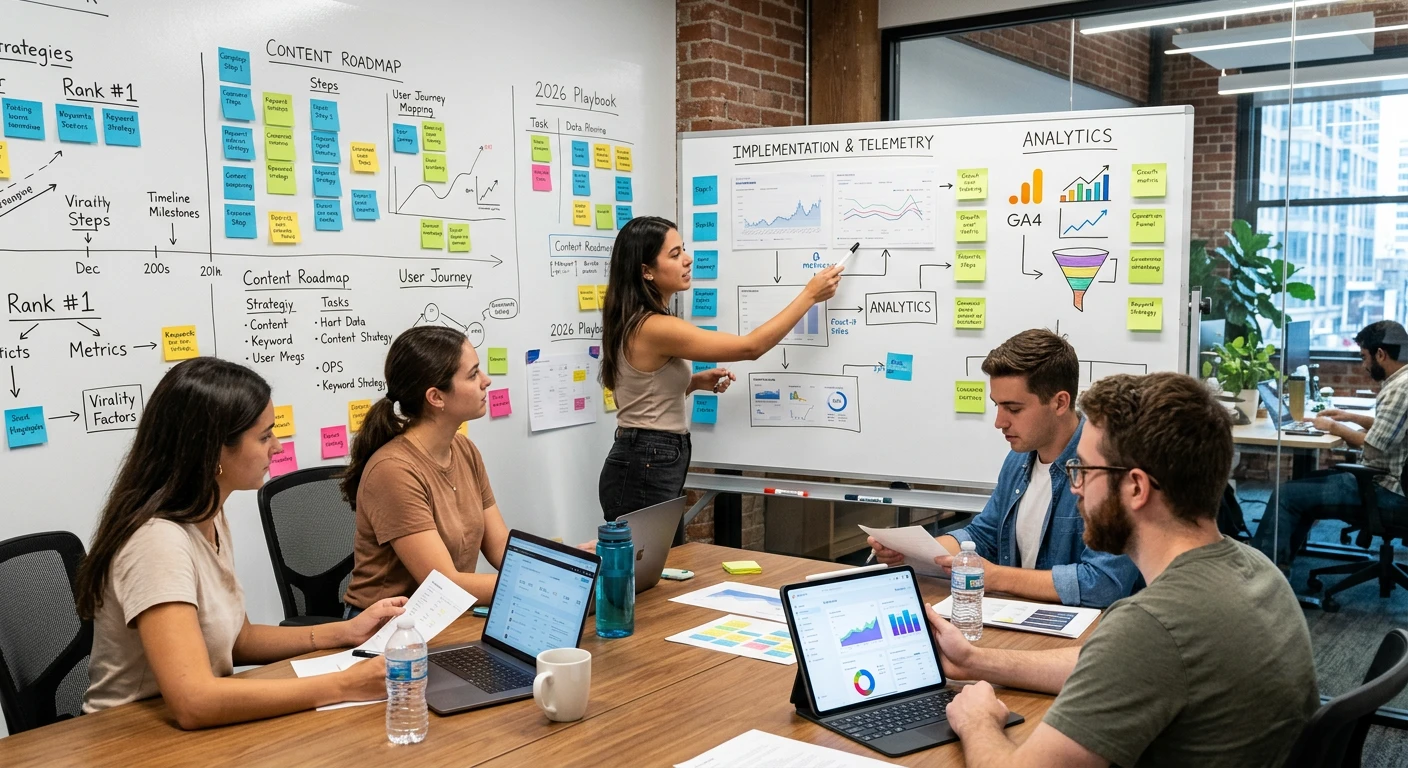
Alright, our environment is set up. Now, let’s be architects. Before a single brick is laid for a skyscraper, there’s a detailed blueprint. This module is that blueprint. We’re going to design the structure of a perfect, high-ranking listicle. This is the step by step guide to ranking content at a structural level. Think of your article not as a wall of text, but as a system of interconnected components.
The Anatomy of a Viral Listicle: A Visual Card Grid
Imagine your article as a series of cards, each with a specific job. This modular design makes it easy to build, easy to read, and easy for Google to understand.
This structure is your 2026 SEO playbook. It’s designed for human psychology and machine readability. Let’s dive deeper into the three most critical architectural pieces.
The Title & Introduction: Your Application’s “Above the Fold”
In web design, “above the fold” is what a user sees without scrolling. In our listicle, the Title and Introduction are everything. If you fail here, the user will “bounce” (hit the back button), which is a major negative signal to Google.
The Title Architecture: Your title is an <h1> tag in HTML. You only get one. It needs to be a masterpiece of efficiency. A proven formula is:
[Number] + [Powerful Adjective] + [Topic/Keyword] + [Promise/Benefit] + (Current Year)
- Bad Title:
Ways to Rank Content(Vague, no promise, boring) - Good Title:
10 Actionable Tips for Ranking Content on Google(Better, has a number and benefit) - Excellent Title:
My First Viral List: 11 Proven Steps to Rank High on Google (2026 Beginner's Guide)(Excellent. Uses a number, a powerful promise, includes the keyword, the year, and targets a specific audience).
The Introduction Architecture: Your intro must execute four jobs in quick succession:
- The Hook: Start with a relatable story, a shocking statistic, or a provocative question. My intro to this guide used a personal story. This grabs emotional investment.
- The Problem: Agitate the reader’s pain point. Show them you understand their struggle. “Are you tired of publishing content that nobody reads? Do you feel like you’re shouting into the void?”
- The Proof & Promise: Briefly establish why you’re the one to solve this problem (your Experience or Expertise). Then, promise them the solution. “In this guide, we will walk through the exact 8-step system I used to…”
- The Transition: Smoothly lead into the first list item. “So, let’s get started with the very first step: building your foundation.”
A user who reads your intro and thinks, “This person gets me, and they have the answer,” is a user who will scroll down.
The List Item “Component”: Designing for Value & Scan-ability
This is the meat of your article. Each list item is a “component” that must be well-designed. Do not just write a heading and a blob of text. That’s a rookie mistake.
The Architecture of a Perfect List Item
- The Heading (
<h3>): Make it a full, descriptive sentence. - Bad Heading:
Keyword Research - Good Heading:
Step 1: Master Keyword Research to Understand User Intent
This structure is better for SEO (it can rank on its own for long-tail queries) and for the reader who is scanning your article.
- The Opening Sentence: Immediately summarize the point of this list item. A scanning reader should be able to read only the heading and the first sentence of each item and still understand the entire article.
3.