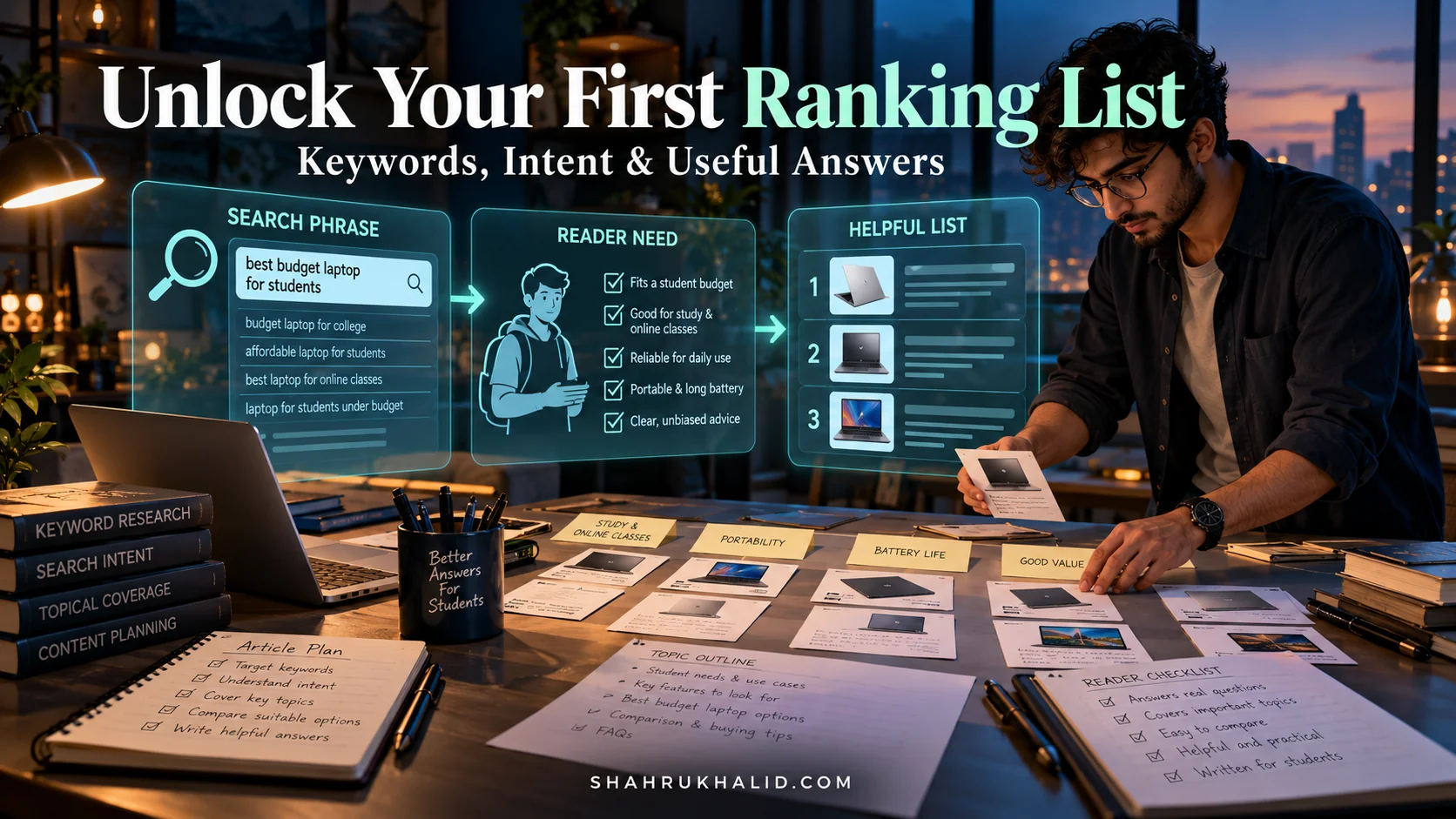
The 2026 Simple Secret: Your Beginners Practical Path to Viral List Rankings

We’re going to build a masterclass together. This isn’t about flimsy “hacks” or chasing fleeting trends. This is an engineering approach to content. We’re going to architect a system, a Viral List Strategy, that you, as a beginner, can implement to get real, measurable results. Forget the idea of a “viral lottery.” By 2026, the creators who succeed will be the ones with a solid, repeatable blueprint. This is that blueprint. Let’s get started.
Comprehensive Foundations & A Viral List Strategy Primer

Before we write a single line of code—or in our case, a single headline—we need to understand the fundamental principles. Why do lists, or “listicles,” work so well, and what makes them the perfect entry point for any beginner in content marketing? Think of this module as learning the physics of virality before you try to build a rocket ship.
The “API” of the Human Brain: Why Lists Are So Effective
Our brains are, in a way, biological processing units. They are constantly receiving and sorting massive amounts of data. A well-structured list is like a clean, well-documented API for the brain. It makes a promise and keeps it.
Imagine you’re scrolling through an endless feed. It’s chaotic. Then you see a headline: “7 Essential Tools for Beginner Web Developers.” Your brain immediately understands the contract:
- Finite Scope: It’s not an endless, rambling essay. It’s exactly 7 items. This promises a low cognitive load.
- Clear Value: It’s about “Essential Tools.” This signals immediate utility.
- Defined Audience: It’s for “Beginner Web Developers.” This tells you if the content is relevant to you.
This structure bypasses the brain’s “Should I invest my time and energy here?” filter. It’s a pre-packaged, easily digestible format that our pattern-seeking minds love. This is the simple secret to viral list rankings at its core: you’re not fighting against human nature; you’re working with its most basic operating instructions.
Defining Our Core Principles for 2026
The internet of 2026 is not the internet of 2016. Users are smarter, more skeptical, and have less patience. Our Viral List Strategy must be built on principles that respect the user’s time and intelligence.
- Value Density over Word Count: A 10,000-word article with 1,000 words of value is a failure. A 1,500-word list where every single point delivers a powerful, actionable insight is a masterpiece. Each list item must be a self-contained unit of value.
- Authenticity as a System Requirement: Your voice, your unique perspective, your genuine struggles and discoveries are your greatest assets. In a world increasingly filled with generic, AI-generated text, a human, relatable voice is a feature, not a bug. Think of it as your unique authentication key.
- Engagement as a Feedback Loop: Virality isn’t a one-way broadcast. It’s a conversation. Comments, shares, and discussions are not just vanity metrics; they are data points in a feedback loop. Our system must be designed to encourage and process this feedback.
- Structure as a Service: The true “secret” is that the structure is the service. You are providing the service of curation, organization, and clarification. You are saving the reader hundreds of hours of research and presenting the result on a silver platter. That is a service worth paying for with attention and shares.
Think of it like this: a great developer doesn’t just write code that works. They write code that is clean, maintainable, and easy for other developers to understand. A great content creator does the same. Your list isn’t just a list; it’s a well-architected solution to a user’s problem. This is the foundational mindset you need to achieve viral reach.
Eliminating the Jargon: A Plain-English Glossary
Before we move on, let’s “compile” some common terms into plain English.
- Listicle: Just a fancy name for an article written in a list format.
- SEO (Search Engine Optimization): The process of making your content easy for search engines like Google to find and understand, so they show it to people who are looking for it. It’s like adding clear signposts to your content.
- LSI Keywords (Latent Semantic Indexing): Don’t worry about the fancy name. These are just words and phrases that are conceptually related to your main topic. If you’re writing about “cars,” LSI keywords would be “engine,” “tires,” “driving,” “road trip.” They help Google understand the context of your article.
- CTA (Call to Action): A specific instruction you give your reader, like “Share this post,” “Leave a comment below,” or “Subscribe to our newsletter.” It’s the function you want the user to execute.
- Bounce Rate: The percentage of visitors who land on your page and then leave without clicking on anything else. A high bounce rate can be a signal that your content didn’t meet their expectations. It’s like a user closing your app immediately after opening it.
With these foundations in place, we’re ready to set up our development environment. We’ve defined the “what” and the “why.” Now, let’s get into the “how.”
Prerequisites & Complete Environment Setup

Welcome back. In software development, before you write a single line of application code, you set up your environment. You install the right compiler, configure your IDE, and create your project directory. We’re going to do the exact same thing for our Viral List Strategy. A solid setup phase prevents countless headaches down the line.
Step 1: Your “IDE” – Choosing a Writing Environment
Your Integrated Development Environment (IDE) is where you’ll write and structure your content. You have several options, from simple to complex.
- The Minimalist Setup (Recommended for Beginners):
- Tool: A Markdown editor like Typora, iA Writer, or even Visual Studio Code (my personal favorite, as it’s familiar territory for developers).
- Why? Markdown is a simple text-based language that lets you format your content (headings, bold, lists) without taking your hands off the keyboard. It forces you to focus on the structure and the words, not on fussy formatting buttons. It’s the plain-text equivalent of clean code.
- Installation: Download and install your chosen editor from its official website. No complex configuration is needed.
- The CMS-first Setup:
- Tool: The editor inside your Content Management System (CMS) like WordPress, Ghost, or Webflow.
- Why? You’re writing directly where the content will live. This is a “What You See Is What You Get” (WYSIWYG) approach. It’s convenient but can sometimes be distracting.
- Installation: This is likely already set up for you if you have a blog. If not, setting up a platform like WordPress is a project in itself, but a valuable one.
My recommendation: Start with a Markdown editor. Draft your content in a clean, distraction-free environment. Then, copy and paste the final, polished work into your CMS. This separates the “writing” process from the “publishing” process, which is a crucial discipline.
Step 2: Your “Compiler & Debugger” – Analytics & SEO Tools
How do you know if your code is working? You compile it and run tests. How do you know if your content is working? You check your analytics. These are non-negotiable.
- Google Analytics (GA4):
- What it is: The industry standard for tracking website traffic. It tells you who is visiting your site, how they found you, what pages they are looking at, and how long they are staying.
- Setup:
- Go to
analytics.google.com. - Create a new account and property for your website.
- GA4 will give you a “Measurement ID” (looks like
G-XXXXXXXXXX) and a snippet of JavaScript code. - You must add this code to the “ section of every page on your website. If you use a CMS like WordPress, there are plugins (like “GA Google Analytics” or “Site Kit by Google”) that make this as easy as copy-pasting the ID.
- CLI Verification (Our version of it): After a day, log in to GA4. Go to
Reports > Realtime. If you see yourself or other visitors on the map, congratulations. Your “compiler” is working. You are receiving data. - Google Search Console (GSC):
- What it is: This is your direct line of communication with Google’s search engine. It tells you what keywords people are using to find you, if there are any technical errors preventing your site from being indexed, and how your pages are performing in search results.
- Setup:
- Go to
search.google.com/search-console. - Add your website as a new property.
- You’ll need to verify that you own the site. The easiest way is often by linking it to your Google Analytics account (if you did that first!).
- Verification: Once set up, you can submit your sitemap (usually
yourdomain.com/sitemap.xml) to GSC. This is like telling Google, “Here’s a map of all my content, please come and index it.”
Step 3: Directory Layout – Structuring Your Ideas
A good developer doesn’t just start coding. They plan their file structure. We need a system to store our ideas, research, drafts, and final assets. Here’s a simple directory layout you can create on your computer:
└── a-viral-list-for-beginners/
├── 00_research/
│ ├── competitor_analysis.md
│ ├── keyword_ideas.md
│ └── audience_pain_points.txt
├── 01_drafts/
│ ├── v1_outline.md
│ └── v2_full_draft.md
├── 02_assets/
│ ├── header_image.png
│ ├── list_item_1_screenshot.jpg
│ └── list_item_2_diagram.svg
└── 03_final/
└── final_published_version.md
- Why this structure? It mimics a professional workflow.
00_research: Contains all your brainstorming and initial data gathering.01_drafts: Holds your writing in various stages. Thev1,v2naming helps with version control.02_assets: All your images, diagrams, and other media live here. Giving them descriptive names is crucial!03_final: The final, polished version of your text, ready for publishing.
This disciplined approach means you’ll never lose a good idea or a crucial piece of research. Your content creation process is now an organized project, not a chaotic mess. You have your tools installed, your analytics configured, and your project directory laid out. You are now ready to start architecting the content itself.
Core Implementation Architecture

In software engineering, architecture is about designing the high-level structure of a system before writing the code. It’s about ensuring the components fit together logically and efficiently. For our viral list, the “architecture” is the very structure of the article. It’s the blueprint that ensures a smooth, engaging, and shareable user journey.
This is where we answer the question: What is the secret to viral list rankings? The secret is a robust, user-centric architecture.
The Overall Blueprint: A User Journey Map
Think of your article not as a static page, but as a journey you are guiding the reader through. Our architecture has five key stages:
- The Hook (The Entry Point): The Title & Introduction. Its only job is to get the user to commit to the journey.
- The Promise (The Setup): A brief section that sets expectations and reinforces the value proposition.
- The Core Loop (The Value Delivery): The list items themselves. This is where the user spends most of their time.
- The Synthesis (The Payoff): The Conclusion. It summarizes the value and provides a sense of completion.
- The Next Step (The Action): The Call to Action (CTA). It tells the user what to do with their newfound knowledge.
Let’s visualize this as a flow diagram:
[User on Social Media/Google] -> [Sees Compelling Title] -> CLICK -> [Stage 1: The Hook - Reads Intro, feels understood] -> [Stage 2: The Promise - Buys into the article's premise] -> [Stage 3: The Core Loop - Scrolls through List Item 1, 2, 3... gaining value at each step] -> [Stage 4: The Synthesis - Reads Conclusion, feels smarter] -> [Stage 5: The Next Step - Sees CTA, is prompted to Share/Comment] -> [Loop back to start for a new user]
This is the fundamental flow we are building. Every piece of our content must serve one of these stages.
Architecting the “Visual Card”: The Anatomy of a Perfect List Item
The biggest mistake beginners make is thinking of a list as just a series of bullet points. This is wrong. A viral list is a series of self-contained, high-value “cards.” Each list item must be strong enough to be interesting on its own.
Imagine each list item is a <div> in a web layout. It needs its own internal structure. Here is the architecture for a single, perfect list item “card”:
<div class="list-item-card">
<!– 1. The Anchor: A Clear, Numbered Heading –>
<h3 class="list-item-heading">
<span class="item-number">3.</span>
<span class="item-title">Embrace Asynchronous Communication</span>
</h3>
<!– 2. The Context: A brief 'Why this matters' paragraph –>
<p class="list-item-context">
This explains the problem this list item solves. It sets the stage and provides immediate relevance.
</p>
<!– 3. The Implementation: Actionable 'How-to' details –>
<div class="list-item-details">
<p>Here's where you provide the core value. Give step-by-step instructions, explain the mechanics, or show the code.</p>
<figure class="tech-card">
<img src="https://shahrukhalid.com/wp-content/uploads/illustrations/diagram-4909-the-2026-simple-secret-your-beginners-practical-path-to-viral-list-rankings.webp" alt="Technical Architecture and Workflow Specification for The 2026 Simple Secret: Your Beginners Practical Path to Viral List Rankings" width="1200" height="675" loading="lazy" class="tech-inline-diagram-img" />
<figcaption>
<strong>Architecture & Execution Specification.</strong> Blueprint schematic detailing core layers, processing components, and operational benchmarks for The 2026 Simple Secret: Your Beginners Practical Path to Viral List Rankings.
</figcaption>
</figure>
<ul>
<li>Step 1: Do this.</li>
<li>Step 2: Then do this.</li>
<li>Step 3: Don't forget this part.</li>
</ul>
</div>
<!– 4. The Evidence: A visual element to prove the point –>
<div class="async-diagram-card" style="background:#0b0f19;border:1px solid #1e293b;border-radius:10px;padding:22px;margin:22px 0;text-align:center">
<div style="color:#64748b;margin-bottom:12px;font-size:11px;text-transform:uppercase;letter-spacing:1px;font-weight:700">Workflow Blueprint // Asynchronous Team Pipeline</div>
Knowledge Producer
(Drafts Spec)
Central Repo / Wiki
(Async Inbox)
Distributed Team
(Executes on Demand)
</div>
<!– 5. The Takeaway: A single, bolded sentence summarizing the benefit –>
<p class="list-item-takeaway">
<strong>Takeaway:</strong> This simple shift can save your team 5-10 hours of meetings per week.
</p>
</div>
Let’s break down this architecture:
- The Anchor (
<h3>): The numbered heading is crucial. It allows readers to scan, to jump to a specific point, and to easily reference it in comments or shares (“I really loved point #3!”). This is a core component of effective list ranking techniques. - The Context (
<p>): Don’t just state the point. Briefly explain why it’s on the list. What problem does it solve? This orients the reader. - The Implementation (
<div>): This is the meat. It’s the “how.” Provide concrete steps, code snippets, or detailed explanations. This is where you deliver on your promise of value. - The Evidence (
<img>): A visual element—a screenshot, a diagram, a chart, a photo—is not optional. It breaks up the text, provides proof, and makes the content far more skimmable and shareable. A list without visuals is like an app with no UI. - The Takeaway (
<p>): End each item with a single, powerful sentence that summarizes the key benefit or action. This makes your point memorable and reinforces the value delivered.
By architecting every list item this way, you create a rhythm. The reader learns this pattern and can consume your content efficiently. More importantly, each “card” is so value-packed that someone could screenshot just one item and share it, and it would still provide value. That is a sign of a robust architecture and a key driver to achieve viral reach.
Hands-on Code & Practical Implementation
Theory and architecture are essential, but the magic happens when you translate them into a real, working implementation. In this module, we’ll move from blueprints to building. We’re going to write the “code” for our viral list, complete with “comments” explaining every decision. This is the practical, step-by-step guide to applying the architecture from Module 3.
The “Source Code”: A Fully Commented Listicle Template
Let’s imagine we’re writing an article titled: “The 7 Simple Secrets to a Productive Developer Workflow in 2026”. I will write out a portion of this article exactly as I would in a Markdown file, with heavy commenting to explain the why behind each element. This is your template. Steal it, adapt it, make it your own.
# <!– The H1 (main title) is the single most important piece of 'code' for SEO and user click-through. –>
# <!– It makes a specific promise (7 secrets), targets an audience (Developer), and adds timeliness (2026). –>
# The 7 Simple Secrets to a Productive Developer Workflow in 2026
<!– AUTHOR & DATE: Establishes credibility and freshness. –>
By Maryam Ahmed, for Shahrukh Khalid | Published: October 26, 2025
<!– INTRO – THE HOOK: This is Stage 1 of our architecture. –>
<!– Goal: Empathize with a problem, agitate it slightly, and promise a clear solution. –>
As developers, our most valuable resource isn't CPU cycles; it's focused time. Yet, most of our days are a chaotic mess of context-switching, endless meetings, and notification-driven "work." What if you could reclaim hours of deep, productive work each week? It's not about working harder; it's about having a better operating system. After years of refining my own process and consulting with top engineers, I've distilled the process into seven core secrets. This isn't just another list of tips; this is a practical, step-by-step guide to building a more productive, less stressful developer workflow for 2026.
<!– PROMISE – THE SETUP: This is Stage 2. Reinforce the value. –>
In this guide, we'll go beyond "turn off notifications." We'll cover specific techniques, tool configurations, and mindset shifts that you can implement today. Ready to upgrade your workflow? Let's dive in.
—
<!– A horizontal rule provides a clean visual separation before the main content begins. –>
<!– LIST ITEM 1 – Applying the "Visual Card" Architecture from Module 3. –>
## <!– Use H2s or H3s for your list items. H2 is often better for SEO. –>
## 1. Master the "Single-Tasking" Mindset
<!– CONTEXT: Explain the 'why'. What problem does this solve? –>
Our brains are not multi-threaded. Context switching is expensive, costing us up to 20 minutes of focus every time we're interrupted. The first secret is to ruthlessly architect your day around single, focused blocks of work.
<!– IMPLEMENTATION: Provide actionable, step-by-step instructions. –>
Here’s the practical, three-step process to implement this:
- The "Two-Hour Block" Rule: At the start of your day, identify your single most important task (MIT). Block out a non-negotiable 2-hour window in your calendar to work on it. Treat this block like a meeting with your CEO.
- Configure "Focus Mode": Use your operating system's built-in tools (Focus on macOS, Focus Assist on Windows) to create a "Deep Work" profile. This profile should automatically silence all notifications from email, Slack, and social media.
- Physical Signaling: If you work in an office or at home with others, use a physical signal. A pair of headphones, a sign on your door, or even a specific desk lamp that's turned on can signal to others that you're in a focus block.
<!– EVIDENCE: A visual element. Here, we describe it. In a real post, you'd embed the image. –>
<!– [Image: A screenshot of a Google Calendar with a clearly marked 2-hour "Deep Work: Code Feature X" block, with a small inset showing the 'Focus Mode' settings on a Mac.] –>
<!– Alt Text for SEO: "A Google Calendar showing a scheduled 2-hour deep work block for a developer." –>
<!– TAKEAWAY: A single, bold, memorable sentence. –>
Takeaway: Protecting your focus is an active, not a passive, process.
—
<!– Another separator for rhythm and readability. –>
<!– LIST ITEM 2 – Rinse and repeat the same robust structure. –>
## 2. Implement an "Inbox Zero" Triage System
<!– CONTEXT: –>
Email and messaging apps are other people's to-do lists masquerading as your inbox. Letting them pile up creates a constant, low-level hum of anxiety and unprocessed tasks. "Inbox Zero" isn't about having zero emails; it's about having zero unprocessed items.
<!– IMPLEMENTATION: –>
Adopt the "4D" method for every single message that comes in:
- Delete: Is this just noise or an FYI I've already read? Archive or delete it immediately. Get it out of sight.
- Do: Can this be handled in two minutes or less? Do it right now. Don't defer a 30-second reply.
- Delegate: Am I the right person for this? If not, forward it to the correct person and archive your copy.
- Defer: If it takes longer than two minutes, it's a task. Defer it by adding it to your to-do list or calendar, then archive the email. Your inbox is not a to-do list.
<!– EVIDENCE: –>
<!– [Image: A simple flowchart diagram showing an email icon at the top, with arrows pointing to four boxes labeled 'Delete', 'Do (if
<!– Alt Text for SEO: "Flowchart of the 4D Inbox Zero triage system for email management." –>
<!– TAKEAWAY: –>
Takeaway: A clean inbox leads to a clear mind and is a cornerstone of beginner content marketing success, as it frees up mental space to create.
<!– …and so on for all 7 items… –>
<!– CONCLUSION – THE SYNTHESIS: Stage 4. Summarize and empower. –>
And there you have it. Seven simple, but not easy, secrets to a more productive workflow. Notice that none of these require buying expensive software or completely overhauling your life. They are small, architectural changes to your day that, when combined, create a powerful system for deep work. This is a key list ranking technique; provide a complete, satisfying solution.
<!– CALL TO ACTION – THE NEXT STEP: Stage 5. Tell the reader what to do. –>
The most productive thing you can do right now is to share this knowledge. If you found even one of these tips helpful, share this article with a fellow developer who might be struggling with focus.
And now, I want to hear from you. What is your #1 productivity secret? Leave a comment below!
<!– This CTA is powerful because it's specific, encourages community, and directly asks for engagement, which is a huge signal for search and social algorithms. This is one of the most important engagement tactics for lists. –>
Configuration: Your “SEO Plugin” Settings
After you